

A blurry overnight clip is usually when a business owner realizes the recorder matters just as much as the camera. If you are evaluating an nvr system for small business use, the real question is not just how many channels you need. It is whether the recorder can support the way your site actually operates – daily monitoring, after-hours review, remote access, retention requirements, and future expansion.
For a small business, the NVR is the control point of the surveillance system. It manages recording, organizes footage, supports search and playback, and often determines how usable the system will be when there is an incident. A low-cost recorder may look acceptable on paper, but if it struggles with bandwidth, drops frames, limits playback options, or makes remote review difficult, it creates problems at the exact moment the system is supposed to help.
What an NVR system for small business actually needs to do
Network video recorders are often compared by channel count alone – 4-channel, 8-channel, 16-channel. That is a starting point, not a buying decision. A small office with four entry points may be fine on an 8-channel unit today, but if the owner later adds a stockroom, rear parking, cashier view, or hallway coverage, that extra headroom matters.
The better way to evaluate an NVR is by looking at the full job. How many cameras will record continuously? What resolution are those cameras using? Are they standard fixed cameras, varifocal cameras, or multi-sensor units? Will the customer want motion-only recording in some areas and 24/7 recording in others? Does management need mobile access, local monitor output, or both?
Those questions affect processor load, incoming throughput, storage sizing, and overall reliability. In a small business environment, the system should be simple enough for daily use but capable enough for professional retention and evidence review.
Start with the site, not the spec sheet
An NVR that performs well in a small retail store may not be the right fit for a warehouse office, school front desk, or mixed-use property. The site layout changes everything.
A storefront usually needs dependable coverage at entrances, POS areas, sales floor zones, and exterior approaches. A small office may care more about lobby traffic, delivery access, shared hallways, and parking. A restaurant may need synchronized views across register stations, kitchen access points, and late-night exterior activity. In each case, the recorder has to support the camera mix and recording pattern without becoming the weak point.
That is why experienced buyers look at deployment conditions first. If the business has poor lighting outside, the cameras may need higher bitrates at night. If the site has frequent motion, storage demand goes up. If there are multiple users reviewing footage, remote and local playback performance becomes more important than many first-time buyers expect.
Sizing the recorder correctly
Channel count should leave room to grow
For most small business projects, buying the exact channel count you need today is usually shortsighted. An 8-channel NVR for six cameras or a 16-channel NVR for ten to twelve cameras often makes more sense than filling every slot on day one. Expansion is common once operators see blind spots or want better coverage around deliveries, employee entrances, or outdoor areas.
Unused channels are cheaper than replacing the recorder a year later. That is especially true when labor, reconfiguration time, and user retraining are part of the cost.
Bandwidth matters more than many buyers expect
Incoming and outgoing bandwidth limits affect whether the NVR can properly handle multiple high-resolution streams. Four 4MP cameras do not place the same load on a recorder as four 4K cameras, and a mix of 24/7 recording plus remote playback adds more demand.
This is where low-end recorders often disappoint. They may technically support the camera count but not the actual throughput needed for stable recording and smooth review. For a business environment, published bandwidth specs should be treated as operational limits, not marketing extras.
Storage planning should match the retention goal
Storage is where many systems are undersized. A business may say it wants 30 days of footage, but that target depends on resolution, frame rate, compression, recording mode, and camera activity. A front entrance facing a busy street does not store data like a quiet interior office.
If retention is part of company policy, insurance expectations, or incident response procedures, the hard drive plan should be calculated deliberately. In many cases, it is better to size for realistic retention from the start rather than rely on reduced quality settings that undermine footage usefulness later.
Key features that make daily use easier
A good NVR is not just a recorder. It is an operational tool. Ease of use matters because footage is often reviewed by managers, supervisors, or office staff who did not install the system.
Reliable search and playback functions are essential. Users should be able to move through timeline views, search by event, and export clips without confusion. If video review takes too many steps, incidents are more likely to go uninvestigated or exported incorrectly.
Remote access also deserves careful attention. Many small businesses rely on mobile review after hours, but the quality of that experience varies. Some systems are fine for checking a live view but become frustrating when searching recorded footage over a phone or remote desktop. If owners or regional managers will regularly review video off-site, remote playback performance should be part of the buying decision.
Dual monitor support, HDMI output, user permissions, and event notifications can also make a practical difference. A manager may need live display in an office while keeping recorded review restricted to authorized users. That is not unusual in commercial environments, and the recorder should support it cleanly.
Camera compatibility and PoE considerations
Not every camera and NVR pairing is equally clean
Some buyers assume any IP camera will work equally well with any NVR. In practice, compatibility can range from fully integrated to barely functional. Basic video may display, but advanced functions such as motion analytics, smart events, or easy remote configuration may not transfer properly across mixed brands.
For professional installs, known compatibility is worth more than theoretical flexibility. A matched system usually simplifies setup, firmware coordination, and service support. That matters for installers and for end users who need dependable operation over time.
Built-in PoE can simplify smaller jobs
For many small business applications, an NVR with integrated PoE ports helps reduce equipment count and speeds installation. Cameras can be powered and connected directly at the recorder, which is useful for single-location offices, small retail stores, and compact facilities.
Still, it depends on the site. If cameras are spread across long distances, multiple IDFs, or detached structures, a separate PoE switching plan may be cleaner. The right answer depends on cable runs, network segmentation, and whether the surveillance network will remain isolated from the business data network.
NVR system for small business security and integration
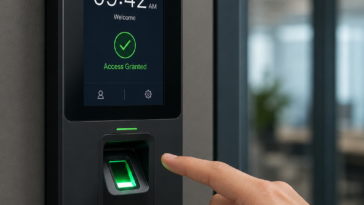
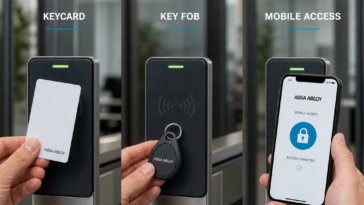
Surveillance rarely stands alone in a commercial property. It overlaps with entry control, intercoms, door hardware, gates, and visitor management. That does not mean every small business needs a fully unified platform, but it does mean the recorder should fit into a broader security plan.
For example, if a site uses access control on a rear door, management may want camera footage tied closely to door activity. If an intercom controls visitor entry, the business may want recorded verification of who approached and when. Even when systems are not deeply integrated, the NVR should at least support a deployment that makes coordinated review practical.
This is where buying from a specialized supplier can make a difference. A distributor with experience across CCTV, access control, intercom, and locking hardware can help identify whether the recorder choice supports the larger application instead of treating video as a separate purchase. For many customers, that practical guidance is as valuable as the hardware itself.
Common buying mistakes
The first mistake is prioritizing lowest price over usable performance. In business settings, downtime, poor playback, or inadequate retention costs more than the initial savings.
The second is buying only for current camera count. Growth happens quickly, especially once owners begin relying on video for operations, not just loss prevention.
The third is ignoring serviceability. If hard drive replacement, firmware updates, export procedures, or user setup are confusing, support calls increase and confidence in the system drops.
The fourth is treating remote access as an afterthought. For many owners, the system is only as good as its off-site visibility.
Making the right choice
The best NVR choice is usually not the biggest unit on the shelf or the cheapest package online. It is the recorder that matches the camera load, storage target, review habits, and expansion path of the site. That takes a little planning, but it prevents expensive rework.
For installers, property managers, and business owners, the smart approach is to define the operating needs first, then choose the recorder around them. If the system has to serve a real business environment, it should be built like one. A dependable NVR does more than store footage – it gives the business a record it can actually use when something happens.

 No products in the cart.