
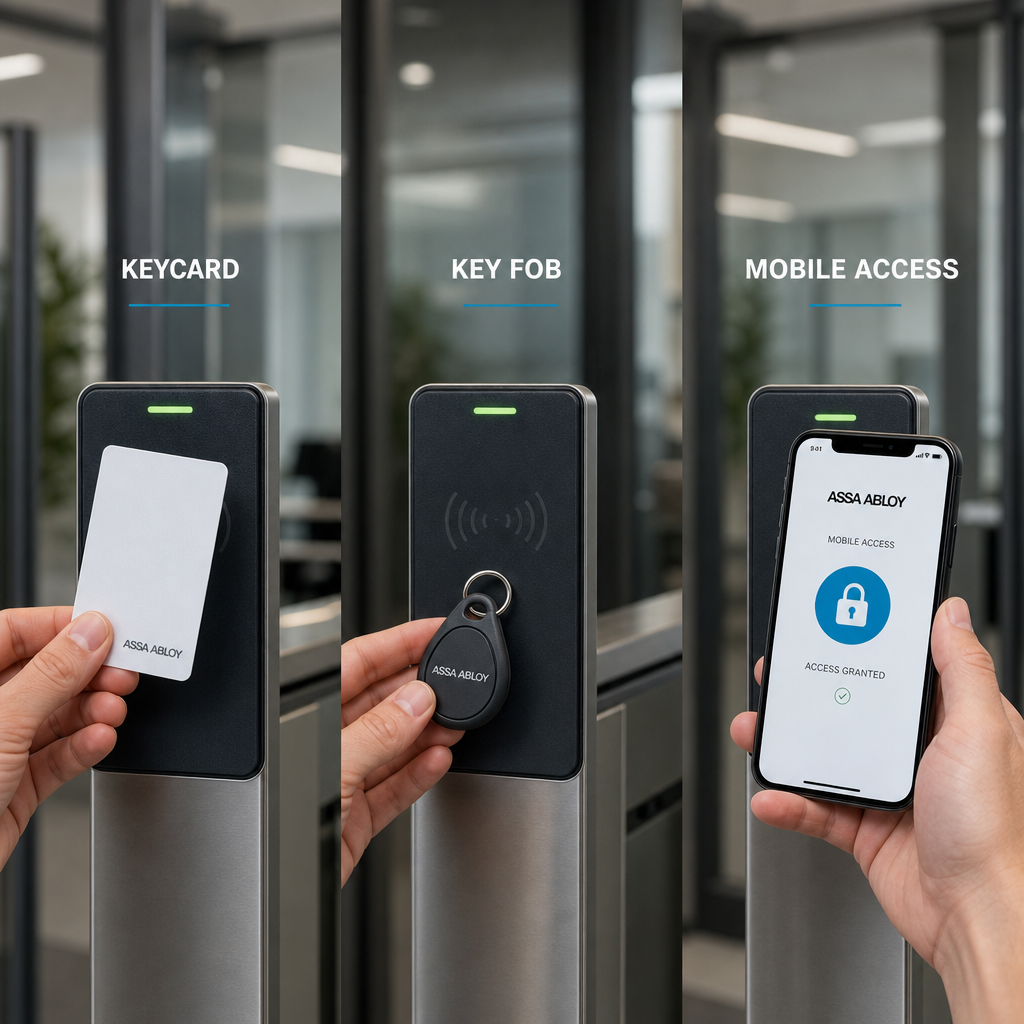
Most property managers and business owners pick their access control credentials based on habit or cost, then spend years dealing with the consequences. Lost keycards, cloned fobs, and employees who never download the app are real operational problems, not edge cases. The right choice among access control credentials depends on your site type, user population, and how much administrative overhead your team can actually handle. This guide breaks down the practical tradeoffs between keycards, key fobs, and mobile app access control so you can make a decision you will not regret after the first month of deployment.
Table of Contents
- Quick Takeaways
- What Are Access Control Credentials
- Keycard Access Systems Explained
- Key Fob Access Control Explained
- App-Based Access Control Explained
- Side-by-Side Credential Comparison
- Which Credential Fits Which Property Type
- Common Deployment Mistakes to Avoid
- Frequently Asked Questions
- References
Quick Takeaways
| Key Insight | Explanation |
|---|---|
| Keycards are cloneable if you use outdated 125 kHz technology | Upgrading to 13.56 MHz MIFARE or DESFire cards closes the most common physical security gap in card access systems. |
| Key fobs have lower loss rates than keycards in high-traffic environments | Fobs attach to keyrings, making them harder to misplace than a flat card that sits loose in a wallet or bag. |
| Mobile app credentials eliminate physical issuance costs entirely | There is no card stock or fob inventory to manage. Credentials are provisioned and revoked remotely in seconds. |
| App-based access control depends entirely on smartphone battery and OS compatibility | A dead phone locks out the user. Always plan a physical backup credential option for critical entry points. |
| Multi-credential readers give you flexibility without a full rip-and-replace | Readers that accept cards, fobs, and mobile credentials let you migrate users gradually instead of all at once. |
| Audit trail depth varies significantly by credential type | Mobile app credentials tied to individual user accounts produce richer audit logs than shared keycards or fobs. |
| Total cost of ownership favors mobile credentials at scale, not at small sites | For sites with fewer than 20 users, the infrastructure cost of app-based systems often exceeds keycard savings. |
What Are Access Control Credentials
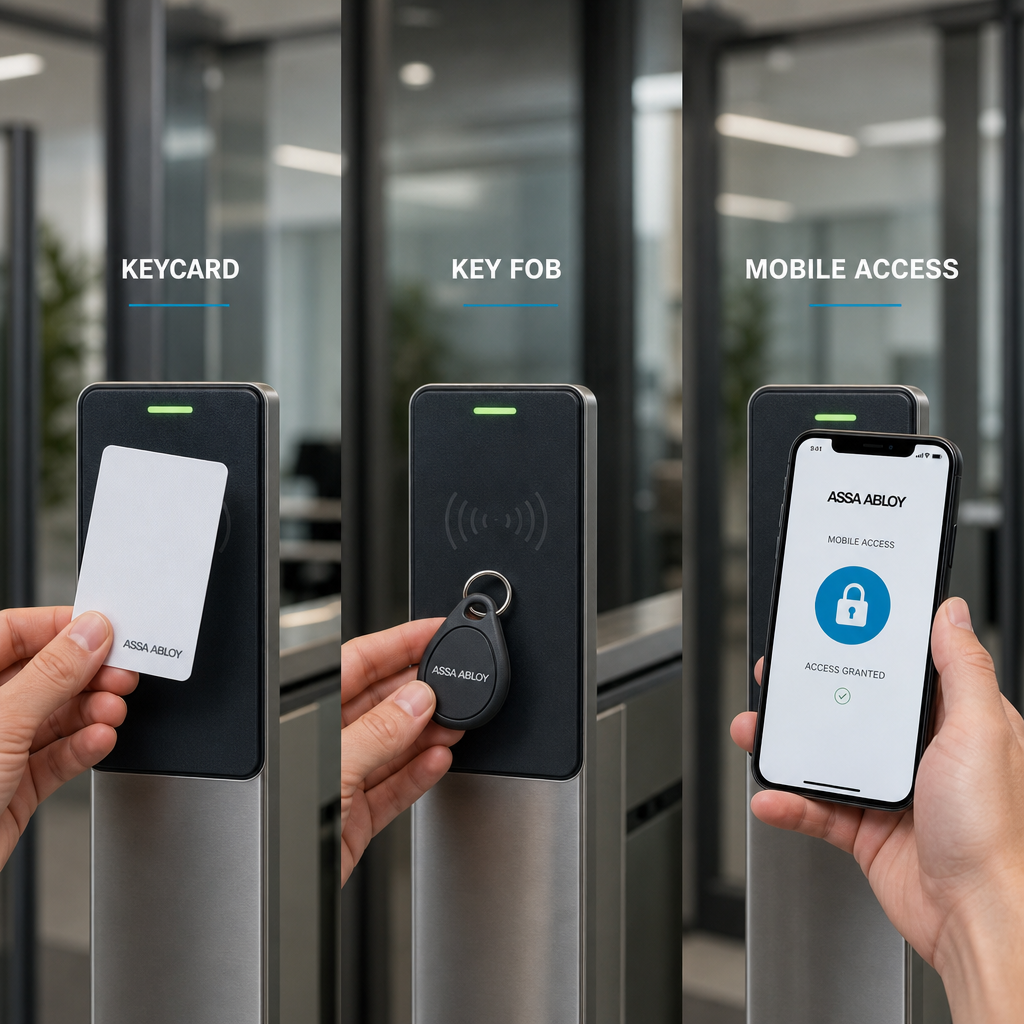
Access control credentials are the identifiers a system uses to verify that a person is authorized to pass through a controlled entry point. They can be physical objects, digital tokens, or biometric data. For most commercial and residential installations, credentials take one of three forms: a proximity card (keycard), a key fob, or a mobile application running on a smartphone.
The credential is only one layer of the system. It works alongside a reader, a controller, and a locking mechanism. But the credential is the part users interact with every single day, which means a poor credential choice creates daily friction even if every other component is installed perfectly.
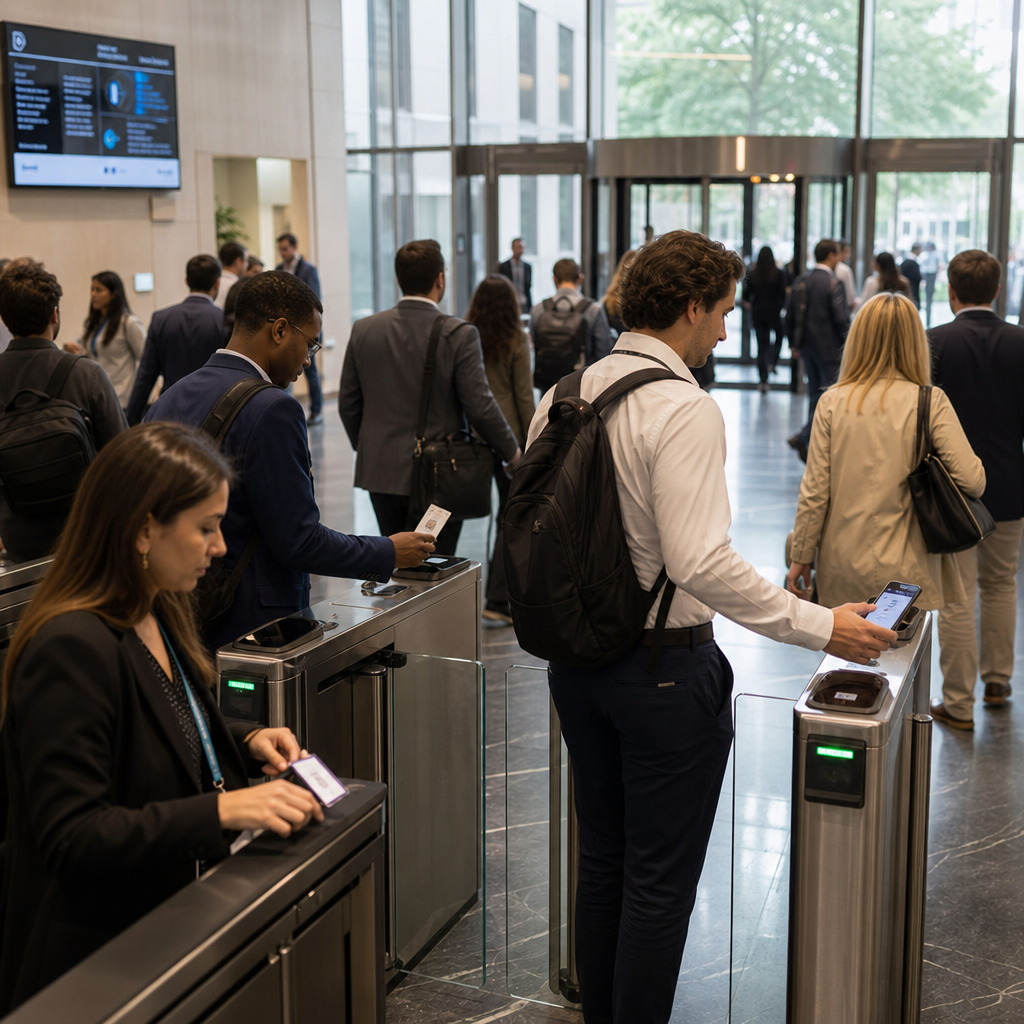
Property managers at multi-tenant buildings, warehouse operators managing shift workers, and homeowners adding smart entry to a gate all face the same fundamental question: which credential type will work reliably for my specific users, in my specific environment, without creating a support burden I cannot handle?
Keycard Access Systems Explained
A keycard is a flat, credit-card-sized credential that stores a unique identifier in an embedded chip or magnetic stripe. When held near a compatible reader, the card transmits that identifier wirelessly. The reader passes it to the access controller, which checks it against the authorized user list and triggers the lock or gate.
Technology Generations Matter More Than Most People Realize
The 125 kHz proximity cards that dominated installations throughout the 2000s are trivially cloneable using devices that cost under $30 and are freely available online. If your card access system still uses EM4100 or HID Prox cards, your physical security is effectively cosmetic. The data consistently shows that 125 kHz credentials account for the majority of physical security breaches that start at the door.
Moving to 13.56 MHz technology, specifically MIFARE Classic, MIFARE DESFire EV2, or HID iCLASS SE, introduces encrypted communication between card and reader. DESFire EV2 is the current practical standard for high-security installations. It uses AES-128 encryption and mutual authentication, meaning both the card and the reader verify each other before any data changes hands.
Where Keycards Perform Best
Card access systems perform best in corporate office environments, apartment complexes, and any setting where users are accustomed to carrying a badge or wallet card. The form factor integrates easily with employee ID cards, which reduces the number of physical items staff need to carry.
In practice, the biggest operational problem with keycards is loss and replacement. Average replacement rates at office buildings run between 10 and 15 percent of the total card population per year, according to security industry benchmarks. At a site with 200 users, that means 20 to 30 card replacements annually, each requiring administrative time to deactivate the lost card and issue a new one.
Pro tip: Always configure your access control software to auto-suspend a keycard after 72 hours of no use following a reported loss. This reduces the window of unauthorized access if a user delays reporting a missing card.
Key Fob Access Control Explained
Key fob access control uses the same underlying radio frequency technology as keycards, typically 125 kHz or 13.56 MHz, but packages the credential in a small plastic housing designed to attach to a keyring. Functionally, a fob and a card from the same manufacturer using the same frequency are interchangeable at the reader level.
The Practical Advantage of the Keyring Form Factor
The keyring attachment is not a minor convenience feature. It is the primary reason fobs have lower loss and misplacement rates than cards in environments where users move between multiple areas throughout the day. A fob attached to car keys or a lanyard clip travels with the user constantly. A keycard sitting loose in a jacket pocket gets left on desks, in lunch bags, or at home far more often.
For residential gate access, parking garages, and small business settings with 5 to 50 users, key fobs are the most operationally efficient credential. They require no smartphone, no app updates, no battery on the user side, and work in rain, extreme cold, and other environmental conditions that can affect mobile credentials.
When Key Fobs Create Problems
Fobs become a liability in high-turnover environments. If you manage a warehouse with 40 percent annual staff turnover, tracking and recovering fobs at offboarding is a constant administrative task. Unlike a mobile credential that can be instantly revoked remotely, a physical fob that is not returned retains its access capability until an administrator manually deactivates it in the system.
Fobs also offer no native multi-factor authentication. The credential is the object, not the person holding it. Anyone who possesses the fob can use it. For sites requiring verified identity at entry, fobs alone are insufficient.
Pro tip: For residential buildings and gated communities, program your fob system to flag any credential that is used more than 15 times in a single 24-hour period. Unusual usage patterns often indicate a fob has been loaned, transferred, or stolen without being reported.
App-Based Access Control Explained
App-based access control uses a smartphone application to store and transmit a digital credential. The most common transmission methods are Bluetooth Low Energy (BLE), Near Field Communication (NFC), and cloud-based remote unlock via a cellular or Wi-Fi connection. Each method has distinct performance characteristics that affect installation design.
BLE vs NFC vs Remote Unlock
BLE readers can detect a smartphone from up to 30 feet away, enabling hands-free entry where the door opens as the user approaches. This is genuinely useful for delivery areas and loading docks where hands are full. The tradeoff is that BLE range introduces potential tailgating if the reader sensitivity is not tuned correctly.
NFC requires the phone to be within 4 centimeters of the reader, which mirrors the tap behavior of a keycard and feels familiar to most users. NFC is the better choice for high-security doors where you want deliberate, intentional credential presentation rather than automatic detection.
Remote unlock via a cloud connection allows an authorized user to open a door from anywhere with internet access. This is the feature property managers cite most often as transformative for their operations. A resident locked out at midnight can be granted entry by a manager without anyone driving to the property.
The Infrastructure Requirements Nobody Warns You About
App-based access control requires consistent network connectivity at every reader location. In basements, parking structures, and thick-walled industrial buildings, cellular signal and Wi-Fi coverage are often unreliable. A system designed around cloud connectivity that loses connection becomes a non-functional barrier rather than an access point.
User adoption is the other factor that derails mobile credential deployments. In practice, a significant portion of users in any building population, typically 15 to 25 percent, will resist installing an app, have incompatible older smartphones, or experience persistent technical issues. Deploying app-based access as the sole credential option without a physical fallback creates a support escalation problem that consumes more administrative time than the fob system it replaced.
“The most successful access control deployments we see are multi-credential environments. Organizations that force a single credential type onto a diverse user population always generate more support tickets, more exceptions, and more workarounds.” – Security Industry Association, Physical Security Technology Research
Side-by-Side Credential Comparison
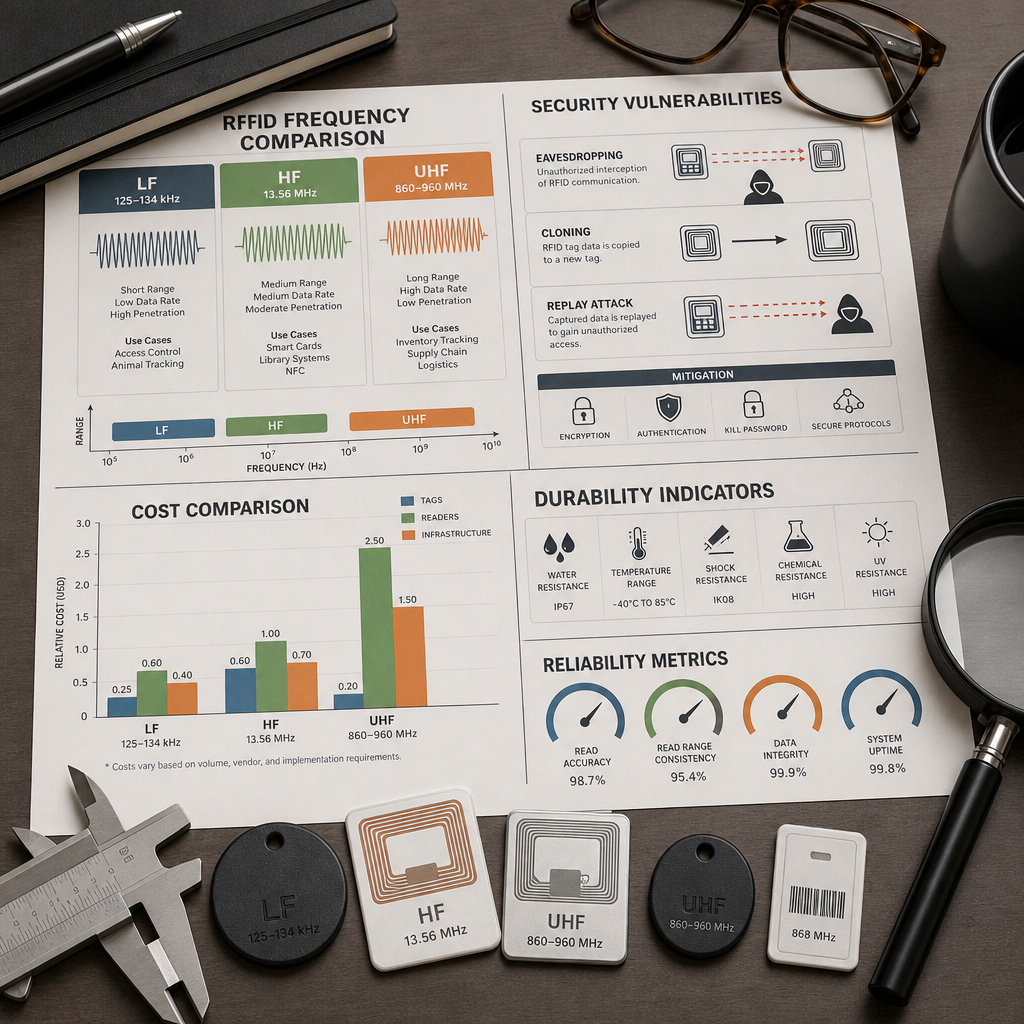
The table below compares keycard, key fob, and mobile app credentials across the dimensions that matter most for property managers and facility operators making a deployment decision. Cost figures reflect typical ranges for mid-tier commercial-grade hardware, not budget or enterprise extremes.
| Factor | Keycard (13.56 MHz) | Key Fob | Mobile App (BLE/NFC) |
|---|---|---|---|
| Per-credential hardware cost | $2 to $8 per card | $4 to $12 per fob | $0 (software-based) |
| Reader hardware cost | $80 to $250 | $80 to $250 (same readers) | $150 to $400 (BLE/NFC readers) |
| Credential security level | High (DESFire EV2) | High (DESFire EV2) | Very High (cryptographic token + device authentication) |
| Loss/replacement friction | Moderate (physical reissuance) | Moderate (physical reissuance) | Low (remote reprovisioning) |
| Dependency on user device | None | None | High (smartphone battery, OS, app version) |
| Remote management capability | Yes (deactivation only) | Yes (deactivation only) | Yes (full lifecycle management) |
| Audit trail granularity | Medium (credential ID logged) | Medium (credential ID logged) | High (user identity + device metadata) |
| Works without network connectivity | Yes | Yes | Depends (offline mode varies by platform) |
| Best fit | Offices, apartment buildings, corporate campuses | Residential gates, parking, small businesses | Tech-forward offices, short-term rentals, managed properties |
Which Credential Fits Which Property Type
There is no universally superior credential. The correct answer depends on your user population, site infrastructure, and administrative capacity. Here is a direct breakdown based on property type.
Multi-Tenant Apartment Buildings
For apartment buildings with 20 to 200 units, a combination of keycards for residents and mobile app access for management staff is the most practical configuration. Residents get a physical credential that works without a phone or network connection. Property managers get remote unlock capability and a richer audit log for the management office and common areas.
Avoid deploying fobs as the primary credential in apartment buildings. Tenants with a large number of keys already on their ring tend to leave fobs behind, which increases front-desk lost credential requests significantly.
Commercial Offices and Corporate Campuses
Corporate environments benefit from keycards that double as employee photo ID badges. The visual identification function adds a layer of social enforcement, where employees can see at a glance whether a person in a restricted area belongs there. This is something neither a fob nor a phone app provides.
For high-security zones within an office, layering a mobile app credential on top of a keycard creates a two-factor physical access requirement without adding a separate reader or device.
Gated Communities and Residential Properties
Key fobs are the dominant credential choice for gate access at residential communities, and for good reason. They are rugged, work in all weather conditions, attach to vehicle key fobs or gate remotes naturally, and residents understand how to use them without any training. For gate installations specifically, the UnikCCTV range of gate access control systems supports multi-frequency readers that accept both fobs and keycards, giving you flexibility without committing to a single credential type.
Short-Term Rentals and Managed Properties
Mobile app access is the clear choice for Airbnb-style rentals and managed short-stay properties. The ability to issue a time-limited credential remotely, without mailing a physical key or coordinating an in-person handoff, changes the operational model entirely. Combine app-based access with a smart lock from UnikCCTV’s smart lock and door entry range for a fully remote-managed entry system.
Common Deployment Mistakes to Avoid
A common mistake is treating credential selection as a one-time hardware decision rather than an ongoing operational policy. The credential type you choose determines your revocation speed, your replacement cost, and your audit capability for years after installation.
Deploying Single-Technology Readers When Multi-Credential Readers Cost Almost the Same
Multi-credential readers that accept 125 kHz, 13.56 MHz, and mobile credentials via BLE/NFC typically cost $30 to $80 more than single-technology readers. That upfront cost premium buys you the ability to change credential types without replacing readers, which is a significant infrastructure flexibility advantage. For any installation intended to last more than three years, multi-credential readers are the correct default choice.
Not Establishing a Formal Credential Lifecycle Policy Before Deployment
The largest operational failures in access control installations happen not at the hardware level but at the policy level. Without a documented process for issuing, tracking, suspending, and retiring credentials, systems accumulate active credentials for departed employees, former tenants, and contractors whose projects ended months ago. According to the U.S. General Services Administration’s physical security guidelines, dormant active credentials are among the top three sources of unauthorized physical access incidents in managed facilities.
Before you issue a single card, fob, or mobile credential, document exactly who is authorized to issue credentials, under what conditions a credential is suspended immediately versus after a grace period, and how compliance with returns is enforced at offboarding.
Pro tip: Set a quarterly credential audit as a recurring calendar task. Pull the access log for every credential issued and flag any credential that has not been used in 45 days. Dormant credentials are either held by users who no longer need access or credentials that have been lost without being reported.
Choosing Mobile-Only Credentials for Populations with Low Smartphone Penetration
Smartphone ownership is not universal. Older residents in senior communities, temporary workers at manufacturing facilities, and visitors at public institutions frequently do not carry compatible smartphones or are unwilling to install facility-specific applications on personal devices. A mobile-only credential policy in these environments creates an immediate access barrier that falls disproportionately on specific demographic groups.
The pragmatic solution is a tiered credential model. Make mobile app credentials the primary option for users who prefer them and offer keycards or fobs as a standard alternative. This is not a compromise on security. It is an acknowledgment that the most secure credential is the one your users will actually carry and use correctly every time.
Frequently Asked Questions
Can a key fob be cloned by someone walking near me?
Yes, if your fob uses 125 kHz technology, it is vulnerable to proximity cloning attacks using commercially available devices. Upgrading to 13.56 MHz DESFire EV2 fobs eliminates this vulnerability because the credential uses mutual authentication and AES-128 encryption rather than a static, unencrypted ID broadcast.
What happens to mobile app access if the user’s phone dies at the door?
The user cannot present their credential and is locked out. This is the primary operational weakness of mobile-only deployments. The practical mitigation is issuing a physical backup credential, either a keycard or a fob, to every mobile credential user. For high-traffic entry points, a physical PIN pad as a secondary authentication method also works as a battery-failure fallback.
Is app-based access control more secure than a keycard?
In most modern implementations, yes. Mobile credentials use cryptographic tokens tied to a specific device and user account, making them significantly harder to clone than even encrypted keycards. However, the overall system security depends on the phone’s own security posture. A mobile credential on an unpatched, rooted smartphone introduces vulnerabilities that a properly implemented DESFire EV2 keycard does not have.
How long does a typical keycard or key fob last before it fails?
Modern 13.56 MHz keycards and fobs have operational lifespans of 5 to 10 years under normal use. Environmental factors like exposure to magnets, extreme heat, and physical crushing are the primary failure causes, not normal wear. For outdoor installations such as gate access points, select fobs rated to IP67 or higher for water and dust resistance.
What is the typical cost difference between a keycard system and an app-based system for a 50-user site?
For a 50-user site with 5 entry points, a keycard system using 13.56 MHz readers typically costs $1,500 to $3,000 in reader hardware plus $100 to $400 in card stock. An app-based system with BLE/NFC readers costs $2,500 to $5,000 in reader hardware, plus monthly or annual software licensing fees ranging from $50 to $200 per month depending on the platform. The keycard system has lower upfront and recurring costs at this scale. The app-based system typically becomes more cost-efficient above 150 to 200 users where credential issuance and management savings outweigh the higher reader hardware cost.
Can I mix credential types on the same access control system?
Yes, and for most sites with diverse user populations, you should. Modern access control panels and cloud-based management platforms from providers like those whose products are available through UnikCCTV support multiple credential types on the same system. Multi-credential readers accept keycards, fobs, and mobile credentials simultaneously, letting you assign credential types based on user role or preference without managing separate systems.
We would like to hear from you. If you manage a multi-credential access control environment or have switched credential types at a site, share what worked and what you would do differently in the comments below.
References
- U.S. General Services Administration: Federal physical security and access control standards for managed facilities
- NIST National Institute of Standards and Technology: Guidelines on electronic authentication and credential management
- Statista: Global access control market size data and physical security technology adoption statistics
- Forbes: Commercial real estate technology adoption trends including smart access and building security systems
- ISSA International Security Management Association: Physical access credential vulnerability research and industry benchmarks

 No products in the cart.