
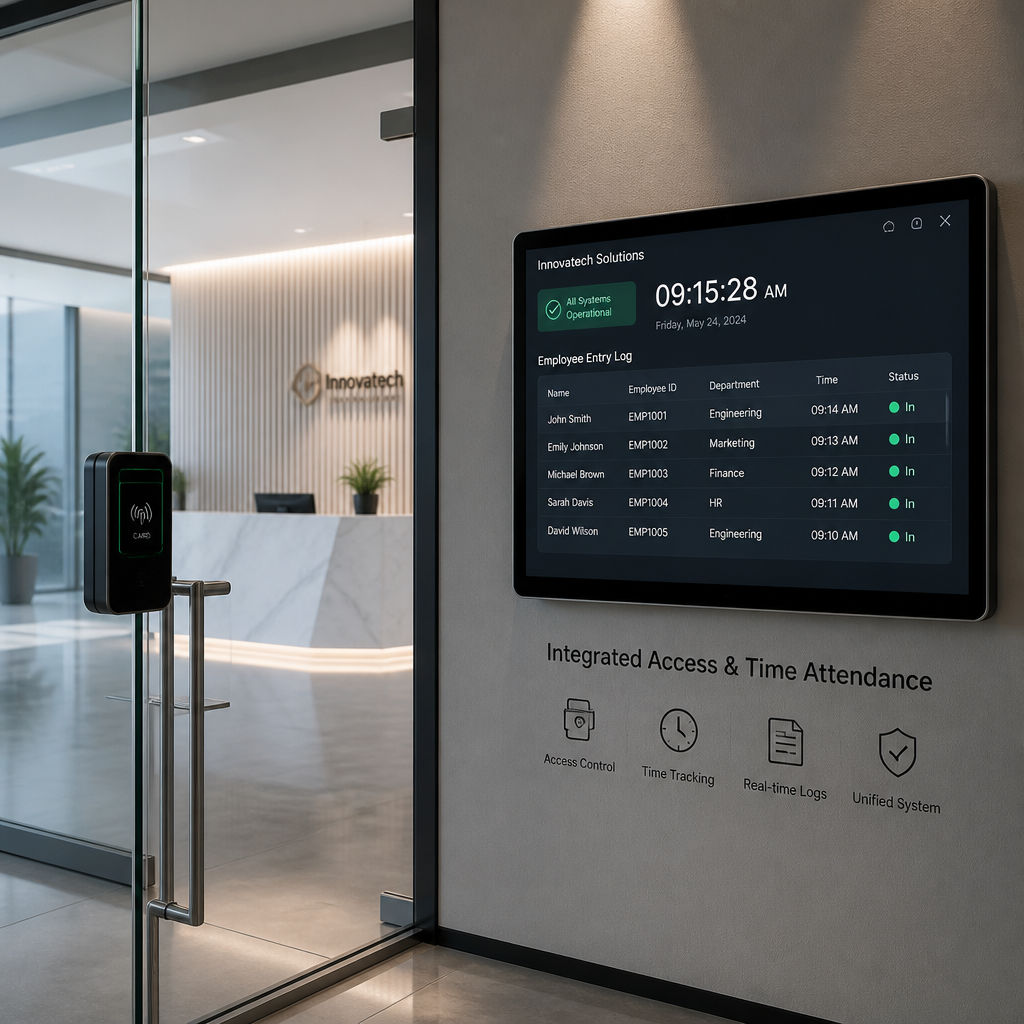
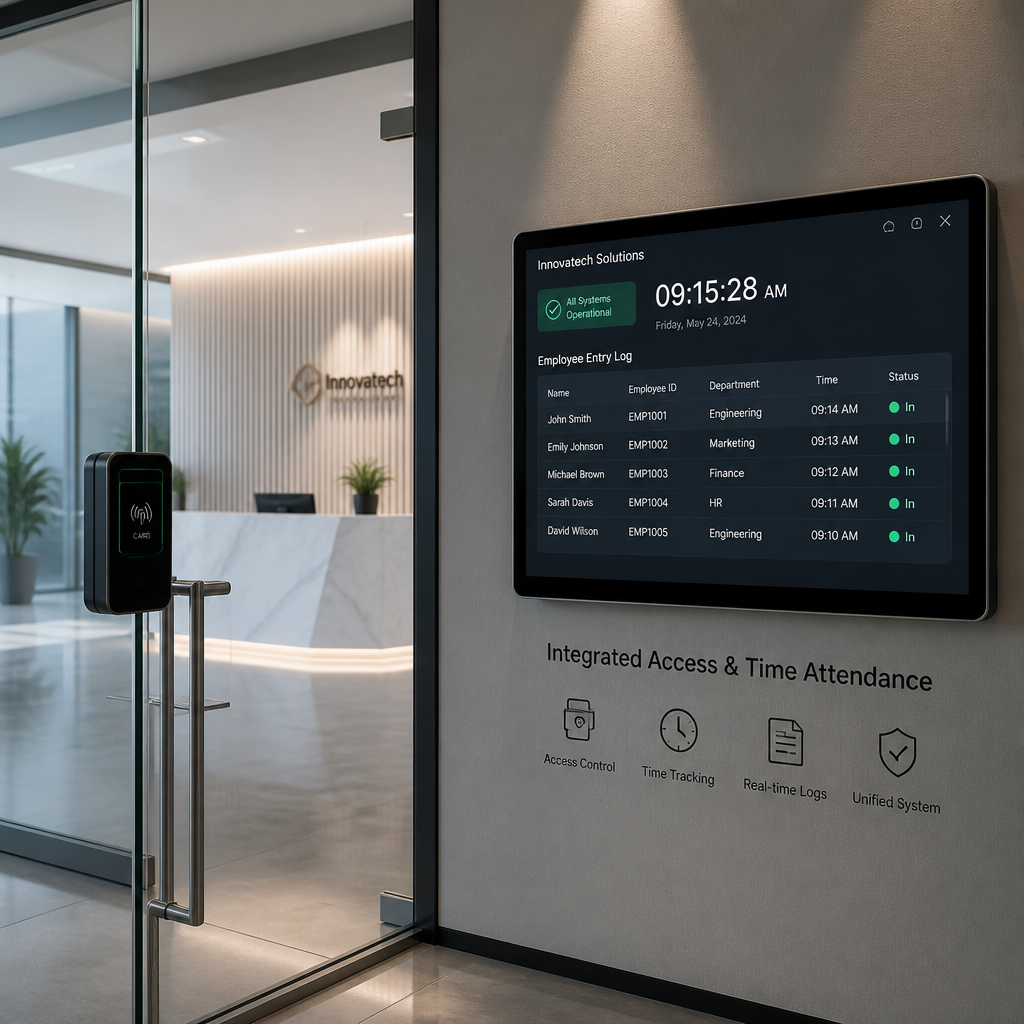
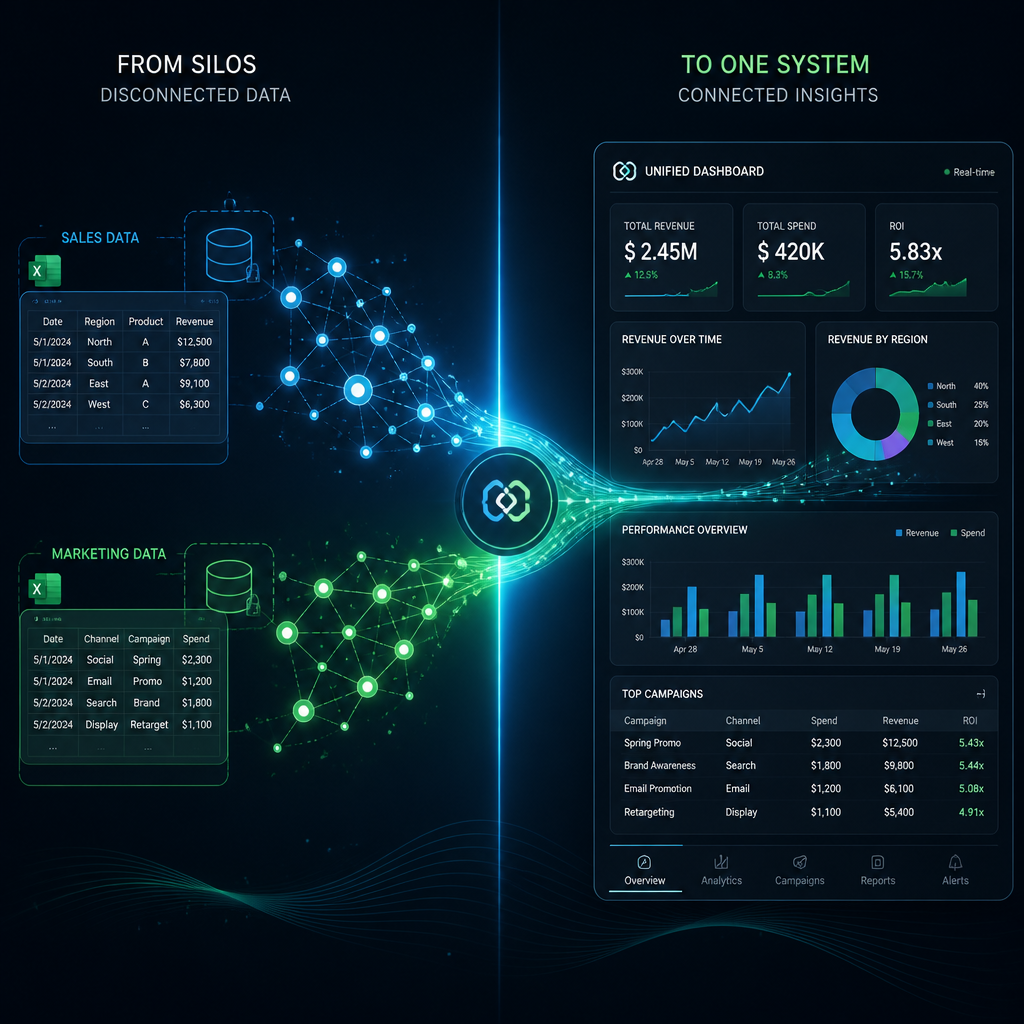
Most facilities are running two systems that should be one. The time attendance clock sits by the break room, and the access control reader hangs at the front door, and nobody has connected them. Every morning, employees badge into the building and then walk ten feet to clock in on a separate device. That redundancy costs real money in hardware, administration, and payroll errors. When these systems share a single data layer, the badge scan at the door becomes the clock-in punch, and the data that used to live in two siloed spreadsheets is now one auditable record. Property managers and business owners who have made this switch consistently describe the same result: fewer disputes, faster payroll processing, and a much cleaner picture of who is actually on-site at any given moment.
Table of Contents
- Quick Takeaways
- How the Integration Actually Works
- Why Separate Systems Create Problems
- Biometric Time Attendance Clocks: The Hardware Backbone
- Employee Attendance Management Across Multiple Sites
- Integration Approaches Compared
- What to Look for When Choosing a Combined System
- Frequently Asked Questions
- References
Quick Takeaways
| Key Insight | Explanation |
|---|---|
| One credential, two functions | A single badge swipe or fingerprint scan at the door simultaneously grants physical access and records a time-stamped clock-in event, eliminating duplicate hardware. |
| Buddy punching disappears with biometrics | Fingerprint and facial recognition systems verify that the person physically present is the credential holder, making it impossible to clock in for an absent colleague. |
| Payroll data flows automatically | Integrated systems push attendance logs directly to payroll software, reducing manual data entry errors and cutting processing time for HR teams. |
| Real-time occupancy visibility matters for compliance | Managers can see exactly who is on-site at any moment, which supports fire safety mustering, labor law compliance, and shift accountability. |
| Zone-level tracking goes beyond the front door | Interior readers on server rooms, warehouses, or restricted floors let managers track when employees access high-value areas, adding a security audit layer on top of attendance data. |
| Proactive alerts replace manual supervision | Systems can be configured to send notifications for late arrivals, missed punches, or extended time in restricted zones without a manager watching a screen all day. |
| Self-service portals reduce HR admin load | Employees can view their own attendance records and request time-off corrections through a portal, cutting the volume of HR inquiries dramatically. |
How the Integration Actually Works
The underlying mechanic is straightforward. When an employee presents a credential at a reader, whether that is a fingerprint, face scan, RFID card, or PIN, the access control panel logs a time-stamped event. In an integrated system, that same event is simultaneously written to the attendance database. There is no second device to touch, no separate PIN to enter, and no additional step for the employee.
The central premise of integration is unification: traditionally separate systems for physical security and workforce administration share a single hardware layer and a single data platform. This means an organization reduces the number of devices it purchases, the number of software licenses it manages, and the number of databases it reconciles at the end of every pay period.
In practice, this works through one of two architectures. The first is a purpose-built combined device, a terminal that is both an access control reader and a time attendance clock in the same enclosure. The second is a middleware or API integration where a standalone access control panel sends event data to a separate attendance and HR system in real time. Both approaches are valid. The combined device approach is cleaner for new installations. The middleware approach suits facilities that already have a mature access control system and want to add attendance logic without replacing existing hardware.
What the data actually looks like
Every credential event produces a record with at minimum: employee ID, timestamp, reader location, and an access granted or denied flag. An integrated attendance system uses that record to calculate hours worked, flag late arrivals, and identify missed punches. Administrators can pull reports filtered by employee, department, time range, or door location without ever opening a separate application.
Pro tip: If you are evaluating combined terminals, confirm that the device stores events locally during network outages and syncs them when connectivity is restored. A device that loses attendance records during a server reboot is not suitable for payroll-grade use.
Why Separate Systems Create Problems
Running access control and employee attendance management as independent systems creates friction in three specific places: data accuracy, administrative overhead, and dispute resolution.
On accuracy: when employees must clock in manually after badging in, the two records almost never align perfectly. An employee might badge in at 8:02 and clock in at 8:07. Over a week of shifts, those gaps add up into payroll discrepancies that HR then has to reconcile by hand. The errors compound when shift differentials, overtime rules, or union agreements are involved.
On overhead: every pay cycle, someone on the HR or operations team exports a spreadsheet from the time clock system, exports another from the access control panel, and compares them. That is a manual process with no audit trail and a non-trivial error rate. It is also a task that vanishes entirely when the systems share data.
On disputes: when an employee claims they were at work on a particular day but no punch exists in the time clock system, HR has no fallback. An integrated system lets a manager pull the door access log for that day and see exactly when the employee badged in and out, providing a secondary record that is hard to dispute or manipulate.
A common mistake is treating time attendance and access control as two separate purchasing decisions. They share hardware, they share data, and they serve overlapping administrative functions. Buying them separately and trying to connect them later costs more than buying an integrated solution from the start.
Biometric Time Attendance Clocks: The Hardware Backbone
Not all time attendance clocks are equal, and the credential type you choose has downstream effects on both security and workforce management quality. The three categories most relevant to integrated deployments are fingerprint terminals, facial recognition terminals, and multi-modal terminals that combine both alongside RFID card support.
Fingerprint terminals
Fingerprint scanners are the most established biometric credential type for attendance. They are fast, accurate at typical office populations, and relatively inexpensive compared to facial recognition hardware. The limitation is hygiene sensitivity in some environments and occasional read failures with worn or dry fingertips, which matters on a manufacturing floor where workers may have damaged skin from physical labor.
Facial recognition terminals
Facial recognition terminals have improved substantially in both accuracy and speed. They handle high-traffic entry points better than fingerprint scanners because employees do not need to touch a sensor. For facilities managing larger workforces or running contactless operations, a face recognition time attendance clock that also controls door access is a strong combined solution. Devices that support both face and iris recognition offer a fallback modality in cases where facial match confidence is low.
UnikCCTV carries dedicated multi-biometric terminals specifically designed for this combined role, including devices supporting face, iris, and card recognition in a single enclosure for high-traffic facilities. The FacePro1 web-based facial recognition employee time clock is one example, offering face, fingerprint, palm vein, and RFID in a desktop or wall-mount form factor built for this kind of combined deployment.
Pro tip: When a site has 50 or more employees clocking in within a 15-minute window at shift start, facial recognition terminals significantly reduce queue formation compared to fingerprint readers. Plan for throughput, not just unit cost.
RFID card readers with attendance capability
For sites where biometric data collection raises privacy or regulatory concerns, RFID card readers that feed both access control and attendance data remain a practical option. The tradeoff is that cards can be lent or forgotten, making buddy punching possible. This is typically addressed through spot-check policies rather than hardware if biometric upgrade is not feasible in the near term.
Employee Attendance Management Across Multiple Sites
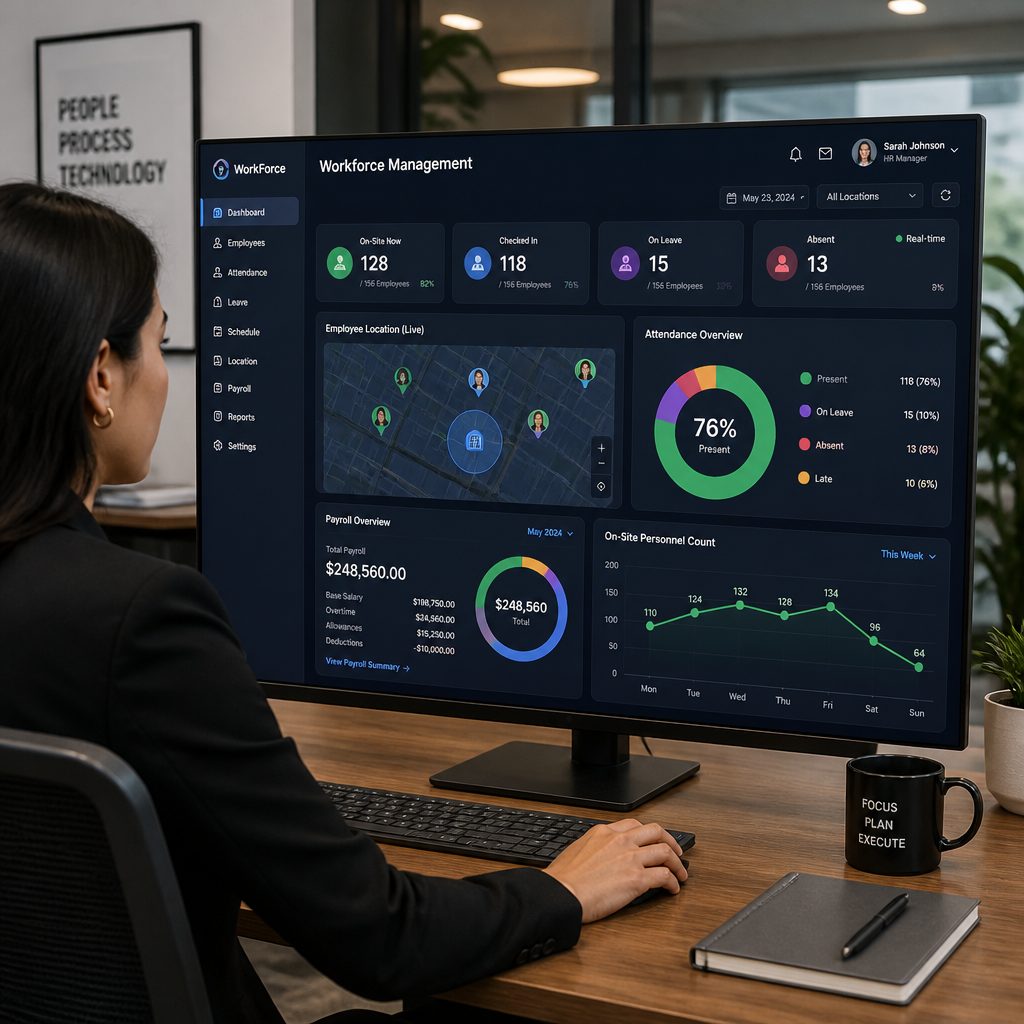
Single-site attendance management is a solved problem. The more interesting challenge, and the one most property managers and multi-site facility operators face, is aggregating attendance data across several locations into a single reporting view.
A centralized cloud-connected platform changes the operational dynamic completely. A manager overseeing three commercial properties does not need to log into three separate systems to see who is on-site. All door events from all locations roll into one dashboard, and payroll exports for all sites can be generated from a single interface. This is especially relevant for property management companies that deploy security and maintenance staff across multiple buildings.
The architecture that makes this work is TCP/IP connectivity at the terminal level, combined with a cloud or server-based management platform. Every credential event at any location is transmitted to the central platform in real time, where it is logged against the employee record and applied to the attendance rules for that site. If you are evaluating terminals for a multi-site deployment, confirm that the device supports TCP/IP and that the management software has explicit multi-site role separation so that a site-level manager sees only their building’s data while a central administrator sees everything.
For properties that also run intercom systems and CCTV, integration depth increases further. A door event that triggers a time attendance record can be cross-referenced against CCTV footage from the same entry point, giving supervisors a visual verification capability for disputed records. UnikCCTV’s product range covers this full stack, from video intercom systems to biometric access control terminals, which means a single vendor relationship can cover the hardware for the entire integrated workflow.
Integration Approaches Compared
Three distinct deployment approaches exist for combining time attendance with access control. Choosing the wrong one for your site type is the most common implementation error.
| Approach | Best Fit | Key Tradeoff |
|---|---|---|
| Purpose-built combined terminal (biometric door reader with built-in attendance) | New installations, single-site offices, facilities with 10-200 employees | Cleanest setup with no middleware required, but all functionality depends on one device. If the unit fails, both access control and attendance go down simultaneously. |
| Access control system with middleware attendance integration | Sites with existing access control infrastructure that want to add attendance reporting without replacing readers | Preserves existing investment but requires ongoing maintenance of the middleware layer and careful configuration to ensure event data maps correctly to employee records. |
| Cloud-managed platform with integrated access and attendance modules | Multi-site operations, property management companies, businesses with remote HR oversight | Maximum visibility and reporting flexibility, with data aggregated centrally. Subscription-based software costs add to total cost of ownership, and internet dependency means a local backup plan is needed for network outages. |
In practice, most small-to-medium businesses and single-site property managers are best served by a purpose-built combined terminal. The combined device removes the integration complexity entirely. The middleware approach is almost always a retrofit solution, and while it works, it introduces a point of failure and a configuration burden that a direct hardware solution avoids. The cloud-managed platform pays off when you have multiple locations and need centralized payroll reporting without manual data consolidation.
What to Look for When Choosing a Combined System
Evaluating a time clock with access control capability is different from evaluating either system independently. The requirements overlap, and a device that is excellent at access control but weak on attendance reporting will frustrate HR just as much as a strong attendance terminal with poor door control reliability will frustrate security staff.
Payroll export compatibility
The attendance data the terminal collects is only valuable if it reaches the payroll system without manual re-entry. Confirm that the management software exports in formats compatible with your payroll platform, whether that is a standard CSV structure, a direct API connection, or a named integration with platforms like QuickBooks, ADP, or similar. An integrated system that still requires an HR administrator to manually copy hours into payroll software has only solved half the problem.
Offline event buffering
A terminal that loses its connection to the server should continue granting access based on locally stored credentials and continue recording attendance events in local memory. When the connection restores, those events should sync automatically. This is non-negotiable for any site where internet connectivity is inconsistent, including facilities in older buildings where network reliability is limited.
Role-based reporting access
Department managers should be able to pull attendance reports for their teams without accessing company-wide data or door event logs for areas outside their responsibility. A system with granular role permissions protects both employee privacy and operational confidentiality. If the platform you are evaluating shows every employee’s data to every manager login, that is a red flag.
Alert and exception configuration
The most operationally useful integrated systems are the ones that notify managers proactively rather than requiring them to run reports manually. Look for configurable alerts for late arrivals, missed punches, early departures, and excessive time in restricted zones. This shifts attendance management from reactive to preventive without adding management overhead.
UnikCCTV’s fingerprint time attendance management terminals and multi-biometric devices are built with these operational requirements in mind. For facilities that also need perimeter security alongside workforce tracking, pairing a time attendance terminal with a gate intercom system creates a layered security architecture where every entry point is monitored for both access authorization and attendance recording.
Frequently Asked Questions
Can an existing access control system be connected to a time attendance clock without replacing the readers?
Yes, in most cases. If your existing access control system has an open API or supports data export, a middleware solution or integration layer can capture door event data and push it to an attendance management platform. The integration quality depends on how well the access control system documents its data outputs. Proprietary systems with closed architectures are harder to integrate and may require a purpose-built combined terminal replacement to achieve reliable attendance data.
What is buddy punching and how does a biometric time attendance clock prevent it?
Buddy punching is when one employee clocks in or out on behalf of a colleague who is not actually present. It is a direct form of time theft. Biometric terminals prevent it by requiring the physical presence of the credential holder: a fingerprint, face, or iris scan cannot be borrowed or duplicated the way a card or PIN can. Because the biometric verifies that the person physically present matches the enrolled identity, every attendance log produced by a biometric terminal is inherently tied to a real person who was actually there.
How does time attendance data flow into payroll with an integrated system?
The attendance management software accumulates the door and clock event records, applies your configured shift rules and overtime policies, and produces a pay-period summary for each employee. That summary is then exported to your payroll platform, either through a direct API connection or a structured file export. This eliminates the manual transcription step where HR staff transfer hours from a time clock report into the payroll system, which is where most payroll errors originate in non-integrated setups.
Is a combined time attendance and access control system appropriate for a small business with fewer than 20 employees?
Absolutely. The hardware cost for a single biometric terminal that handles both access control and attendance is often lower than buying a standalone time clock and a separate access reader. The administrative savings scale down to even small teams because the payroll reconciliation step disappears regardless of workforce size. For a small business, the simpler the system, the better: a single combined device managed through a straightforward web interface suits a 10-person office as well as it suits a 100-person facility.
What should a property manager look for when deploying attendance tracking for building maintenance or security staff across multiple properties?
The most important feature is centralized, multi-site reporting. You need a management platform where all attendance events from all locations roll into a single dashboard, with the ability to filter by site, role, or individual. Terminals with TCP/IP connectivity and cloud sync handle this architecture well. You also want role-based access in the software so that a site-level supervisor can only see their building’s staff data, while you retain a master view across all properties. Pairing this with video intercom systems at each property’s main entry adds a visual verification layer for any attendance disputes.
Do biometric time attendance systems raise privacy or data compliance concerns?
They can, depending on your jurisdiction. Several regions have specific regulations governing the collection, storage, and use of biometric data, including fingerprints and facial geometry. Before deploying a biometric terminal, confirm that your system complies with local biometric data privacy laws and that your management platform stores biometric templates securely. Many enterprise-grade systems store only mathematical templates derived from the biometric scan rather than raw images, which reduces exposure. When biometric collection is not permissible or acceptable to staff, RFID card-based terminals with strong attendance logging remain a compliant alternative.
Have you already integrated your time attendance clock with your access control system, or are you still running them separately? Share what’s working and what’s not below.
References
- How access control and time clocking systems work together to unify workforce data
- Using time clock badges with access control readers to automate attendance and payroll reporting
- Overview of time and attendance system types including access control-based attendance logging
- How integrating time and attendance systems with payroll eliminates manual data entry errors
- Biometric payroll integration: eliminating buddy punching and automating HR workflows



 No products in the cart.