
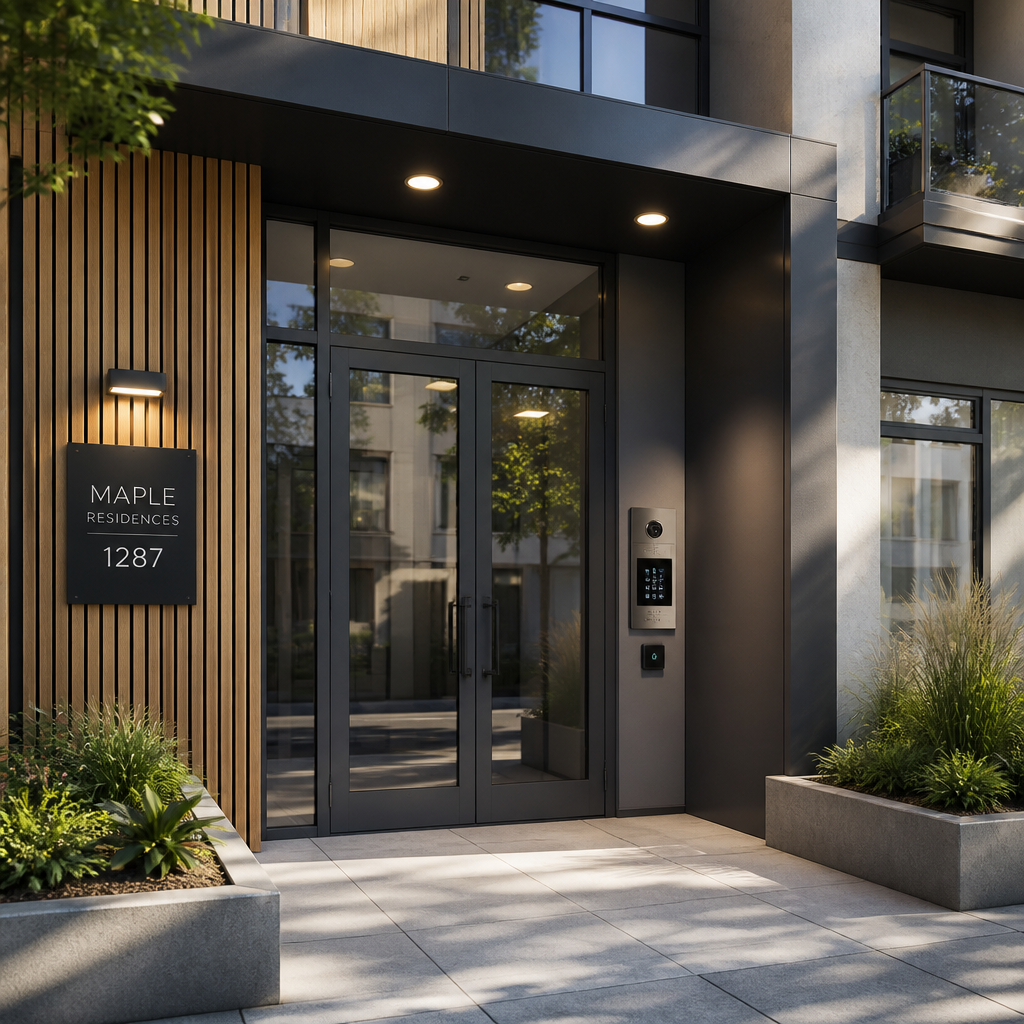
Managing a 4-unit apartment building puts you in a specific bind: you have the same security obligations as a large complex but a fraction of the budget. Break-ins at the front door, package theft in the lobby, disputes in the parking lot, and tenants who prop open the gate are not abstract risks. Apartment building security for small properties gets under-resourced because owners assume serious systems are only for 100-unit towers. That assumption costs money in the long run. A well-designed, layered security setup for a 4-unit building is achievable without a five-figure spend, if you prioritize the right components in the right order.
Table of Contents
- Quick Takeaways
- Why Small Buildings Are High-Risk Targets
- Start With the Entry Points
- Choosing the Right Intercom System for a 4-Unit Building
- Door Entry and Access Control: What Actually Works
- CCTV and Camera Coverage for Small Properties
- Lighting and Passive Deterrence
- Budget Security Approach Comparison
- Frequently Asked Questions
- References
Quick Takeaways
| Key Insight | Explanation |
|---|---|
| Entry points are the highest-priority investment | The front door and any secondary access points (garages, gates, side entrances) are where most unauthorized entry happens. Secure these before adding cameras or anything else. |
| A wired intercom system is cheaper to run long-term than wireless subscriptions | Wireless intercoms have lower upfront costs but often carry monthly software fees. For a stable 4-unit setup, a wired or hybrid system with no subscription is usually the better total-cost choice. |
| Keypad or fob access eliminates the rekeying problem | Every tenant turnover is a rekeying event if you use traditional keys. A door entry system with reprogrammable codes or fobs solves this permanently and at low per-unit cost. |
| Four to eight cameras cover a small building adequately | Focus on the main entrance, rear exit, parking area, and lobby or mailroom. Avoid over-buying cameras and under-buying camera quality. Resolution and night vision matter more than count. |
| Disclose all cameras to tenants in the lease | Transparency about CCTV placement is legally required in most jurisdictions and prevents disputes. Document camera fields of view at installation and retain those records. |
| LED lighting in common areas is both a deterrent and a liability shield | Poorly lit stairwells and parking areas create both security vulnerabilities and slip-and-fall liability. LED upgrades pay for themselves quickly through energy savings and reduced incidents. |
| Smart locks at individual unit doors reduce emergency lockout calls | Keypad or fingerprint locks at each apartment door let you grant and revoke access remotely, cutting both landlord response time and tenant frustration at no ongoing cost. |
Why Small Buildings Are High-Risk Targets
Small multifamily properties occupy an awkward security middle ground. They are dense enough to attract opportunistic theft but too small to justify a full-time security presence. A 4-unit building typically has one shared entrance, one or two secondary exits, a common area, and a parking or outdoor zone. Each of those represents a weak point if left unmanaged.
The shared entrance is the most critical. In single-family homes, only one household uses the front door. In a 4-unit building, four separate households, their guests, and their deliveries all move through the same chokepoint. Without a door entry system, there is no practical way to audit who enters. A tenant buzzes in a guest, the door closes slowly, and a stranger slips through behind them. This “tailgating” problem is the most common way unauthorized individuals enter small apartment buildings.
Property managers of small buildings also tend to use physical keys for longer than they should. Tenant turnover means keys get copied, lost, or simply not returned. Rekeying a 4-unit building every cycle is not a security strategy. It is an ongoing cost with diminishing returns.
The most overlooked security gap in small apartment buildings is not the absence of cameras. It is the absence of a controlled, auditable entry system at the front door. Everything else is reactive. A proper entry system is preventive.
Start With the Entry Points
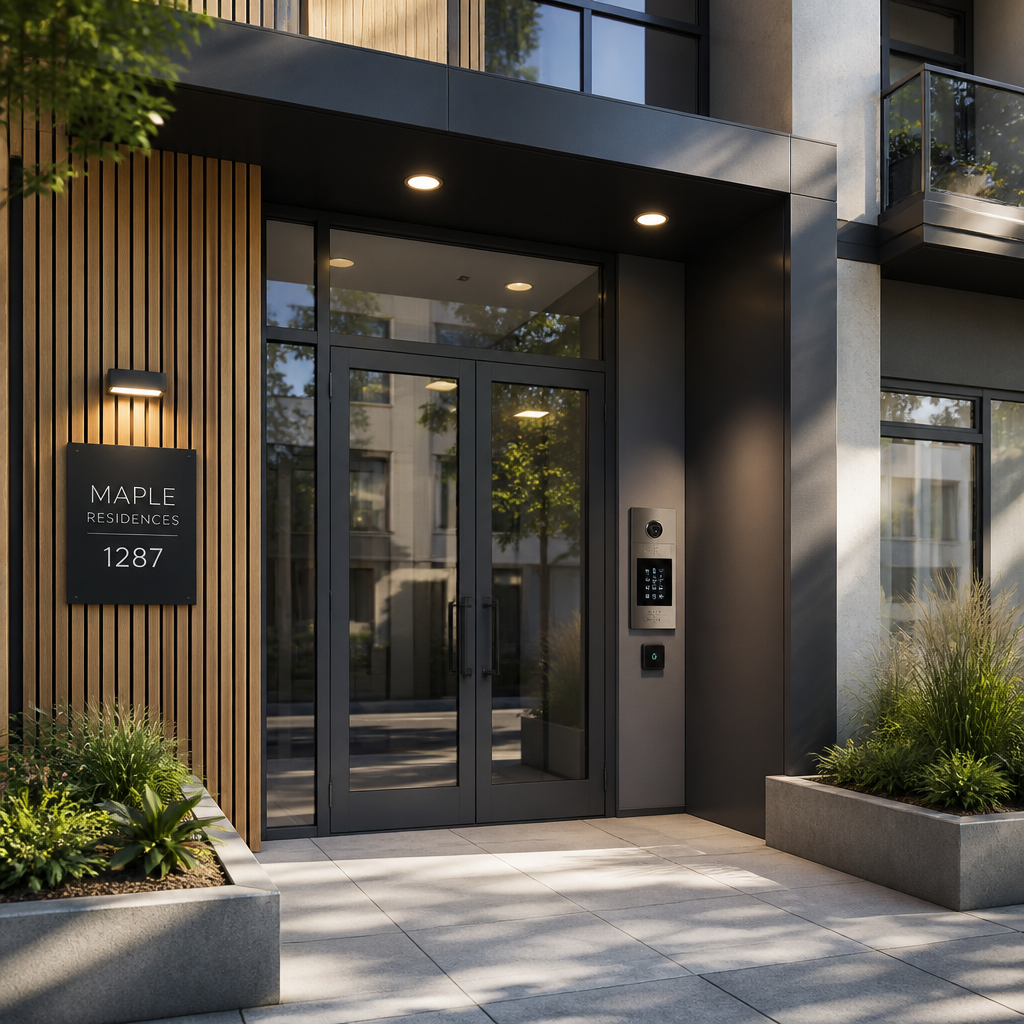
Before you spend a dollar on cameras or smart locks for individual units, secure the building perimeter. For a 4-unit property, that means the main entrance door, any rear or side access door, the parking gate if you have one, and the mailroom or package area if it is enclosed.
Reinforce the Door Frame, Not Just the Lock
A common mistake is installing a quality deadbolt on a weak door frame. A solid deadbolt with a flimsy strike plate fails in seconds under a kick. Reinforce the strike plate with three-inch screws that reach the wall stud, and check that the door frame itself is solid wood or steel-reinforced. This costs almost nothing and is the single highest-return physical upgrade you can make.
Eliminate Propped-Door Problems With a Door Closer
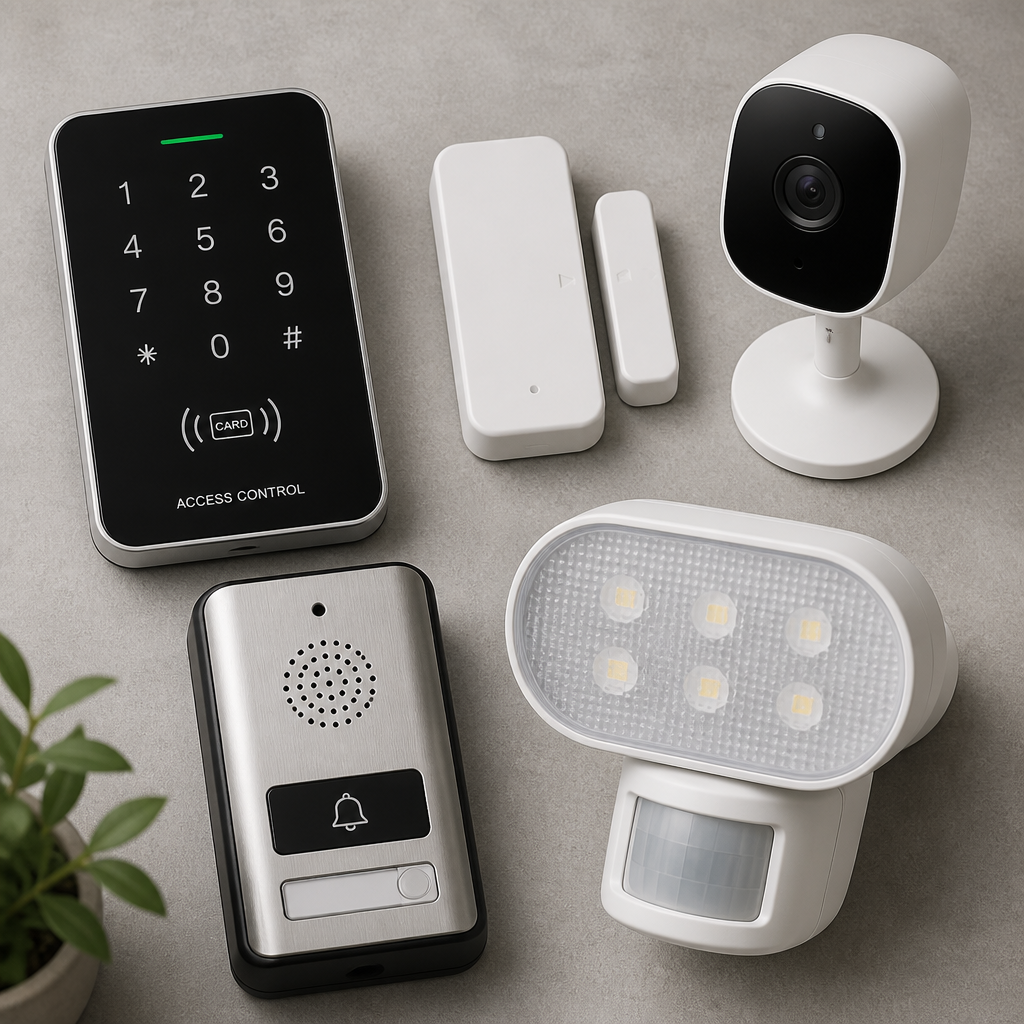
Every 4-unit building has at least one tenant who props the back door open for convenience. A door closer with an adjustable closing speed costs very little and ensures the door latches every time. Pair it with a door-open alarm (a simple magnetic contact sensor) if the propping habit persists. This is not a glamorous upgrade, but it closes the most common unauthorized-access gap.
Pro tip: Inspect all exterior doors and gate hinges quarterly. Hinges are often overlooked during security audits, but a worn or loose hinge can allow a door to be lifted off its frame entirely, bypassing even the best lock.
Choosing the Right Intercom System for a 4-Unit Building
An intercom system for apartment buildings with four units does not need to be complicated. You need visitors to reach individual tenants from the front door, and tenants to remotely release the door lock without walking downstairs. That core function is achievable at a range of price points.
Wired vs. Wireless Intercoms for Small Properties
Wired intercom systems run cabling from a lobby panel to a handset or speaker in each unit. They are reliable, have no monthly fees, and work without a Wi-Fi connection. The trade-off is installation labor, especially in an older building where routing cable through walls is difficult. For new construction or during a renovation, wired is almost always the better long-term investment.
Wireless intercoms use Wi-Fi or a proprietary radio frequency to connect the door panel to tenant smartphones or a receiver in each unit. Installation is faster and less invasive. The downside is that some systems charge recurring software fees, and smartphone-dependent systems require tenants to maintain app access. For a 4-unit building on a tight budget, a wireless intercom with no subscription and a built-in keypad is often the sweet spot.
Video vs. Audio-Only Intercoms
Video intercoms cost more upfront but give tenants visual confirmation of who is at the door before releasing the lock. For a property with a history of unwanted visitors or package theft, video is worth the extra cost. For a quiet 4-unit building where the main concern is controlled access rather than identification, a quality audio intercom gets the job done at a lower price point. Do not buy a cheap video intercom with poor night-vision performance. A visitor arriving after dark becomes an unidentifiable blur, which defeats the purpose.
Pro tip: When evaluating intercom systems, look specifically at how door release is handled. Some systems use an electric strike (fail-secure, so the door stays locked during a power outage) and others use an electromagnetic lock (fail-safe, meaning it releases during a power outage). For a front entry door in a residential building, an electric strike is generally the safer and more code-compliant choice.
Door Entry and Access Control: What Actually Works
A door entry system goes beyond the intercom. It encompasses how tenants, authorized guests, and service providers gain access to the building day-to-day, without needing to buzz in every time. For a 4-unit building, the most practical options are keypad entry, key fob access, and smartphone-based access. Each has distinct trade-offs on cost, convenience, and security.
Keypad Entry: Simple, Low-Cost, Maintainable
A keypad with a programmable PIN code is the most budget-friendly access control option. Each tenant gets their own code, and you can change any code instantly when a tenant moves out. No rekeying, no hardware replacement. The weakness is code sharing: tenants sometimes give their code to friends or ex-partners. Audit codes on turnover and set a policy requiring immediate notification if a code is believed compromised.
Key Fob Systems: Better Audit Trail, Slightly Higher Cost
Key fob or proximity card systems issue each tenant a physical credential that can be individually deactivated. When a tenant moves out, you deactivate their fob without touching any hardware. Fob systems also allow you to add and remove service providers (cleaners, maintenance workers) without giving them a building-wide code. The hardware cost is higher than a keypad, but the operational benefit over multiple tenant cycles is significant.
Biometric Access: Worth It for High-Traffic Entry Points
Fingerprint or facial recognition access control eliminates the lost fob and forgotten code problems entirely. Biometric systems are no longer a luxury-only technology. For the main building entrance of a property manager security-conscious operation, a biometric reader paired with a backup keypad is a practical upgrade that pays dividends in reduced lockout calls and tenant satisfaction. The key is choosing a system that stores credentials on the device itself rather than requiring a cloud subscription to function.
CCTV and Camera Coverage for Small Properties
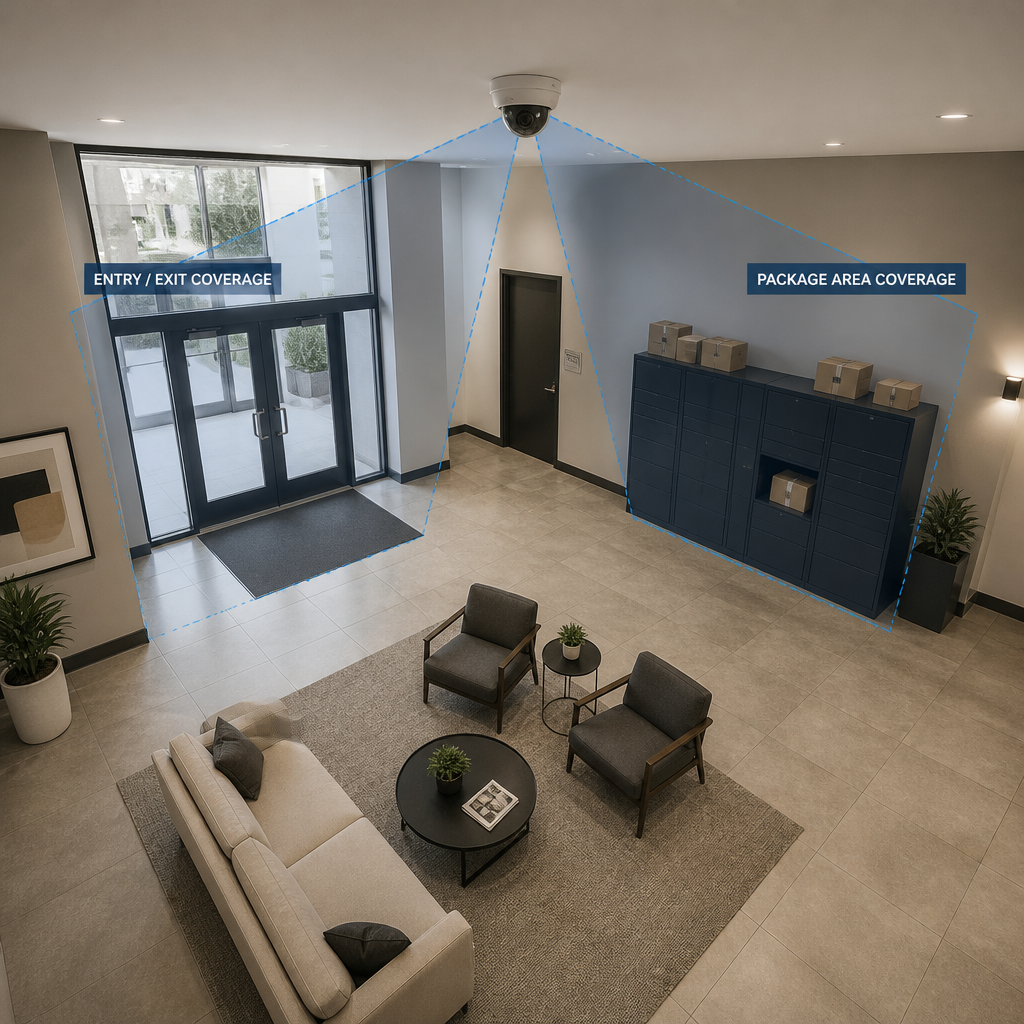
Small buildings need four to eight cameras to cover critical areas adequately. The priority placement order for a 4-unit building is: main entrance, rear or secondary exit, parking area or driveway, and the lobby or mailroom. Everything else is optional. Do not buy more cameras than you can monitor or store footage from.
Where to Place Cameras and Where to Avoid
Camera placement in common areas such as lobbies, hallways, and mailrooms helps maintain a safe environment and deters unauthorized activity. Cameras must never be angled to capture the interior of private units, even accidentally when a door opens. Parking areas are high-risk zones for vehicle vandalism and theft and should always be covered.
Hidden cameras are not an option in residential settings. Beyond the legal prohibition in most jurisdictions, they undermine tenant trust and create significant liability. Visible cameras with clear signage are both more legally defensible and more effective as deterrents.
Wired NVR vs. Wireless Cloud-Based CCTV
For a 4-unit building, a wired IP camera system connected to a local NVR (network video recorder) offers the best balance of reliability, footage retention, and ongoing cost. You pay once for hardware and store footage on-site with no monthly fee. Wireless cloud cameras are faster to install but often require ongoing subscription costs for footage retention beyond 24 hours, which is inadequate for most security purposes. A common mistake is buying individual smart cameras with 24-hour cloud retention, only to discover that the footage needed for an incident report was already overwritten.
Aim for 1080p resolution minimum. Night vision capability is non-negotiable for exterior cameras. A camera that produces clear daytime footage but a useless blur at night covers half your risk at best.
Lighting and Passive Deterrence
Good lighting is the least expensive and most underrated security investment available to a small property owner. Hallways, stairwells, parking areas, and building exteriors should stay well lit at all times. This is not just about crime deterrence. Poorly lit common areas create slip-and-fall liability that can cost far more than any lighting upgrade.
Motion-activated LED fixtures in exterior areas combine energy efficiency with deterrence. A sudden flood of light when someone approaches an exterior door is one of the most effective ways to discourage opportunistic entry attempts. For interior common areas, always-on LED lighting is more practical than motion-activated systems, since tenants should not be walking through dark corridors waiting for lights to trigger.
Burned-out bulbs or motion sensors that fail to activate should be treated as urgent maintenance items, not routine repairs. A single non-functional light in a stairwell is a liability gap and a safety complaint waiting to happen.
Pro tip: When upgrading to LED lighting, choose fixtures with a color temperature between 4000K and 5000K for exterior and common area use. This range produces clear, high-contrast light that makes camera footage far more usable and makes faces more identifiable than warmer tones.
Budget Security Approach Comparison
Choosing the right combination of systems depends on your budget ceiling, building age, and tenant profile. The table below compares three practical approaches for a 4-unit building, ranging from minimal to comprehensive.
| Approach | Components Included | Best For |
|---|---|---|
| Entry-Level (Essentials Only) | Reinforced door frame and deadbolt, basic keypad entry at front door, door closer with contact alarm, motion-activated exterior lighting, 2-4 wired IP cameras on local NVR | Budget-constrained owners who need to close the most critical gaps without a full system overhaul. Good for low-crime areas with reliable tenants. |
| Mid-Range (Controlled Access) | Video intercom with door release at main entry, key fob access control system, 4-6 IP cameras on NVR, LED lighting upgrades throughout common areas, smart locks at individual unit doors | Property managers who want a proper audit trail on building access, reduced key management overhead, and documented footage for incident resolution. |
| Comprehensive (Full Layer) | Biometric or facial recognition entry at main door, video intercom system, key fob or smartphone-based access for secondary doors, 6-8 cameras (interior and exterior) on NVR with remote monitoring, smart locks at all unit doors, full LED upgrade with motion sensors at perimeter | Higher-value properties, urban locations with elevated security risk, or property managers who want a professional-grade system that justifies higher rents and reduces liability exposure. |
Frequently Asked Questions
What is the most important security upgrade for a 4-unit apartment building?
The single most impactful upgrade is a controlled entry system at the main building door. Whether that is a keypad, key fob reader, or video intercom with door release, the goal is to eliminate unrestricted access to the shared entrance. Everything else, cameras, lighting, smart locks at individual units, adds value on top of that foundation. If you can only invest in one thing, make it the front door entry system.
How much does a basic intercom system for an apartment building cost?
For a small property with one main entry point, a basic video or IP intercom system typically costs roughly $1,500 to $6,000 total installed, depending on the system type, whether new wiring is required, and local labor rates. Audio-only systems and wireless options tend to fall at the lower end of that range. Systems with mobile app access, video, and door release integration sit toward the higher end. Avoid evaluating intercom systems on hardware cost alone. Factor in whether the system carries ongoing subscription fees, which can add up significantly over three to five years.
Can I install security cameras in the hallways of my apartment building without telling tenants?
No. Property managers are required in most jurisdictions to disclose to tenants that surveillance cameras are present on the property, typically through the lease agreement. Cameras in common areas such as hallways, lobbies, and mailrooms are legal and expected. Cameras aimed at unit interiors, even unintentionally, or hidden cameras in any context, are not. Best practice is to specify camera locations in the lease, post visible signage near cameras, and document each camera’s field of view at installation with photographs that you retain on file.
What is the difference between a smart lock and a door access control system for an apartment building?
A smart lock is installed at an individual unit door and gives a single tenant keyless entry to their own apartment via PIN, fingerprint, or smartphone. A door access control system manages entry to the shared building itself, covering the main entrance, secondary doors, or gates, and typically supports multiple tenants and credential types. For a complete security setup, you want both: an access control system at building entry points and smart locks at individual unit doors. They solve different problems and should not be treated as substitutes for each other.
Is a wireless intercom system reliable enough for a small apartment building?
Yes, for most 4-unit buildings a wireless intercom is reliable enough, with one important condition: the system must not depend entirely on tenant smartphones. If a tenant’s phone is dead, out of data, or the app fails, they need an alternative way to receive door calls. Choose a wireless intercom that either includes a physical receiver unit for each apartment or has a proven app with a strong reliability track record. Also confirm that the door release function works locally and does not require internet connectivity to operate, since a dropped connection should never leave your building door inoperable.
How do I handle tenant turnover from a security standpoint?
Tenant turnover is a security event, not just an administrative one. On every move-out, deactivate all active credentials tied to that tenant: keypad codes, key fobs, and smart lock access. If you are using physical keys anywhere in the system, rekey those locks immediately. Issue new credentials to the incoming tenant before or on move-in day and confirm with them that access is working. Maintain a log of which credentials are active and assigned to whom. This takes 30 minutes per turnover and eliminates a class of access-control problems that most small-building owners simply ignore.
Have you recently upgraded the security system at a small rental property? Share what worked, what you would do differently, and any products or approaches you would recommend to other property managers.
References
- Ten practical apartment building security tips covering access points, lighting, and camera placement for property managers
- Comprehensive guide to security systems for multifamily apartment buildings, including vulnerability assessment and access control integration
- Full cost breakdown for apartment intercom installation by building size, system type, and labor, with pricing ranges for small properties
- Apartment security camera laws for property managers, covering legal placement areas, tenant disclosure requirements, and best practices
- Complete guide to apartment video surveillance options for property managers, including camera types, placement strategies, and NVR setup


 No products in the cart.