
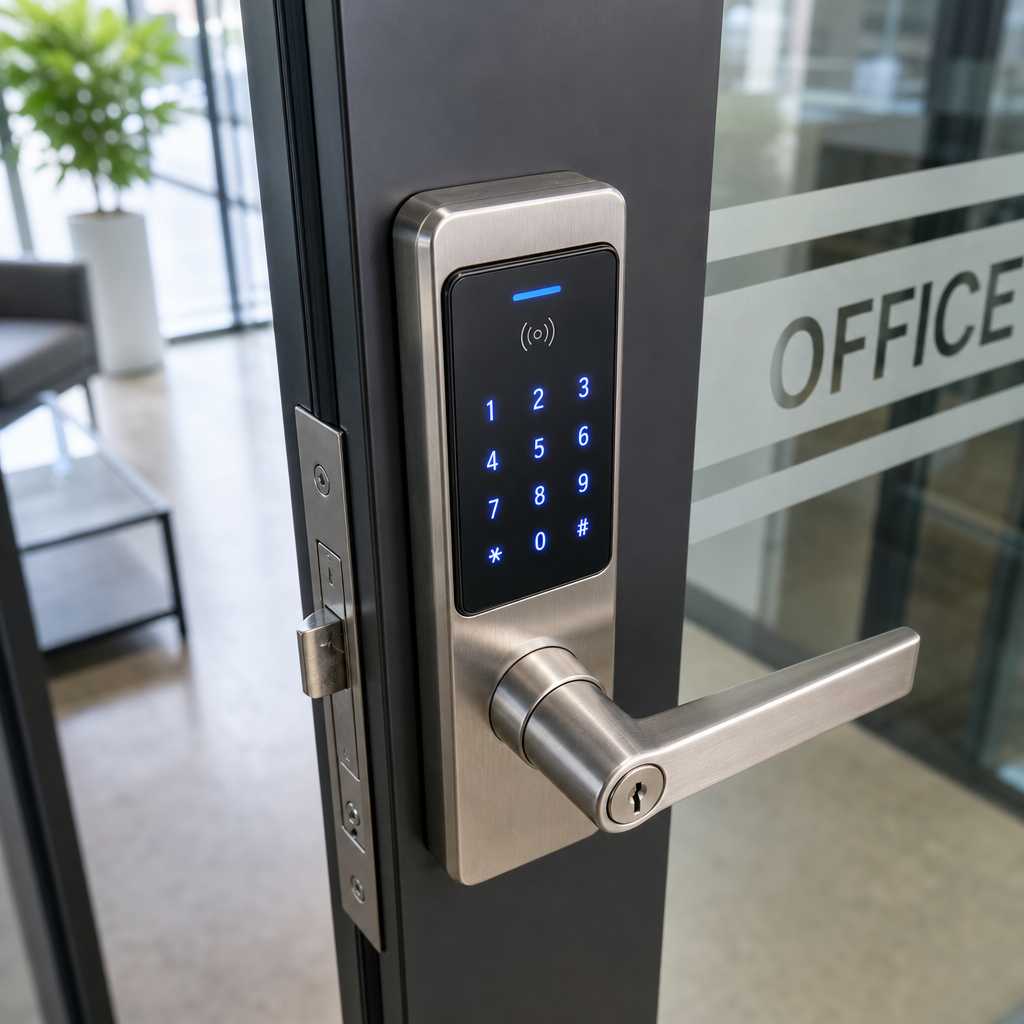
Replacing a lost key card costs about $5. Rekeying a commercial building after a terminated employee walks out with a master key can cost $3,000 or more. That gap is why the conversation about a smart lock for business is no longer optional for property managers and facility operators. Traditional locks have served commercial buildings for decades, but they were built for a simpler threat model. This guide compares both systems across real criteria: cost, security, scalability, and operational fit, so you can make a confident decision rather than defaulting to whatever the hardware store stocks.
Table of Contents
- Quick Takeaways
- What Defines Each System
- Commercial Door Lock Comparison: Cost and Installation
- Keypad vs Fingerprint Lock: Which Is More Secure?
- Access Control for Offices and Multi-Tenant Buildings
- When Traditional Locks Still Make Sense
- How to Choose the Right System for Your Property
- Frequently Asked Questions
- References
Quick Takeaways
| Key Insight | Explanation |
|---|---|
| Rekeying costs add up fast | A single master key compromise at a commercial property can trigger a full rekey costing $500 to $3,000+. Smart locks eliminate that expense entirely. |
| Fingerprint locks outperform keypads in high-traffic areas | Keypad codes get shared and shoulder-surfed. Biometric credentials are tied to the individual and cannot be loaned out. |
| Audit trails are a legal asset | Smart locks generate time-stamped entry logs that hold up in insurance claims, HR disputes, and compliance audits. Traditional locks produce zero records. |
| Traditional locks fail at scale | Managing 50+ doors with physical keys requires a dedicated staff member just for key control. Cloud-managed access scales without proportional labor cost. |
| Integration matters more than the lock itself | A smart lock connected to an intercom system and CCTV creates a layered security posture. A standalone smart lock without integration is still better than a traditional lock, but not by enough. |
| Power dependency is a real risk | Most smart locks have battery backup or fail-safe modes, but facilities must plan for outages. This is not a reason to avoid smart locks; it is a reason to plan the deployment properly. |
| Upfront cost is not the right metric | Traditional locks are cheaper to buy. Smart locks are cheaper to operate over a 3-5 year window once you factor in rekeying, lost credential replacement, and staff labor. |
What Defines Each System

A traditional lock is a mechanical device that restricts entry using a physical key. That is its entire capability. It cannot tell you who entered, when they entered, or whether the door was left open. A smart lock for business replaces or supplements that mechanical mechanism with credential verification through a keypad, RFID card, fingerprint reader, facial recognition, or smartphone, and it reports every access event to a central system.
The distinction matters because these two systems are solving different problems. A traditional lock solves physical intrusion. A smart lock solves access management, which includes physical intrusion but also insider threats, compliance requirements, remote administration, and operational efficiency. If your building has more than one door and more than five staff members, you are already in smart lock territory whether you know it or not.
In practice, the facilities that still run entirely on physical keys are not doing so because keys are superior. They are doing so because no one has built the business case yet. That case is straightforward once you put actual numbers on it.
Commercial Door Lock Comparison: Cost and Installation
The upfront price difference is real. A commercial-grade deadbolt with a high-security cylinder runs $80 to $200 per door. A commercial smart lock with keypad or RFID capability starts around $150 and runs to $600 per door, depending on the credential type and integration requirements. For a 10-door office, that is a difference of roughly $2,000 to $4,000 at installation.
That number looks significant until you calculate operational costs. The average commercial property manager handles 2 to 4 rekeying events per year due to lost keys or staff turnover. Each event costs $150 to $400 per lock cylinder. Over three years on a 10-door property, that is $9,000 to $48,000 in rekeying alone. Smart locks bring that number to zero. Credential revocation takes 30 seconds from a browser or mobile app.
Installation complexity by lock type
Traditional locks install in under 30 minutes per door with basic tools. Smart locks vary significantly. Battery-powered smart locks with no wiring often install in the same timeframe. Hardwired access control readers connected to an electric strike or magnetic lock require structured cabling, a power supply, and controller hardware. That is a job for a professional installer, but it also means the resulting system is far more robust and integrated.
Pro tip: If you are managing an apartment building or multi-tenant office, prioritize smart locks that integrate with your existing intercom system. A door entry system that combines video intercom with smart lock control at the front entrance eliminates the need for a separate visitor management workflow entirely.
| Criteria | Traditional Lock | Smart Lock (Commercial Grade) |
|---|---|---|
| Upfront cost per door | $80 to $200 | $150 to $600 |
| Rekeying cost per event | $150 to $400 | $0 (credential revoked digitally) |
| Audit trail | None | Full time-stamped log per user |
| Remote management | Not possible | Full remote access via app or web dashboard |
| Scalability | Linear cost increase with doors | Marginal cost drops as system scales |
| Integration with CCTV or intercom | Not possible | Native or API-based integration available |
| Power dependency | None (fully mechanical) | Battery or hardwired with backup required |
Keypad vs Fingerprint Lock: Which Is More Secure?
This is the comparison that trips up most buyers, because both are marketed as secure and both have meaningful vulnerabilities. The right answer depends on your threat model, not on which sounds more advanced.
Keypad locks: strengths and failure points
A keypad lock uses a PIN code for entry. It is fast, familiar, and requires no physical credential to carry. The failure points are equally well documented. PIN codes get shared with contractors, visitors, and family members. They get shoulder-surfed in high-traffic lobbies. Worn keypad buttons reveal the most frequently pressed digits, narrowing the effective combination pool significantly. For a server room with three authorized users, a keypad is fine. For a 50-person office building entrance, it is a liability.
Fingerprint locks: strengths and failure points
A fingerprint lock authenticates against a biometric template stored either on the device or in a cloud database. The credential cannot be shared, loaned, or forgotten. False acceptance rates on modern commercial fingerprint readers are below 0.001%, which is far tighter than any PIN-based system. The practical limitations are sensor contamination (construction sites, food service environments), enrollment friction at scale, and higher unit cost. Facial recognition locks, which UnikCCTV also carries, extend this principle with contactless authentication that works even when hands are full or gloved.
The data consistently shows that biometric systems reduce unauthorized access events by 60 to 80% compared to PIN-only systems in office environments, according to access control industry benchmarks. That gap is too large to ignore when selecting access control for offices handling sensitive data or high-value assets.
“The single biggest vulnerability in any access control system is the human element. Shared credentials, tailgating, and social engineering bypass the lock entirely. Biometrics remove the shareable credential from the equation.” – Physical Security Council, Access Control Best Practices Guide
Pro tip: For a layered approach, combine a fingerprint reader with a PIN requirement for high-security zones like server rooms, executive offices, or pharmaceutical storage. Two-factor physical authentication is not overkill. It is standard practice in any facility where a breach has serious consequences.

Access Control for Offices and Multi-Tenant Buildings
The complexity of access control for offices scales with the number of users, doors, and access zones you need to manage. A single-tenant small office has straightforward needs. A multi-tenant commercial building, apartment complex, or corporate campus has requirements that traditional locks cannot address at all.
Managing access zones and permissions
Cloud-managed smart lock systems allow administrators to assign granular access permissions. A maintenance technician can be granted access to utility rooms on weekdays between 8am and 5pm only. A tenant can access their floor and the parking garage but not other tenants’ floors. A temporary contractor receives a credential valid for 72 hours and automatically loses access when that window closes. None of this is possible with physical keys without a full-time key control coordinator.
Integrating with intercom and CCTV systems
The highest-performing installations combine smart locks with wireless intercoms and CCTV surveillance in a unified system. A visitor presses the intercom at the front gate. The property manager receives a live video feed on their smartphone, confirms identity, and releases the smart lock remotely. Every event, the intercom call, the video frame, and the lock release, is logged with a timestamp. If a dispute or incident occurs, the evidence trail already exists.
This is the core differentiation between a standalone smart lock and a true access control system. UnikCCTV’s product range covers all three layers, from biometric door locks and facial recognition systems to wireless intercoms and CCTV cameras, which means the integration is designed to work together rather than being cobbled from incompatible brands.
Time attendance and workforce management
For businesses managing shift workers, time attendance clocks integrated with access control create a single credential that handles both door access and clock-in events. An employee badges in at the door and the system records both the entry and the attendance event simultaneously. This eliminates buddy punching and removes the need for a separate time tracking system.
When Traditional Locks Still Make Sense
A common mistake in this conversation is treating every lock decision as a binary choice between full traditional and full smart. In practice, hybrid deployments are common and appropriate. Some doors genuinely do not need digital access control.
A storage room for cleaning supplies in a single-tenant office does not require an audit trail or remote management. A high-security deadbolt on a utility closet that only the facilities manager accesses is a perfectly rational choice. Traditional locks also serve as a physical backup layer on doors that already have electronic access control. Many commercial installations run both a smart credential reader and a keyed cylinder on the same door, so that a power failure or system outage does not trap employees or lock out emergency responders.
The honest position is this: traditional locks belong at low-risk interior access points where accountability and remote management add no operational value. They do not belong at any building entrance, elevator lobby, parking gate, or door controlling access to sensitive assets.
How to Choose the Right System for Your Property
Start with a door-by-door audit. Categorize each access point by three criteria: the sensitivity of what it protects, the volume of users who need access, and whether accountability for entry events is required. That categorization will immediately identify which doors need smart locks and which do not.
Next, choose your credential type based on your user population. Offices with stable staff and sensitive data benefit most from biometric systems. Retail or hospitality environments with high staff turnover do better with RFID cards or mobile credentials, which can be issued and revoked quickly. Residential buildings and apartment complexes often work well with a combination of video intercom at the entrance and smart locks with PIN or RFID at individual unit doors.
Finally, evaluate your integration requirements before you buy any hardware. A smart lock that cannot communicate with your existing CCTV system or intercom is a missed opportunity. Selecting a provider like UnikCCTV that offers the full stack, from gate access controls and wireless intercoms to biometric locks and surveillance cameras, means your components are designed to work together. That design-level integration is something generic hardware from a big-box retailer cannot replicate regardless of price.
Pro tip: Request a site assessment before committing to a system. Door frame depth, power availability, wireless signal coverage, and existing wiring all affect which products will perform reliably at your specific location. An expert consultation now prevents expensive retrofits later.
Frequently Asked Questions
What is the best smart lock for a small business with fewer than 20 employees?
For a small office with stable staff, a keypad or RFID smart lock with cloud management is the most practical starting point. It eliminates rekeying costs, gives you a basic audit trail, and allows remote credential management without requiring a complex infrastructure investment. If your business handles sensitive client data or regulated materials, move directly to a fingerprint lock even at this scale.
Can smart locks be hacked, and how does that risk compare to traditional lock picking?
Commercial-grade smart locks use AES-128 or AES-256 encryption for wireless communication, which makes remote exploitation extremely difficult. Physical attacks like relay attacks on RFID are a real concern for low-cost consumer locks but are mitigated in commercial-grade systems through signal shielding and rolling code protocols. Traditional locks, by contrast, are routinely picked, bumped, or shimmed in under two minutes by anyone with basic tools and a YouTube tutorial. The practical security advantage sits firmly with properly specified smart locks.
How does a fingerprint lock handle enrollment for large workforces?
Modern commercial fingerprint systems support bulk enrollment through a central management console. An administrator can enroll users by department and push the credential database to all connected devices simultaneously. Most enterprise-grade systems also support dual-hand enrollment, which handles users whose primary finger may be worn or injured. Initial enrollment takes two to three minutes per user and does not need to be repeated unless the user’s biometric profile changes significantly.
What happens to smart locks during a power outage?
Battery-powered smart locks continue operating normally during a power outage because they draw no power from the building’s electrical system. Hardwired electric strikes and magnetic locks require an uninterruptible power supply or a fail-safe configuration that defaults to unlocked during an outage, which is appropriate for emergency egress compliance. Any commercial installation should include a power contingency plan as part of the design, not as an afterthought.
Is a smart lock system worth the investment for apartment buildings?
For apartment buildings, the ROI case is strong. Tenant turnover typically triggers a rekey event that costs $150 to $400 per unit. In a 50-unit building with 25% annual turnover, that is $1,875 to $5,000 per year in rekeying costs alone. A smart lock system with per-unit digital credential management eliminates that cost entirely and adds a video intercom at the entrance for visitor management. The system typically pays for itself within 18 to 24 months in a mid-size apartment building.
How do smart locks integrate with existing CCTV systems?
Integration depends on the specific hardware and software involved. The cleanest integration uses a unified access control platform where the lock controller, CCTV cameras, and intercom system all feed into a single management dashboard. API-based integration is also common for connecting third-party cameras to a smart lock system. When selecting hardware, confirm that the lock manufacturer supports the integration protocols used by your surveillance system before purchasing. This is where working with a provider that carries both lock and camera products, rather than mixing brands from different retailers, makes the process significantly simpler.
We would like to hear from you: have you already transitioned to smart locks at your property, and what was the factor that finally made the decision clear for you?
References
- Statista: market data on smart lock adoption rates and commercial access control industry growth
- Forbes: analysis of smart building technology ROI and commercial security investment trends
- NIST: federal guidelines on physical access control systems and identity verification standards
- U.S. Small Business Administration: resources on workplace security planning and physical asset protection for small businesses
- McKinsey and Company: research on smart building infrastructure and facility management technology adoption



 No products in the cart.