
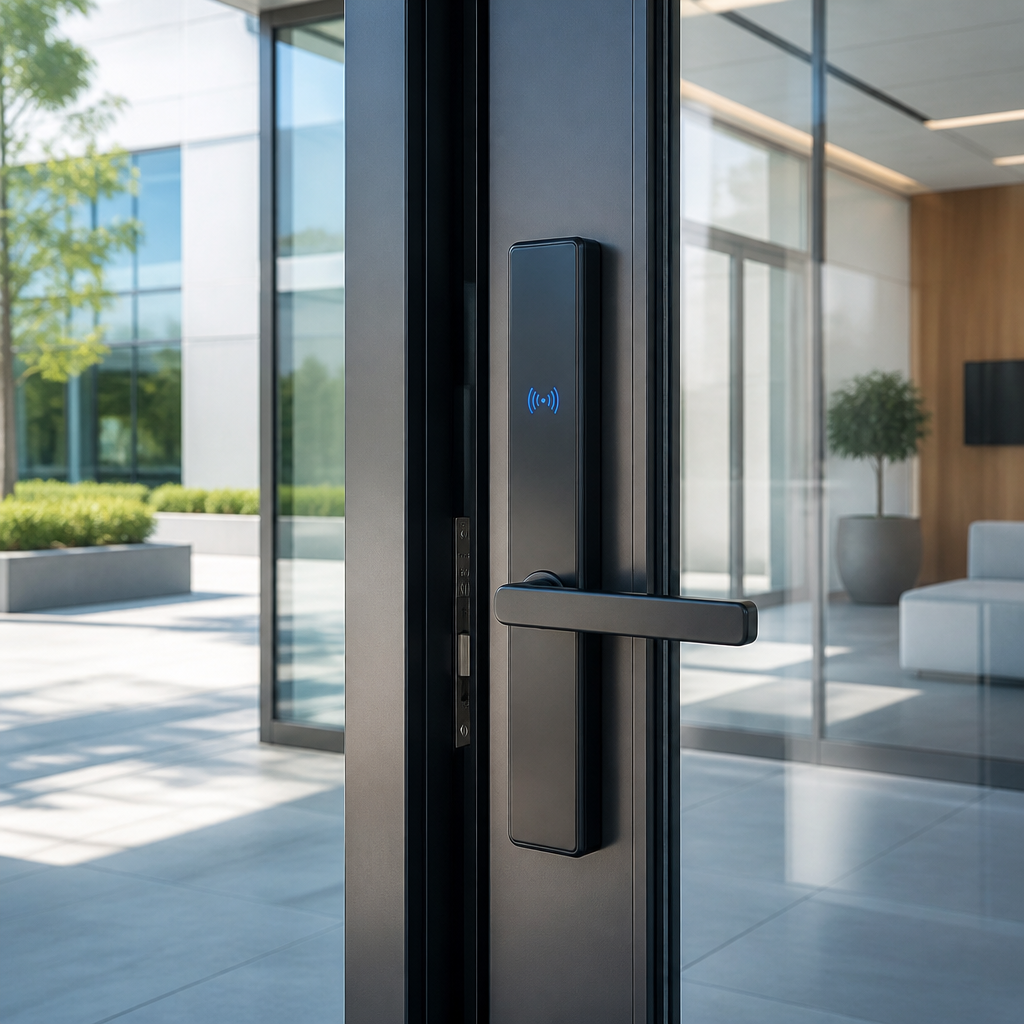
Most property managers still hand out physical keys to contractors, cleaning crews, and new tenants – then spend hours tracking who has what, only to rekey everything after a staff change. A Bluetooth door lock eliminates that entire cycle. But walking into the commercial lock market without a clear framework is a fast way to buy the wrong hardware, install it on the wrong doors, and inherit a new set of headaches. This guide cuts through the noise on commercial door locks, keyless entry options, and PIN code access systems so you can make a confident, property-specific decision from the start.
Table of Contents
- What Is a Bluetooth Door Lock and How Does It Work?
- Quick Takeaways
- Bluetooth vs. WiFi vs. PIN Code: Which Lock Type Fits Your Property?
- Commercial-Grade Requirements You Cannot Ignore
- Access Control Integration and Scalability
- Choosing the Right Lock for Your Property Type
- Installation and Power Considerations
- Frequently Asked Questions
- References
What Is a Bluetooth Door Lock and How Does It Work?
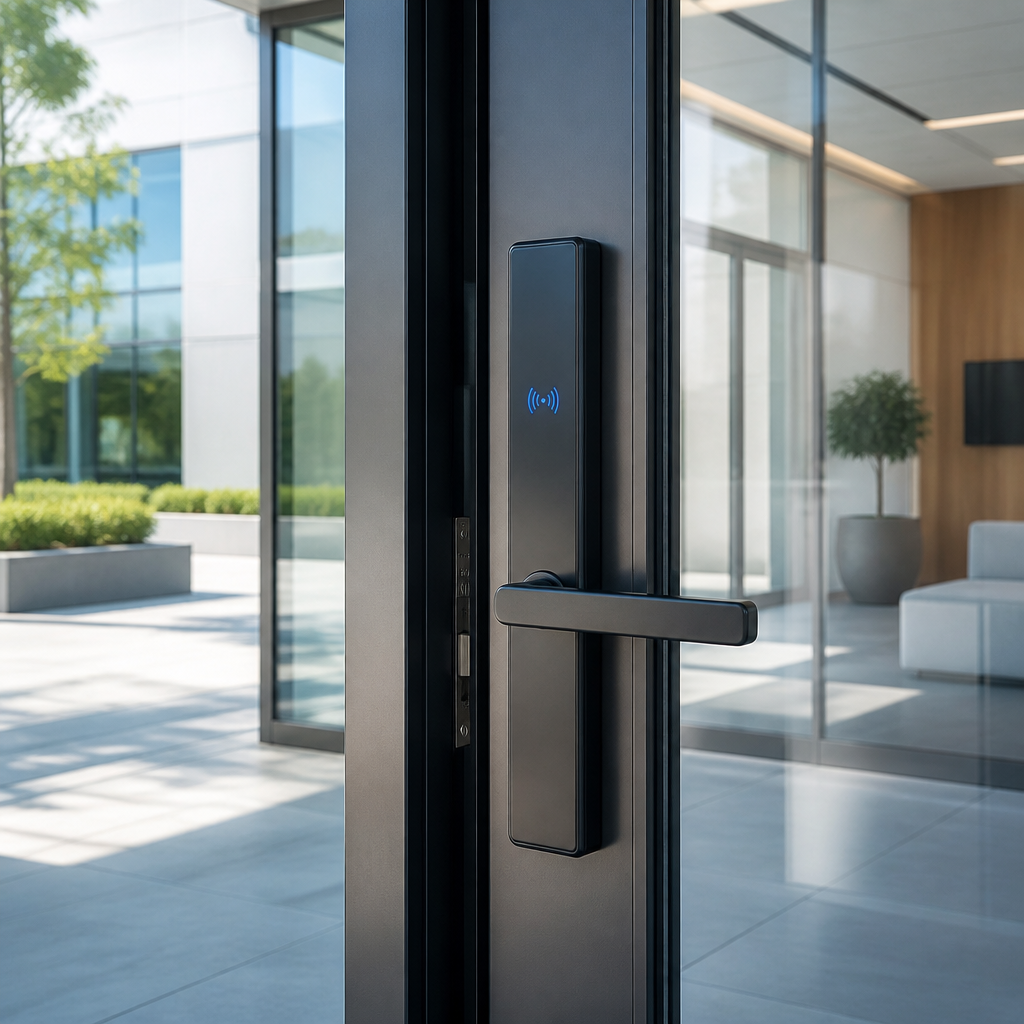
A Bluetooth door lock is a keyless entry system that uses short-range wireless communication to authenticate users and release a locking mechanism. Instead of a physical key, access is granted through a paired smartphone, a Bluetooth key fob, or a companion app. Most models also include a PIN keypad as a backup credential method, which matters enormously in commercial settings where not every employee carries a smartphone at all times.
The technology behind modern commercial Bluetooth locks has evolved considerably. The current generation runs on Bluetooth Low Energy (BLE), a protocol designed to consume minimal battery power while maintaining secure, real-time communication between the lock and an authorized device. BLE locks can provide instant feedback, audit log entries, and in some configurations, communicate with a central access control platform without drawing significant power from their battery supply.
One important distinction for commercial buyers: Bluetooth locks operate within a limited range, typically up to about 25 feet. That proximity requirement is actually a security advantage for interior doors and server rooms, where you want access tightly tied to physical presence. It becomes a limitation for remote-managed entry points, where a WiFi or cloud-connected lock makes more operational sense.
Quick Takeaways
| Key Insight | Explanation |
|---|---|
| BLE is the correct Bluetooth spec for commercial locks | Bluetooth Low Energy uses far less power than classic Bluetooth, extending battery life to 12-36 months even in moderate-traffic commercial environments. |
| ANSI/BHMA Grade 1 is the non-negotiable minimum for high-traffic doors | Grade 1 hardware withstands over 1,000,000 cycles and heavy-duty abuse. Grade 2 or 3 will fail prematurely on busy commercial entries. |
| PIN code locks cannot replace Bluetooth for audit trail accuracy | Shared PIN codes mean you cannot identify which individual used a door, only that the correct code was entered. For compliance-sensitive properties, every user needs a unique credential. |
| Offline functionality is essential, not optional | Commercial Bluetooth locks store credentials locally so access continues during network outages. Events sync when connectivity is restored. |
| Mechanical key override is a must-have specification | Commercial locks should retain a standard keyway for emergency access and integration with existing master key systems, preventing total lockout scenarios. |
| Lock type must match door prep | Commercial doors are prepped for cylindrical, mortise, or deadbolt configurations. Buying a lock that does not match your door prep means expensive modifications before you can even install it. |
| Scalability starts at the software layer, not the hardware layer | A Bluetooth lock without cloud management software is a single-point solution. Multi-door, multi-tenant, or multi-site operations need centralized credential management from day one. |
Before diving into lock types, it helps to understand exactly what problem you are solving. Property managers dealing with tenant turnover need instant credential revocation. Business owners managing shift workers need scheduled access by time window. Facility operators covering multiple buildings need centralized control from one dashboard. These are three different problems that point toward three different system configurations, even if all three end up using a Bluetooth door lock at the hardware level.
Bluetooth vs. WiFi vs. PIN Code: Which Lock Type Fits Your Property?
This is the question most buyers get wrong because they compare on price rather than on operational fit. Each lock technology has a legitimate use case, and choosing the wrong one creates friction that no amount of hardware quality can fix.
Bluetooth Locks: Proximity-Based, Low-Power, Highly Secure
Bluetooth door locks work by connecting directly to a user’s mobile device when that device is within range. They do not require a building-wide internet connection, which makes them significantly more stable in environments with patchy WiFi. Battery life is notably longer than WiFi locks because the radio only activates when a paired device is detected nearby. The trade-off is that remote unlock is not possible without adding a gateway device or a hub that bridges Bluetooth to the cloud.
For interior doors, storeroom access, and staff-only areas where you want access tied to physical presence, a BLE lock is often the strongest choice. The proximity requirement is not a bug, it is the security model.
WiFi Locks: Remote Access, Higher Power Draw
WiFi smart locks connect to a building-wide wireless internet connection, allowing tenants or managers to unlock doors from anywhere with internet access. That remote capability makes them ideal for main entry points, delivery zones, and properties where visitors need to be buzzed in without an on-site staff member. The downside is higher energy consumption, which shortens battery life and increases maintenance cycles on battery-powered units. WiFi locks are also dependent on network uptime, making local credential storage a mandatory specification when evaluating models.
PIN Code Locks: Simple, Affordable, Limited
A PIN code lock, also called a keypad lock, is the most straightforward form of keyless entry for commercial use. Users enter a numeric code to unlock the door. No smartphone required, no app to manage, no Bluetooth pairing. For small offices with stable staff, a PIN code lock is an entirely reasonable solution. However, the audit trail limitation is real: a shared PIN tells you the correct code was entered, not who entered it. For properties with staff turnover, compliance requirements, or a need to track individual access events, shared PIN codes are structurally inadequate.
Pro tip: If you need a PIN code lock that actually provides accountability, assign a unique four-to-six digit code to every user rather than one shared code for the whole office. Most commercial keypad locks support 100 or more stored codes. That single change transforms a basic PIN lock into a lightweight audit tool.
| Feature | Bluetooth Door Lock | WiFi Smart Lock | PIN Code Lock |
|---|---|---|---|
| Remote unlock | Requires gateway hub | Yes, from anywhere | No |
| Internet dependency | None (offline capable) | High | None |
| Battery life | 12-36 months | 6-12 months typical | 12-24 months |
| Per-user audit trail | Yes (unique mobile credentials) | Yes (with app accounts) | Only with unique codes per user |
| Credential revocation speed | Instant via app | Instant via cloud | Manual reprogramming required |
| Typical cost range | Priced around $180-$350 (basic models) | Priced around $280-$500 | Priced around $140-$280 |
| Best for | Interior doors, staff zones | Main entries, remote management | Small offices, low-turnover sites |
Commercial-Grade Requirements You Cannot Ignore
Consumer-grade smart locks are engineered for residential doors that open and close perhaps a dozen times a day. A commercial office entry, an apartment building lobby, or a warehouse access point operates in an entirely different category. Getting this specification wrong is one of the most common and expensive mistakes in commercial lock purchasing.
ANSI/BHMA Grades: The Only Durability Standard That Matters
ANSI/BHMA Grade 1 is the minimum standard for commercial doors in high-traffic environments. Grade 1 hardware is tested to withstand over 1,000,000 operating cycles and resists significant physical force. Grade 2 is appropriate for light commercial use or interior secondary doors. Grade 3 is a residential specification and should not appear anywhere in a commercial property’s security plan. For electronic access control hardware specifically, the relevant certification is UL 294, which covers the electronic components and their resistance to tampering and environmental stress.
Fail-Safe vs. Fail-Secure: A Decision With Life Safety Implications
Every commercial door lock must be specified as either fail-safe or fail-secure before purchase. A fail-safe lock releases and allows passage when power is lost, which is required on egress paths and fire doors to allow evacuation. A fail-secure lock remains locked during a power failure, which is appropriate for high-security areas like server rooms or pharmacies where unauthorized entry is the primary risk. Choosing the wrong mode for a door is not just a security error, it can be a fire code violation. Verify your local building and fire codes before specifying either mode.
Encryption and Communication Security
Commercial-grade Bluetooth locks use encrypted communication protocols between the lock and the mobile credential. Do not purchase any Bluetooth lock that cannot specify its encryption standard in its product documentation. Reputable commercial hardware uses 128-bit AES encryption or equivalent at minimum. This matters because Bluetooth communication, while short-range, can be intercepted with the right equipment. Encryption ensures that even a captured signal provides no usable credential data to an attacker.
Pro tip: Always ask vendors for the lock’s specific encryption specification and its response to a lost or stolen phone. A quality commercial BLE system should allow immediate remote deactivation of a specific mobile credential without affecting other users or requiring a firmware update to the lock itself.
Access Control Integration and Scalability
A single Bluetooth door lock on a single door is a product decision. Ten locks across a commercial building managed from one dashboard is a system decision. These require different planning conversations, and conflating them at the start of a project leads to expensive retrofitting later.
Standalone vs. Networked Bluetooth Locks
Standalone Bluetooth locks store credentials locally on the device. They are programmed via a mobile app while physically at the lock, and they work entirely offline. This is the right choice for a single interior door, a small office, or a property with minimal credential change frequency. The limitation appears when you need to revoke or issue credentials across many doors simultaneously. Doing that manually, door by door, does not scale.
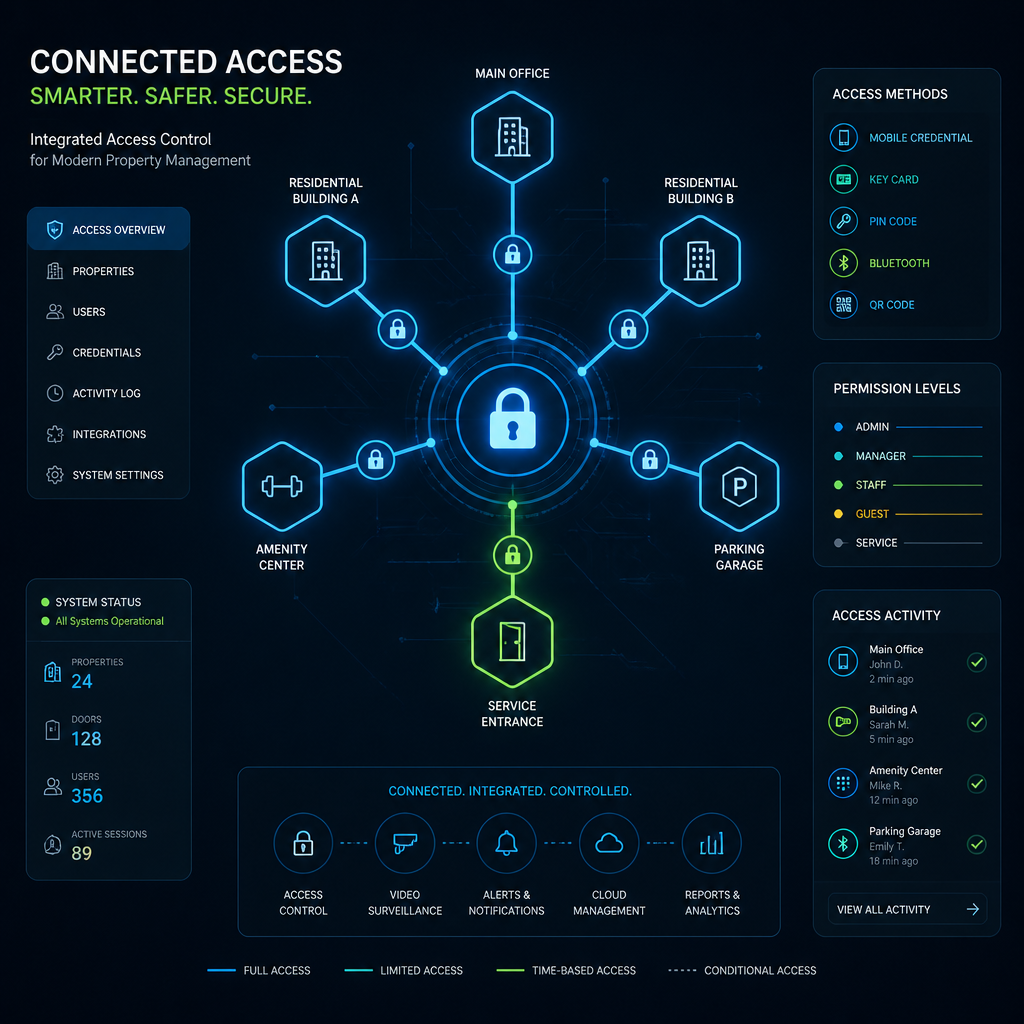
Networked or cloud-connected Bluetooth locks communicate with a central management platform, allowing administrators to add or remove users, set time-based access schedules, and pull audit logs from any location. For apartment complexes managing tenant turnover, or businesses with multiple departments requiring different access tiers, cloud management is not a luxury, it is an operational requirement.
Integration With Intercom and Surveillance Systems
Commercial properties rarely need just a lock. The most effective security setups pair a Bluetooth door lock with an intercom system at entry points and CCTV coverage of access zones. This matters for liability documentation, for visitor management, and for situations where access logs alone cannot explain an incident. At UnikCCTV, this integrated approach is what separates a product purchase from a complete security solution. A lock that cannot communicate with your intercom or be monitored by your surveillance system leaves gaps that determined individuals will find.
When evaluating Bluetooth locks for integration, look for systems that support open API connectivity or that explicitly list compatibility with access control platforms you already use. A proprietary lock that only works within its own app ecosystem limits your future flexibility significantly.
Choosing the Right Lock for Your Property Type
No single Bluetooth door lock configuration is the right answer for every commercial property. The correct specification depends on door type, user volume, credential change frequency, and the level of remote management your operations require.
Multi-Tenant Apartment Buildings
Tenant turnover is the core operational challenge in apartment management, and it is where traditional key systems break down completely. Every time a tenant leaves, a physical key creates a security gap that only rekeying or lock replacement can close. A Bluetooth door lock with cloud credential management eliminates that problem entirely. Access for a departing tenant is revoked from the management dashboard the moment the lease ends, with no hardware change required. For new tenants, a digital credential is issued remotely before move-in day, which also removes the need for a scheduled key handoff meeting.
For apartment buildings, look for systems that support tiered access levels, so tenants can access their own floor and unit while maintenance staff can access utility areas on a schedule. A common mistake is buying a system with enough hardware but too few user credential slots. Commercial facilities with regular staff turnover typically need support for 300 or more stored credentials.
Office Buildings and Commercial Workspaces
Office access requirements center on time-based scheduling and department-level access tiers. A Bluetooth lock system for an office building needs to support access windows by time of day and day of week, so a cleaning crew can access the building between 6pm and 9pm without having any access during business hours. It also needs fast credential revocation, because the security gap between an employee’s last day and a manager remembering to collect their key card is exactly where access control failures happen in traditional systems.
Single-Door and Small Business Applications
For a single-door application, a standalone Bluetooth lock with keypad backup is often the most cost-effective and operationally simple solution. Small businesses with stable staffing do not need cloud management overhead. What they do need is reliable hardware at commercial grade, a mechanical key override for emergencies, and a PIN code lock backup for staff who do not carry smartphones. The mistake small businesses make is buying residential hardware for a commercial door, then wondering why it needs frequent maintenance or fails its first hard winter.
The right commercial door lock depends on your door type, user volume, compliance requirements, and the level of remote management your facility demands. ANSI Grade, fail-safe or fail-secure compliance, and audit trail depth should drive your decision, not brand name alone.
Installation and Power Considerations
Installation quality is where commercial Bluetooth lock projects either succeed or create ongoing maintenance problems. The hardware itself is only as good as the door prep it is installed on and the power supply it depends on.
Door Prep Compatibility
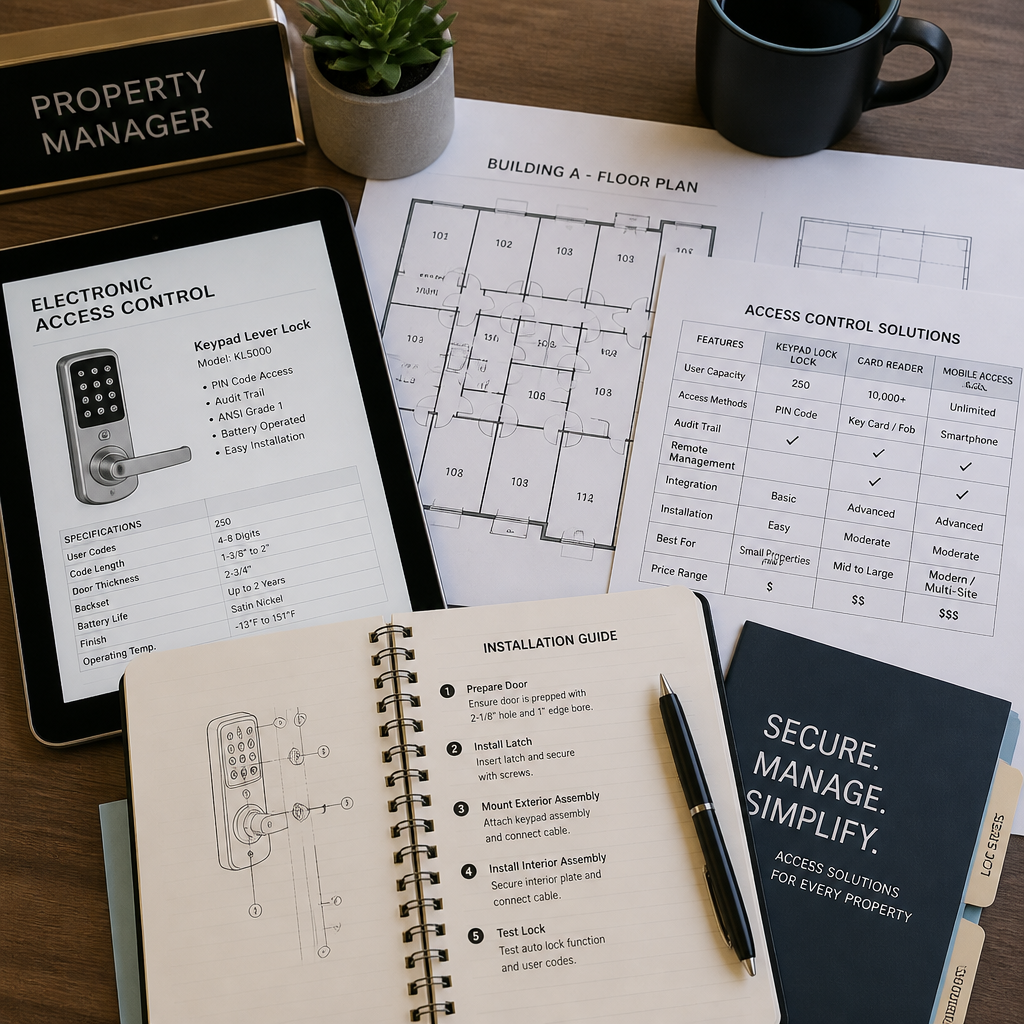
Commercial doors are prepped in one of several standard configurations: cylindrical (the most common in office settings), mortise (required for heavy-duty applications and common in older commercial buildings), or deadbolt. Buying a cylindrical lock for a mortise-prepped door means modifying the door, which adds cost, requires a skilled installer, and may affect the door’s fire rating. Always verify door prep before specifying hardware. This sounds obvious, but it is the most frequently skipped step in commercial lock procurement.
Battery vs. Hardwired Power
Battery-powered Bluetooth locks are easier to install because they require no electrical wiring, but they introduce a maintenance cycle that hardwired locks do not. Battery life on commercial BLE locks typically ranges from 12 to 36 months depending on usage volume and model. High-traffic doors drain batteries faster. Ensure any lock you specify includes a low-battery alert that pushes a notification to the management dashboard rather than relying on someone physically checking the door. Hardwired locks eliminate the battery replacement cycle entirely and are a better long-term investment for any door that sees more than 50 uses per day.
Professional Installation vs. Self-Installation
Deadbolt Bluetooth locks on interior doors can be installed by a competent maintenance technician following the manufacturer’s instructions. Mortise locks, fire-rated doors, and any installation involving hardwired power require a licensed professional. The cost of professional installation is not optional when fire code compliance is part of the equation, and skipping it to save money creates liability exposure that far exceeds any cost savings.
At UnikCCTV, installation guidance and expert consultation are part of the service model, because a lock specified correctly but installed incorrectly is still a security failure. The hardware, the door prep, and the installation method need to be aligned from the start.
Frequently Asked Questions
Can a Bluetooth door lock work without a smartphone?
Yes. Most commercial Bluetooth door locks include a PIN keypad as an alternative access method, allowing users to enter without a smartphone. Some models also support RFID key fobs or cards as additional credential options. Specifying a lock with multiple credential types is the standard best practice for commercial environments where not every user will reliably carry a smartphone.
How secure is a Bluetooth door lock compared to a traditional keyed lock?
High-quality commercial Bluetooth locks that meet ANSI/BHMA Grade 1 standards and use encrypted BLE communication are at least as secure as traditional mechanical locks, and in some respects more secure. The primary advantage over keyed locks is that digital credentials cannot be physically copied, lost keys do not require a locksmith visit or rekeying, and individual access can be revoked instantly. The security risk unique to Bluetooth is the mobile device itself, which is why credential deactivation for lost phones must be an instant, remote capability in any system you buy.
What is the difference between a fail-safe and fail-secure Bluetooth lock?
A fail-safe lock unlocks automatically when power is lost, which is required on egress doors and fire-rated exit paths to allow evacuation. A fail-secure lock stays locked during a power failure, making it suitable for high-security rooms where unauthorized entry is the greater risk. The correct mode is determined by fire code, building use, and the function of each specific door, not by personal preference. Always confirm the required mode with your local code authority before purchasing hardware.
How many users can a commercial Bluetooth lock support?
This varies by model and platform, but commercial-grade Bluetooth locks typically support from 100 to over 1,000 stored credentials. For small offices, 100 users is generally adequate. For apartment complexes or commercial facilities with regular staff turnover, look for systems that support 300 or more credentials and that allow credential management from a cloud platform rather than requiring in-person programming at each lock. Undersizing this specification is one of the most common purchasing mistakes for growing commercial properties.
Do commercial Bluetooth locks work during internet outages?
Yes. Bluetooth locks store access credentials locally on the hardware, so they continue to grant or deny access based on stored data even when the network is unavailable. The features that require connectivity are remote management, real-time audit log sync, and cloud-based credential updates. Those functions resume automatically once connectivity is restored. This local-first design is one of the reasons BLE locks are often preferred over WiFi-only locks for critical access points where network reliability cannot be guaranteed.
Can a Bluetooth door lock integrate with an existing intercom or CCTV system?
It depends on the system, but many commercial-grade Bluetooth locks support API integration or work within broader access control platforms that connect to intercoms, cameras, and building management systems. When purchasing, verify that the lock’s software platform has documented integration paths for the other security systems already in your building. A Bluetooth lock that operates as a completely isolated silo creates gaps in your audit trail and limits your ability to correlate door events with video footage, which matters significantly when investigating an incident.
What maintenance does a commercial Bluetooth lock require?
The primary maintenance tasks are battery replacement, firmware updates, and periodic credential audits. Battery-powered models at commercial traffic levels typically need new batteries every 12 to 24 months. Most modern systems push firmware updates over the air without requiring physical access to the lock. Credential audits, reviewing who has active access and removing credentials for anyone who should no longer have it, should be done quarterly at minimum. Properties with high turnover, like apartment buildings or hospitality operations, benefit from automated offboarding workflows built into their access management platform.
Have you recently switched your property from physical keys to a Bluetooth or keyless entry system? Share what worked, what surprised you, and what you would do differently in the comments below.
References
- Complete guide to smart commercial door locks covering grades, certifications, and installation considerations
- Bluetooth Low Energy access control explained: technology, use cases, and commercial integration
- WiFi versus Bluetooth smart lock comparison covering range, battery life, and remote access capabilities
- Commercial electronic door lock buyer guide with ANSI grade, audit trail, and multi-tenant functionality analysis
- Keyless entry door lock buying guide covering user capacity, installation complexity, and budget ranges



 No products in the cart.