
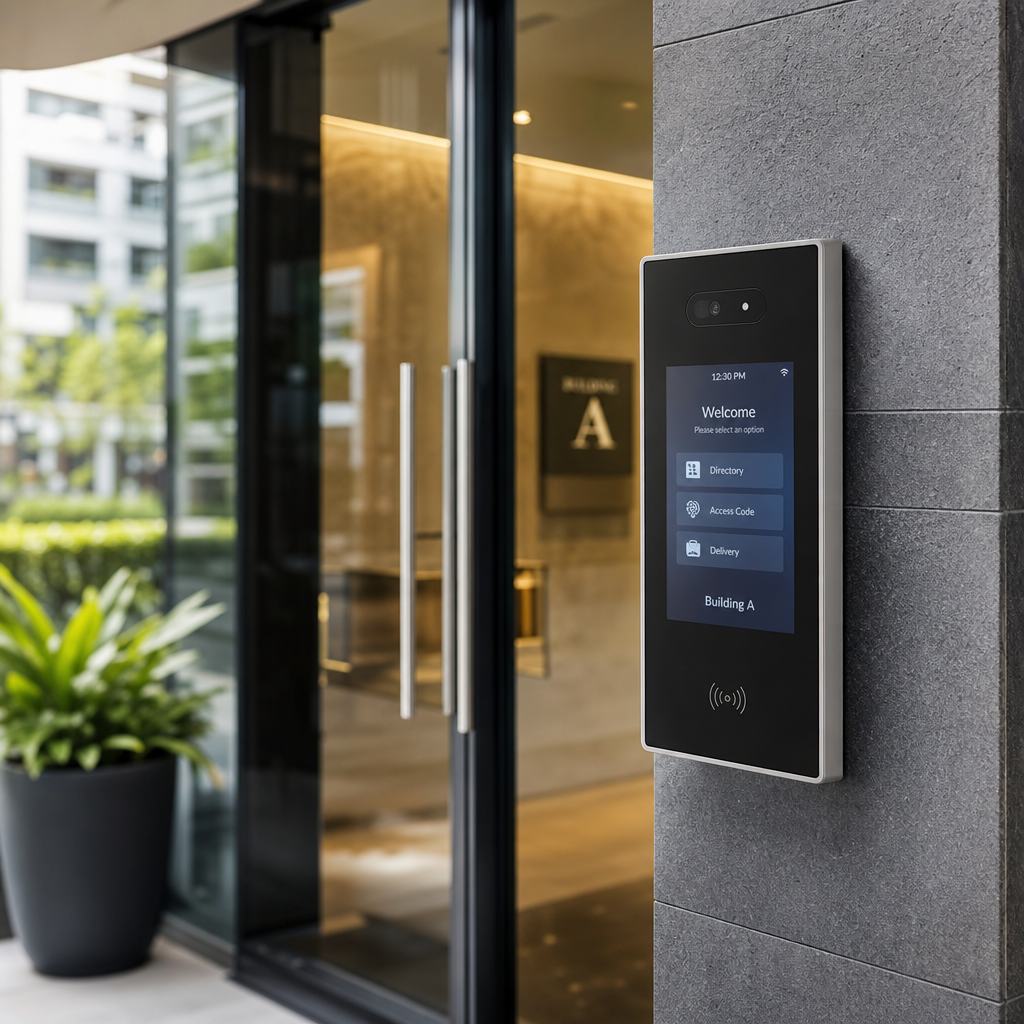
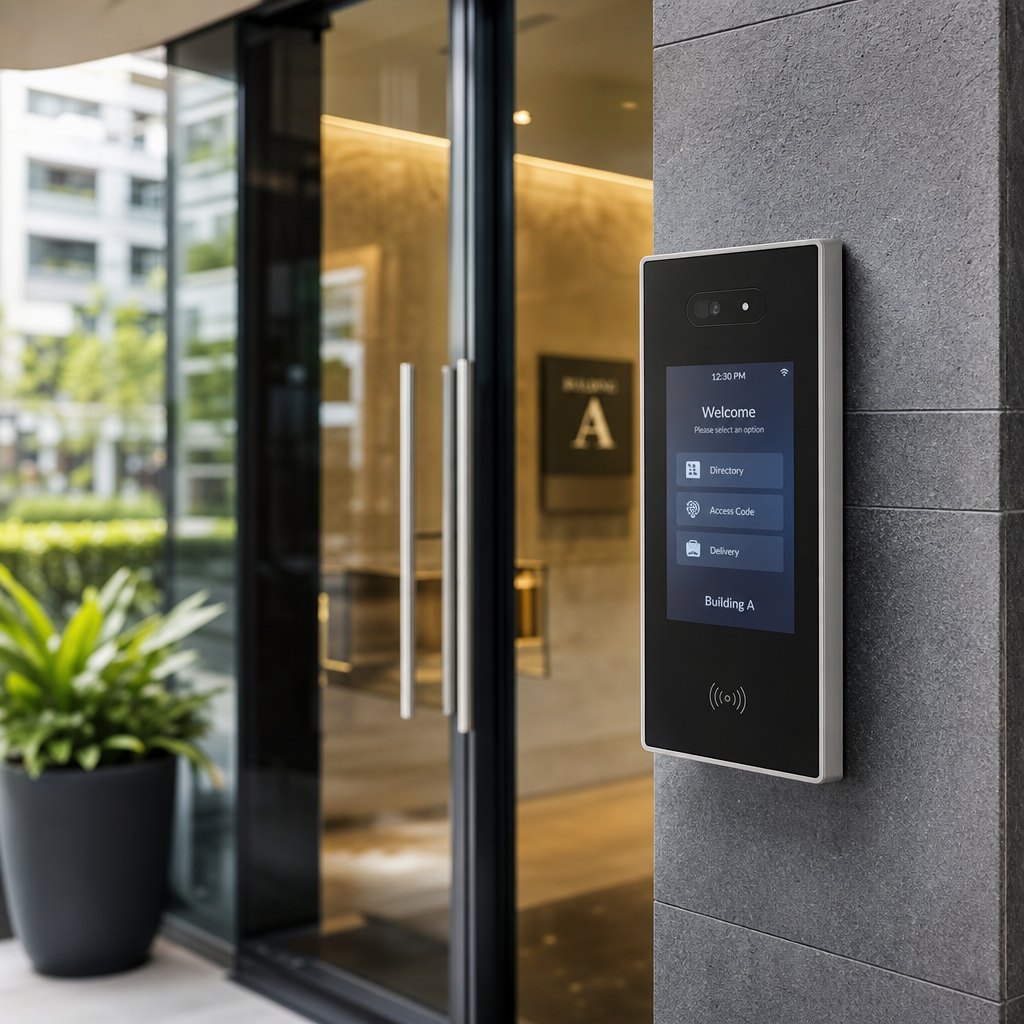
Replacing a building’s door entry system is one of those projects that property managers put off until a broken intercom, a lost master key, or a security incident forces the issue. The problem with waiting is that outdated systems do not just create inconvenience. They create liability. According to the FBI’s Uniform Crime Reporting data, a significant portion of burglaries involve unauthorized building entry, and poorly secured common areas are a known factor. This checklist walks you through every decision point, from assessing your current setup to selecting the right door entry system for your property type, so the upgrade happens on your timeline, not a thief’s.
Table of Contents
- Quick Takeaways
- Why Your Current System Is Costing You More Than You Think
- Step 1: Audit Your Existing Door Entry Setup
- Step 2: Match the System to Your Property Type
- Step 3: Choose the Right Technology Stack
- Comparison of Modern Door Entry System Approaches
- Step 4: Plan the Installation Without Disrupting Tenants
- Step 5: Getting Access Control Right for Apartments and Multi-Unit Buildings
- Step 6: Integrate the Entry System with CCTV and Monitoring
- Frequently Asked Questions
- References
Quick Takeaways
| Key Insight | Explanation |
|---|---|
| Audit before you buy | Cataloguing every entry point and current credential type prevents you from purchasing a system that misses half your access needs. |
| Wired beats wireless for main entrances | For primary building entry points, wired intercoms and access panels deliver more reliable uptime than Wi-Fi-dependent alternatives. |
| Biometric access reduces key management costs | Buildings with biometric or mobile credential systems eliminate rekeying costs that average $50 to $150 per lock change event. |
| CCTV integration is non-negotiable for liability | Pairing your door entry system with camera surveillance creates a verifiable audit trail that protects you in dispute and legal scenarios. |
| Tenant communication reduces upgrade friction | Notifying residents 2 to 3 weeks before installation, with a clear FAQ, cuts support calls by a measurable margin during cutover. |
| Mobile-based credentials are the growth direction | Smartphone-based access eliminates fob and card replacement costs and allows instant revocation when a tenant moves out. |
| Choose a scalable platform, not just a device | A door entry system that cannot expand to additional doors, floors, or buildings will force you to start over within 3 to 5 years. |
Why Your Current System Is Costing You More Than You Think
Most property managers underestimate the true cost of keeping an aging door entry system running. They see the monthly repair bill but miss the compounding costs: rekeying after tenant turnover, liability exposure from unlogged entry events, and the administrative burden of managing physical keys or expired access cards across dozens of units.
In practice, a 50-unit apartment building that relies on traditional key-and-intercom infrastructure can spend upward of $3,000 annually on lock changes alone, based on industry estimates from property management associations. That figure does not include the time staff spend manually buzzing in guests or fielding calls from locked-out tenants at 11 PM.
Property management security is also a direct factor in occupancy rates. A 2023 survey by the National Apartment Association found that safety and security features rank in the top three priorities for prospective renters, above amenities like in-unit laundry. When your competition offers smartphone-based access and your building requires a brass key, that gap shows up in vacancy numbers.
Step 1: Audit Your Existing Door Entry Setup
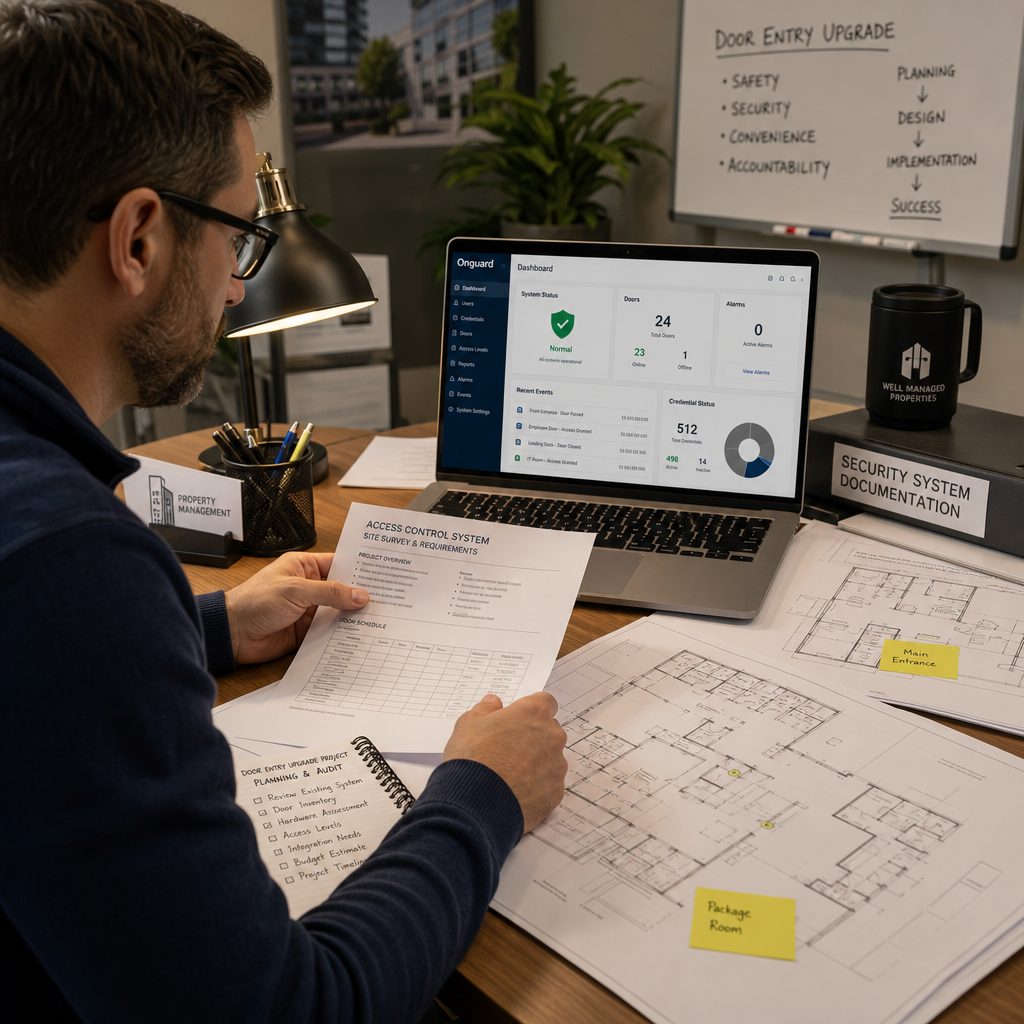
Before choosing any new technology, you need a complete picture of what you are replacing. A rushed audit is how property managers end up with a shiny new intercom at the front door and a broken magnetic lock on the parking garage that nobody addressed.
Map Every Controlled Entry Point
Walk the entire property and list every point where access is currently managed: main lobby doors, side exits, parking garage gates, mailroom entries, rooftop access, and any shared amenity spaces. For each point, document the current credential type (key, fob, keypad code, or intercom), the hardware model, and its age.
A common mistake is treating this as a lobby-only problem. Side and rear entrances are frequently the weakest link in a building’s security profile, and they are the entry points most often exploited in unauthorized access incidents.
Identify Credential Management Pain Points
Interview your maintenance staff and front desk team. Ask specifically: how many keys or fobs were reported lost or unreturned in the last 12 months? How many lock changes were performed? The answers will directly inform whether you need a system with instant digital credential revocation, which is a capability that traditional hardware cannot provide.
Pro tip: If your team cannot tell you how many active credentials are currently issued for a given door, that is itself a security finding. Modern access control systems maintain a live credential ledger, which is a baseline requirement for any professionally managed property.
Step 2: Match the System to Your Property Type
A door entry system that works well for a 12-unit residential building will be inadequate for a 200-unit apartment complex or a mixed-use commercial property. The architecture of the building and the pattern of foot traffic must drive the technology decision, not the other way around.
Single-Family and Small Residential Properties
For homeowners and small landlords, a wireless intercom combined with a smart lock or biometric keypad is typically the most cost-effective upgrade. These systems do not require extensive cabling, can be installed without major construction, and provide smartphone-based remote access that suits properties with no on-site staff. UnikCCTV’s range of wireless intercoms and facial recognition locks is specifically designed for this use case.
Mid-Size Apartment Buildings (20 to 100 Units)
This is where most property managers make the most consequential technology decisions. A building of this size typically requires a centralized access control panel, a video intercom at the main entrance, and a scalable credential system, whether that is proximity cards, mobile credentials, or biometric readers. The system needs to handle concurrent access events during peak hours (morning departures and evening arrivals) without latency.
Large Multi-Building Complexes and Commercial Properties
At this scale, access control for apartments and commercial tenants must integrate with a cloud-based management platform. You need the ability to assign, modify, and revoke access rights for hundreds of individuals across multiple entry points from a single dashboard. Wired infrastructure with a central access control server is the standard for reliability, with wireless nodes used only for secondary or low-traffic access points.
Pro tip: When evaluating systems for large properties, ask vendors specifically how their platform handles simultaneous entry events during a fire alarm or emergency lockdown. Systems that have not been tested under that scenario are a liability risk.
Step 3: Choose the Right Technology Stack
The market for door entry systems has expanded significantly in the past five years. Property managers now face choices between video intercoms, audio-only intercoms, keypad access, proximity card readers, biometric scanners, mobile credential systems, and various combinations of all of the above. The right answer depends on your budget, your tenant profile, and your long-term operational goals.
Video Intercoms vs. Audio-Only Intercoms
Video intercoms have become the baseline expectation for multi-unit residential buildings. They allow tenants to visually verify a visitor before granting access, which is a direct security benefit that audio-only systems cannot match. The cost premium over audio-only systems has dropped substantially. For most buildings with more than 10 units, the argument for audio-only intercom is largely obsolete.
UnikCCTV offers both wired and wireless intercom options, including models with night vision and two-way communication, which addresses the most common failure point of older intercom systems: poor performance in low-light lobby conditions.
Biometric and Facial Recognition Access
Biometric systems, including fingerprint readers and facial recognition locks, eliminate the credential management problem entirely. There is no card to lose, no PIN to share. The tradeoff is a higher per-unit hardware cost and the need for tenant enrollment, which requires a structured onboarding process at installation. For high-security applications, amenity spaces, or buildings with high tenant turnover, biometric access delivers measurable operational advantages.
Mobile Credentials and Smart Access
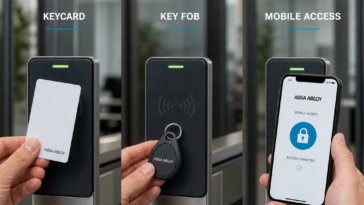
Smartphone-based access is now the fastest-growing segment in the access control market. According to Statista’s building technology data, smart access systems were adopted by over 35% of new multi-family construction projects in North America as of 2022. The operational benefit for property managers is immediate: credentials are issued and revoked digitally, and the system logs every access event with a timestamp.
“The single biggest shift in access control is the move from physical credentials to digital ones. Property managers who make that transition find that the ongoing administrative burden of key and fob management drops to near zero.” – Building Operations Technology Review, 2023
Comparison of Modern Door Entry System Approaches
Choosing between system types requires an honest comparison of cost, management overhead, and security performance. The table below covers the three most common approaches property managers evaluate during an upgrade project.
| System Type | Best For | Key Tradeoffs |
|---|---|---|
| Wired Video Intercom with Key Fob Access | Mid-size apartment buildings needing reliable, high-traffic performance | Higher installation cost, requires cabling; excellent uptime and no Wi-Fi dependency |
| Biometric Access Control (Fingerprint or Facial Recognition) | High-security buildings, amenity spaces, and properties with high tenant turnover | Eliminates lost credential costs; requires tenant enrollment and higher hardware investment per door |
| Mobile Credential (Smartphone-Based) System | Tech-forward properties, buildings with younger tenant demographics, large complexes | Lowest ongoing management cost; requires reliable mobile network coverage and tenant smartphone ownership |
The data consistently shows that hybrid deployments, combining wired intercoms at primary entrances with mobile or biometric credentials at secondary access points, deliver the best balance of security and operational efficiency for properties above 30 units.
Step 4: Plan the Installation Without Disrupting Tenants
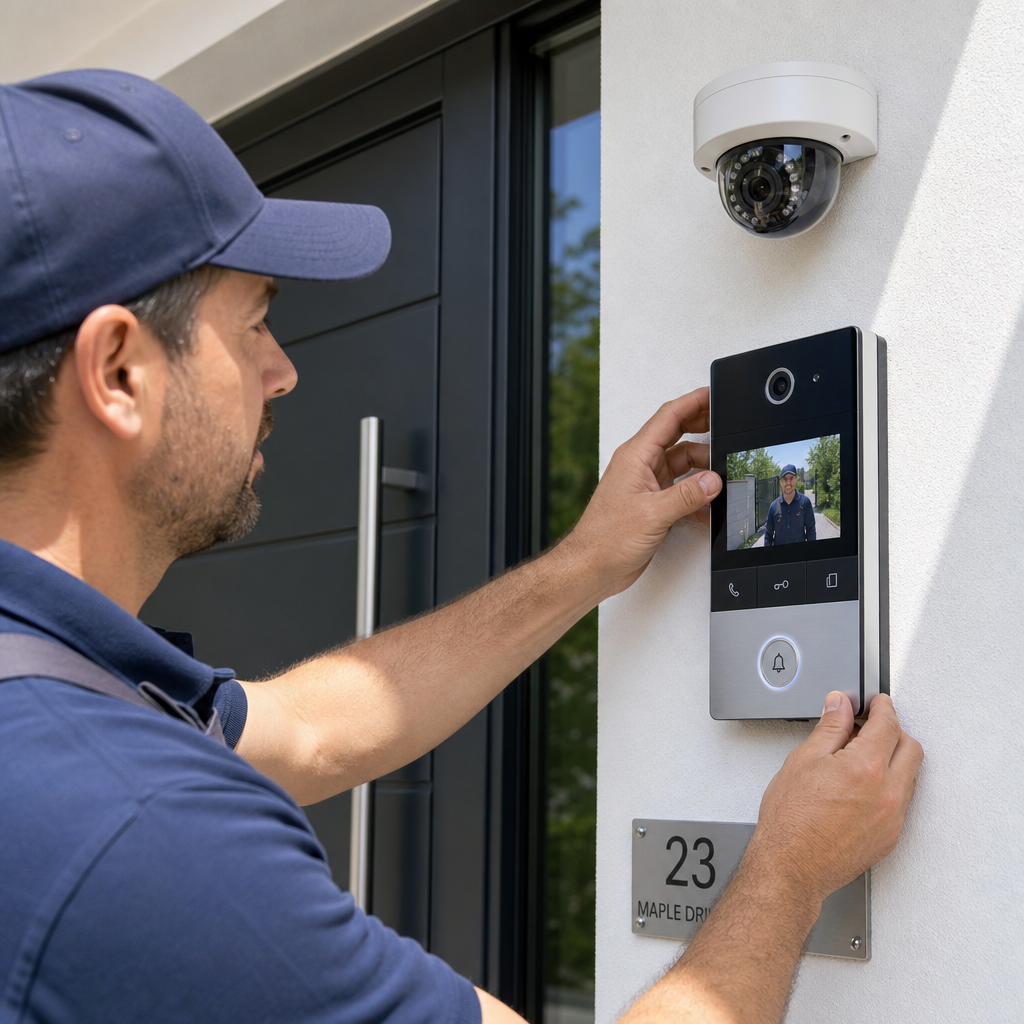
The technical selection process is only half the work. A poorly planned installation causes tenant complaints, lease non-renewal threats, and sometimes actual security gaps during the transition period. In practice, the most disruptive installations are the ones where property managers did not communicate the plan in advance.
Communicate Before, During, and After
Send written notice to all residents at least 14 days before installation begins. The notice should include the installation dates, which entry points will be temporarily affected, what alternative access arrangements exist during the transition, and how tenants will receive their new credentials. A common mistake is sending one notice and assuming it is sufficient. Follow up with a reminder 48 hours before work begins.
Stage the Cutover to Maintain Security Continuity
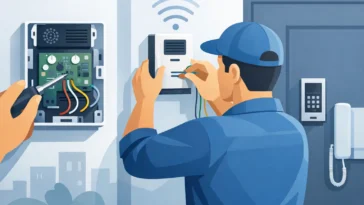
Never remove old hardware before new hardware is fully operational and tested. For each entry point, the sequence should be: install new hardware in parallel, test all credential types, confirm remote access functions correctly, train any on-site staff, then decommission the old system. Skipping any step in this sequence creates a window where a door is either unsecured or inaccessible to residents.
Building intercom upgrade projects that follow a staged approach consistently report fewer tenant escalations and faster post-installation support resolution. Budget the installation timeline as one to two days per major entry point for a medium-complexity building, and add buffer for older buildings where existing wiring may not be compatible with new hardware.
Staff Training Is Not Optional
Every person on your maintenance and management team who will interact with the new system needs hands-on training before you go live. This includes how to issue and revoke credentials, how to access the event log, and how to handle a system fault. A $15,000 access control system that your staff does not know how to operate is effectively a $15,000 door prop.
Step 5: Getting Access Control Right for Apartments and Multi-Unit Buildings
Multi-unit residential buildings have specific access control for apartments requirements that differ meaningfully from commercial or single-occupancy properties. The primary challenge is that you are managing access for residents, their guests, delivery services, maintenance staff, and emergency responders, all simultaneously, with different permission levels for each group.
Guest and Delivery Access Without Compromising Security
Package theft in apartment buildings is a documented and growing problem. A functional door entry system needs a defined process for delivery access that does not require a staff member to be present. Options include dedicated package room intercoms, time-limited access codes for delivery carriers, or smart lockboxes integrated with your access control platform. The worst solution, propping the lobby door or giving delivery drivers a permanent access code, is also the most common one in buildings with no structured delivery protocol.
Visitor Management for High-Traffic Buildings
For buildings with 50 or more units, a video intercom at the main entrance paired with a tenant-facing mobile app creates a self-service visitor management system. Tenants can grant access remotely, see who is at the door before buzzing them in, and receive entry notifications, all without calling the front desk. This capability directly reduces management overhead and is a strong amenity differentiator for prospective renters.
UnikCCTV’s wireless intercom systems and door entry panels are built to support exactly this kind of tenant-facing functionality, with models that integrate with standard apartment intercom wiring for retrofit installations and wireless options for buildings where running new cable is not feasible.
Step 6: Integrate the Entry System with CCTV and Monitoring
A door entry system without camera coverage is incomplete. The intercom verifies who a person claims to be. The camera records who actually entered. Both pieces of data are necessary for a complete security picture, and both are necessary if you ever need to respond to a dispute, incident report, or law enforcement inquiry.
In practice, the most effective configurations place cameras at a minimum of two angles at each primary entry point: one camera covering the exterior approach and one covering the interior threshold. This eliminates the blind spots that a single camera always creates. For gate access controls and parking garage entries, a license plate recognition camera positioned at the entry lane adds a third verification layer that is increasingly expected in managed communities.
Property management security systems that integrate door entry logs with camera timestamps create a unified audit trail. If the access control log shows an entry event at 2:14 AM for a credential that should not have been active, you can pull the corresponding camera footage in under 60 seconds. Without that integration, the same investigation takes hours and may produce inconclusive results.
UnikCCTV provides CCTV surveillance equipment that is designed to work alongside its access control and intercom product lines, which simplifies the integration process compared to trying to mix hardware from multiple unrelated vendors. This is a meaningful operational advantage for property managers who do not want to spend time troubleshooting compatibility issues between systems from different manufacturers.
Pro tip: Confirm with your security system vendor that footage from entry-point cameras is stored for a minimum of 30 days. Many insurance policies and some local ordinances require this retention period for properties above a certain size. Shorter retention windows can create liability exposure if an incident is reported after footage has already been overwritten.
Frequently Asked Questions
How long does a door entry system upgrade typically take for a mid-size apartment building?
For a building with 20 to 60 units and three to five controlled entry points, a full door entry system upgrade typically takes two to four days of active installation work, plus a day or two for testing and staff training. Buildings with older or non-standard wiring can add time. Planning a weekend installation minimizes tenant disruption, but only works if your installer has weekend availability and you have communicated the schedule in advance.
What is the difference between a standalone access control system and a cloud-based one?
A standalone system stores access data and credentials on a local panel or server at the property. A cloud-based system manages all of that data remotely, allowing you to issue or revoke credentials, pull access logs, and manage multiple properties from any internet-connected device. For single-property managers, either can work. For those managing multiple buildings, cloud-based systems are the clear operational choice because they eliminate the need to be physically present to make credential changes.
Can I upgrade just the intercom without replacing the entire access control system?
Yes, and in many cases this is the right first step. If your existing door hardware and locks are functional, replacing only the intercom unit with a modern video intercom improves security and tenant experience without a full system overhaul. However, if your credential management is also a problem, meaning lost keys, expired fobs, or shared PINs, the intercom upgrade alone will not solve it. Assess both problems separately and budget for them accordingly.
How do I handle access for emergency services like fire and police with a new entry system?
Most commercial-grade door entry and access control systems include provisions for emergency responder access. This typically means a Knox Box keyed entry system approved by local fire departments, a dedicated emergency override code, or a fail-safe configuration where doors unlock automatically when a fire alarm activates. Before finalizing any system purchase, confirm with the vendor that the system complies with your local fire code requirements for emergency egress and first responder access. This is not a detail to address after installation.
Is a biometric door entry system practical for a rental property with high tenant turnover?
Yes, and it is arguably better suited to high-turnover properties than traditional credential systems. The reason is that biometric data (fingerprint or facial scan) is enrolled once per tenant and deleted when they move out, with no physical credential to collect or account for. The enrollment process takes three to five minutes per person and can be handled during move-in. The per-door hardware cost is higher than a keypad or fob reader, but the elimination of rekeying and fob replacement costs typically recovers that difference within 12 to 24 months in a high-turnover building.
What should I look for in a vendor when choosing a door entry system?
Look for four things: product compatibility across your existing infrastructure, local installation support or clear professional installation resources, a scalable product line so you can add doors or buildings without switching platforms, and post-sale technical support with clear response time commitments. Vendors who sell hardware only, with no installation guidance or ongoing support, transfer all the operational risk to you. UnikCCTV provides both the product range and the consultation resources that property managers need to make a decision they will not have to revisit in three years.
If you are in the middle of evaluating door entry systems for your property, share what has been your biggest obstacle so far. Your experience might be exactly what another property manager needs to hear.
References
- Statista: Building security and smart access technology adoption statistics for multi-family residential construction
- Forbes: Property management technology trends and the shift toward digital access credentials
- NIST: Physical access control systems guidelines and security recommendations for managed properties
- HUD: Resident safety standards and security requirements guidance for federally assisted housing properties
- McKinsey: Smart building technology adoption and operational efficiency outcomes in commercial and residential real estate

 No products in the cart.