
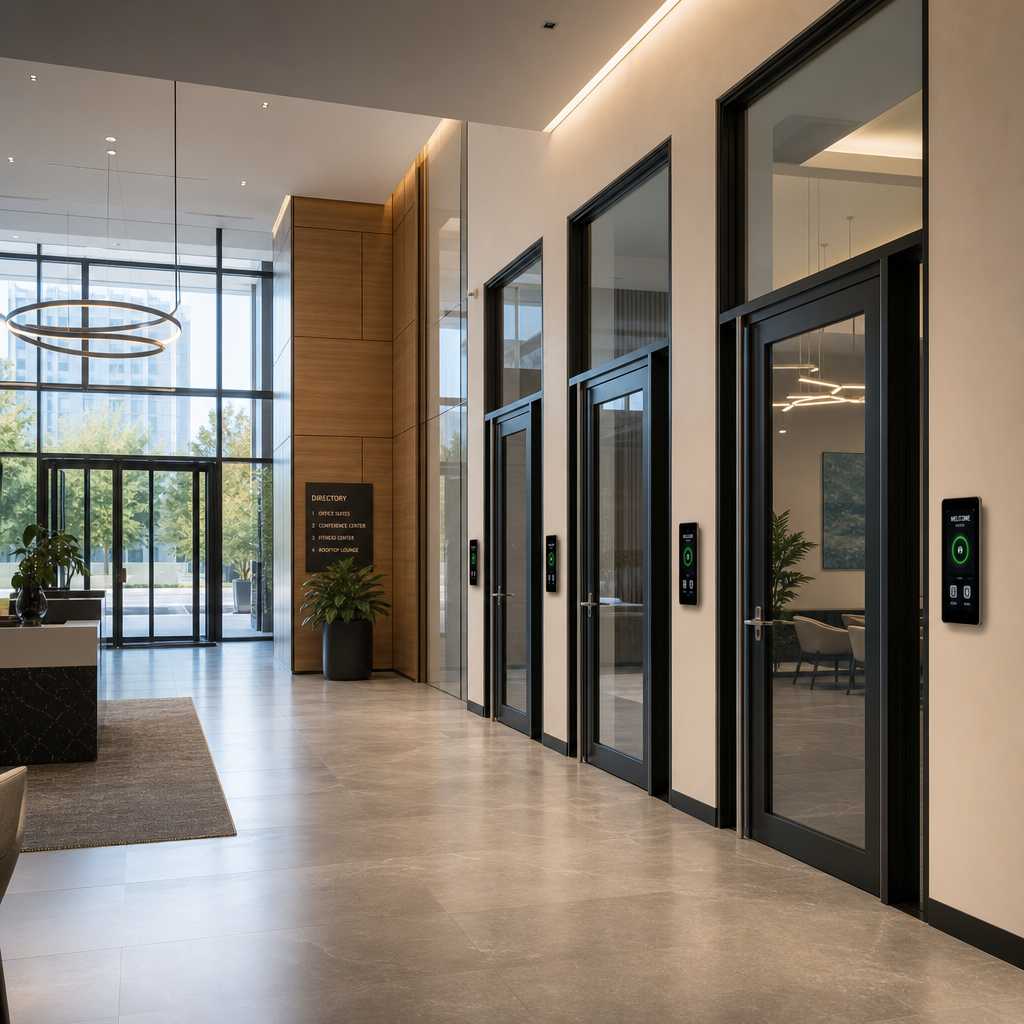
Most buildings get broken into not by force but by access failures. A propped door, a shared PIN, a lost key card. If you manage a facility with multiple entry points and you still rely on standalone locks or a single-entry intercom, you are leaving serious gaps in your security posture. A 4-door access control system closes those gaps by centralizing credential management, adding video verification, and creating a full audit trail across every controlled entry point. This article breaks down exactly what this system is, how it works, and which property types genuinely need one versus which are over-investing.
Table of Contents
- Quick Takeaways
- What Is a 4-Door Access Control System?
- How Video Access Control Changes the Equation
- Who Actually Needs a 4-Door System?
- Key Components You Should Expect
- Comparing System Tiers: Single-Door vs 4-Door vs Enterprise
- Commercial Door Security Mistakes to Avoid
- Frequently Asked Questions
- References
Quick Takeaways
| Key Insight | Explanation |
|---|---|
| A 4-door system manages four distinct entry points from a single controller | This eliminates the need for four separate, unlinked access devices, which are a common failure point in multi-entry facilities. |
| Video access control adds identity verification, not just credential verification | A card or PIN tells you a credential was used. A camera tells you who used it. That distinction matters enormously for investigations. |
| Audit logs are legally significant for commercial properties | Many insurance policies and workplace compliance standards require documented access event records. A 4-door system generates these automatically. |
| Biometric integration is now practical at this scale | Facial recognition locks and fingerprint readers can be tied into a 4-door controller, removing credential-sharing vulnerabilities entirely. |
| Most small offices do not need more than a 4-door system | Unless your building has more than four controlled access points, a 4-door system covers nearly every common commercial or multi-unit residential layout. |
| Installation complexity is the real differentiator between providers | The hardware specs between mid-tier systems are similar. What varies is wiring support, integration guidance, and after-sale configuration help. |
| Remote management is not optional for multi-site operators | If you manage more than one property, cloud-connected access control eliminates the need for on-site visits every time credentials change. |
What Is a 4-Door Access Control System?
A 4-door access control system is a centralized security platform that manages credential-based entry across exactly four physical door or gate points simultaneously. The core of the system is a multi-door controller, a hardware unit that connects to readers, electric locks, request-to-exit sensors, and a management interface, all within a unified architecture.
In practice, this means a single administrator can configure access rights for every employee, resident, or visitor across all four doors without configuring each door independently. Change one credential and it propagates. Revoke access and it applies building-wide instantly.
The term “4-door” refers to the number of controlled access points, not the number of doors in the building. A facility might have twelve doors but choose to control only four of them. Those four are typically the highest-risk entry points: main lobby, server room, loading dock, and back stairwell, as a common example.


The Controller Is the Brain
The multi-door controller handles authentication decisions locally. This matters because cloud-dependent systems that lose internet connectivity can lock out or lock in occupants. A properly specified 4-door controller stores credentials onboard and processes access requests even during network outages.
Most commercial-grade controllers also support multiple credential types simultaneously: RFID cards, PIN codes, mobile credentials, and biometric data. This flexibility is what separates a true access control system from a smart lock kit.
How Video Access Control Changes the Equation
Video access control is the integration of camera verification directly into the access event workflow. When someone presents a credential at a door reader, the system simultaneously captures or streams a video frame or clip tied to that access event timestamp.
This is fundamentally different from having a CCTV camera pointed at a door. With standalone cameras, footage is passive. You review it after an incident. With integrated video access control, footage is linked to specific access events, so you can search by door, by credential, or by time, and pull exactly the footage you need in seconds rather than scrubbing through hours of recording.
“Physical security breaches cost organizations an average of $1.13 million per incident when factoring in operational disruption, theft, and investigation costs.” – Ponemon Institute, Cost of Physical Security study.
Where Facial Recognition Fits In
Facial recognition locks represent the highest tier of video access control integration. Rather than presenting a card or entering a PIN, an occupant simply approaches the reader and their identity is confirmed biometrically. Systems offered through providers like UnikCCTV combine these readers with 4-door controllers to eliminate card management entirely in high-throughput environments like office lobbies or apartment entry vestibules.
The practical limitation is throughput speed in high-density moments. A crowded office at 9am entry rush can bottleneck at a facial recognition terminal in ways a card tap system does not. A well-designed 4-door system accounts for this by allowing multi-modal authentication, defaulting to card tap during peak hours and facial recognition for low-traffic access points.
Pro tip: Place video-integrated readers at your two highest-risk doors, and use standard card readers at lower-risk secondary entries. This keeps costs proportional to actual risk without compromising centralized management.
Who Actually Needs a 4-Door System?
Not every building needs a 4-door system, and over-specifying access control creates unnecessary management burden. But several property types consistently hit the threshold where a 4-door system is not just useful but operationally necessary.
Multi-Tenant Apartment Buildings
A typical mid-rise apartment building has at minimum a front lobby entrance, a parking garage entry, a mail and package room, and a gym or amenity floor. That is exactly four controlled access points. Property managers using a 4-door system can issue individual resident credentials, restrict gym access to current residents only, and audit who entered the package room before a theft complaint, all from a single dashboard.
This use case is where wireless intercoms and door entry systems from providers like UnikCCTV connect directly into the 4-door framework. Residents receive a call on their smartphone from the lobby intercom, verify the visitor visually, and grant entry remotely. The access event is logged with the intercom image.
Small to Mid-Size Commercial Offices
An office with 20 to 200 employees typically needs controlled access at the main entry, a server or IT room, an executive suite, and a storage or inventory area. A 4-door system covers this perfectly. The data consistently shows that insider threats account for a significant share of corporate data breaches, and physical access logs are often the first evidence investigators request.
Healthcare Clinics and Pharmacies
Facilities that store controlled substances, patient records, or medical equipment have regulatory requirements around access documentation. A 4-door system with timestamped video integration provides the compliance documentation that HIPAA audits and DEA inspections require. A common mistake in these environments is relying on key locks for medication storage rooms while installing card access only at the front entry. That creates a documented gap.
Schools and Educational Facilities
Controlled entry for staff versus students versus visitors is a legal and safety requirement in most jurisdictions. A 4-door system allows a front reception door, staff-only administrative area, supply room, and after-hours entry to all carry different credential sets, all managed from a single interface the front office administrator controls.

Key Components You Should Expect
A complete 4-door video access control installation includes several hardware and software layers. Understanding what each component does helps you evaluate quotes and avoid systems that look complete on paper but are missing critical pieces.
Multi-Door Access Controller
This is the centralized decision-making unit. It communicates with all readers, stores credentials locally, manages door schedules, and logs access events. Look for controllers that support at least 50,000 credential records. For a school or office that cycles staff annually, you will exceed the credential limit of budget controllers faster than you expect.
Card Readers and Credential Devices
Standard proximity (RFID) readers handle most commercial applications. Upgrading specific doors to fingerprint or facial recognition readers is possible within the same 4-door controller framework. Wireless intercoms serve as the credential device at guest-facing entries, where the credential is the visual verification between guest and occupant.
Electric Locks and Door Hardware
Electromagnetic locks, electric strikes, and electrified mortise locks each suit different door types. Electromagnetic locks are common on aluminum storefront doors. Electric strikes work well on hollow metal frames. A 4-door controller must be specified to match the power requirements of the chosen lock type for each of the four doors, which is not always interchangeable.
Power Supply and Backup Battery
Every commercial door security installation needs a dedicated power supply with battery backup. During a power failure, electric locks default to either fail-safe (unlocked) or fail-secure (locked) mode. This is a life safety decision, not just a security decision, and it must be made at installation with local fire codes in mind.
Management Software
Web-based management software ties the system together. Property managers should be able to add credentials, schedule door lock times, pull access reports, and receive door-forced or door-held-open alerts from any browser. Mobile apps extend this to on-the-go management, which matters for property managers overseeing multiple locations.
Pro tip: Before purchasing any 4-door system, verify that the management software allows credential export. Proprietary systems that lock your credential database prevent you from switching providers later without re-enrolling every user from scratch.
Comparing System Tiers: Single-Door vs 4-Door vs Enterprise
| Feature | Single-Door System | 4-Door Access Control System | Enterprise (8+ Doors) |
|---|---|---|---|
| Centralized credential management | No. Each door managed separately. | Yes. All four doors from one controller. | Yes. Scales across unlimited doors and sites. |
| Video integration | Possible but standalone | Integrated, event-linked recording | Full VMS integration with analytics |
| Typical user count | 1-20 credentials | 20-500 credentials | 500+ credentials, multi-site |
| Installation complexity | Low. Plug-and-play common. | Medium. Requires structured wiring plan. | High. Dedicated IT and security integrator needed. |
| Cost range (hardware only) | $200 to $800 per door | $1,500 to $5,000 for full system | $10,000 and up depending on scope |
| Best fit | Small retail, single office suites | Multi-unit residential, offices up to 200 staff | Campus facilities, hospital networks, large commercial portfolios |
The 4-door tier hits the sweet spot for the majority of property managers and facility operators. It provides genuine centralized security without the cost and integration overhead of enterprise systems that require dedicated IT staff to manage.
Commercial Door Security Mistakes to Avoid
Having installed and consulted on dozens of commercial door security setups, the pattern of avoidable mistakes is consistent. The following are the ones that cause the most operational and financial damage.
Mixing Unlinked Systems Across Doors
A common mistake is purchasing a video intercom for the lobby, a standalone PIN pad for the server room, a key lock for the back entrance, and a smart lock app for the supply room. These four unlinked systems create four separate management burdens, four separate failure points, and zero consolidated audit trail. When something goes wrong, you have no single source of truth.
Ignoring Request-to-Exit Sensors
Every controlled door in a 4-door system needs a request-to-exit (REX) sensor or button on the interior side. Without it, occupants who open the door from inside to leave trigger a door-forced alarm, flooding the system with false alerts until staff mute or disable the alarm function entirely. Once the alarm is muted, the system stops alerting on actual forced entry events.
Under-Specifying Cable Infrastructure
A 4-door system requires proper cable runs from the controller to each reader and lock location. Improper cable gauge, excessive run lengths, or using unshielded cable near electrical conduits causes intermittent reader failures that are extremely difficult to diagnose after walls are closed. Work with a supplier that provides wiring specifications before installation, not after.
Skipping the Time Attendance Integration
For commercial facilities with hourly staff, 4-door access controllers that also integrate with time attendance clocks eliminate duplicate hardware. The same card tap that opens the door records the clock-in event. Providers like UnikCCTV offer time attendance systems that connect within this same ecosystem, removing the need for separate biometric clocks at each workstation entry.
Not Planning for Visitor Credentials
Permanent credentials for staff are straightforward. Visitor management is where most 4-door deployments fall short. A proper configuration includes temporary credentials with automatic expiry, visitor PIN codes issued via email, or intercom-based entry that routes to a host who grants access remotely. Without this, facilities fall back to propping doors for visitors, which defeats the purpose entirely.
The right 4-door system from a provider who understands these failure modes, rather than simply shipping hardware, is what separates a functioning security installation from an expensive collection of components that staff learn to work around.
Frequently Asked Questions
What is the difference between a 4-door access control system and a 4-door smart lock setup?
A smart lock setup gives you app-controlled locks on four separate doors, but each operates independently with its own app, its own credential list, and its own logs. A 4-door access control system uses a single controller that manages all four doors simultaneously, creating a unified credential database, a consolidated audit trail, and the ability to set inter-door rules, like requiring a specific entry sequence before a second door unlocks.
Can a 4-door access control system integrate with an existing CCTV system?
Yes, in most cases. Modern 4-door controllers support integration with IP camera systems via software platforms that link access events to camera timestamps. The integration depth depends on whether your CCTV runs on open-standard software or a proprietary closed platform. When sourcing both systems from a single provider like UnikCCTV, compatibility is confirmed before purchase rather than discovered to be problematic after installation.
How many credentials can a typical 4-door controller store?
Mid-range commercial controllers store between 10,000 and 100,000 credentials. For most small to mid-size facilities, even the lower end is sufficient. The important spec to check is not just the total credential count but the event log capacity, some budget controllers cap their event logs at 10,000 records, which fills within weeks in a busy building and begins overwriting historical data you may need for a future investigation.
Is a 4-door system appropriate for a residential apartment building?
Absolutely, and it is arguably the most common deployment context. A residential apartment building with a front lobby, parking level, package room, and amenity floor maps exactly to four controlled access points. Residents receive individual credentials, access is logged per unit, and the property manager can revoke a credential instantly on move-out rather than re-keying locks. Wireless intercom integration at the lobby adds visitor management for the most common guest-entry workflow.
What happens to a 4-door access control system during a power outage?
A properly specified system includes a battery-backed power supply that maintains lock power and controller operation for a minimum of four hours, with some configurations supporting 24-hour backup. The critical configuration decision is whether your electric locks are fail-safe (default to unlocked on power loss) or fail-secure (default to locked). Fail-safe is required by fire code on most egress doors. Fail-secure is appropriate for internal restricted areas. A competent installer sets these configurations per door during commissioning.
How does video access control differ from a standard security camera at a door?
A standard security camera records continuously or on motion. Reviewing it requires knowing the approximate time of an event and scrubbing footage. Video access control links each camera capture to a specific access event record. When an access log shows that credential 4472 opened the server room at 11:47pm, you retrieve that exact frame or clip directly from the access event, without touching the raw footage. This reduces investigation time from hours to minutes.
Can a 4-door system scale up if my facility grows?
Many 4-door controllers are designed as the base tier of a scalable platform. Adding a second controller doubles your door capacity to eight, with both controllers managed from the same software interface. This is a better long-term investment than buying a system designed only for four doors with no expansion path. Always confirm the expansion architecture with your provider before committing to a specific controller model.
If you are currently evaluating systems for your property or have already installed a 4-door access control setup, share what worked or what you wish you had known before installation in the comments below.
References
- Statista: Global physical security market size and access control system adoption statistics
- NIST National Institute of Standards and Technology: Physical access control system guidelines and standards for commercial facilities
- Forbes: Business security investment trends and cost-of-breach analysis for commercial properties
- U.S. Department of Homeland Security: Infrastructure security recommendations for access control in commercial and multi-tenant buildings
- McKinsey and Company: Smart building technology adoption and return on investment data for facility operators


 No products in the cart.