
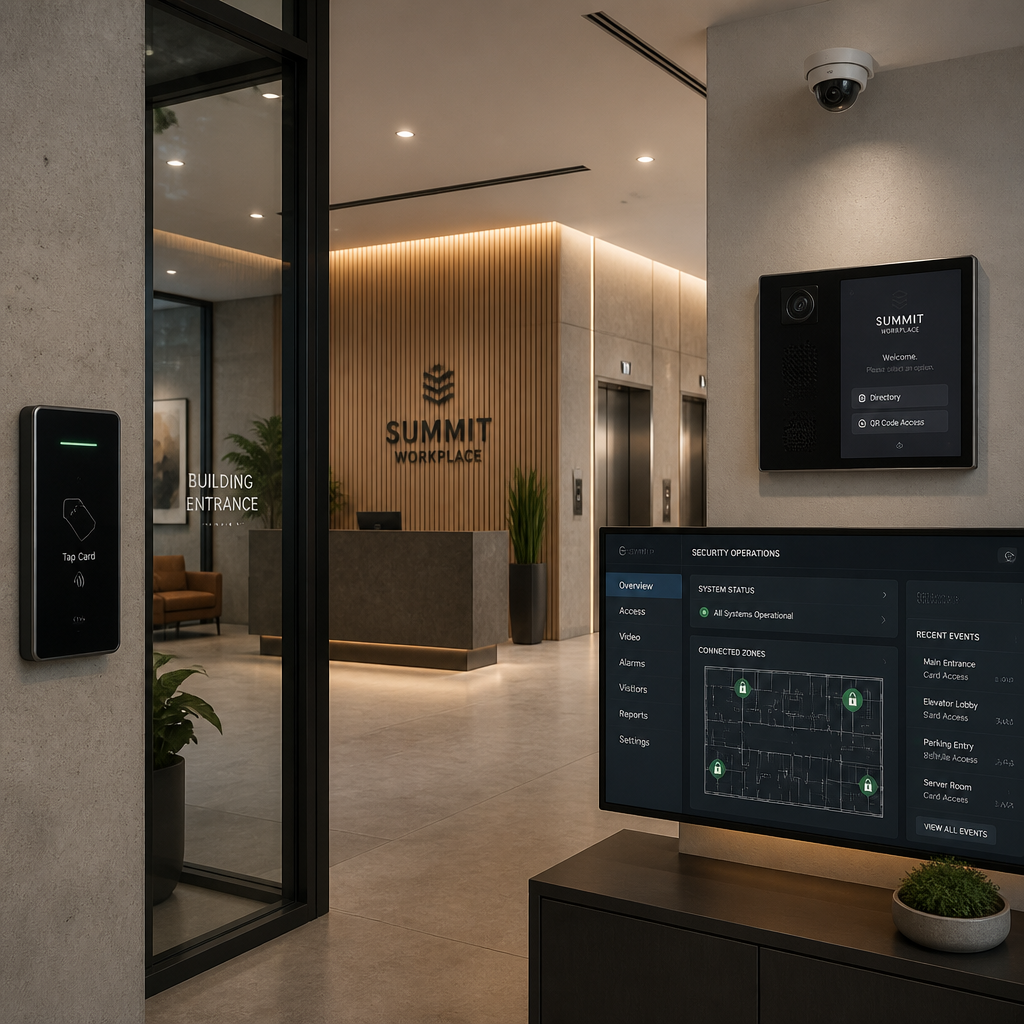
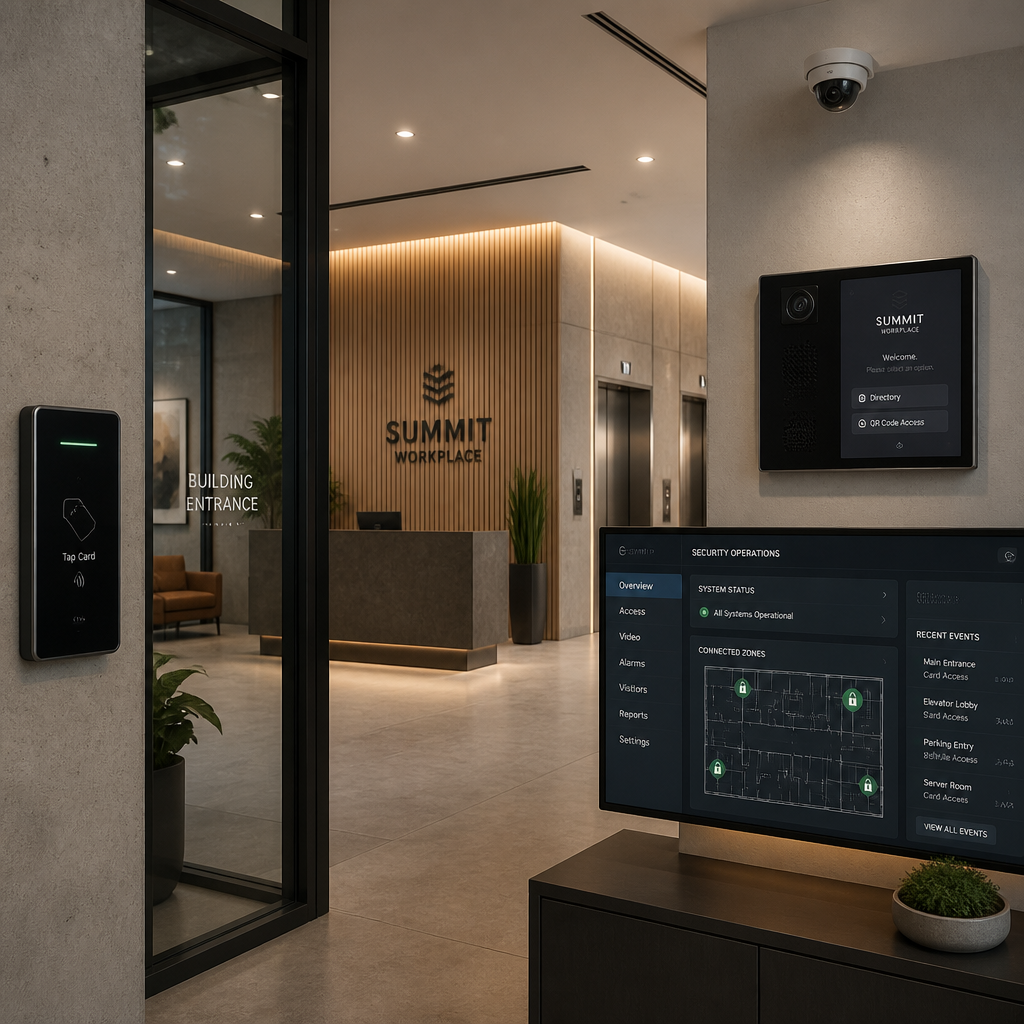
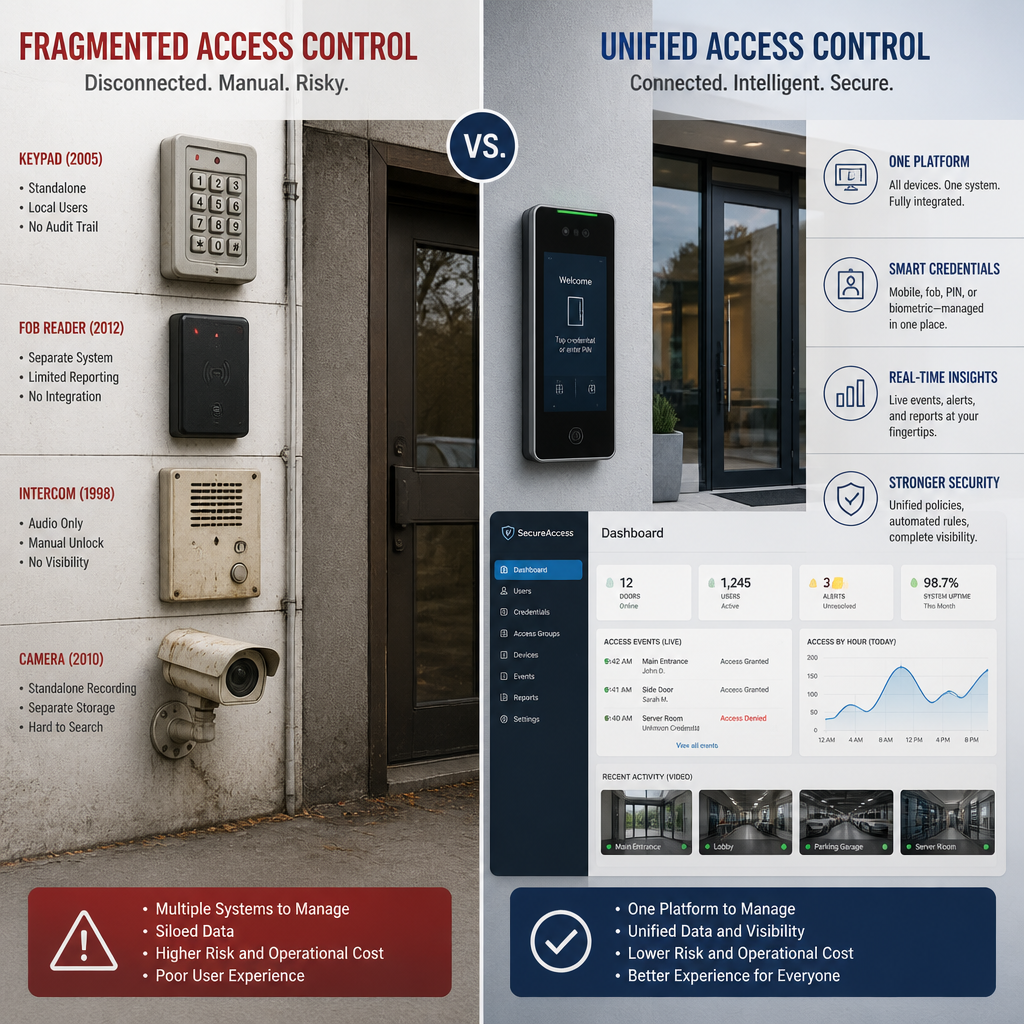
Most office buildings fail at access control not because they lack hardware, but because they run four or five disconnected systems at once. The lobby has a keypad. Each tenant floor has its own key fob reader. The intercom runs on a separate app. And the camera system has never spoken to any of them. For property managers and facility operators, this patchwork approach means blind spots, slow incident response, and a painful credential management headache every time a tenant moves out. A genuine multi-tenant access control strategy fixes all of this at the architectural level, not by bolting on more gadgets but by building one unified system from the ground up.
Table of Contents
- Why Fragmented Systems Fail Multi-Tenant Buildings
- Quick Takeaways
- Zoning Your Building for Access Control
- Credential Types for Multi-Tenant Environments
- Intercom and Visitor Management in a Unified System
- RBAC and Tenant Admin Separation
- Comparison of Access Control Approaches
- Hardware That Actually Integrates
- Frequently Asked Questions
- References
Why Fragmented Systems Fail Multi-Tenant Buildings
A multi-tenant office building is not a single-occupancy corporate headquarters. You are managing simultaneous, often conflicting requirements: one tenant’s staff works night shifts, another wants no visitor access after 6 PM, a third has a server room that nobody outside their IT team should enter. Those requirements need to be enforced across shared lobbies, shared elevators, shared parking, and private floors, all at the same time.
Fragmented legacy systems cannot do this cleanly. Doors, cameras, intercoms, and visitor logs operating as separate tools slow emergency response times and create operational friction that compounds with every new tenant you add. When a tenant offboards an employee, that revocation needs to happen immediately across every access point in the building, not just the floor they worked on. With siloed systems, that revocation typically touches three or four different admin panels, and something always gets missed.
The alternative is a single platform that controls every entry point in the building, assigns credentials by role and zone, logs every access event in one audit trail, and lets you manage permissions remotely without setting foot on-site. That is what a unified office building security system actually looks like in practice.
“Fragmented security systems create blind spots. Centralized access management solves this problem by bringing everything into a single control interface, letting property managers update permissions remotely and manage users without being physically on-site.”
Quick Takeaways
| Key Insight | Explanation |
|---|---|
| Zone your building before buying hardware | Define shared zones, tenant-private zones, and restricted zones first. Hardware and credential decisions follow from the zoning plan, not the other way around. |
| Separate tenant admin from building admin | Tenant admins should manage their own staff credentials without visibility into other tenants. Building-level doors (lobby, elevators, loading dock) stay under property manager control only. |
| Digital credentials beat physical keys at scale | Mobile credentials, smart cards, and biometrics can be activated or revoked instantly. Physical rekeying after a tenant departure costs time and money that compounds with building size. |
| Intercoms belong in the access control platform | A video intercom running on a separate app creates a verification gap at the front door. Integrating it into the same system gives you unified visitor logs and eliminates the separate admin overhead. |
| Audit trails are not optional for commercial buildings | A detailed log of who accessed which door and when is essential for compliance, insurance claims, and incident investigations. Siloed systems cannot produce a clean unified trail. |
| Tailgating and credential sharing are the top physical security failures | In multi-tenant environments, tailgating and credential sharing consistently rank as the leading causes of unauthorized access. Anti-passback rules and visitor pre-registration directly counter both. |
| Cloud management is not a luxury; it is an operational requirement | For buildings with high tenant turnover, remote credential management means a property manager can onboard a new tenant or suspend a departed employee from anywhere, at any time. |
Zoning Your Building for Access Control
The first decision in any unified access control project is not which reader to buy. It is how you divide the building into access zones. Get this wrong and you will spend the next three years arguing with tenants about why their staff cannot get to the shared kitchen or why a contractor can walk into a server room.
The Three-Zone Model for Office Buildings
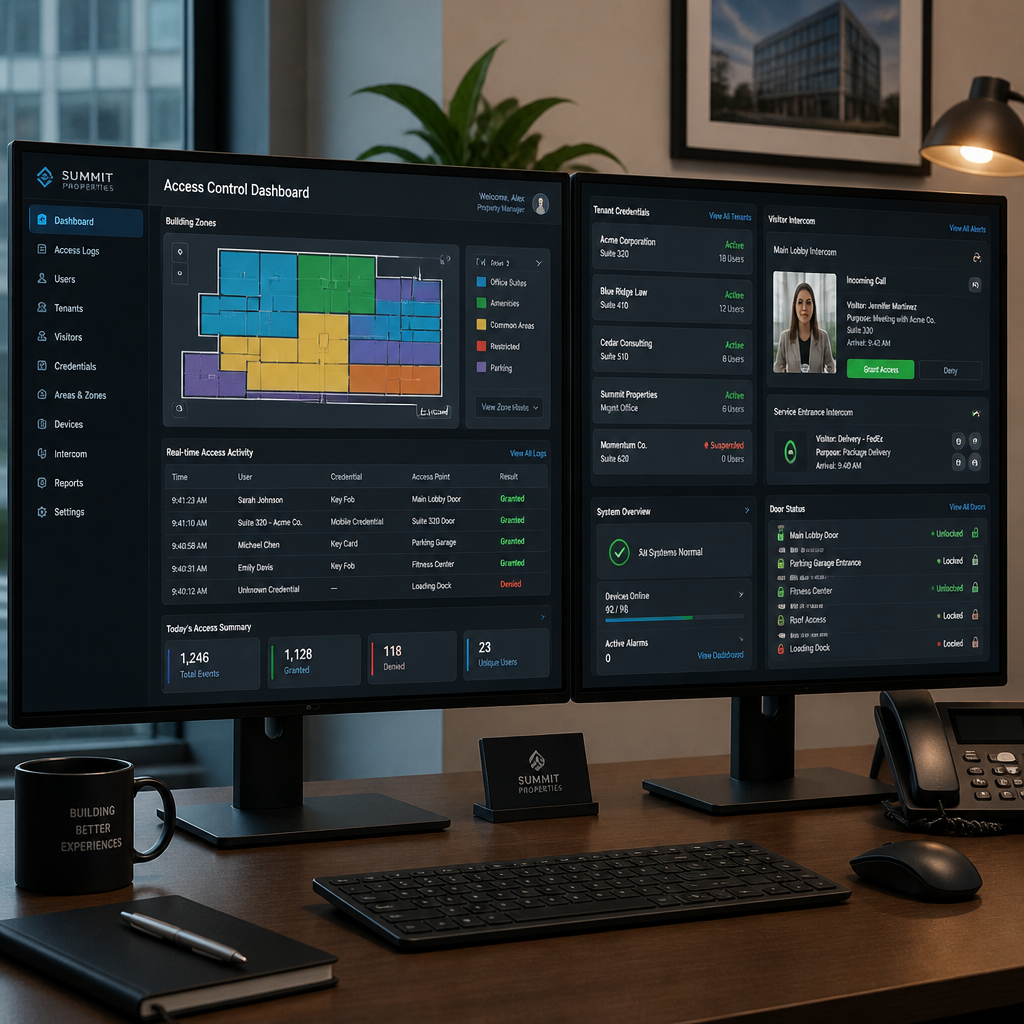
Multi-tenant office buildings almost always resolve into three functional zone types. Shared public zones cover the lobby, reception, shared restrooms, and parking structures. These require controlled entry from the outside but broad access for all credentialed tenants and their staff. Shared amenity zones cover gym facilities, conference rooms, rooftop terraces, and mail rooms, where access may be restricted by time of day or tenant subscription level. Tenant-private zones are the individual floors or suites leased by each tenant, where only that tenant’s credentialed personnel should have access.
Restricted zones sit inside tenant-private areas: server rooms, executive suites, file archives. These require an additional access layer on top of the standard floor credential. Map all of these before you specify a single reader or lock. The zoning plan becomes the permissions blueprint for your entire system.
Pro tip: When building your zone map, physically walk every entry point in the building with a floor plan in hand. Delivery bays, fire stairwells, and roof access doors are routinely left off digital floor plans but are real security gaps. Every door that can be opened from the outside needs to be on the map.
Time-Based Access Schedules by Zone
Zone definitions alone are not enough. You also need time-based rules. A cleaning crew needs access to tenant floors during off-hours but not during the business day. A delivery driver needs lobby access for thirty minutes at 9 AM, not at 2 AM. A unified platform lets you attach time schedules to credentials at the zone level, so the same system that lets a tenant’s CFO access the executive suite at any hour automatically locks out the same door to maintenance staff after 5 PM.
Credential Types for Multi-Tenant Environments
One of the biggest operational wins in moving to a unified system is the ability to standardize credential types across the whole building while still giving individual tenants flexibility in what their staff carries. The building sets the credential platform. Each tenant chooses from the options available on that platform.
RFID Smart Cards and Key Fobs
RFID-based credentials remain the most common choice for commercial office buildings because they are familiar to employees and easy to administer. They belong in any multi-tenant system. The meaningful upgrade over older proximity card systems is using encrypted smart card technology, which is substantially harder to clone. The operational advantage of smart cards over physical keys is stark: revocation is instant, and issuing a new credential to a replacement employee takes seconds, not a locksmith visit.
Mobile Credentials
Smartphone-based access via Bluetooth Low Energy (BLE) or NFC is growing fast in commercial deployments because employees already carry their phones and the credential cannot be left on a desk. Mobile credentials also allow property managers to push temporary access to contractors or visitors without issuing physical hardware. When the access window expires, the credential deactivates automatically.
Biometric Access for High-Security Zones
Fingerprint readers, palm vein scanners, and facial recognition locks belong in restricted zones where credential sharing is a genuine risk. A keycard can be lent to a colleague. A biometric cannot. For server rooms, executive floors, or areas containing sensitive records, biometric readers provide the strongest available assurance that the person presenting the credential is actually the person it was issued to. UnikCCTV offers a range of biometric access systems specifically suited to these high-value zones, including facial recognition locks designed for commercial installation.
Pro tip: Do not deploy biometrics at high-traffic shared entry points unless throughput is not a concern. Biometric readers are slower than card or mobile tap. In a lobby handling hundreds of people at peak hours, the throughput bottleneck will create frustration. Use biometrics where security matters most and card or mobile access where volume matters most.
Intercom and Visitor Management in a Unified System
The front door is where most multi-tenant access control projects create their biggest blind spot. Tenants receive credentialed access to their floors, but visitor entry often runs on a completely separate intercom system. The property manager manages one platform, the tenant’s receptionist manages another, and there is no shared log of who actually came through the lobby.
Integrating Video Intercoms into the Access Platform
A video intercom integrated into your access control system changes this entirely. When a visitor arrives, they call the tenant directly from the intercom panel. The tenant can see live video of the visitor, verify their identity, and release the lobby door, all within the same system that logs credential-based access events. That interaction becomes part of the building-wide audit trail, not a separate silo.
For multi-tenant buildings, a multi-tenant intercom panel at the lobby allows visitors to search for and call the specific tenant they need, without giving them any knowledge of or access to other tenants in the building. The call routes to the tenant’s designated device, whether that is a desk phone, an in-suite panel, or a smartphone app. UnikCCTV’s range of wireless intercoms and door entry systems is built precisely for this kind of commercial multi-tenant deployment, supporting both audio and video intercom configurations at scale.
Visitor Pre-Registration and Temporary Credentials
For frequent visitors such as contractors, auditors, or invited guests, visitor pre-registration removes the friction at the front desk entirely. The hosting tenant registers the visitor in the system before they arrive. On arrival, the visitor receives a time-limited QR code, PIN, or mobile credential that grants them only the specific access they need for the duration of their visit. Access automatically expires at the end of the visit window, and the entry event is logged alongside regular access events in the same audit trail.
RBAC and Tenant Admin Separation
Role-Based Access Control (RBAC) is the permissions model that makes a unified platform workable in a multi-tenant environment. Instead of managing individual permissions for every person in the building, you define roles and assign permissions to roles. A role might be “Tenant A Standard Employee” (access to Tenant A’s floor, shared lobby, shared kitchen, parking) or “Tenant B IT Administrator” (all of Tenant B’s floor plus server room access). When someone joins or leaves, you assign or remove a role, and all the permissions update automatically.
Building Admin vs. Tenant Admin Permissions
The single most important structural decision in a multi-tenant system is separating building-level administration from tenant-level administration. Building admins control shared infrastructure: the lobby, elevators, loading dock, parking, and building-wide camera systems. Tenant admins manage only their own employees and their own doors. A tenant admin should not be able to see the user list or access logs of any other tenant. They should not be able to modify permissions on shared building doors.
This separation is not just a data privacy consideration. It is an operational necessity. If every tenant can modify lobby access rules, you will have conflicting configurations and constant support requests. Locking building-level infrastructure under a single authority keeps the system coherent.
Comparison of Access Control Approaches
| Approach | Best Suited For | Key Limitations |
|---|---|---|
| On-Premises Access Control (legacy panel-based) | Buildings with strict data residency requirements or no reliable internet connectivity | Requires on-site server maintenance; remote management is limited or unavailable; credential updates require physical or VPN access to the server; high upfront cost; does not scale easily across multiple buildings |
| Cloud-Managed Unified Platform | Multi-tenant office buildings with active tenant turnover; property managers overseeing multiple buildings from a single interface | Ongoing subscription cost; dependent on reliable internet connection; data is hosted off-premises (relevant for highly regulated tenants) |
| Hybrid (cloud management, on-premises door controllers) | Buildings that need cloud-based remote management but require local door control to continue working during internet outages | More complex initial setup; requires compatible hardware; slightly higher hardware cost than pure cloud panel solutions |
For most active multi-tenant office buildings, the cloud-managed or hybrid approach is the correct choice. The ability to update permissions remotely, review audit logs from anywhere, and manage multiple properties from a single dashboard is not a feature nicety. It is the operational foundation that makes managing a building with dozens of tenants and hundreds of credential holders actually workable. On-premises-only systems made sense when internet connectivity was unreliable. That is rarely the constraint today.
Hardware That Actually Integrates
A unified access control strategy only works if the hardware is actually unified. The most common project failure is mixing hardware from vendors that use proprietary protocols and then discovering, after installation, that the card readers cannot communicate with the door controllers, or that the intercom cannot be added to the access platform’s event log.
Door Hardware: Strikes, Maglocks, and Smart Locks
Electric strikes and magnetic locks (maglocks) are the standard hardware for controlled-access doors in commercial buildings. Electric strikes are preferred for outward-swinging doors and are the more common choice for tenant floor entries. Maglocks are common on lobby and corridor doors where fail-safe operation during a fire alarm (power cut releases the lock) is required. For lower-traffic internal doors such as individual offices within a tenant suite, smart locks offer a cost-effective alternative that does not require running new wiring to a separate door controller.
Readers, Controllers, and Gate Access
The access reader at each door communicates with a door controller, which makes the actual access decision based on the credential presented and the permissions assigned in the platform. In a well-designed multi-tenant system, all door controllers connect back to the same central platform, whether that platform is cloud-hosted or on-premises. This is what makes real-time permission updates and centralized audit logging possible.
For buildings with parking structures or perimeter gates, gate access control hardware must also integrate into the same system. A tenant whose staff has building access should be able to add parking access to their credential profile without needing a separate parking management account. UnikCCTV supplies gate access control systems, wireless transmitters, and the full range of door hardware needed to wire a multi-tenant building under a single coherent platform, which avoids the vendor compatibility issues that derail many commercial access control projects.
CCTV Integration
CCTV surveillance is not the same system as access control, but in a well-designed building they should be correlated. When an access event occurs at a specific door at a specific time, you want to be able to pull the camera footage from that door for that exact timestamp without manually scrubbing through hours of recording. This correlation requires that the access control platform and the video management system share a common time reference and, ideally, a direct integration that lets you click an access event and jump straight to the corresponding footage.
Frequently Asked Questions
What is multi-tenant access control?
Multi-tenant access control is a security architecture that manages building entry and internal zone access for multiple independent tenants sharing the same physical building. A single platform controls all access points, with separate administrative scopes for each tenant and a shared building-admin layer governing common infrastructure like lobbies and elevators.
Can different tenants use different credential types on the same system?
Yes. A well-designed unified platform supports multiple credential types simultaneously: RFID cards, mobile app credentials, PIN codes, and biometrics can all coexist on the same door controllers. Tenant A can issue smart cards to their staff while Tenant B issues mobile credentials, and both credential sets are managed through the same administrative interface with no conflict.
How does visitor access work in a multi-tenant office building?
Visitors typically enter through a lobby intercom or video intercom panel where they call their host tenant. The tenant grants door release remotely. For planned visits, the tenant pre-registers the visitor in the system and issues a time-limited credential, such as a PIN or QR code, that expires automatically after the visit. All visitor events are logged in the same audit trail as credentialed access events.
What happens to a tenant’s access credentials when they vacate?
With a unified digital system, a property manager can instantly revoke an entire tenant’s credentials the moment their lease ends. This includes every employee associated with that tenant, across every door in the building, in a single administrative action. There is no rekeying, no lock replacement, and no risk of missed access points. This is one of the most significant operational advantages over physical key systems at commercial scale.
Is biometric access control appropriate for a multi-tenant office building lobby?
Biometric readers are best reserved for restricted, lower-traffic zones such as server rooms, executive suites, and secure storage areas within individual tenant spaces. Lobby deployment is possible but creates throughput bottlenecks during peak entry times. For the lobby and high-traffic shared doors, card or mobile credentials offer faster throughput. Biometrics add the most value where credential sharing is a specific risk and volume is low.
How do I prevent one tenant from accessing another tenant’s areas?
The answer is zone-based permissions enforced at the platform level, not at the hardware level alone. Each tenant’s credentials are scoped to their assigned zones and no others. Tenant admin accounts have no visibility into other tenants’ user lists or access events. Building-level shared doors are managed exclusively by the property manager’s admin account. Proper RBAC configuration at the platform setup stage makes this isolation automatic and persistent.
What should I look for when choosing hardware for a multi-tenant access system?
Prioritize hardware that uses open or widely supported communication protocols so that readers, controllers, intercoms, and cameras from different product categories can be integrated into a single platform. Avoid proprietary end-to-end systems that lock you into one vendor’s ecosystem for every component. Confirm that the door controllers support your chosen credential types, that the platform offers cloud or hybrid management, and that the intercom system can be added to the same event log as the rest of the access control hardware.
Have you faced a specific challenge rolling out a unified access control system in a multi-tenant building? Share your experience or questions in the comments below and our team will respond.
References
- Best practices for setting up access control in multi-tenant buildings
- How unified platforms simplify multi-tenancy security management
- Security solutions for multi-tenant properties: cameras, door locks, and video intercoms
- Access control system features for office and commercial spaces
- Office building access control design guide: credentials, hardware, and zoning



 No products in the cart.