
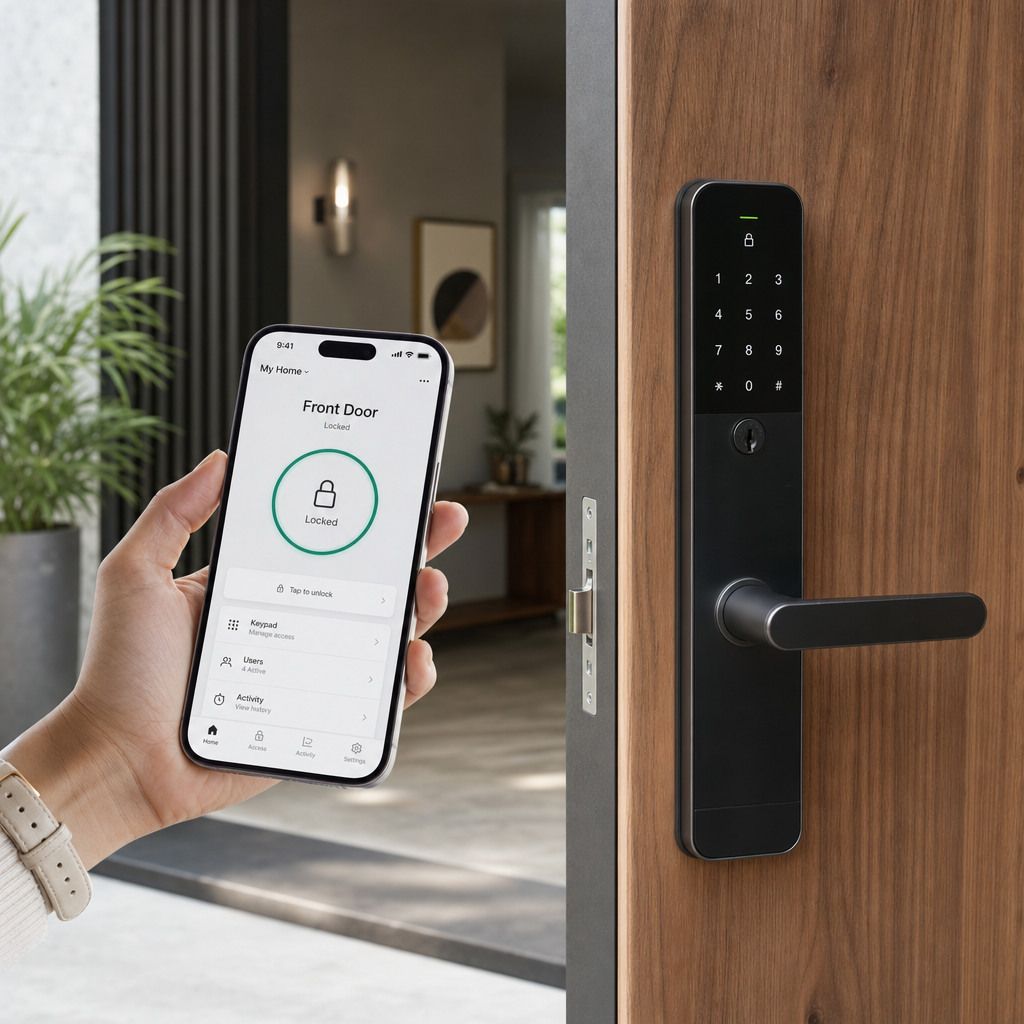
Most property managers and homeowners buying Bluetooth door locks discover too late that their chosen connectivity type does not match how they actually use the door. A Bluetooth lock that requires your phone to be within arm’s reach is useless when a delivery driver needs access and you are at the office three miles away. A Wi-Fi smart lock that drains its batteries in six weeks creates a different kind of headache. Understanding the real-world performance gap between these two technologies before you buy saves time, money, and the kind of embarrassment that comes from locking yourself or a guest out of a building you manage.
Table of Contents
- How Bluetooth and Wi-Fi Smart Locks Actually Work
- Quick Takeaways
- Range and Remote Access: The Biggest Practical Difference
- Battery Life and Power Consumption
- Security and Encryption Standards
- Installation and Network Requirements
- Best Use Cases by Property Type
- Side-by-Side Connectivity Comparison
- Integrating Smart Locks with Access Control Systems
- Frequently Asked Questions
- References
How Bluetooth and Wi-Fi Smart Locks Actually Work
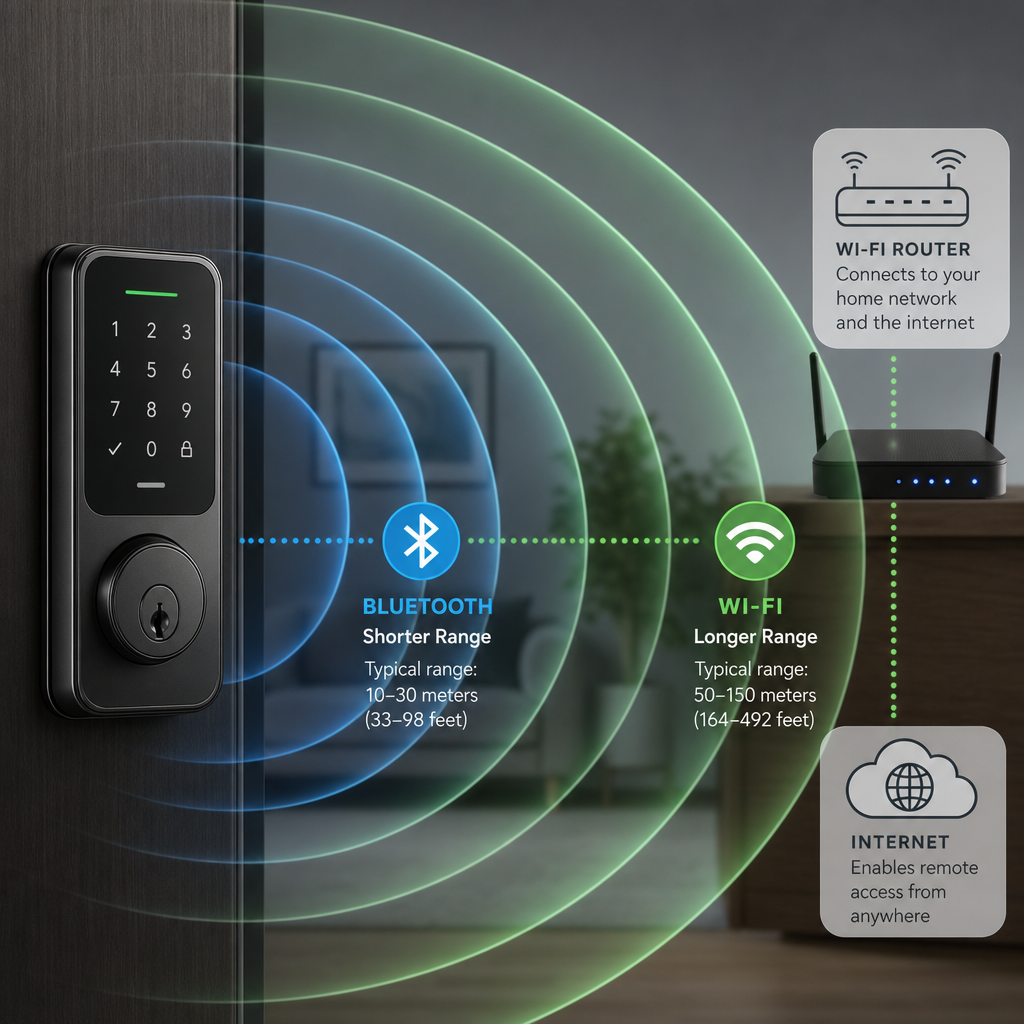
A Bluetooth door lock uses short-range radio frequency communication, typically Bluetooth Low Energy (BLE), to talk directly to your smartphone. The operating range is roughly 10 to 30 feet depending on the model and physical obstacles like walls and doors. No router, no internet connection, and no hub is required for basic operation.
A Wi-Fi smart lock connects to your home or business router and communicates over your existing internet network. This means the lock has an IP address, can send and receive commands from anywhere in the world, and integrates with cloud-based platforms for remote management.
Some locks, including several units available through specialists like UnikCCTV, combine both radios in a single unit. These hybrid locks use Bluetooth for fast, low-power proximity unlocking and Wi-Fi for remote access and status monitoring, giving property managers both speed and range.
Quick Takeaways
| Key Insight | Explanation |
|---|---|
| Bluetooth range tops out near 30 feet | You must be physically close to the door to unlock it via Bluetooth alone. This rules it out for true remote door lock scenarios. |
| Wi-Fi locks consume significantly more power | Maintaining a live Wi-Fi connection drains batteries 3 to 5 times faster than BLE. Plan for more frequent battery changes or opt for a wired power supply. |
| Remote access requires Wi-Fi or a bridge | If you need to grant access from your phone while away from the property, you need either a Wi-Fi lock or a Bluetooth lock paired with a dedicated hub or bridge device. |
| Bluetooth is faster at the door | BLE authentication handshakes complete in under one second. Wi-Fi locks often add a 2 to 4 second cloud round-trip delay when unlocking remotely. |
| Multi-unit buildings need access control integration | For apartment complexes or office buildings, smart locks should integrate with intercom systems and visitor management platforms, not operate as isolated devices. |
| Network stability affects Wi-Fi lock reliability | A Wi-Fi lock becomes an ordinary lock the moment your router or internet connection goes down. Bluetooth locks continue working during outages. |
| Biometric locks often use Bluetooth as a secondary channel | Many facial recognition and fingerprint locks use BLE for initial setup and credential management, even if the primary unlock method is biometric. |
Choosing between these two technologies is not a matter of one being better in absolute terms. It is a matter of matching the connectivity model to how the door is actually used, who needs access, and what the failure mode looks like when something goes wrong.
Range and Remote Access: The Biggest Practical Difference
In practice, range is where most buyers get surprised. Bluetooth Low Energy tops out at around 30 feet in open air, and that distance drops significantly through solid-core doors, concrete walls, or metal door frames. If you manage a commercial property with a server room, a reinforced entry, or a gate at the far end of a parking lot, Bluetooth-only locks are simply not the right tool.
When Bluetooth range is enough
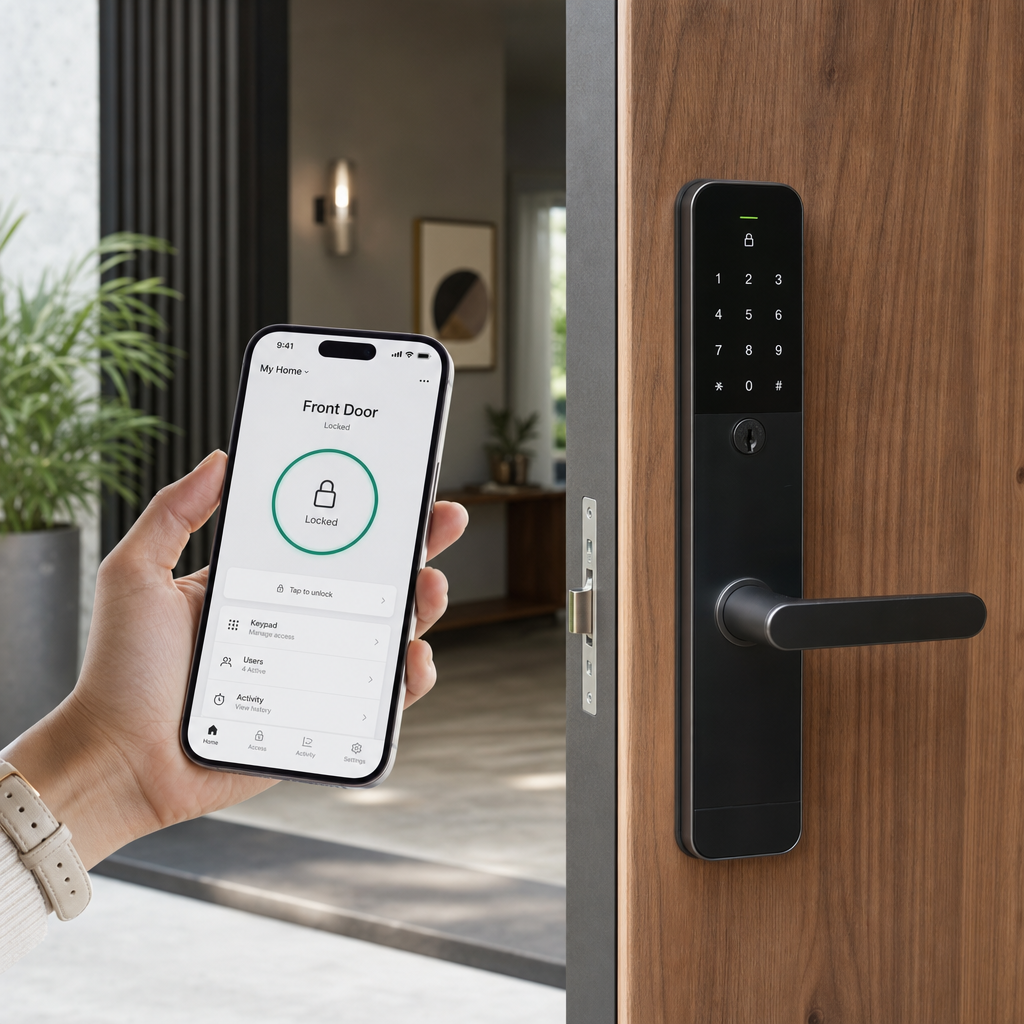
For a homeowner or a single-office business where the person unlocking the door is almost always within a few feet of it, Bluetooth range is more than adequate. Auto-unlock features use geofencing to detect when you approach and can have the door unlocked before your hand reaches the handle. This is fast and does not require internet connectivity to function.
When Wi-Fi remote access is non-negotiable
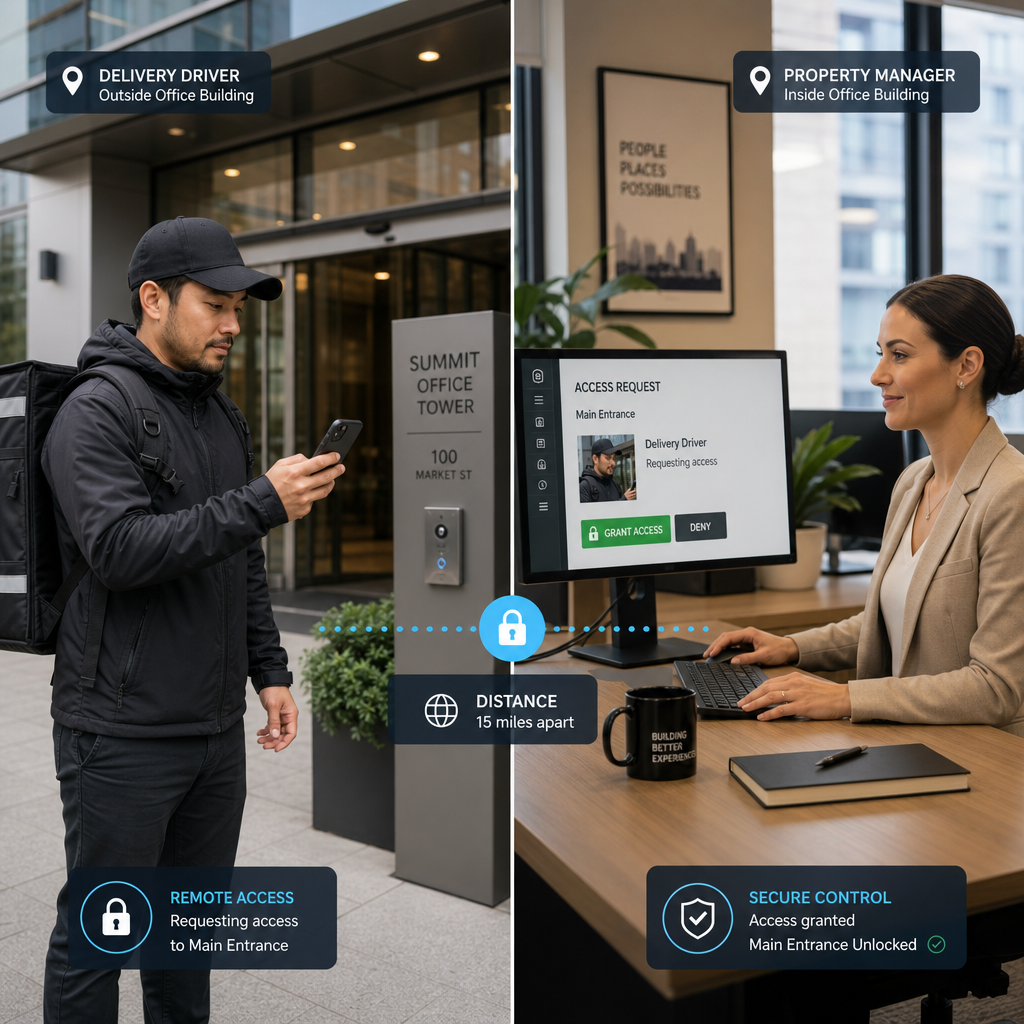
Property managers overseeing multiple units or buildings almost always need a remote door lock capability. Granting a contractor access while you are off-site, checking whether a tenant left the door unlocked, or receiving an alert when the rear entrance is held open at 2am, all of these scenarios require Wi-Fi connectivity or a cloud-connected hub. According to Statista, the global smart lock market is projected to exceed $3.9 billion by 2027, and the growth is driven primarily by demand for remote management features, not simple keyless entry.
Pro tip: If you want Bluetooth convenience at the door combined with remote access capability, look for locks that include a Wi-Fi bridge in the box or support third-party hub integration. This avoids buying a second lock while getting the benefits of both protocols.
Battery Life and Power Consumption
This is the trade-off that Wi-Fi lock manufacturers understate in their marketing. A Bluetooth door lock running exclusively on BLE can last 12 to 18 months on a standard set of AA batteries, assuming moderate daily usage. A Wi-Fi smart lock running on the same battery set typically lasts 3 to 6 months under comparable conditions.
Why Wi-Fi drains batteries faster
Wi-Fi radios maintain a persistent connection to the router and regularly poll for commands. Even in sleep mode, the lock wakes up every few seconds to check for messages. BLE, by contrast, is designed for exactly this kind of low-duty-cycle application and only activates the radio when proximity to a paired device is detected.
Hardwired power as a practical solution
For commercial installations where reliable power is available, hardwired electric locks avoid the battery problem entirely. Facilities using access control panels, electric strikes, or magnetic locks as part of a broader door access control system can run Wi-Fi-enabled controllers from a central power supply without any battery dependency. This is the approach most property managers with high-traffic entries should take.
Pro tip: Before specifying a Wi-Fi lock for a battery-powered residential installation, calculate the true annual battery cost and replacement frequency. For a property with 20 units, a 4-month battery cycle translates to 3 battery changes per lock per year. At scale, that maintenance burden adds up quickly.
Security and Encryption Standards
A common mistake is assuming that Wi-Fi locks are inherently more secure because they are more sophisticated. The attack surface is actually larger. A Wi-Fi lock communicates over a network that may have dozens of other connected devices, and any vulnerability in the router or network segment can potentially be exploited.
“Smart home devices, including connected locks, are disproportionately targeted in household network attacks because they are often updated less frequently than computers and smartphones.” – National Institute of Standards and Technology (NIST), Cybersecurity for IoT Program
Bluetooth door locks have a smaller attack surface because they operate without a network connection during normal use. However, they are still vulnerable to relay attacks, where a device amplifies the Bluetooth signal to trick the lock into thinking an authorized phone is nearby. Quality BLE locks counter this with cryptographic challenge-response protocols and rolling codes rather than static identifiers.
What to look for in both types
Regardless of connectivity type, verify that the lock uses AES-128 or AES-256 encryption for credential transmission. For Wi-Fi locks, confirm that firmware updates are delivered over an encrypted channel and that the manufacturer has a published security update policy. Locks that stopped receiving firmware updates more than two years after their release date should be avoided for commercial use.
Installation and Network Requirements
Bluetooth door locks are genuinely easier to install because they have no network dependencies. Mount the lock, download the app, pair the devices. That is the complete process for most residential Bluetooth locks. The installer does not need to configure router settings, assign static IP addresses, or troubleshoot network segmentation issues.
Wi-Fi installation requirements
Wi-Fi smart locks require a stable 2.4 GHz or 5 GHz network at the door location. In older buildings with thick walls or long corridors, Wi-Fi signal strength at the door may be inadequate without a range extender or mesh node. A common installation failure is placing a Wi-Fi lock at a metal exterior door that attenuates the signal, resulting in intermittent connectivity and slow response times.
Network security configuration for commercial properties
For business installations, IoT devices including smart locks should be placed on a dedicated VLAN or guest network segment, isolated from the main business network. This limits the damage if a lock is ever compromised. Consult with a professional installer rather than adding locks directly to the primary corporate Wi-Fi network. UnikCCTV’s consultation service can help facilities teams plan network segmentation as part of a broader access control deployment.
Best Use Cases by Property Type
The right choice depends heavily on who uses the door, how often, and what happens if the system fails. Here is a direct breakdown based on common property types served by access control professionals.
Single-family homes
Bluetooth door locks with auto-unlock are a strong fit for homeowners who are usually present when the door is used. If occasional remote access is needed for housekeepers, dog walkers, or family members, a hybrid lock with a Wi-Fi bridge is the cleanest solution. A standalone Wi-Fi lock works but adds battery maintenance overhead that most homeowners underestimate.
Multi-unit apartment buildings
Property managers running apartment complexes need centralized credential management, audit trails, and the ability to revoke access instantly when a tenant moves out. This requires Wi-Fi connectivity or a wired access control network. Pairing smart locks with a video intercom system at the main entrance creates a layered entry system that handles visitor verification and unit access from a single platform.
Small offices and retail spaces
A small office with 5 to 15 employees often gets the most value from a Bluetooth door lock integrated with a mobile credential system. Employees unlock the door with their phones, access logs are maintained in the app, and there is no key to lose. If after-hours remote access is needed for deliveries or cleaning staff, adding a Wi-Fi bridge covers that without replacing the lock hardware.
Warehouses, gates, and high-traffic commercial entries
High-traffic commercial doors and gate access points are not well-suited to consumer-grade smart locks of either connectivity type. These applications call for access control panels, electric strikes or magnetic locks, and credential readers such as RFID cards, PIN pads, or biometric scanners. Smart lock connectivity in this context refers to the controller network rather than a battery-operated deadbolt.
Side-by-Side Connectivity Comparison
| Feature | Bluetooth Door Lock (BLE Only) | Wi-Fi Smart Lock |
|---|---|---|
| Effective range | 10 to 30 feet from paired device | Unlimited (anywhere with internet) |
| Remote door lock capability | No (requires bridge or hub) | Yes, natively via app |
| Battery life (4 AA cells) | 12 to 18 months typical | 3 to 6 months typical |
| Internet dependency | None for local operation | Required for remote features |
| Unlock response time | Under 1 second (proximity) | 2 to 4 seconds (remote command) |
| Installation complexity | Low, no network configuration | Medium, requires stable Wi-Fi at door |
| Network attack surface | Small, no persistent network connection | Larger, device on home or business network |
| Best fit | Homes, small offices, low-complexity entries | Rental properties, managed buildings, remote oversight |
Integrating Smart Locks with Access Control Systems
Standalone smart locks, whether Bluetooth or Wi-Fi, solve a narrow problem: replacing a physical key with a digital credential. But for any property with more than one entry point, more than one user group, or any compliance requirement around access logging, smart locks need to function as part of a larger smart lock connectivity ecosystem rather than as isolated devices.
Intercom and video doorbell integration
The most common integration request from property managers is pairing a smart lock with a video intercom system so that visitors can be visually verified before the door is unlocked remotely. This is a practical setup that Wi-Fi locks handle well, since both the intercom and the lock share the same IP network. Products covering this use case, including wireless intercoms and IP-based door stations, are available through UnikCCTV’s intercom systems collection.
Biometric and facial recognition locks
Biometric access systems, including fingerprint readers and facial recognition locks, typically store credentials onboard the device and authenticate locally without a cloud round-trip. Many of these units include both Bluetooth for credential enrollment via smartphone and Wi-Fi for audit log syncing and remote management. This architecture gives the best of both protocols: fast local authentication with centralized oversight.
Time attendance and workforce access
Businesses that need both access control and time tracking can integrate smart locks with time attendance clocks to record entry and exit events automatically. This eliminates the need for separate badge readers and attendance systems at doors that already have smart locks installed, reducing both hardware cost and the number of credentials each employee manages.
Frequently Asked Questions
Can a Bluetooth door lock work without a smartphone?
Yes. Most Bluetooth door locks include backup access methods such as a physical keypad for PIN entry, an NFC card reader, or a traditional key cylinder. The Bluetooth radio is one credential option among several, not the only way to unlock the door. This is important for properties where not all users carry smartphones.
Do Wi-Fi smart locks work during a power outage?
Wi-Fi smart locks running on battery power will continue to operate locally during a power outage because they do not need mains power to function mechanically. However, remote access features that depend on your internet router will be unavailable if the router loses power. Bluetooth locks are unaffected by network or power outages as long as the battery has charge.
What is the difference between a Bluetooth bridge and a Wi-Fi lock?
A Bluetooth bridge is a small hub that plugs into a wall outlet inside the building and translates Bluetooth commands into Wi-Fi or internet signals. It allows a Bluetooth-only lock to receive remote commands without changing the lock hardware. A Wi-Fi lock has the Wi-Fi radio built directly into the lock mechanism, eliminating the need for a separate hub device but increasing battery consumption.
How many users can be managed on a typical smart lock?
This varies significantly by product. Entry-level Bluetooth locks often support 20 to 50 PIN codes or Bluetooth credentials. Commercial-grade Wi-Fi smart locks and access control systems can manage hundreds to thousands of users through a cloud dashboard. For properties with more than 30 to 40 users, a dedicated access control platform rather than a standalone smart lock app is the appropriate management tool.
Are smart locks approved for use on fire-rated doors?
This depends on the specific lock model and the fire door rating. Many commercial smart locks are designed to be fire-code compliant and carry UL listings for use on fire-rated assemblies. However, adding any hardware to a fire-rated door requires checking the door’s certification and confirming that the smart lock is listed for that door type. Consult the manufacturer’s documentation or a licensed installer before specifying smart locks on egress or fire-corridor doors.
Which connectivity type is better for short-term rental properties?
Wi-Fi smart locks are clearly the better fit for short-term rental properties such as vacation homes or Airbnb units. The ability to generate time-limited access codes remotely, confirm whether a guest has arrived or departed, and revoke access instantly after checkout are all features that require Wi-Fi connectivity. Bluetooth-only locks cannot deliver these capabilities without a bridge device on-site.
If you are currently deciding between Bluetooth and Wi-Fi smart locks for your property, share your specific setup in the comments below and let us know what access challenge you are trying to solve.
References
- Statista smart lock market size and forecast data for global connected home security
- NIST National Institute of Standards and Technology cybersecurity guidance for IoT devices including connected locks
- Forbes coverage of smart home technology adoption trends and consumer security device spending
- U.S. Department of Energy resources on wireless protocol power consumption and smart building energy management
- FTC guidance on IoT device security practices and consumer protections for connected home products



 No products in the cart.