
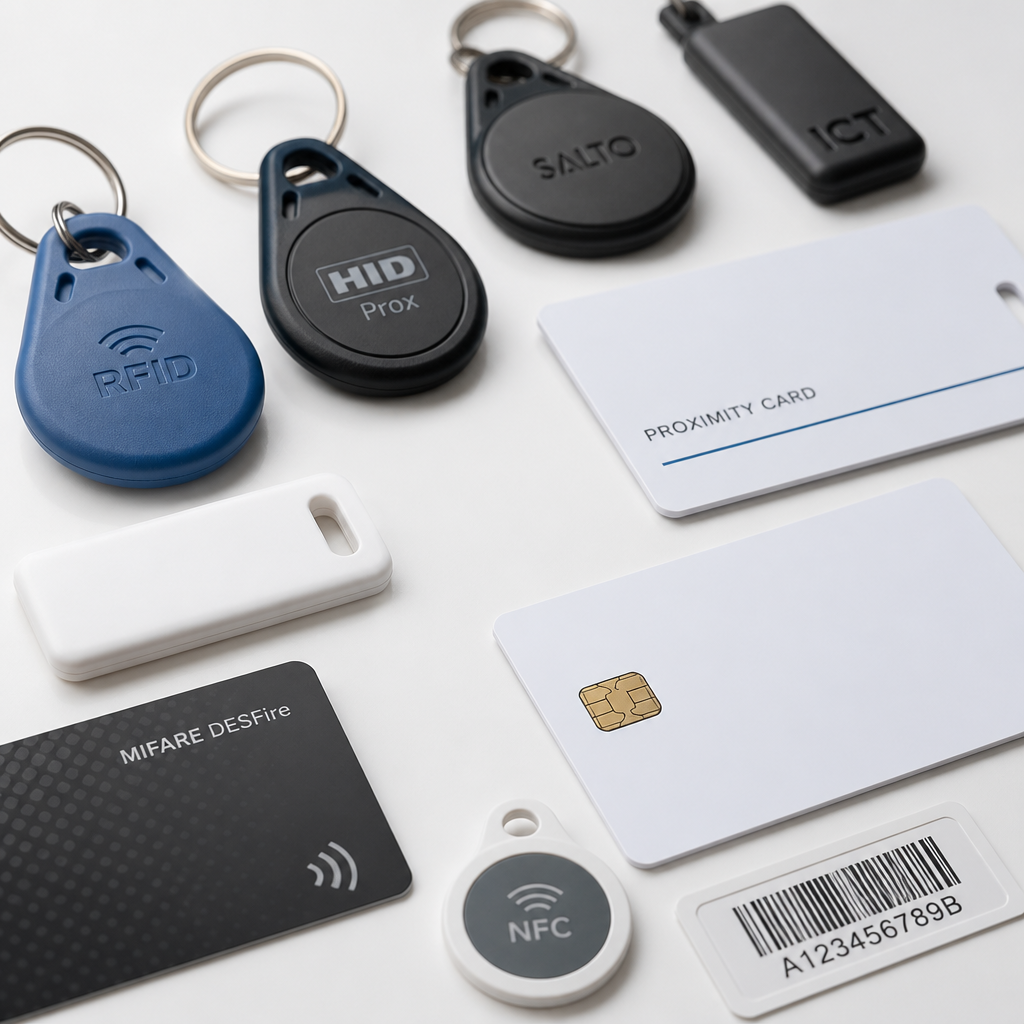
Most property managers and facility operators do not realize their access control system has a gaping security hole sitting on every resident’s keychain. If your building still runs on key fob access control credentials operating at 125kHz, those fobs can be cloned in under a minute using hardware that costs less than $30 – and your access log will show nothing unusual. That is not a hypothetical risk. It is the daily reality for millions of buildings still running legacy proximity-card infrastructure. This guide explains how key fobs, RFID cards, and access tags actually work, how to choose the right credential type for your property, and how to manage them so your system stays secure over time.
Table of Contents
- Quick Takeaways
- How Key Fob Access Control Works
- Types of Access Credentials: Fobs, Cards, and Tags
- Credential Frequency and Security: 125kHz vs 13.56MHz
- Comparison of Access Credential Types
- Programming and Enrolling Credentials in Your System
- Managing Lost, Stolen, and Inactive Credentials
- Layering Credentials with Other Security Measures
- Frequently Asked Questions
- References
Quick Takeaways
| Key Insight | Explanation |
|---|---|
| 125kHz fobs are a liability on any modern property | Legacy low-frequency credentials transmit a static, unencrypted ID number and can be cloned with cheap off-the-shelf hardware. Replace them with 13.56MHz encrypted alternatives. |
| The physical form factor does not determine security level | A card, fob, or tag at the same frequency and encryption standard offers equivalent security. Choose the form factor that suits your users, not the one that looks most “secure.” |
| Deactivation speed is the most critical management metric | A fob reported lost should be deactivated within minutes, not days. A credential left active after a tenant moves out or an employee is terminated is an open door. |
| Cloud-based systems give you an audit trail; on-premises systems often do not | If you cannot answer who entered a specific door at a specific time, your system is providing physical access but not security intelligence. Cloud management addresses this directly. |
| MIFARE DESFire EV2/EV3 and HID iCLASS SE are the practical upgrade targets | These 13.56MHz credentials use AES-128 encryption and mutual authentication, making cloning practically infeasible with current technology. |
| Multi-factor authentication closes the fob-cloning gap completely | Pairing a credential with a PIN or biometric means a cloned fob alone cannot grant access. This matters most for high-security doors and server rooms. |
| Regular credential audits are not optional for multi-tenant properties | Active credentials should be reconciled against current occupants and employees at least quarterly. Dormant credentials are a silent vulnerability. |
How Key Fob Access Control Works
A key fob access control system replaces physical metal keys with wireless credentials. The fob, card, or tag carries a small embedded chip and antenna. When a user holds it near a reader, the reader emits a radio frequency signal that powers the chip and prompts it to transmit its stored credential data back to the reader. The reader passes that data to the access control panel, which checks it against an authorized list and signals the door lock to open or stay closed.
There are four core components in every RFID-based access system: the credential (fob, card, or tag), the reader mounted at the entry point, the access control panel that processes decisions, and the lock mechanism that physically secures the door. Remove or weaken any one of these and the whole system is compromised. A high-security credential paired with a poorly installed reader or an unencrypted Wiegand connection between reader and panel still leaves the system vulnerable at the weakest link.
The practical implication for property managers is straightforward. Choosing a credential type is not just a hardware decision. It is a decision about encryption standards, communication protocols, and how much management overhead you are prepared to take on. Getting those choices right from the start saves significant cost and disruption later.

Types of Access Credentials: Fobs, Cards, and Tags
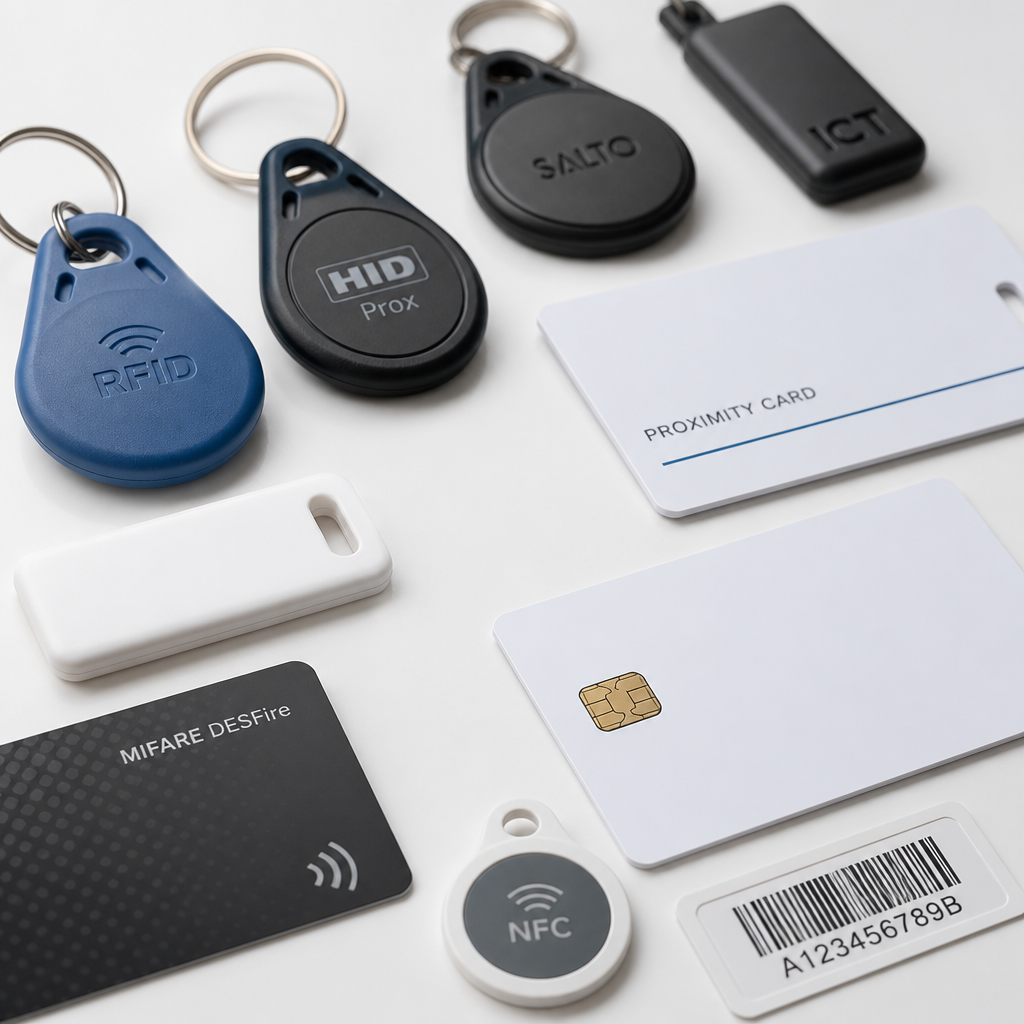
The three most common physical credential formats are key fobs, proximity or smart cards, and flat RFID tags. They all carry the same internal technology, but the form factor determines how users interact with them and how easily they can be lost or misused.
Key Fobs
Key fobs are small, handheld plastic devices designed to attach to a keyring. Their main advantage is that users almost never leave home without their keys, which means fob compliance rates are high. The downside is that the same portability makes them easy to hand off to unauthorized users, and the compact size makes them easy to drop and lose.
RFID Cards and Proximity Cards
RFID cards are credit-card-sized credentials that fit in a wallet. They are practical for office environments where employees already carry ID badges, and they are easy to brand with company or building information. Proximity cards, a closely related category, use a different radio frequency but operate on the same general principle of wireless credential transmission.
One important distinction is that not all cards operate at the same frequency or security level. Wiegand cards, swipe cards, proximity cards, and smart cards are all “cards,” but they differ significantly in how easy they are to duplicate and how much data they can store. Lumping them together as interchangeable is a common and costly mistake.
RFID Tags
RFID tags are the most flexible form factor. They can be manufactured as small round stickers, adhesive labels, or embedded in wristbands, which makes them useful for event access, gym memberships, and other applications where carrying a card or keyring is impractical. High-security tags use the same AES-128 encryption as premium cards and fobs, so the smaller form factor does not mean lower security.
Credential Frequency and Security: 125kHz vs 13.56MHz
The single most important specification to understand when evaluating any RFID access credential is its operating frequency. The two dominant options are low-frequency at 125kHz and high-frequency at 13.56MHz, and the security gap between them is enormous.
125kHz: Legacy, Widely Deployed, and Fundamentally Insecure
125kHz credentials, including HID Prox, EM4100, and similar proxcard formats, transmit a static, unencrypted ID number. The reader reads it, the panel checks it, and the door opens. There is no encryption handshake and no mutual authentication. The credential number is broadcast openly every time the fob approaches a reader. A bad actor with a concealed reader device can harvest that number silently, write it to a blank fob, and now possesses a working copy of your credential. The building’s access log records it as a valid entry from the original credential holder.
These credentials became widespread in the 1990s because they were cheap and reliable. They remain in hundreds of thousands of buildings today for exactly that reason. The cost to stay on 125kHz hardware keeps looking attractive right up until the moment it does not.
Pro tip: If your readers have “Prox” or “125” in the model name, assume every credential in your system is clonable. Budget for a reader upgrade starting with the highest-traffic or highest-risk entry points. The upgrade cost per reader to move to encrypted 13.56MHz hardware is modest compared to the liability of an undetectable breach.
13.56MHz: Encrypted, Mutual Authentication, Practically Clone-Resistant
13.56MHz credentials, including MIFARE DESFire EV2, MIFARE DESFire EV3, and HID iCLASS SE, use AES-128 encryption and require mutual authentication between the credential and the reader before any ID data is exchanged. This bidirectional handshake means that even if an attacker intercepts the radio communication, they cannot extract a usable credential number. The credential does not simply announce itself, it negotiates a secure session first.
Not all 13.56MHz credentials are equally secure. MIFARE Classic, an older 13.56MHz format, has well-documented vulnerabilities and should be treated as an upgrade target rather than a safe long-term option. The practical targets for a new or upgraded deployment are MIFARE DESFire EV2, DESFire EV3, or HID iCLASS SE.
Security in an access credential system is determined by what happens at the radio frequency and encryption layer, not by the physical shape of the credential. A key fob and a card at the same technology tier offer the same protection. The decision is about user behavior, not security theater.
OSDP vs. Wiegand: The Reader-to-Panel Connection Matters Too
Even with high-security credentials, the connection between the reader and the access control panel can be a vulnerability. The Wiegand protocol, which is how most older readers communicate with panels, transmits data in one direction without encryption, making it susceptible to interception and replay attacks. The Open Supervised Device Protocol (OSDP) addresses this with bidirectional, AES-128-encrypted communication between reader and panel, plus line supervision and tamper detection. If you are upgrading credentials, confirm whether your panel and reader support OSDP.
Comparison of Access Credential Types
The table below compares the three main credential technology tiers in practical terms. Use it to match the right credential level to the actual security requirements of your property, not to the budget minimum or the legacy hardware already installed.
| Credential Type | Security Level and Key Risks | Best Fit |
|---|---|---|
| 125kHz RFID (HID Prox, EM4100) | Low. Transmits static, unencrypted ID. Clonable with sub-$30 hardware in under a minute. Access logs cannot distinguish original from clone. | Legacy systems only. Not recommended for new installations or any property with tenant turnover, employee exits, or sensitive areas. |
| 13.56MHz Smart Card or Fob (MIFARE DESFire EV2/EV3, HID iCLASS SE) | High. AES-128 encryption with mutual authentication. Cloning is practically infeasible. Supports larger data payloads for multi-application use (access plus time and attendance). | Commercial offices, multi-tenant residential buildings, facilities with regulatory compliance requirements, any environment where credential security is non-negotiable. |
| Mobile Credentials (NFC or BLE on smartphone) | High, with caveats. Operates at 13.56MHz (NFC) or uses BLE for hands-free scenarios. Security depends on device PIN, biometric lock, and application security. Lost phone scenario is recoverable via remote revocation. | Office environments with tech-savvy users, properties with high credential turnover, deployments where issuing physical credentials creates administrative overhead. |
Programming and Enrolling Credentials in Your System
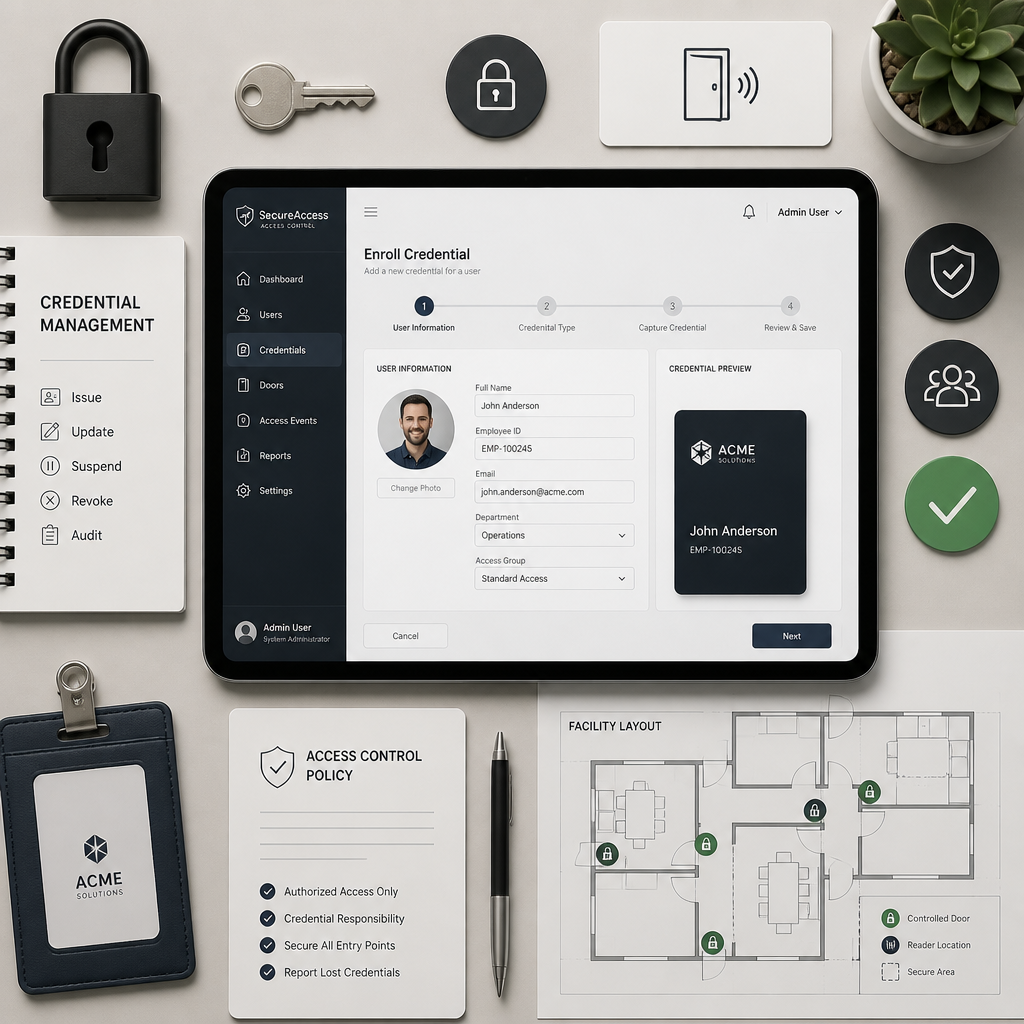
Enrolling a new credential into a modern access control system involves linking the credential’s unique identifier to a user profile in the access control software, then assigning that profile the appropriate access permissions. This sounds straightforward but is where most operational problems originate.
The Enrollment Workflow
The practical enrollment process starts with reading the credential’s ID number, either by presenting it to an enrollment reader or by importing it from the credential manufacturer’s batch data. That ID is then tied to a user record in your system. The user record defines which doors the credential opens, during which hours, on which days, and whether any additional authentication factors are required.
Cloud-based access control platforms allow administrators to complete this process remotely through a web dashboard or mobile app. On-premises systems typically require direct access to the controller hardware or a local management workstation. For properties managing dozens or hundreds of credentials, cloud management is not a convenience feature; it is the difference between access control being manageable and it being a liability.
Assigning Role-Based Access
One of the most common mistakes in credential management is giving every user the same access level. Role-based access control assigns permissions based on what a person’s role actually requires. A maintenance technician needs access to utility rooms and mechanical areas. A front-desk employee needs the lobby and office areas. Neither needs access to the server room or executive floor. Defining roles upfront and assigning credentials to roles rather than granting permissions individually makes the system far easier to audit and maintain.
Pro tip: When setting up a new access control deployment, build your permission roles before enrolling the first credential. Retrofitting role structures onto an existing installation where every user has custom permissions is significantly more time-consuming and error-prone than doing it correctly at the start.
Time-Based Access Scheduling
Most modern systems allow access permissions to be time-restricted. A contractor’s credential can be active only during business hours for the duration of their project. A vendor’s delivery access can be limited to a specific morning window on specific days. Time-based schedules reduce the attack surface of the credential set significantly, since a compromised or cloned credential is useless outside its permitted window.
Managing Lost, Stolen, and Inactive Credentials
Lost credentials and credentials belonging to former occupants or employees are the leading cause of unauthorized entry in buildings with access control systems. The technical ability to deactivate a credential instantly is only useful if the process for doing so is fast, documented, and actually followed.
The Lost Fob Protocol
Every property should have a documented procedure for handling a reported lost or stolen credential. That procedure should include immediate deactivation of the credential in the access control system, issuing a replacement credential if appropriate, and logging the incident. The deactivation step should take minutes, not days. On a cloud-based system, an administrator with a mobile device can deactivate a credential from anywhere the moment it is reported.
For 125kHz legacy systems, this process is more complicated because a cloned credential may have been made before the loss was reported. Deactivating the original has no effect on a copy that already exists. This is one of the most compelling arguments for upgrading to encrypted 13.56MHz credentials: because clone-resistant credentials mean deactivation of the original actually closes the security gap.
Move-Out and Offboarding Credential Management
For residential properties, the discipline of deactivating credentials at move-out is critical. Manual processes managed by spreadsheet consistently result in active credentials held by former tenants. Integrating your access control system with your property management software so that credential deactivation is triggered automatically when a lease ends is the operational standard for well-managed properties.
For commercial buildings and offices, the same logic applies to employee offboarding. Integrating access control with your HR system or identity provider so that credentials are automatically deactivated when an employee exits removes a manual step that is frequently skipped or delayed. Former employees retaining active building access credentials is a documented and recurring problem across commercial real estate.
Regular Credential Audits
Quarterly audits of active credentials against the current occupant or employee roster are not optional for any property managing more than a handful of users. An audit surfaces dormant credentials, over-permissioned user profiles, and credentials that were never returned at move-out. It also provides documentation of access control diligence, which matters in regulated industries and in any situation where an incident requires an investigation.
Layering Credentials with Other Security Measures
Even the best credential technology has one inherent limitation: it confirms that a valid credential is present, not that the person presenting it is the person it was issued to. Fobs can be borrowed, shared, or transferred. Addressing this requires layering additional authentication factors on top of the credential.
PIN Pads and Multi-Factor Authentication
Pairing a credential reader with a PIN pad creates a two-factor checkpoint. The credential supplies something the user has; the PIN supplies something the user knows. Even if a credential is cloned, the attacker cannot proceed without the PIN. For high-security doors, server rooms, or medication storage areas in healthcare facilities, multi-factor authentication is not an upgrade, it is the minimum viable configuration.
Biometric Integration
Biometric readers, including fingerprint scanners and facial recognition systems, can be used alongside or instead of credentials for the highest-security access points. UnikCCTV carries biometric access systems and facial recognition locks that can be integrated into a layered entry control setup. Biometrics eliminate the credential-sharing problem entirely, since what a user presents at the reader cannot be handed to someone else.
CCTV Surveillance as a Force Multiplier for Access Control
Access control logs tell you that credential number 4271 opened door 3 at 11:47pm. A CCTV camera positioned at that entry point tells you who was actually holding credential 4271. The combination of access logs and surveillance footage is significantly more useful than either system alone for investigating incidents, identifying tailgating, and detecting credential misuse. Installing a camera at every controlled entry point is not redundant with access control. It makes access control meaningful.
For property managers evaluating a complete security infrastructure, UnikCCTV’s combination of access control hardware, including wireless intercoms, smart locks, and gate access systems, with a full range of CCTV surveillance equipment provides the integrated approach that a credential-only system cannot match. A visitor intercom at the front entry, controlled door access inside, and camera coverage at both points creates overlapping layers that are far harder to defeat than any single technology.
Frequently Asked Questions
What is the difference between a key fob and an RFID card in an access control system?
The physical form factor is different but the underlying technology is the same. Both carry an embedded RFID chip and antenna that communicate with a reader via radio waves. A fob attaches to a keyring; a card fits in a wallet. The security level is determined by the operating frequency and encryption standard of the chip inside, not by the shape of the credential. A 125kHz fob and a 125kHz card are equally insecure. A MIFARE DESFire EV3 fob and a MIFARE DESFire EV3 card offer the same strong protection.
Can key fobs be cloned, and how do I prevent it?
Legacy 125kHz key fobs can be cloned quickly using inexpensive, widely available hardware. The cloning process is silent, leaves no trace in the access log, and the resulting copy is indistinguishable from the original. Prevention requires upgrading to 13.56MHz encrypted credentials such as MIFARE DESFire EV2/EV3 or HID iCLASS SE, which use AES-128 encryption and mutual authentication to make cloning practically infeasible. For the highest-risk access points, adding a PIN or biometric second factor eliminates the residual risk even from a compromised credential.
How do I add or remove a user from a key fob access control system?
Adding a user involves enrolling their credential in the access control software and assigning it the appropriate permissions, doors, hours, and access levels. Cloud-based systems allow this remotely via a web dashboard or mobile app. Removing a user means deactivating their credential in the same system, which should be done immediately when a tenant moves out, an employee is terminated, or a credential is reported lost. The credential does not need to be physically retrieved for the deactivation to be effective, provided the system is cloud or network-connected and not a standalone offline controller.
What credentials work with gate access control systems?
Most gate access readers accept the same RFID credentials used for door entry, including key fobs, proximity cards, and smart cards, as long as the reader and credential operate at a compatible frequency. Long-range UHF RFID systems are available for vehicle access scenarios where the credential needs to be read from a greater distance, such as a vehicle windshield tag for parking lot entry. For pedestrian gate access, standard 13.56MHz fobs or cards work reliably. UnikCCTV offers gate access control products specifically designed for both vehicle and pedestrian entry management.
How often should I audit my access control credentials?
For any property with ongoing tenant or employee turnover, a credential audit at least once per quarter is a reasonable minimum. The audit should reconcile active credentials in the system against current occupants or employees, identify credentials that were never returned, flag dormant credentials that have not been used in an extended period, and review whether permission levels still match each user’s actual access needs. Properties in regulated industries or with sensitive areas should audit more frequently, and should document the audit process and findings.
Is a standalone key fob system or a cloud-based access control system better?
Standalone systems store access data locally on the controller and cannot be managed remotely. They provide no audit trail accessible from outside the building and require on-site intervention to add users, remove credentials, or pull access reports. Cloud-based systems allow real-time remote management, instant credential deactivation, automatic audit logs, and integration with property management or HR software. For any property managing more than a handful of credentials or users across multiple entry points, a cloud-based system is not a premium option, it is the operationally sound choice. The remote deactivation capability alone justifies the difference.
Have you recently upgraded from legacy 125kHz credentials to a more secure system, or are you working through the decision right now? Share what influenced your choice in the comments below.
References
- Complete guide to fob key systems: how they work and what to look for in a modern access control deployment
- Key fob system overview covering security tiers, 125kHz vs 13.56MHz risks, and cloud management best practices
- Comparison of key fobs, key cards, and mobile credentials including encryption standards and real-world vulnerabilities
- Key fob access systems guide covering enrollment, permission management, and credential deactivation workflows
- Key fob cloning risks explained: how legacy credentials are duplicated and what encrypted alternatives prevent



 No products in the cart.