
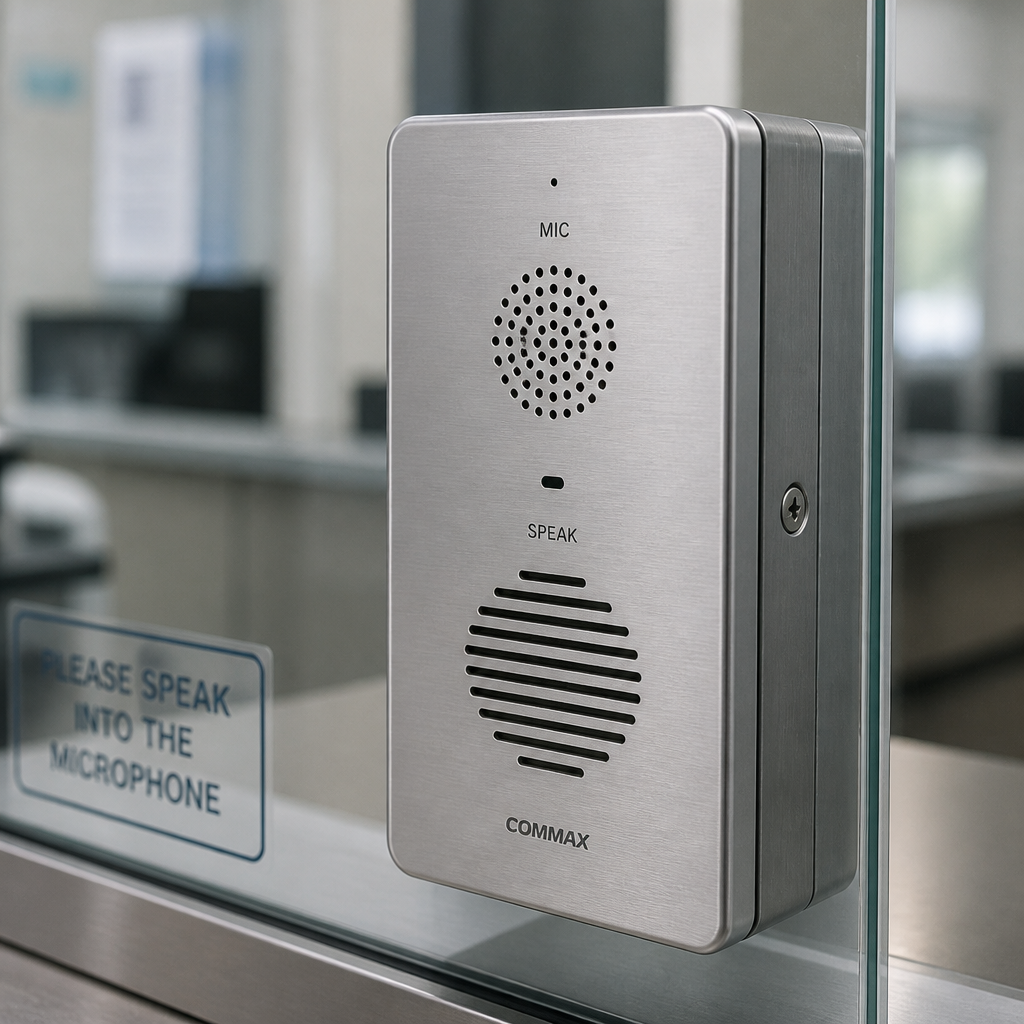
Walk up to a pharmacy counter with a thick pane of bulletproof glass between you and the pharmacist, raise your voice, and watch the conversation fall apart. That is exactly the problem a window intercom system is built to solve. Thick glazing, security barriers, background noise from traffic, and HVAC units all degrade speech clarity to the point where both parties end up frustrated and transactions slow down. For property managers running drive-through facilities, bank branches, pharmacy windows, or parking booths, a well-chosen window intercom is not an optional upgrade. It is the baseline for professional, safe, and efficient service.
Table of Contents
- Quick Takeaways
- What Is a Window Intercom System?
- Types of Window Intercom Systems
- Drive-Through Intercom Systems
- Teller Window Communication
- Comparison: Wired, Wireless, and Passive Window Intercoms
- Key Features to Look For
- Installation Tips for Property Managers
- Frequently Asked Questions
- References
Quick Takeaways
| Key Insight | Explanation |
|---|---|
| Powered intercoms outperform passive talk-thrus in high-noise environments | Active systems with microphones and speakers amplify and transmit voice electronically, making them the right choice for busy drive-throughs, stadiums, and outdoor ticket windows where ambient noise is high. |
| Full-duplex is the gold standard for teller and pharmacy windows | Full-duplex allows both parties to speak simultaneously, eliminating the awkward pause-and-wait of half-duplex systems, which matters in high-volume transaction environments. |
| Wireless drive-through intercoms eliminate costly concrete lane wiring | Running wire through concrete drive-through lanes is prohibitively expensive. A truly wireless system removes that cost entirely while still delivering two-way communication. |
| DSP and AEC are non-negotiable for clear communication | Digital Signal Processing (DSP) eliminates background noise, while Acoustic Echo Cancellation (AEC) prevents the intercom’s own speaker output from feeding back into its microphone. |
| Mount height matters as much as the unit itself | Installing speakers and microphones at a height that accommodates both standing and seated users prevents garbled audio caused by off-axis microphone pickup. |
| Window intercom systems serve a wide range of facilities | Banks, post offices, pharmacies, theaters, government buildings, transit counters, parking booths, and drive-through kiosks all benefit from purpose-built window intercoms. |
| Hands-free designs improve hygiene and staff efficiency | Fully automatic, hands-free intercoms that activate on voice signal require no button press, reducing touchpoints and freeing staff to handle transactions simultaneously. |
What Is a Window Intercom System?
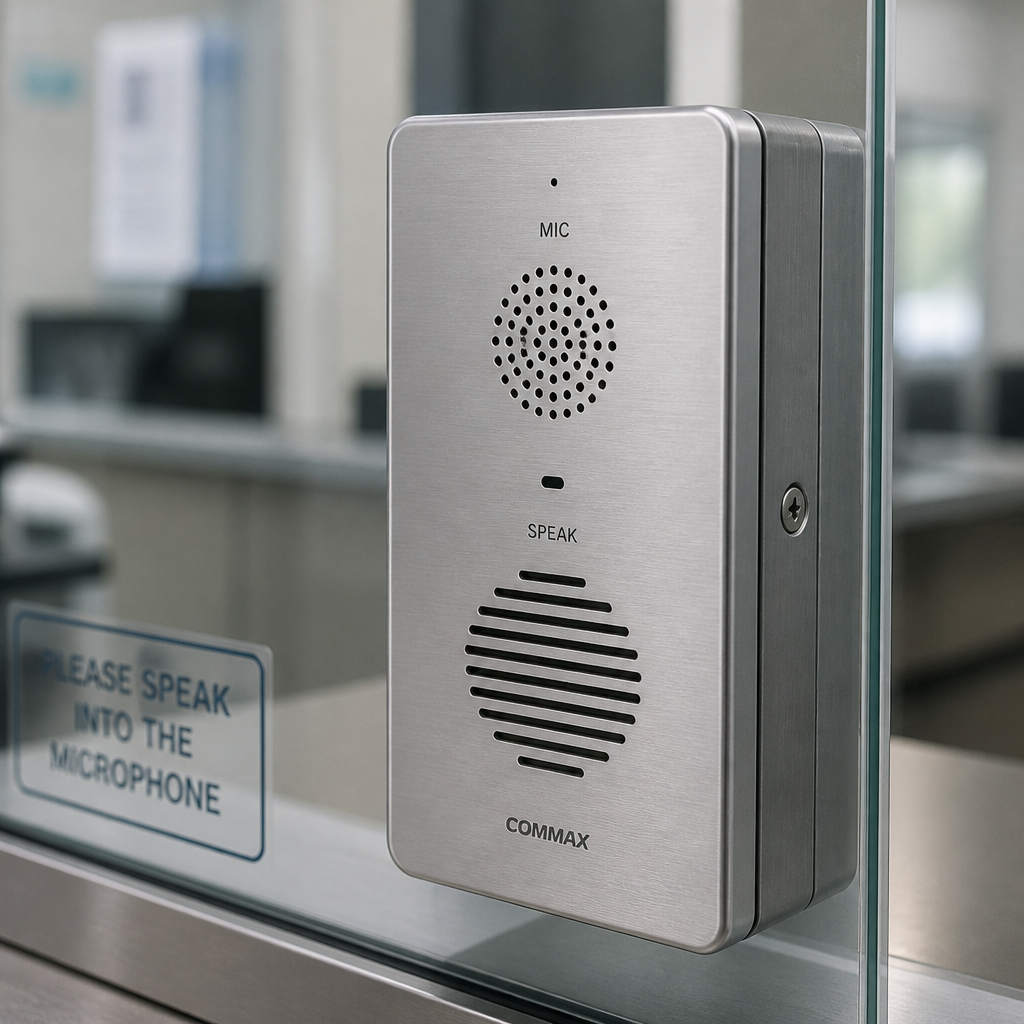
A window intercom system is an electronic or passive audio device installed at a transaction window to enable clear two-way communication between people on opposite sides of a glass, acrylic, or security barrier. The key word is “through.” Glass does not naturally allow sound to travel through it in a usable way, so every window intercom exists to solve that physics problem.
There are two broad categories: passive speak-thru systems and powered (active) intercom systems. A passive speak-thru is essentially a baffled voice port built into the glazing or frame, relying on acoustic design rather than electronics to carry sound. A powered system uses microphones, amplifiers, and speakers on both sides of the glass to electronically capture and reproduce voices. Both have legitimate applications, but they are not interchangeable. Choosing the wrong type for your environment will leave staff repeating themselves and customers walking away annoyed.
Property managers who oversee multiple facilities often underestimate how much a poor intercom costs in operational efficiency. Slow transactions, staff fatigue from shouting, and customer complaints are all real and measurable consequences of inadequate window communication. Getting the right system installed correctly is one of the higher-leverage facility decisions you can make.
Types of Window Intercom Systems
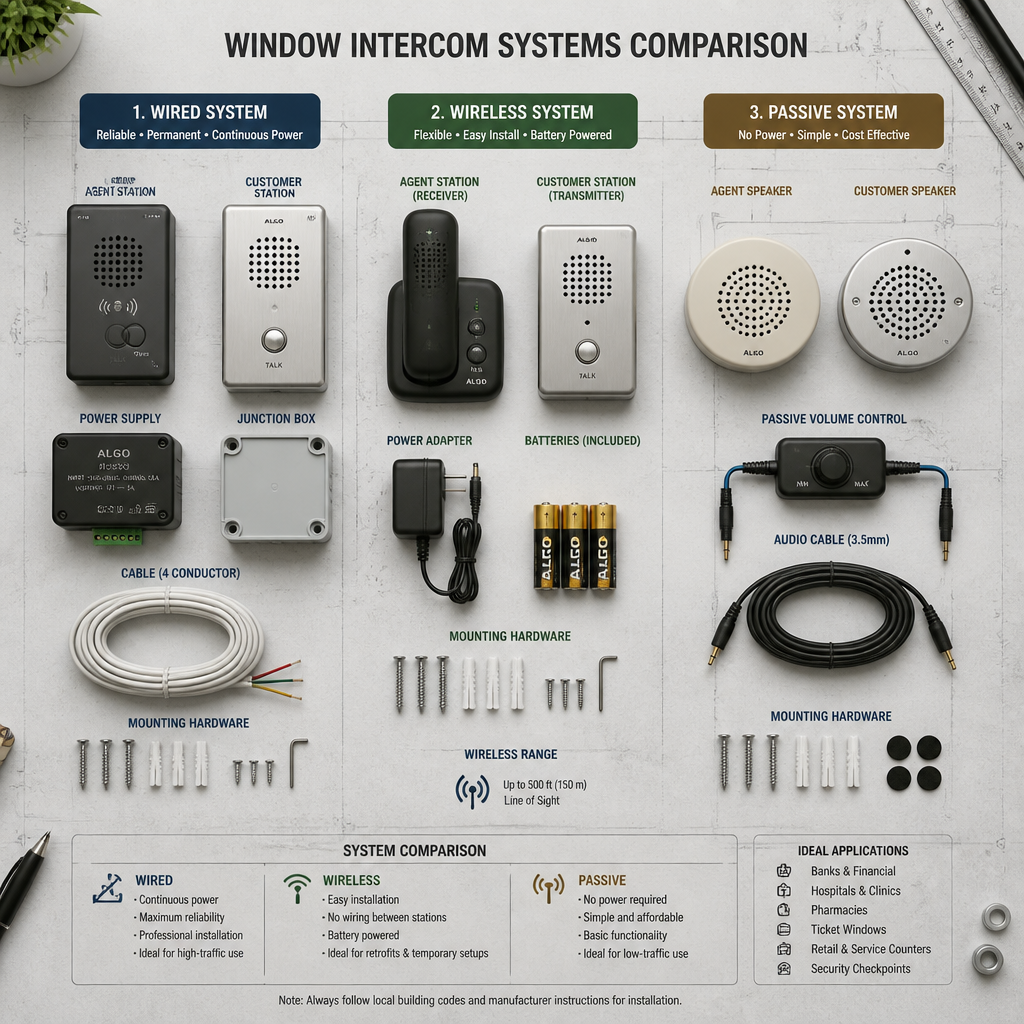
Understanding the difference between system types is the foundation of every good buying decision. There are three main categories used across commercial and institutional settings, and each has a distinct performance profile.
Passive Talk-Thru (Speak-Thru) Systems
A passive speak-thru system is a voice port built into the transaction window frame. No microphones, no amplifiers, no power required. Sound travels through a baffled opening in the glass or surround material. These work well in climate-controlled, low-noise environments such as interior bank teller stations or quiet office reception desks. The moment ambient noise rises, including HVAC systems, street traffic, or a busy lobby, passive systems fail to keep up.
The advantage is simplicity. No electronics means nothing to break, no cables to run, no power supply to fail. For low-traffic interior settings with controlled acoustics, a speak-thru system is a reasonable and cost-effective choice. For anything else, it is the wrong tool.
Powered (Active) Window Intercom Systems
Powered window intercoms use microphones and speakers on each side of the glass, connected to an amplifier. The system picks up voice on one side and reproduces it clearly on the other, even when background noise is significant. These are the right choice for exterior drive-through windows, ticket booths at outdoor venues, pharmacy windows in busy retail settings, and any location where noise or thick glazing degrades natural speech.
Modern powered systems include features like automatic voice activation (hands-free operation), volume control on both sides independently, noise suppression, and anti-howling circuitry. Some models also include a recording jack for connecting to a transaction recording device, which is relevant for banking and security-sensitive applications. The tradeoff is installation complexity and power requirements, both of which are manageable with proper planning.
Wireless Window Intercom Systems
Wireless intercoms apply specifically to drive-through and gate access scenarios where running a cable between the outdoor unit and the indoor station is either impractical or prohibitively expensive. A common example is the drive-through lane scenario where trenching through concrete to run wire would cost far more than the intercom hardware itself. A fully wireless system eliminates that problem by communicating via radio frequency between the exterior kiosk and the interior base unit or headset.
Pro tip: Many systems advertised as “wireless drive-through intercoms” still require a wire between the building and the outdoor unit. Before purchasing, confirm whether the system is truly cable-free end-to-end, or whether “wireless” only refers to the staff headset portion.
Drive-Through Intercom Systems
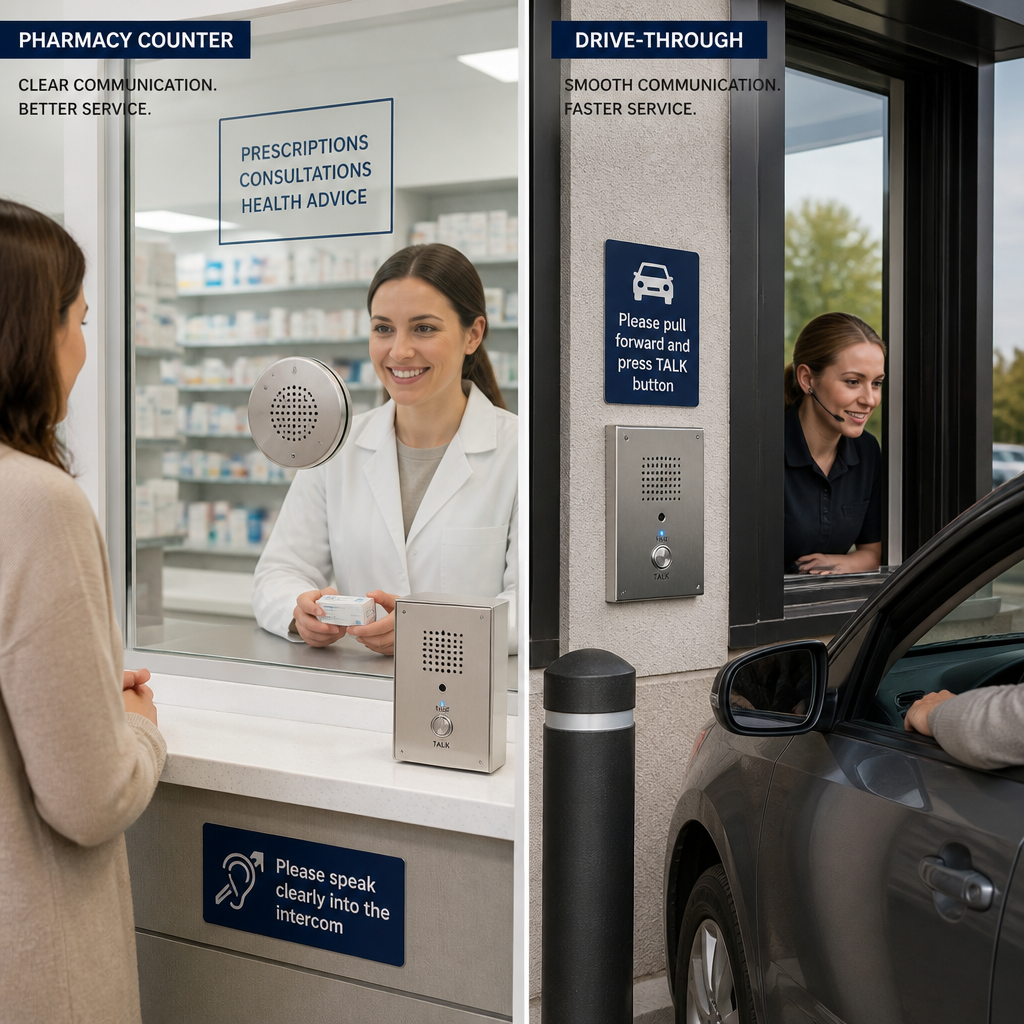
A drive-through intercom operates in one of the harshest acoustic environments possible: outdoor exposure to wind, rain, traffic noise, and engine sounds, combined with the variable distances and speaking angles of customers in vehicles. Getting reliable, intelligible communication in this context requires purpose-built equipment, not a repurposed office intercom.
Full-Duplex vs. Half-Duplex in Drive-Throughs
The most important technical specification for any drive-through intercom is its duplex mode. Half-duplex systems allow communication in both directions, but not simultaneously. Users must take turns speaking, which introduces an artificial rhythm that frustrates customers used to normal conversation. Full-duplex systems allow both parties to speak at the same time, just like a phone call. For drive-through applications where speed and naturalness of interaction matter, full-duplex is the correct choice.
Full-duplex intercoms also require more sophisticated signal processing. Without Acoustic Echo Cancellation (AEC), the microphone on one side would pick up the speaker output on that same side, creating a feedback loop or echo that makes communication impossible. Quality drive-through intercom systems integrate both AEC and Digital Signal Processing (DSP) to eliminate that problem and filter out wind and engine noise simultaneously.
Outdoor Durability Requirements
Drive-through units must be weather-resistant. Look for water-resistant membrane switches or sealed housings on the exterior unit. The exterior microphone and speaker housing should withstand rain, direct sun exposure, and temperature extremes. A backlit call button is a practical feature for night visibility. Units designed for pharmacy or bank drive-throughs often integrate with bullet-resistant glazing systems, where the intercom is embedded directly into the window frame alongside a transaction drawer.
Pro tip: For outdoor drive-through units, position the exterior microphone away from the exhaust path of idling vehicles. Exhaust airflow directly across a microphone diaphragm generates low-frequency rumble that no amount of DSP filtering fully removes.
Teller Window Communication
Teller window communication has specific requirements that differ from a fast-food drive-through. Bank teller windows, pharmacy counters, government service windows, and embassy visa offices deal with sensitive, detailed exchanges. Customers are discussing account numbers, prescriptions, identification documents, and payment details. Clarity and privacy are both important, and the intercom system has to support both.
Speech Clarity Through Thick Glazing
Thick security glazing, including laminated glass and polycarbonate composites, attenuates sound far more than standard window glass. A powered intercom with a well-placed microphone and an amplified speaker is the only reliable way to maintain clear communication through these materials. Passive speak-thru systems are inadequate for most security-glazed teller environments, particularly for customers who may be elderly, hard of hearing, or speaking English as a second language.
Some window intercom systems designed for accessibility applications include hearing loop integration, providing direct electromagnetic signal to customers with compatible hearing aids. For public-facing service windows, this is an accessibility consideration worth factoring into the specification.
Hands-Free Operation and Workflow
In a bank teller or pharmacy context, staff are handling cash, documents, and transaction systems simultaneously. A hands-free intercom that activates automatically on voice signal is not a luxury. It is a workflow requirement. Teller staff cannot reasonably be expected to press a button every time they need to speak while also processing a transaction. Fully automatic two-way intercoms that recognize voice signals and activate without any physical input directly reduce transaction times and staff error rates.
The ability to adjust volume independently on each side of the window is equally important. The teller side in a busy branch will have background noise from other stations. The customer side may have lobby noise, crying children, or street noise. Independent volume control on both the master station and the substation lets each party set the level that works for their environment.
Clear speech through security glass is not just a convenience. It is a service standard. Every transaction that requires the customer to repeat themselves is a transaction that erodes trust in the institution behind the window.
Comparison: Wired, Wireless, and Passive Window Intercoms
The three main system types each fit a different scenario. The table below maps them to the decision criteria that matter most for property managers and facility operators.
| Feature / Criterion | Passive Speak-Thru | Wired Powered Intercom | Wireless Powered Intercom |
|---|---|---|---|
| Best environment | Quiet, interior, climate-controlled | Indoor/outdoor, noise-prone, high-security | Outdoor drive-throughs, retrofit installs |
| Noise performance | Poor in high-noise conditions | Excellent with DSP and AEC | Excellent with DSP and AEC |
| Installation complexity | Low (built into frame) | Moderate (requires cable run) | Low to moderate (no trench cabling needed) |
| Power requirement | None | Yes (wall outlet or low-voltage) | Yes (battery or outlet at exterior unit) |
| Hands-free capable | No | Yes (voice-activated models) | Yes (voice-activated models) |
| Typical applications | Bank lobbies, quiet offices | Banks, pharmacies, government windows | Drive-throughs, parking booths, gate kiosks |
| Recording capability | No | Yes (recording jack on many models) | Varies by model |
A common mistake is choosing the system type based on budget alone and then discovering it is inadequate for the environment. A passive speak-thru costs less than a powered system, but if it is installed at a busy pharmacy drive-through, the result is staff and customers shouting at each other through a glazed wall. The cost of the upgrade is always less than the cost of replacing a system that was wrong from the start.
Key Features to Look For
When evaluating window intercom systems for a commercial or institutional installation, these are the specifications that separate systems that actually work from those that look acceptable on a product sheet.
Noise Suppression and Echo Control
Any powered window intercom operating in a commercial environment needs active noise suppression. DSP circuitry filters out consistent background noise like HVAC hum, traffic, and crowd noise. AEC prevents the speaker output from looping back into the microphone on the same side, which would otherwise create a howling or echo effect that makes speech unintelligible. These are not optional extras. In any environment louder than a quiet office, they are prerequisites for functional communication.
Voice Activation vs. Push-to-Talk
Fully automatic voice-activated intercoms open the communication channel the moment someone speaks. Push-to-talk systems require pressing a button, which is fine for intermittent-use applications like a gate kiosk but impractical for continuous-use environments like a bank teller counter. Match the activation mode to the actual workflow, not to the price point.
Speaker and Microphone Quality
Both sides of the window need a speaker and a microphone. The quality of the microphone capsule determines how much voice signal is captured relative to background noise. A microphone with directional (cardioid) pickup will reject ambient room noise behind the speaker while focusing on the voice in front of it. This matters more on the customer side, where the acoustic environment is uncontrolled.
Integration with Access Control and Security Systems
For facilities that also use access control, door entry systems, or CCTV surveillance, the window intercom should be part of a coordinated security infrastructure rather than a standalone device. Systems that integrate with gate controls, electronic locks, or video monitoring allow facility managers to respond to visitor identification and access requests from a single interface. This is an area where choosing a specialist security supplier, rather than a general retail source, makes a significant difference in long-term system cohesion.
Installation Tips for Property Managers
Even the best window intercom system will perform poorly if it is installed incorrectly. These are the practical installation decisions that most affect system performance in the field.
Mounting Height and User Ergonomics
Mount the speaker and microphone units at a height that accommodates both standing and seated users on each side of the window. A seated teller and a standing customer present different acoustic profiles. If the microphone is too high or too low relative to the user’s mouth, directional pickup suffers and clarity degrades. A common mistake is mounting at the height of an average standing adult and discovering later that wheelchair users or children at the customer side cannot be heard clearly.
Distance from Competing Noise Sources
Install the microphone and speaker units as far away from competing noise sources as possible. On the staff side, this means away from other intercom stations, printers, cash counting machines, and air conditioning vents. On the customer side, it means positioning the exterior unit away from areas with direct wind exposure, traffic lanes, and generators. A unit installed in an acoustically hostile position will never perform as well as its specifications suggest.
Cable Routing in Retrofit Installations
For retrofit installations in existing buildings, cable routing is often the most time-consuming and expensive part of the project. Walls that were not designed with intercom conduit in mind require surface-mounted trunking, dropped-ceiling routes, or in some cases core drilling through masonry. Wireless systems eliminate much of this complexity for drive-through applications, but wired indoor-to-outdoor runs still need careful planning. Budget the cable routing as a separate line item from the hardware cost to avoid underestimating project scope.
Pro tip: For facilities where aesthetics matter, such as bank branches or high-end retail counters, surface-mounted cabling is rarely acceptable. Plan for in-wall routing early in the project scope, and confirm conduit access before purchasing hardware.
Frequently Asked Questions
What is the difference between a window intercom system and a standard door intercom?
A window intercom system is designed specifically for communication through a fixed glass or security barrier, typically in a transaction or service context. Standard door intercoms are designed for visitor identification and access control at building entry points. Window intercoms prioritize audio clarity through thick glazing and hands-free operation for high-volume service interactions, while door intercoms often integrate with locking mechanisms and video cameras for entry management. Some facilities need both, and they should be specified and installed as part of a unified access and communication plan.
Can a wireless drive-through intercom work in bad weather?
Yes, provided the exterior unit is rated for outdoor use. Look for housings described as water-resistant or weatherproof, with sealed membrane switches rather than open button contacts. RF-based wireless intercoms are not affected by rain interference at the frequencies used in commercial intercom products. The primary weather concern is the physical integrity of the exterior unit, not signal performance. Units designed specifically for drive-through applications routinely operate through rain, temperature extremes, and direct sun without performance degradation.
How many stations can a window intercom system support?
This depends entirely on the system architecture. Basic one-to-one window intercom systems serve a single service window with one staff station and one customer unit. Multi-station systems, common in larger bank branches or government service centers with several simultaneous windows, allow a supervisor or manager station to monitor and communicate with multiple window positions. If you are specifying for a multi-window facility, confirm that the system architecture supports the number of simultaneous connections you need before purchasing.
What is the best window intercom system for a bank teller window?
For a bank teller environment, the priority features are full-duplex audio, hands-free automatic activation, independent volume control on both sides, and noise suppression. The system should work clearly through the specific glazing type installed, whether that is standard laminated glass or a thicker bullet-resistant composite. For high-security applications, look for systems that can be paired with your existing access control or CCTV infrastructure. Avoid passive speak-thru systems for bank teller windows in any location with meaningful background noise.
How do I reduce echo and feedback in my window intercom system?
Echo and feedback (howling) in window intercoms are caused by the speaker output on one side being picked up by the microphone on the same side, creating a loop. The solution is a system with active Acoustic Echo Cancellation (AEC) built into the signal processing chain. In addition to choosing a system with AEC, install the microphone and speaker on each side as far apart as possible within the housing constraints, and avoid mounting units in corners or near reflective surfaces that would bounce speaker output back toward the microphone. Reducing the speaker volume to the minimum level adequate for communication also helps reduce the signal that reaches the microphone.
Are window intercom systems suitable for outdoor pharmacy drive-throughs?
Powered window intercom systems are specifically well-suited for pharmacy drive-throughs. The combination of outdoor noise exposure, thick security glazing, and the sensitive nature of prescription discussions makes a high-quality powered intercom essential rather than optional. Look for an exterior unit with a weatherproof housing, a directional microphone to reject wind and engine noise, and a full-duplex system so pharmacists and patients can have natural back-and-forth conversations without awkward pauses. Systems that integrate directly into bullet-resistant window frames with transaction drawers are available and are the cleanest solution for new pharmacy builds.
Have you recently upgraded a drive-through or teller window intercom system? Share what worked and what you would do differently in the comments below.
References
- Talk-thru vs. powered window intercom systems: a comparison of passive and active approaches for transaction windows
- Transaction window speak-thru systems explained: passive voice ports vs. active electronic intercoms
- Wireless drive-through intercom systems: how fully cable-free solutions work for drive-up window applications
- Window intercom systems for ticket offices, reception desks, and security glass: applications and accessibility features
- Full-duplex intercom systems: how simultaneous two-way audio works and why it matters for clear communication



 No products in the cart.