
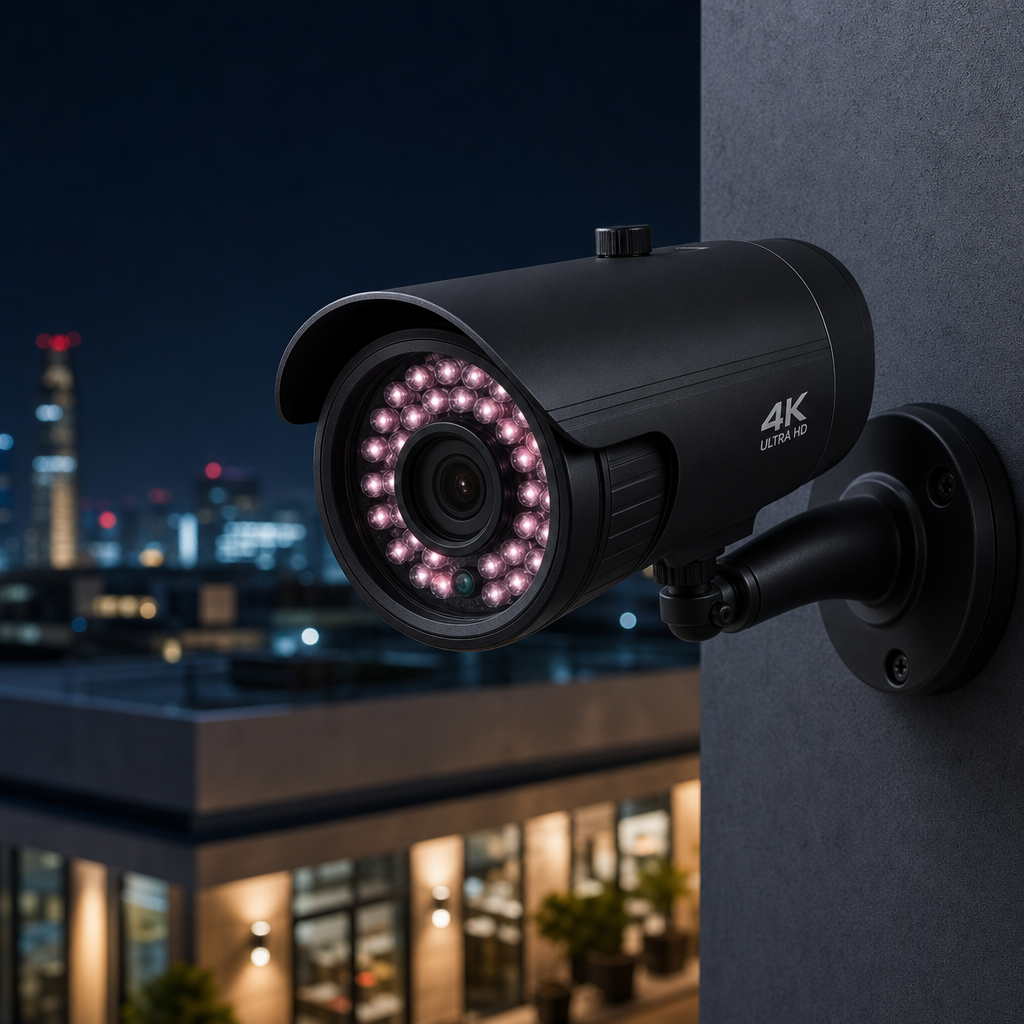
Nearly 30% of businesses that experience a break-in discover afterward that their CCTV footage was too blurry or corrupted to help police identify suspects. That is not a technology problem. That is a maintenance and upgrade problem that could have been prevented. If your surveillance system was installed more than five years ago and has never been reassessed, the odds are high that it is already failing you in ways you have not noticed yet. A proper CCTV upgrade is not a luxury expense. It is a liability management decision with a measurable return.
Table of Contents
- Quick Takeaways
- Sign 1: Blurry, Low-Resolution Footage That Cannot Identify Anyone
- Sign 2: Constant Recording Failures and Storage Gaps
- Sign 3: No Remote Access or Mobile Monitoring
- Sign 4: Analog DVR System With No IP Network Capability
- Sign 5: Cameras That Fail in Low Light or Harsh Weather
- How to Plan Your Surveillance System Upgrade
- Comparing Upgrade Approaches for Business Security Cameras
- Frequently Asked Questions
- References
Quick Takeaways
| Key Insight | Explanation |
|---|---|
| Resolution below 1080p is a liability | Footage from older 480p or 720p analog cameras cannot reliably identify faces, license plates, or objects in court or insurance claims. |
| DVR-based systems are a dead end | Analog DVR systems cannot scale to add IP cameras, integrate with access control, or support remote monitoring without a full hardware replacement. |
| 4K security cameras are now affordable | 4K IP cameras are available at price points comparable to what 1080p cameras cost three years ago, making the upgrade ROI easier to justify. |
| Storage gaps mean invisible blind spots | A system that drops recordings overnight or during high-traffic periods is functionally useless for incident investigation purposes. |
| Remote access is a baseline requirement | Any system that requires on-site presence to review footage is already 10 years behind modern facility management standards. |
| Integration with access control multiplies value | Pairing upgraded CCTV with smart locks, intercoms, and biometric systems creates a unified security record that is far more actionable. |
| Weatherproofing ratings matter more than price | An IP67-rated outdoor camera that lasts five years costs far less over time than a cheap unit replaced every 18 months due to moisture damage. |
Sign 1: Blurry, Low-Resolution Footage That Cannot Identify Anyone
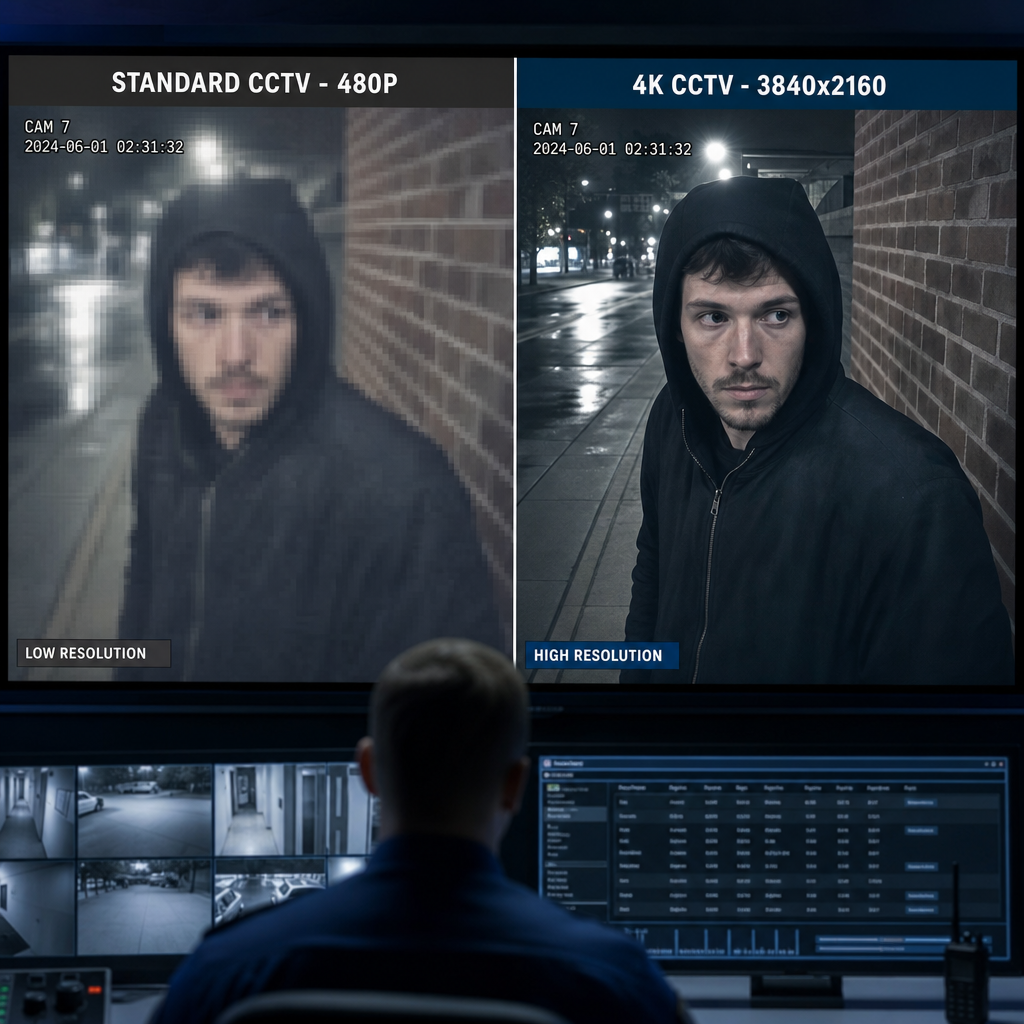
This is the most common complaint facility managers raise after an incident. The camera was running. The recording saved. But the image quality was so poor that nobody could confirm who entered the loading dock or which vehicle tailgated through the gate. If your cameras are capturing at 480p or even 720p, this is exactly what you are working with every single day.
Standard definition analog cameras, which were the industry norm before 2015, capture footage at resolutions that look acceptable on a small monitor but fall apart the moment you zoom in or attempt to extract a still image for a police report. In practice, law enforcement regularly encounters CCTV footage that is legally useless because facial recognition and plate identification require a minimum of 1080p resolution, and ideally a 4K security camera for wide-area coverage.
What Resolution Actually Means for Incident Response
A 4K IP camera captures 8.3 megapixels per frame compared to the 0.4 megapixels a standard definition camera produces. That difference is not just aesthetic. It directly determines whether a 100-foot parking lot camera can read a license plate near the exit, or whether a lobby camera can confirm someone’s identity from across the room.
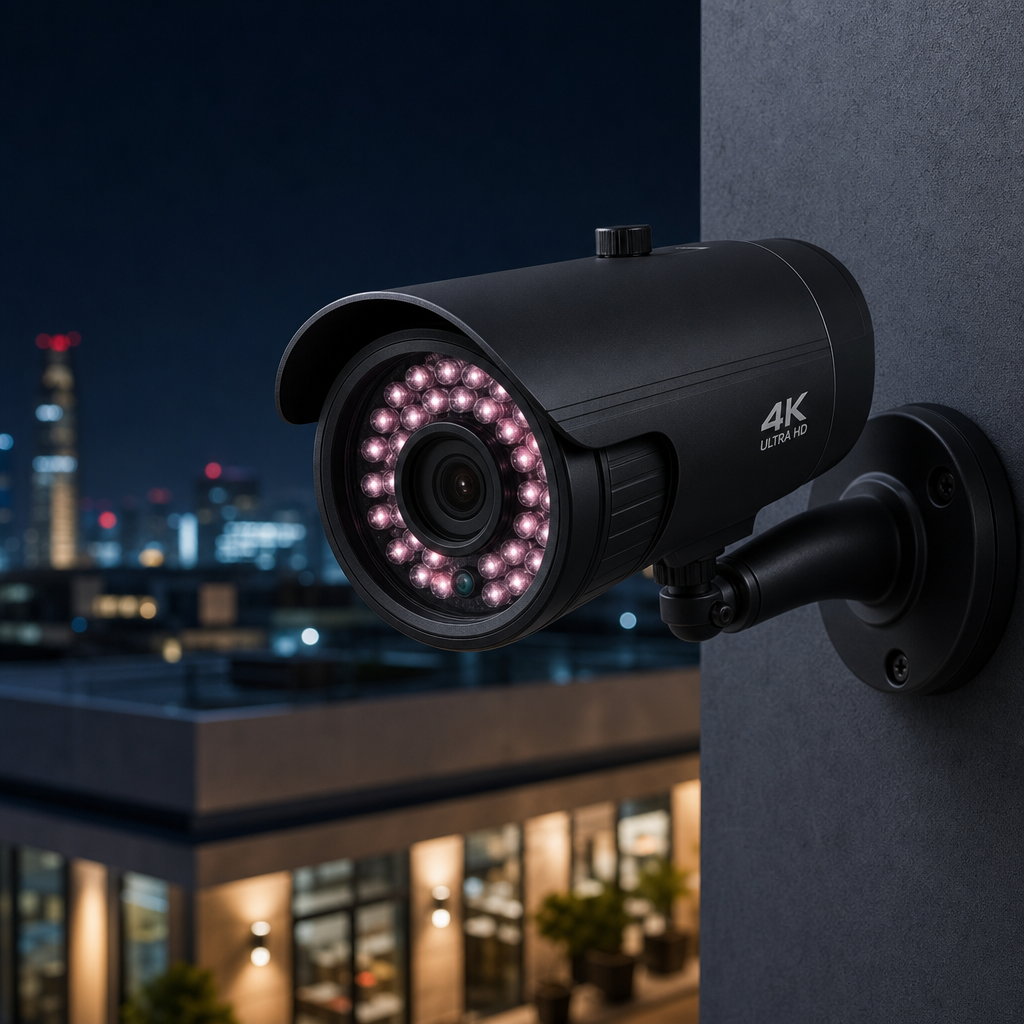
The upgrade path here is straightforward. Replacing analog cameras with 4K IP cameras, combined with a network video recorder instead of a DVR, solves the resolution problem permanently. UnikCCTV’s CCTV surveillance range includes 4K-capable units designed for both indoor and outdoor commercial deployment, which is the right starting point for most business upgrades.
Pro tip: Before purchasing replacement cameras, test your existing network infrastructure. 4K cameras generate significantly more data than 1080p units, and older ethernet runs or wireless access points may create bottlenecks that degrade recording performance.
Sign 2: Constant Recording Failures and Storage Gaps
A surveillance system that stops recording at 2 AM because the hard drive filled up, or that skips frames during peak hours because the processor cannot keep up, is not a security system. It is theater. The camera is present. The recording is not. This problem is more common than most property managers realize because nobody checks the footage logs until something actually happens.
Older DVR-based systems use mechanical hard drives with fixed storage capacity, often 1 or 2 TB installed at the time of original setup. Those drives were sized for the resolution and frame rate of cameras that no longer exist. When cameras are upgraded piecemeal or settings are changed, the storage math breaks down and gaps appear without any alert being generated.
How to Audit Your Current Storage Health
Pull the last 30 days of recordings from your system and check for gaps in the timeline. Any unscheduled gap that is longer than five minutes is a red flag. Look specifically at overnight hours, weekends, and peak-traffic windows. These are the periods where both drive failures and processor overloads are most likely to produce missing footage.
Modern NVR systems allow for expandable storage, cloud backup redundancy, and automatic alerts when recording is interrupted. These are not optional features on a modern surveillance system upgrade. They are table stakes for any facility with real liability exposure.
“The average cost of a data breach in the United States reached $9.44 million in 2022, with physical security gaps contributing to a significant percentage of insider threat incidents.” – IBM Cost of a Data Breach Report 2022
Sign 3: No Remote Access or Mobile Monitoring
If reviewing footage means driving to the property and sitting in front of a monitor, the system is already obsolete. Property managers and business owners expect to pull up a live feed from a smartphone during an alarm notification. That expectation is completely reasonable because the technology to support it has been available and affordable for years.
Older analog systems with DVR recorders have no native network connectivity. Some have had clunky third-party add-ons retrofitted, but these workarounds are unreliable and create security vulnerabilities of their own. The only real solution is replacing the DVR with a proper NVR and connecting the system to a secured local network with authenticated remote access.
Remote Access Without Compromising Security
A common mistake is configuring remote access by opening ports directly on a router, which exposes the NVR to the public internet. The correct approach uses a VPN tunnel or the camera manufacturer’s secure cloud relay service, which routes access through authenticated endpoints without exposing the device directly. Any reputable installer should configure this by default.
For multi-site operations, remote access is not just convenient. It is the difference between catching an incident in real time and discovering it the following Monday morning. Integrating your business security cameras with a unified dashboard that also covers intercoms and access control systems, as UnikCCTV’s intercom and access control offerings support, creates a single pane of glass for facility security management.
Pro tip: Set up motion-triggered push notifications on upgraded cameras so you receive alerts only when activity is detected in defined zones, rather than reviewing hours of static footage manually.
Sign 4: Analog DVR System With No IP Network Capability
The architectural difference between an analog DVR system and an IP-based NVR system is not just about image quality. It is about whether the system can grow, integrate, and adapt. Analog systems are closed ecosystems. You can add more analog cameras up to the channel limit, and that is essentially it. There is no integration with smart locks, no facial recognition triggers, no event correlation with your access control logs.
IP-based NVR systems sit on your network alongside every other connected device. That means a door access event from a smart lock or biometric reader can be timestamped and cross-referenced with camera footage automatically. When an access denial occurs at a door and a camera simultaneously captures someone loitering near that door, a modern system correlates those events. An analog DVR system treats them as two completely separate and unrelated data points.
Hybrid Transitional Systems Worth Considering
If a full rip-and-replace upgrade is not immediately feasible, hybrid NVRs exist that accept both analog coax inputs and IP camera inputs simultaneously. This allows a phased transition where analog cameras are replaced one at a time as budget allows, while the core recording and networking infrastructure is modernized first. It is not the ideal end state, but it is a practical bridge for facilities with 20 or more camera positions that cannot be replaced in a single budget cycle.

Sign 5: Cameras That Fail in Low Light or Harsh Weather
Older cameras without proper infrared illumination or wide dynamic range processing produce footage that is essentially black at night and washed out in direct sunlight. If your parking lot cameras show nothing useful between dusk and dawn, or if the entrance camera is blinded by morning sun every day, these are performance failures that accumulate silently until an incident makes them visible.
Weather durability is equally important and equally underinvested in older installations. A camera rated IP54 versus IP67 represents a significant difference in real-world performance in climates with heavy rain, humidity, or temperature swings. Many older cameras installed in outdoor positions were underspecified for their environment and have been degrading faster than expected as a result.
What to Look for in Replacement Camera Specs
For outdoor commercial applications, a minimum IP66 weatherproofing rating is the correct baseline, not IP54. For night performance, look for cameras with built-in IR illumination rated for at least 30 meters, or true full-color low-light sensors if you need color-accurate footage for identification purposes. Starlight and ColorVu type sensors from major manufacturers now produce usable color footage at 0.005 lux, which covers most commercial outdoor environments with minimal ambient lighting.
The total cost of ownership calculation strongly favors properly specified cameras. A camera that survives five years without housing failure or lens degradation is a better investment than a cheaper unit that requires replacement every 18 to 24 months, even if the initial price point is higher.
How to Plan Your Surveillance System Upgrade
The biggest mistake businesses make during a CCTV upgrade is treating it as a camera swap rather than a system redesign. Replacing old cameras with new cameras at the same positions using the same cable runs without reassessing coverage zones, resolution requirements, or integration opportunities is an expensive way to solve only part of the problem.
Start with a site audit. Walk every camera position and document what it currently covers, what it needs to cover, and whether the mounting position is still appropriate for the current layout of the space. Retail floors change. Office partitions move. Parking lots get reconfigured. The camera map that made sense six years ago may have multiple blind spots today simply because the environment changed around it.
Establishing a Camera Coverage Matrix
For each zone in your facility, define the monitoring purpose. Is this camera for deterrence, identification, or access verification? Each purpose requires a different specification. A deterrence camera can be wide-angle and lower resolution. An identification camera at an entry point needs tight framing and 4K resolution. An access verification camera paired with a door intercom or biometric reader needs to capture faces at a specific distance range with consistent lighting.
Once the purpose matrix is defined, the camera selection process becomes straightforward. You are not choosing based on price per unit. You are choosing based on which unit meets the specification for each identified function. Facilities that approach upgrades this way consistently end up with fewer cameras that perform better and cost less to maintain than the systems they replaced.
Integrating CCTV With Access Control and Intercoms
The most underutilized opportunity during a surveillance upgrade is integration with existing or upgraded access control infrastructure. Connecting upgraded cameras to a unified platform that also manages gate access controls, video intercoms, and time attendance systems creates a security record that is exponentially more useful for both real-time response and post-incident investigation than standalone CCTV footage alone.
A common setup for commercial properties is linking door camera footage to access card or biometric events, so every entry and exit attempt automatically generates a paired video clip. This eliminates the need to manually scrub through hours of footage and reduces investigation time from hours to minutes.
Comparing Upgrade Approaches for Business Security Cameras
| Upgrade Approach | Best For | Key Limitations |
|---|---|---|
| Full IP NVR System Replacement | Facilities with outdated analog infrastructure, multi-site operations, or integration requirements with access control and intercoms | Higher upfront cost, requires structured cabling assessment, may need new cable runs if coax only |
| Hybrid DVR/NVR Transitional Upgrade | Businesses with large existing analog camera counts needing a phased budget approach over 12 to 24 months | Does not achieve full IP integration benefits until all analog cameras are replaced, adds complexity during transition |
| HD-over-Coax Camera Replacement | Smaller sites with existing coax wiring in good condition where IP networking is not a priority | Resolution tops out at 4K maximum, no native network integration, still tied to DVR architecture with its storage limitations |
The full IP NVR replacement is the correct long-term choice for most commercial facilities. The hybrid approach is a legitimate compromise for budget-constrained multi-phase projects. HD-over-coax is primarily useful for very small sites where the existing coax wiring is recent and in excellent condition. In practice, the facilities that choose HD-over-coax to avoid rewiring costs often find themselves planning a full IP replacement within three years anyway as integration requirements grow.
Frequently Asked Questions
How long does a typical business CCTV upgrade take to complete?
For a facility with 10 to 20 cameras, a full IP system upgrade typically takes two to three days for installation, plus a configuration and testing phase. Larger sites with 40 or more cameras on multiple floors can take one to two weeks depending on cable routing complexity. Scheduling the work in phases outside of peak business hours minimizes operational disruption.
Can I keep my existing camera positions when upgrading to 4K IP cameras?
Sometimes, but not always. A coverage audit often reveals that older camera positions were chosen based on the limitations of analog equipment rather than optimal sightlines. With modern 4K cameras that have wider fields of view and better zoom capability, you may actually need fewer cameras placed at better positions to achieve superior coverage of the same area.
What is the difference between a DVR and an NVR for business use?
A DVR processes video signals from analog cameras and stores the footage locally. An NVR records video that has already been encoded by IP cameras and transmitted over a network. NVRs support remote access, integration with other networked systems, scalable storage, and significantly higher resolution inputs. For any business security camera system being installed or upgraded today, NVR is the correct choice.
How much storage does a 4K security camera system require?
A single 4K camera recording continuously at full quality generates approximately 100 to 200 GB per day depending on compression settings and motion frequency. A 16-camera 4K system on continuous recording would require roughly 25 to 50 TB per month of storage. In practice, motion-activated recording and H.265 compression reduce this significantly, often by 50% or more compared to H.264 at equivalent quality levels.
Should CCTV cameras be integrated with intercom and access control systems?
Yes, and this integration is one of the highest-value decisions you can make during a surveillance upgrade. When a visitor presses a call button on a video intercom, the closest camera automatically recording that interaction alongside the door event log creates a complete, timestamped record. For property managers handling multiple entry points across a large facility, this correlation removes the need to manually match camera timestamps with access logs after an incident.
What weatherproofing rating should outdoor business cameras have?
IP66 is the minimum acceptable rating for any camera mounted outdoors in a commercial setting. IP66 means the camera is fully dust-tight and protected against heavy rain. IP67 adds protection against temporary submersion, which matters in climates with flooding risk or installations near irrigation systems. Anything below IP65 for an outdoor camera is underspecified and will have a shortened service life in real-world conditions.
What signs did you notice first that told you your current CCTV system was no longer doing its job? Share your experience in the comments so other property managers and business owners can learn from your situation.
References
- Statista: Security camera and surveillance market data, industry statistics, and adoption trends by business sector
- Forbes: Business security investment analysis, commercial property protection costs, and technology upgrade ROI coverage
- U.S. Department of Homeland Security: Physical security guidelines, surveillance system standards, and commercial facility protection resources
- National Institute of Standards and Technology: Security and privacy controls for information systems including physical surveillance infrastructure standards
- Ahrefs Blog: Technology buying decision research, B2B content engagement data, and expert evaluation frameworks for equipment purchases



 No products in the cart.