
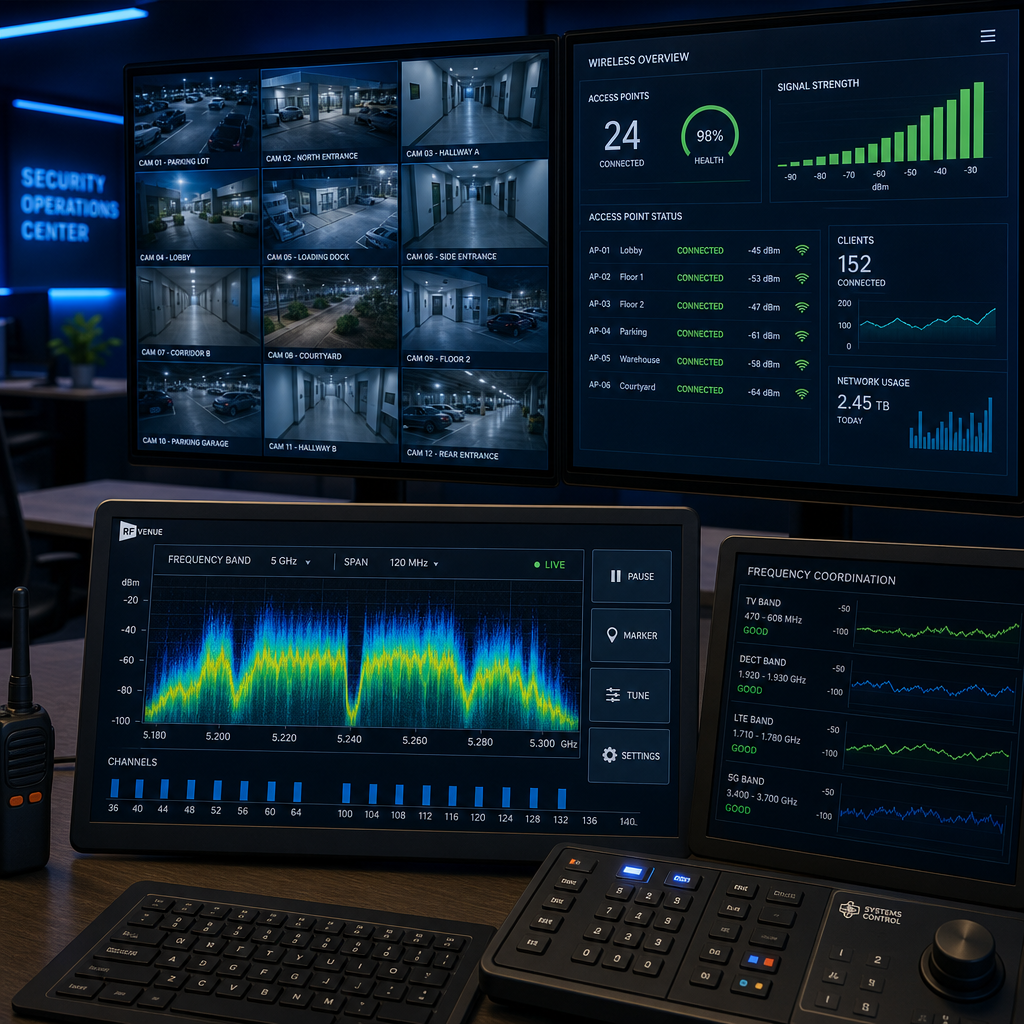
Most property managers and homeowners installing wireless security systems make the same mistake: they pick a wireless transmitter based on price or brand name, completely ignoring frequency. The result is dropped feeds, interference from neighboring Wi-Fi networks, and camera blind spots that defeat the entire purpose of the system. Choosing between 2.4GHz wireless transmitters and 5.8GHz wireless transmitters is not a minor technical detail. It determines whether your CCTV feeds stay live during a critical event, how far your signal travels through walls, and how resistant your system is to everyday radio interference.
Table of Contents
- Quick Takeaways
- How Wireless Transmitter Frequencies Work
- 2.4GHz Wireless Transmitters: Strengths and Weaknesses
- 5.8GHz Wireless Transmitters: Strengths and Weaknesses
- Frequency Comparison Table
- Which Frequency Fits Which Security Setup
- Interference: The Real Threat to Wireless Security Feeds
- Pairing Wireless AV Transmitters with Intercoms and Access Control
- Frequently Asked Questions
- References
Quick Takeaways
| Key Insight | Explanation |
|---|---|
| 2.4GHz travels farther through walls | Lower frequencies penetrate solid obstacles better, making 2.4GHz the stronger choice for multi-room buildings or properties with thick concrete walls. |
| 5.8GHz delivers cleaner video in open spaces | Higher frequency means less congestion in the band and sharper AV signal quality when the transmitter and receiver have line-of-sight or minimal obstructions. |
| 2.4GHz is heavily congested in most urban and suburban areas | Most Wi-Fi routers, baby monitors, and smart home devices operate on 2.4GHz, which creates interference that degrades security camera feeds. |
| 5.8GHz range is shorter but more reliable in dense environments | The effective outdoor range of most 5.8GHz wireless AV transmitters is 100-300 meters versus 300+ meters for comparable 2.4GHz units under real-world conditions. |
| Security transmitter frequency affects latency, not just range | 5.8GHz systems typically exhibit lower signal latency, which matters for real-time monitoring at entry points like gates and intercom stations. |
| Dual-band transmitters solve the choice problem for large installations | Properties covering both indoor and outdoor zones benefit from dual-band wireless transmitters that can switch between frequencies based on signal conditions. |
| Channel selection is as important as frequency selection | Within each frequency band, choosing a non-overlapping channel prevents cross-talk between multiple cameras or transmitter units on the same property. |
How Wireless Transmitter Frequencies Work
A wireless AV transmitter converts audio and video signals from a security camera or intercom into radio waves and sends them to a paired receiver connected to your DVR, monitor, or access control panel. The frequency band it uses, either 2.4GHz or 5.8GHz, dictates three critical performance variables: range, wall penetration, and susceptibility to interference.
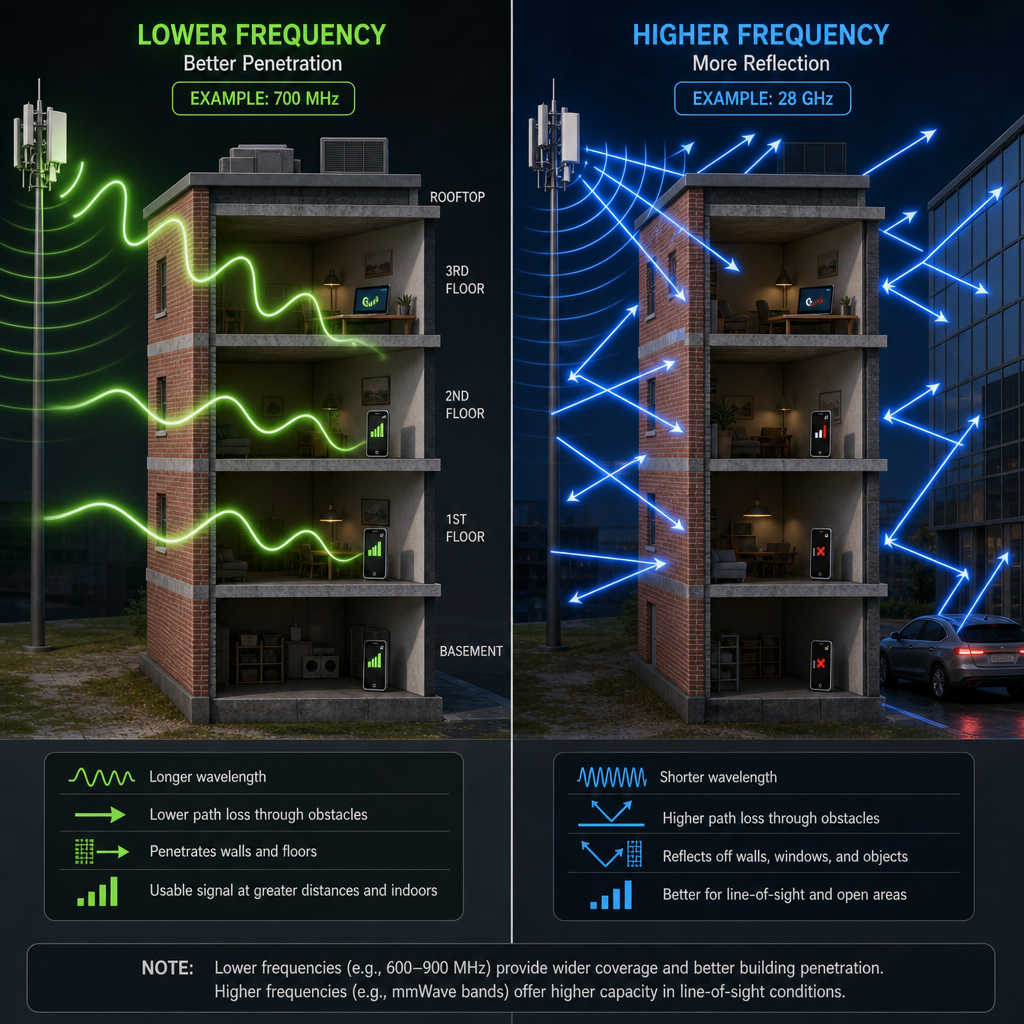
Think of frequency like water pressure through a pipe. Lower frequency (2.4GHz) is like wide, slow-moving water. It spreads far and seeps through cracks (walls, floors, ceilings) more easily. Higher frequency (5.8GHz) is narrower and faster but stops more abruptly when it hits a dense surface. Neither is universally better. The right choice depends entirely on your physical environment and what other wireless devices are operating nearby.
The Federal Communications Commission (FCC) classifies both 2.4GHz and 5.8GHz bands as unlicensed spectrum, meaning any device manufacturer can use them without a site-specific license. That freedom created explosive adoption, which is exactly why both bands are now crowded in residential and commercial settings.
2.4GHz Wireless Transmitters: Strengths and Weaknesses
2.4GHz wireless transmitters have been the default choice for wireless security equipment for over two decades. The physics favor them in situations where the signal must travel through multiple walls, across large open yards, or between floors in a multi-story building.
Where 2.4GHz Performs Well
In practice, a well-configured 2.4GHz wireless transmitter can maintain a usable signal over distances exceeding 300 meters in open outdoor environments. Inside buildings with standard drywall construction, expect reliable performance through two to three walls. This makes 2.4GHz a practical choice for warehouses, parking structures, and residential properties where cameras are spread across large ground-floor areas.
The cost advantage is real too. Because 2.4GHz components are manufactured at higher volume, the transmitters and receivers available in this band are consistently less expensive than their 5.8GHz equivalents, which matters for property managers outfitting a large apartment complex with multiple camera zones.
The Interference Problem You Cannot Ignore
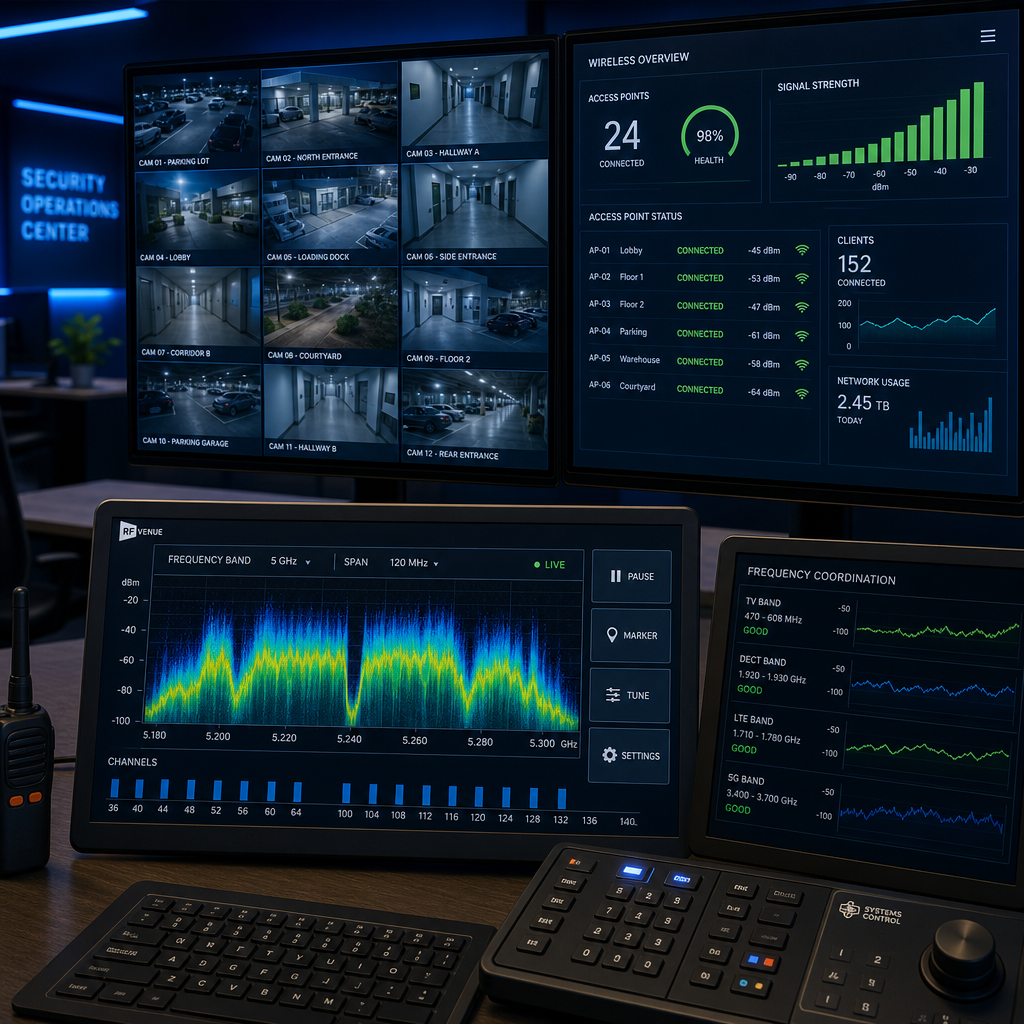
A common mistake is assuming that a 2.4GHz security transmitter will operate in isolation. It will not. The 2.4GHz band is shared by Wi-Fi routers (especially the 802.11b/g/n standard), Bluetooth devices, microwave ovens, cordless phones, and a growing number of smart home sensors. In a residential neighborhood or multi-tenant commercial building, your camera feed is competing with dozens of overlapping signals.
The 2.4GHz band officially contains 11 channels in North America (13 in Europe), but only three are non-overlapping: channels 1, 6, and 11. This means in a dense urban environment, you may find all three non-overlapping channels already saturated before you install a single camera. The result is pixelation, dropped frames, and in worst-case scenarios, a complete loss of feed during precisely the moment you need live monitoring most.
Pro tip: Before installing any 2.4GHz wireless transmitter, use a free Wi-Fi analyzer app on your smartphone to scan the local channel environment. If channels 1, 6, and 11 are all showing signal strength above -70 dBm from neighboring networks, you should strongly consider 5.8GHz instead.
5.8GHz Wireless Transmitters: Strengths and Weaknesses
5.8GHz wireless transmitters operate in a less congested frequency band, which translates directly to cleaner, more stable video transmission in environments where 2.4GHz would struggle with interference. This makes them the preferred choice for modern security installations in urban apartment buildings, retail spaces, and any property already running multiple Wi-Fi networks.
Signal Quality and Latency Advantages
The 5.8GHz band offers significantly more non-overlapping channels than 2.4GHz. In a professional security transmitter context, this means you can run multiple cameras on separate channels within the same band without signal bleed between units. For a property manager monitoring six entry points simultaneously, this channel availability is not a luxury. It is a baseline requirement for system reliability.
Latency is another area where 5.8GHz systems have a measurable edge. In real-time security monitoring, particularly at gate entry systems and intercom stations where a guard or resident needs to see and respond to a visitor immediately, even a one-second signal delay creates operational problems. 5.8GHz wireless AV transmitters typically deliver 200-400 milliseconds lower latency compared to equivalent 2.4GHz units under the same load conditions.
Range and Penetration Limitations
The core limitation of 5.8GHz is physics. Higher frequency radio waves carry more energy per wave cycle but lose that energy faster when they encounter dense materials like concrete, brick, or metal framing. In a typical office building with concrete walls, a 5.8GHz transmitter may only maintain reliable signal through one wall, versus two or three walls for a comparable 2.4GHz unit.
Outdoor range is also shorter. Under real-world conditions with vegetation, fencing, and typical suburban obstructions, expect a 5.8GHz transmitter to deliver reliable performance at 100-250 meters, compared to 200-400 meters for 2.4GHz. For large residential estates or commercial properties with distant perimeter cameras, this range limitation is significant.
Pro tip: For 5.8GHz installations covering more than 150 meters, place a wireless repeater or relay point at the midpoint of the signal path. This is far more cost-effective than switching the entire system to 2.4GHz and dealing with interference management afterward.
Frequency Comparison Table
The table below compares 2.4GHz and 5.8GHz wireless transmitters across the performance dimensions that matter most for security and access control installations. A dual-band option is included because it represents the direction the professional security market is moving for mid-to-large installations.
| Performance Factor | 2.4GHz Wireless Transmitters | 5.8GHz Wireless Transmitters |
|---|---|---|
| Typical outdoor range | 200-400 meters (real-world) | 100-250 meters (real-world) |
| Wall penetration | Strong: 2-3 standard walls | Limited: 1-2 standard walls |
| Interference susceptibility | High: crowded band with Wi-Fi and smart devices | Low to moderate: fewer competing devices |
| Available non-overlapping channels | 3 channels (North America) | 8+ channels depending on regulatory region |
| Signal latency | Higher: 400-800ms typical under load | Lower: 200-500ms typical under load |
| Cost of equipment | Lower: high production volume | Moderate to higher: smaller market volume |
| Best use case | Rural properties, large outdoor areas, older buildings | Urban installations, multi-camera systems, retail or office buildings |
Which Frequency Fits Which Security Setup
The data consistently shows that there is no single correct answer between 2.4GHz and 5.8GHz for all security deployments. The correct answer depends on three site-specific factors: the physical construction of the property, the density of existing wireless devices in the area, and the number of camera feeds you need to run simultaneously.
Homes and Small Businesses
For a single-family home with cameras covering the front door, backyard, and driveway, 2.4GHz wireless transmitters are generally adequate if the installation is in a suburban or rural area with limited Wi-Fi congestion. The superior wall penetration means a single transmitter-receiver pair can handle cameras positioned on opposite sides of the house without line-of-sight positioning.
If the same home is in a dense urban neighborhood or an apartment building, the interference environment changes completely. In that scenario, 5.8GHz is the stronger choice despite its shorter range, because signal stability matters more than raw distance when cameras are within 50-100 meters of the receiver anyway.
Apartment Buildings and Multi-Tenant Properties
Property managers overseeing multi-tenant buildings face the most complex frequency planning challenges. Each tenant unit likely runs its own Wi-Fi router, smart TV, and connected devices, all contributing to 2.4GHz congestion in the shared building environment. The common areas, parking garages, and entry points where security cameras are most critical are also the areas with the highest interference density.
In practice, apartment and condominium buildings with more than 20 units almost always perform better with 5.8GHz security transmitters for indoor common area cameras, supplemented by 2.4GHz for any cameras covering distant outdoor perimeter zones. This hybrid approach gives you the interference resistance of 5.8GHz where you need it and the range of 2.4GHz where distance is the primary challenge.
Commercial and Industrial Facilities
Warehouses, manufacturing facilities, and large retail spaces introduce a specific complication: metal shelving, equipment, and structural steel all attenuate wireless signals severely. In these environments, neither 2.4GHz nor 5.8GHz performs well over long distances without strategic relay placement. The recommendation for commercial facilities over 5,000 square feet is to plan transmitter relay points every 100-150 meters regardless of frequency choice, and select 5.8GHz for the primary feeds to minimize interference from industrial equipment operating in the 2.4GHz range.
Interference: The Real Threat to Wireless Security Feeds
Most system failures attributed to “weak signal” are actually interference failures. The transmitter has adequate power to reach the receiver. What it cannot do is transmit cleanly when dozens of other devices are broadcasting on the same or adjacent frequencies simultaneously.
“The unlicensed spectrum bands have become the RF equivalent of a shared freeway during rush hour. The road is wide enough, but too many vehicles create gridlock that no individual driver can solve.” – National Telecommunications and Information Administration (NTIA), Spectrum Management Report
Interference in security transmitter systems manifests as video pixelation, audio dropout on intercom feeds, and momentary signal freezes that reset the receiver buffer. These are not just annoyances. At a gate entry point or building intercom station, a two-second video freeze can mean a guard fails to see who is entering. For a facial recognition door lock system paired with a wireless camera feed, signal interruption during authentication creates both a security gap and a user experience failure.
Practical Interference Mitigation Steps
Selecting the right frequency is the first mitigation step, but it is not the last. Position transmitters and receivers with as much line-of-sight clearance as possible, even if the signal technically has enough power to penetrate the obstacle. Every wall or metal surface you remove from the signal path improves reliability by 15-25% in typical installations.
For 2.4GHz systems specifically, manually assign a fixed channel rather than allowing the transmitter to auto-select. Auto-selection algorithms are reactive and often settle on congested channels during initial pairing, then fail to re-evaluate as the RF environment changes throughout the day. Channel 1 and channel 11 are statistically the least congested in most North American residential environments, though a site survey with a spectrum analyzer will confirm the specific best choice for your property.
Pairing Wireless AV Transmitters with Intercoms and Access Control
Wireless AV transmitters in modern security installations rarely operate as standalone components. At UnikCCTV, the most effective configurations we see integrate wireless transmitters directly with intercom systems, smart door locks, and gate access control panels to create a unified monitoring and response system.
When a visitor approaches a gate or building entry point, the intercom triggers the nearest camera feed and sends the audio-video signal through the wireless transmitter to the monitoring station or a mobile app connected to the DVR. In this workflow, signal latency and reliability are not background technical concerns. They are the difference between a functional entry system and one that frustrates residents and guards equally.
Frequency Matching Across System Components
A frequent source of compatibility problems in integrated security systems is frequency mismatch between components. A 2.4GHz wireless intercom paired with a 5.8GHz camera transmitter on the same entry point will not cause radio interference between the two devices, since they operate on separate bands. However, if both are on 2.4GHz, you need to ensure they are assigned to non-overlapping channels to prevent cross-talk that degrades both audio and video simultaneously.
Biometric access systems and facial recognition door locks that include a camera module introduce another consideration. The camera in these devices needs a clean, low-latency feed to process facial recognition data accurately. A congested 2.4GHz link between the lock’s camera and the processing unit can cause authentication delays of several seconds, which users experience as a broken device rather than a temporary signal issue. For biometric and facial recognition applications, 5.8GHz is the default recommendation regardless of the building type.
If you are building out a gate access control setup or expanding an existing CCTV system with wireless camera extensions, the transmitter frequency decision should happen before equipment purchase, not after. The team at UnikCCTV offers consultation on transmitter selection as part of the system design process, which prevents the common and expensive mistake of discovering frequency incompatibility after installation is complete.
Frequently Asked Questions
Can I use both 2.4GHz and 5.8GHz transmitters in the same security system?
Yes, and for larger properties this is often the optimal approach. Use 5.8GHz transmitters for cameras near the monitoring station or in high-interference indoor areas, and 2.4GHz transmitters for distant outdoor cameras where range matters more than interference avoidance. Most DVR systems and wireless receivers can handle both bands simultaneously as long as each transmitter-receiver pair is matched to the same frequency.
Does 5.8GHz interfere with my building’s Wi-Fi network?
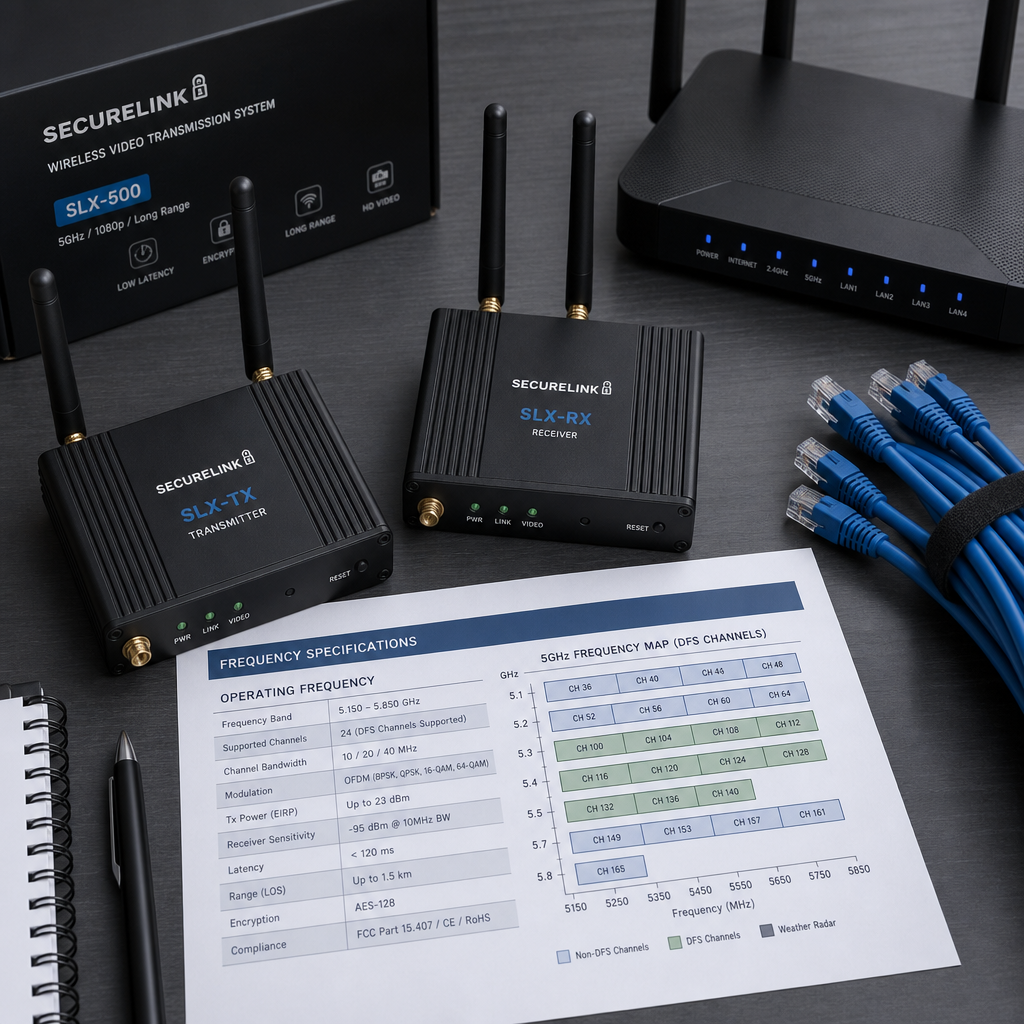
Standard building Wi-Fi operates on either 2.4GHz or the 5GHz band. Note that 5GHz Wi-Fi and 5.8GHz security transmitters are not identical. The 5GHz Wi-Fi band spans 5.170GHz to 5.835GHz, and some of those channels overlap with the 5.8GHz security transmitter range. In practice, interference between 5GHz Wi-Fi and 5.8GHz security transmitters does occur in dense installations. Assigning your security transmitters to channels in the upper 5.8GHz range (above 5.845GHz) and configuring Wi-Fi routers to avoid channels 161 and 165 reduces this overlap significantly.
How far can a 2.4GHz wireless transmitter reliably send a camera feed?
Under ideal conditions with line-of-sight and no interference, quality 2.4GHz wireless transmitters reach 300 to 500 meters. Under real-world conditions with two or three walls in the path and moderate Wi-Fi congestion nearby, expect reliable performance at 100 to 250 meters. Manufacturer specifications almost always quote the best-case scenario. Size your system based on the real-world figure, not the spec sheet maximum.
What is the best security transmitter frequency for a parking garage?
Parking garages are among the most challenging environments for wireless security transmitters because the reinforced concrete structure, metal vehicles, and low ceiling height combine to create severe signal attenuation and multipath interference. The data consistently shows that 2.4GHz performs better in parking structures because its lower frequency handles concrete penetration more effectively. However, you will almost certainly need relay points or repeaters every 75-100 meters to maintain reliable feeds throughout the structure.
Will a 5.8GHz wireless AV transmitter work with my existing 2.4GHz camera system?
Not directly. Wireless transmitters and receivers must be matched in frequency. A 5.8GHz transmitter cannot pair with a 2.4GHz receiver. If you are expanding an existing 2.4GHz camera system and want to add 5.8GHz transmitters for new camera positions, you will need to add a separate 5.8GHz receiver connected to your DVR. Most modern DVRs support multiple receiver inputs, so this is a hardware addition rather than a system replacement.
How does security transmitter frequency affect camera image quality?
The transmitter frequency itself does not determine image resolution. A wireless transmitter carries whatever signal the camera outputs. However, interference caused by a congested frequency band directly degrades the transmitted signal, causing pixelation, dropped frames, and color distortion in the received video. So while a 4K camera connected to a heavily interfered 2.4GHz transmitter can theoretically send a 4K signal, what arrives at the receiver will look far worse than a 1080p camera on a clean 5.8GHz link with minimal interference.
Have you run into frequency conflicts or unexpected signal drops in your own security installation? Share what you discovered in the comments, because real-world experience from different property types helps everyone make better decisions before they buy.
References
- Federal Communications Commission official site covering unlicensed spectrum regulations and frequency band rules for wireless devices in the United States
- National Institute of Standards and Technology resources on wireless communication standards and electromagnetic compatibility for security systems
- Statista research and market data on global wireless security camera adoption, connected device growth, and spectrum usage trends
- Forbes technology coverage on smart home and commercial security system trends, wireless infrastructure investment, and access control innovation
- National Telecommunications and Information Administration spectrum management reports covering shared band usage and interference in unlicensed frequency allocations



 No products in the cart.