
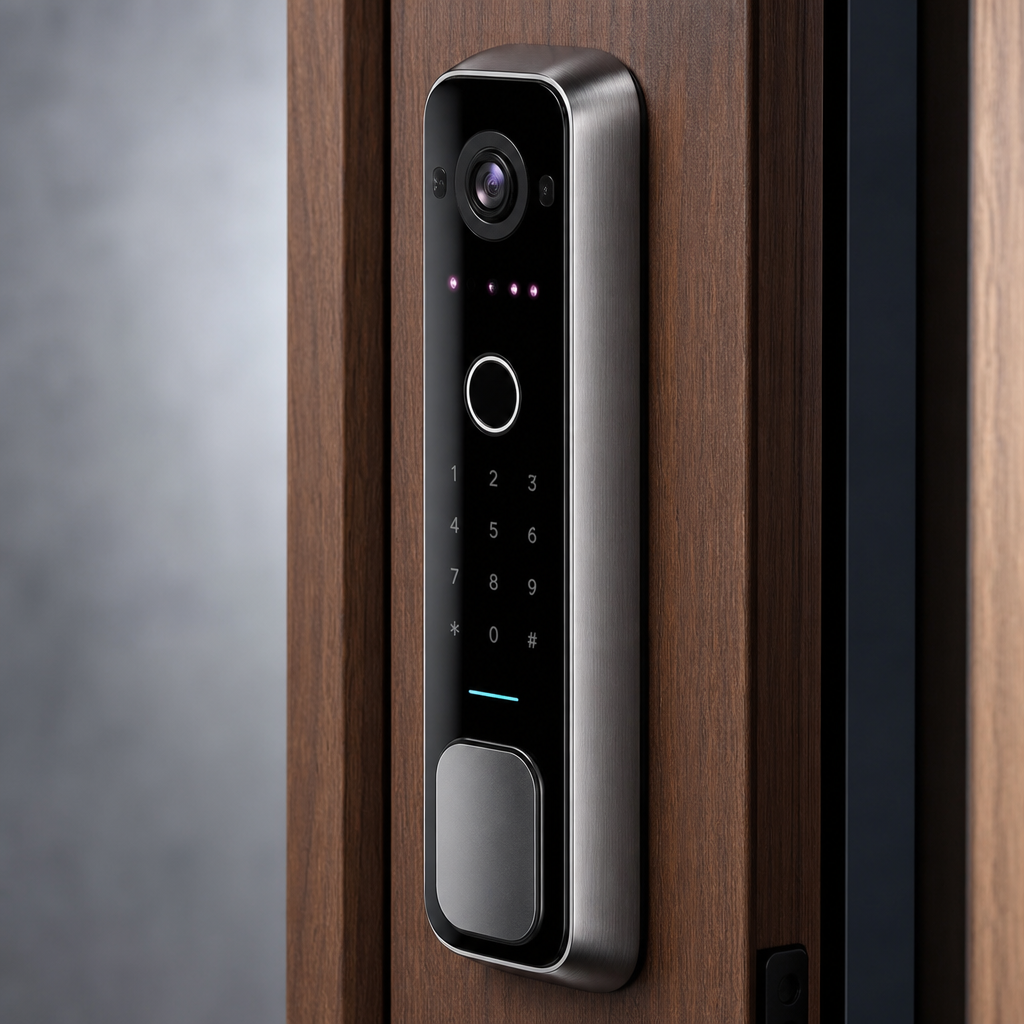
Most property managers and homeowners still rely on keys or PIN codes to control who enters a building. That approach has a well-documented weakness: keys get copied, PINs get shared, and neither one tells you who actually walked through the door. Face recognition locks solve all three problems simultaneously. The global facial recognition market is projected to exceed $12 billion by 2028, according to Statista, and the adoption in access control hardware is accelerating faster than most security consultants expected. This guide explains exactly how these devices work, where they perform best, and what to consider before you buy or install one.
Table of Contents
- Quick Takeaways
- How Face Recognition Locks Work
- Types of Facial Recognition Door Locks
- Who Should Install a Face Recognition Lock
- Comparison: Standalone vs. Networked vs. Hybrid
- Installation Requirements and Common Mistakes
- Privacy, Compliance, and Legal Considerations
- Frequently Asked Questions
- References
Quick Takeaways
| Key Insight | Explanation |
|---|---|
| 3D infrared sensing beats 2D camera matching | High-quality facial recognition door locks map depth points on the face, making photo or video spoofing nearly impossible. |
| Recognition speed matters more than people think | Commercial-grade units unlock in 0.3 to 0.5 seconds. Anything slower creates bottlenecks at busy entry points in offices or apartment lobbies. |
| Biometric locks require a fallback method | Every compliant installation should include a secondary credential, such as a PIN or card reader, for medical emergencies, power outages, or enrollment failures. |
| Outdoor installations demand an IP65 or higher rating | Exposure to rain, dust, and extreme temperatures degrades cheaper units within months. Always verify the environmental rating before purchasing. |
| Multi-tenant buildings need server-based enrollment management | Standalone locks store face templates locally, which is unworkable at scale. Networked systems allow bulk enrollment and remote revocation of access. |
| False acceptance rate (FAR) is the critical specification | A FAR below 0.0001% means fewer than 1 in 1 million unauthorized attempts succeed. Consumer-grade devices rarely publish this figure, which is a red flag. |
| Integration with CCTV creates an audit trail | Pairing a facial recognition lock with surveillance cameras lets property managers cross-reference access logs with recorded footage for incident investigations. |
How Face Recognition Locks Work
A facial recognition door lock captures an image or a three-dimensional depth map of a person’s face, converts it into a numerical template, and compares that template against a stored database. The entire process happens onboard the device or on a connected server, typically in under half a second. Understanding the underlying method helps you evaluate whether a specific product is worth its price tag.
2D vs. 3D Facial Recognition
Entry-level smart locks use a standard camera to capture a two-dimensional image. The system measures distances between facial landmarks, such as eye spacing and nose width, and generates a numeric score. The problem is that a high-resolution printed photograph can fool these devices.
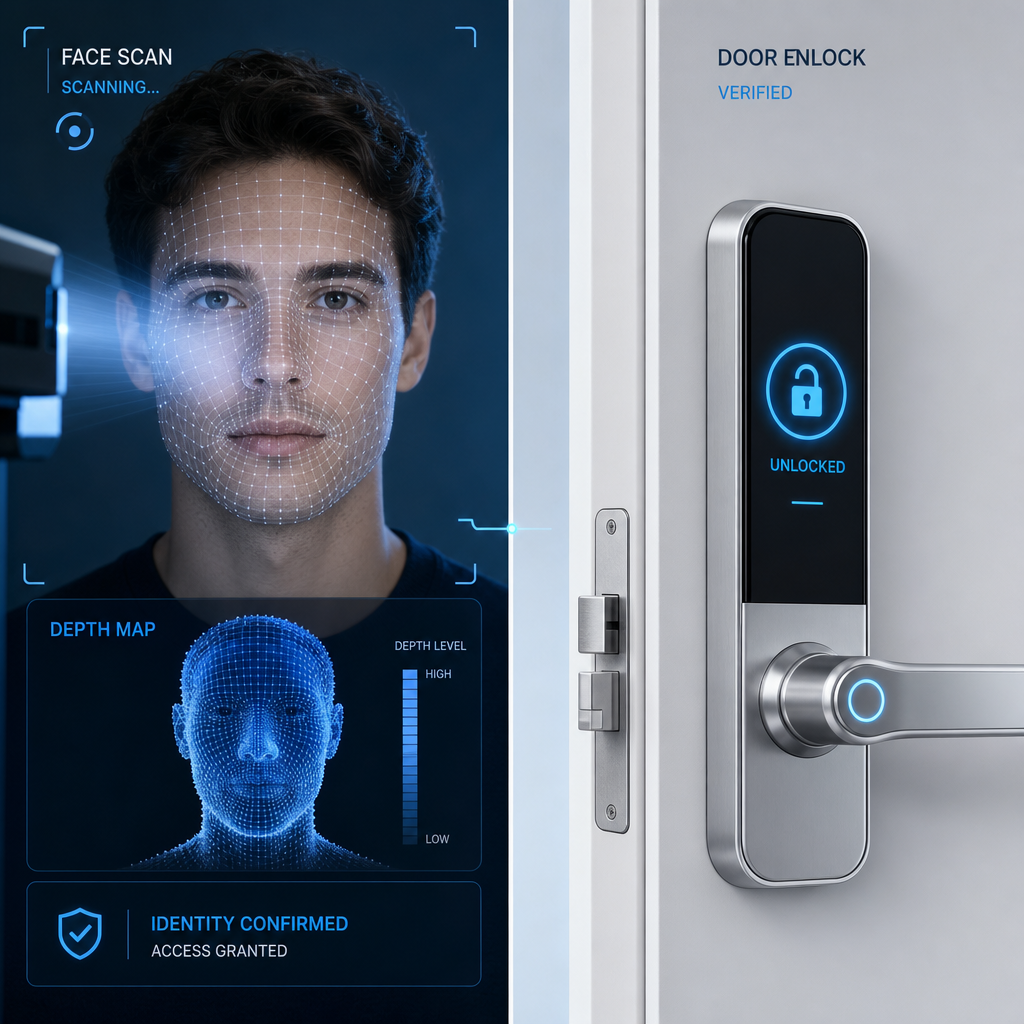
3D infrared recognition projects thousands of invisible light points onto the face and reads how those points distort across the surface contours. This is the same principle used in modern smartphones with secure face unlock features. The resulting depth map is nearly impossible to spoof with a flat image or a recorded video. For any installation where security is the primary concern, 3D infrared is the only technology worth specifying.
The Four-Step Recognition Process
Most commercial-grade face recognition locks follow a predictable sequence. First, the sensor detects that a live face is present, filtering out background objects. Second, it captures a facial template using its imaging method. Third, the onboard processor or network server compares the template to enrolled profiles using an algorithm that calculates a similarity score. Fourth, if the score exceeds the pre-set threshold, the lock actuates and grants access. The entire sequence takes 0.3 to 0.8 seconds depending on hardware quality and database size.
In practice, the threshold setting is where most installers make errors. Setting the threshold too low reduces security. Setting it too high causes frequent false rejections, which frustrates users and generates IT support calls.
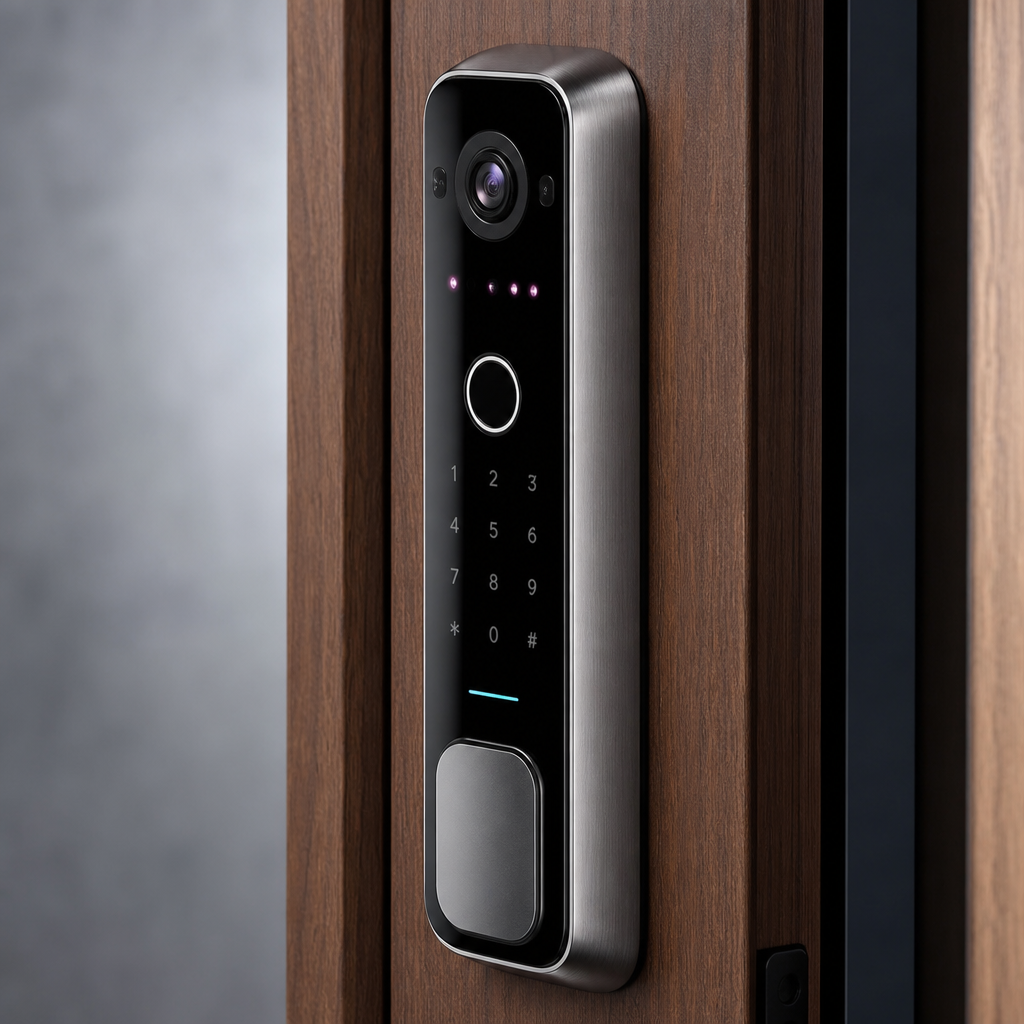
Onboard Processing vs. Cloud-Based Matching
Onboard processors handle matching entirely within the device. This makes the lock functional during network outages, but it limits the number of enrolled faces, often to 500 to 3,000 users depending on the model. Cloud-based or server-based matching sends the template to a central system, which supports unlimited users and allows real-time access revocation. For a single-family home, onboard processing is perfectly adequate. For an apartment complex or commercial facility with hundreds of tenants, server-based processing is not optional.
Types of Facial Recognition Door Locks
The term biometric lock covers a wide range of hardware configurations. Choosing the wrong type for a specific environment is the most expensive mistake a property manager or security integrator can make, because retrofitting the wrong unit costs both hardware and labor.
Standalone Face Recognition Locks
These units function independently, storing all face templates and access logs in onboard memory. They are the fastest to install and the most affordable, typically ranging from a few hundred dollars for residential models to around $500 to $1,200 for commercial-grade versions. The trade-off is limited scalability and no remote management without adding a separate network module.
Standalone units are the right choice for single doors in small offices, individual apartment units, or residential properties where the property owner wants keyless entry without ongoing subscription costs.
Networked Face Recognition Access Controllers
These devices connect to a local network or the internet, syncing with centralized access control software. They support large user databases, detailed audit logs, and remote enrollment or deletion of face profiles. In practice, this is what most property managers need for common area doors, parking garage gates, or lobby entrances in multi-unit buildings.
UnikCCTV’s range of biometric access systems includes networked controllers designed specifically for multi-tenant buildings, and the difference in administrative efficiency compared to standalone units is significant when you are managing 50 or more residents.
Facial Recognition Intercoms with Door Release
This category combines a smart lock or door release mechanism with a built-in intercom panel and facial recognition camera. When a visitor approaches, the system can automatically identify registered tenants and unlock the door without any action required. Unrecognized faces trigger the intercom function, prompting a resident or staff member to verify and grant access remotely. This is particularly effective for apartment building main entrances, where you want automation for residents but human oversight for visitors.
Pro tip: If you are managing an apartment building and currently comparing facial recognition intercom systems with competitors like ButterflyMX, ask each vendor for their false acceptance rate specification in writing. Generic claims like “99.9% accurate” describe identification accuracy, not security accuracy. These are very different numbers.
Who Should Install a Face Recognition Lock
Not every property benefits equally from facial recognition access control. The technology delivers the highest return in environments where credential management is a recurring operational burden or where security incidents have occurred due to shared or lost keys.
Multi-Unit Residential Buildings and Apartment Complexes
Property managers who oversee 20 or more units spend a disproportionate amount of time on key management: issuing keys to new tenants, collecting or re-keying after move-outs, and dealing with lockouts. A networked facial recognition system eliminates this entirely. Move-in enrollment takes two minutes per resident. Move-out revocation takes five seconds from any web browser.
The access audit log is also valuable for liability purposes. If a tenant reports a break-in, the property manager can immediately pull a timestamped log of every face that accessed the common entry door that day.
Commercial Offices and Corporate Facilities
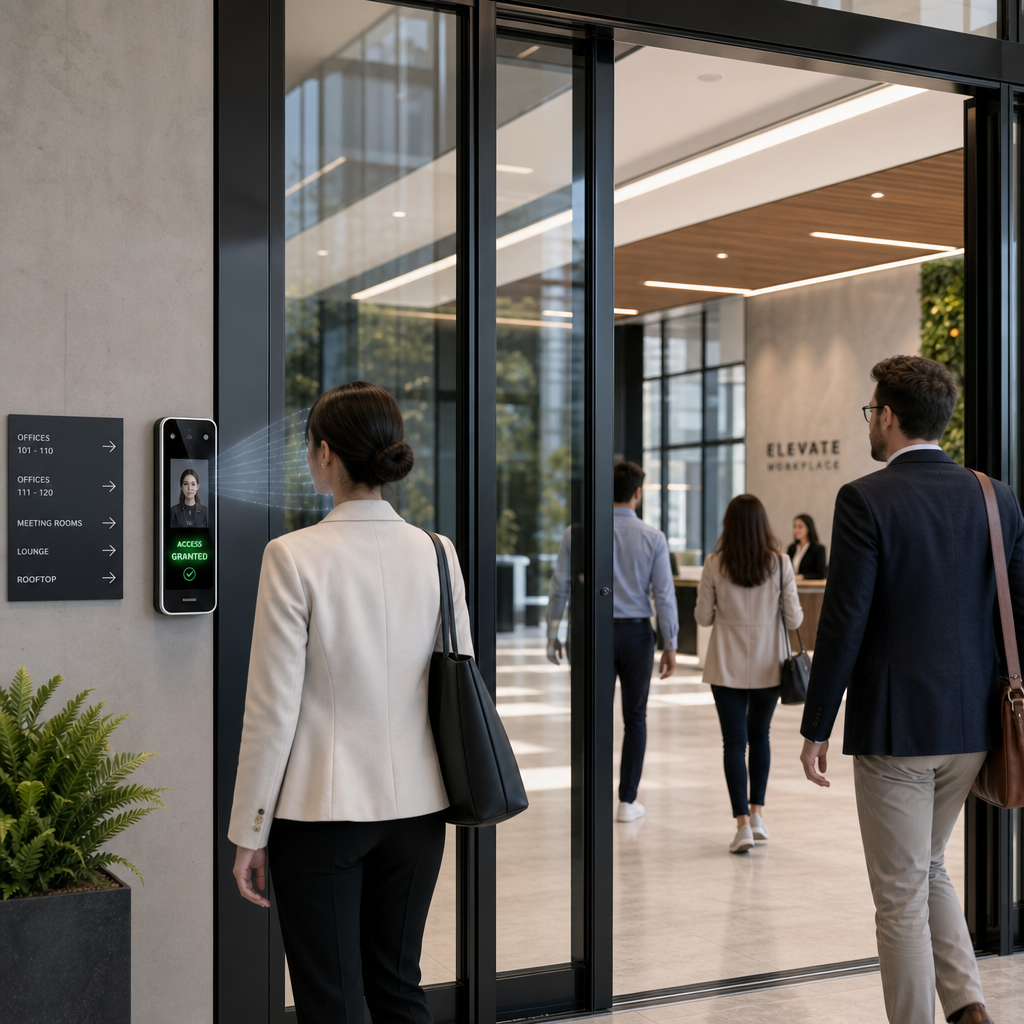
Office environments with shift workers, contractors, or frequent visitor traffic are strong candidates for facial recognition door locks. The technology removes the need to issue and collect keycards, which have a well-documented problem with being shared among employees. A face cannot be shared.
For high-security areas within a facility, such as server rooms, executive suites, or storage areas with valuable inventory, facial recognition provides a verifiable record of exactly who entered and when. This is something a PIN pad cannot provide.
Homeowners Seeking Keyless Entry
The residential use case is simpler but still compelling. A homeowner who installs a facial recognition lock never deals with a lost key again. Family members are enrolled once and gain permanent hands-free access. Temporary profiles can be created for cleaners, pet sitters, or repair technicians with time-limited access windows.
That said, homeowners should be realistic about expectations. Consumer-grade facial recognition locks costing under $200 often use 2D cameras with limited anti-spoofing capability. If security is the primary motivation, spend more on a device with documented 3D infrared sensing and a published false acceptance rate.
Businesses with Hygiene or Touchless Requirements
Healthcare clinics, food production facilities, and laboratories benefit from facial recognition access control because it requires zero physical contact with a shared surface. Touchless entry reduces cross-contamination risk and satisfies hygiene protocols that would otherwise require staff to remove gloves or use foot pedals. This is a practical operational benefit beyond security.
Pro tip: When specifying a facial recognition lock for a healthcare or food-service environment, confirm that the unit functions with staff wearing surgical masks or face coverings. Many units now offer mask-detection modes that authenticate partial facial features, but this capability must be verified before purchase, not assumed.
Comparison: Standalone vs. Networked vs. Hybrid
Choosing the right architecture for a facial recognition lock deployment is not just a technical decision. It directly affects installation cost, ongoing management time, and how well the system scales if the property grows or changes.
| Feature | Standalone Face Recognition Lock | Networked Face Recognition Controller | Hybrid (Local + Cloud Backup) |
|---|---|---|---|
| User Capacity | 500 to 3,000 faces | Unlimited (server-dependent) | Large local cache with server sync |
| Remote Management | Not available without add-on module | Full remote enrollment and revocation | Full remote management with local offline fallback |
| Works During Network Outage | Yes, always | Depends on device; some cache locally | Yes, uses local cache |
| Audit Log Storage | Onboard only, limited history | Server-based, unlimited history | Both local and cloud |
| Best For | Single doors, small offices, homes | Multi-unit buildings, corporate campuses | Facilities requiring high availability and scalability |
| Typical Cost Range | $300 to $1,200 per unit | $800 to $3,000+ per unit plus server | $1,000 to $4,000+ per unit plus subscription |
Installation Requirements and Common Mistakes
A facial recognition lock that is installed incorrectly performs worse than a standard deadbolt. The technology depends on consistent environmental conditions that must be planned for before any hardware is ordered.
Lighting Conditions and Camera Positioning
This is where most DIY installations fail. A 3D infrared sensor handles low-light conditions well, but strong direct sunlight aimed at the camera lens degrades recognition accuracy significantly. East-facing outdoor entrances that receive direct morning sun are particularly problematic.
The camera should be mounted at a height where it captures faces from adults at approximately eye level, typically between 55 and 65 inches from the floor. Mounting the device too high forces users to tilt their heads upward, which changes the facial geometry the algorithm was trained on and increases false rejections.
Power Supply and Backup Options
Most commercial facial recognition access controllers require a stable 12V DC power supply. Installing one without an uninterruptible power supply (UPS) or battery backup means the door defaults to its fail-safe state during a power outage, which is either locked or unlocked depending on how it was configured. Neither outcome is acceptable without intention. Always specify the fail-safe behavior before installation and wire accordingly.
Enrollment Quality Determines Long-Term Performance
A common mistake is rushing the enrollment process. When a face profile is captured poorly, such as in bad lighting or with the subject wearing a hat that was later removed, the system will produce inconsistent recognition results for that user indefinitely. In practice, enrollment should be done in the same lighting conditions the device will operate in, with the subject’s face fully visible and at the correct height.
For multi-tenant buildings, UnikCCTV recommends a structured enrollment session during tenant move-in rather than allowing self-enrollment through a mobile app, which introduces inconsistent conditions and reduces recognition accuracy across the user base.
Privacy, Compliance, and Legal Considerations
Facial recognition data is biometric data. Unlike a stolen password, a compromised face template cannot be changed. This makes the legal and ethical dimensions of deploying face recognition locks more significant than any other access control technology.
“Biometric identifiers and biometric information must be treated as some of the most sensitive data a business can collect. The harms from a biometric data breach are permanent and irreversible.” – Illinois Biometric Information Privacy Act (BIPA) legislative findings
Several U.S. states have enacted specific biometric privacy legislation. Illinois BIPA is the strictest, requiring written consent before collecting facial data, a published retention policy, and a prohibition on selling biometric data. Texas and Washington have similar frameworks. Businesses operating in these states must consult legal counsel before deploying any facial recognition access system, even for internal employee use.
What Property Managers Must Disclose to Tenants
If you manage a residential building and plan to install facial recognition at the main entrance, tenant notification is not optional in most jurisdictions. At minimum, you should inform tenants in writing that biometric data will be collected, explain how long it will be retained, and provide a process for tenants to request deletion of their data upon move-out.
The practical recommendation is to include biometric data collection disclosure in the lease agreement as a named addendum before any system is installed. Retroactive consent processes create legal exposure and tenant relations problems that are entirely avoidable.
Data Storage Security
Face templates stored on networked systems must be encrypted both in transit and at rest. Ask any vendor for documentation on their encryption standards before purchasing. AES-256 encryption is the current industry benchmark. Vendors who cannot or will not provide this information should not be trusted with biometric data.
UnikCCTV’s access control products are specified with data security requirements in mind, and the team can provide technical documentation on template storage protocols for clients who need to satisfy compliance audits or lease disclosure requirements.
Frequently Asked Questions
Can a face recognition lock be fooled by a photograph?
A 2D camera-based system can be vulnerable to high-quality photographs in some cases. A 3D infrared system maps depth across the face and cannot be spoofed by a flat image or recorded video. If security is the primary reason for installation, only specify devices with documented 3D infrared or structured light sensing technology and a published false acceptance rate below 0.0001%.
How many faces can a facial recognition door lock store?
Standalone units typically store between 500 and 3,000 face profiles in onboard memory. Networked systems connected to a server have no practical user limit. For buildings with more than 100 residents or employees, a networked system is the correct choice. Onboard memory limits create operational headaches when the database fills and older profiles must be manually deleted to enroll new users.
Does a facial recognition lock work in the dark?
Yes, provided the device uses infrared illumination, which is standard on quality commercial-grade units. Infrared light is invisible to the human eye but allows the sensor to capture a clear depth map even in complete darkness. Budget units without infrared illumination will fail in low-light conditions, which is a serious problem for any outdoor installation or dimly lit lobby.
What happens if the face recognition system fails to recognize a user?
Every properly installed face recognition access system should include at least one fallback authentication method, such as a PIN code, RFID card, or mobile app credential. This is not a workaround for poor technology. It is a safety requirement. Medical events, extreme weather affecting camera sensors, or post-surgery facial changes can all cause temporary recognition failures. A fallback method ensures that nobody is ever physically locked out due to a technology issue.
Is facial recognition access control legal for residential buildings?
It depends on the jurisdiction. In Illinois, collecting biometric data from tenants without written consent and a published data retention policy violates the Biometric Information Privacy Act and exposes property managers to statutory damages. Texas and Washington have comparable laws. Even in states without specific biometric legislation, standard privacy and disclosure obligations under landlord-tenant law may apply. Consult a licensed attorney in your state before deploying any biometric system in a residential building.
How long does installation take for a commercial facial recognition lock?
A single door installation by a qualified technician typically takes two to four hours, including wiring, mounting, configuration, and a test enrollment session. Multi-door installations connected to a centralized access control platform take longer per door due to network configuration and software integration. Rushing the configuration phase is the most common cause of poor long-term performance, so budget adequate time for setup and do not skip the post-installation testing phase.
How is a facial recognition lock different from a standard smart lock?
A standard smart lock grants access through a PIN code, RFID card, smartphone app, or fingerprint reader. A facial recognition lock adds or replaces those methods with automated face matching. The key operational difference is that a facial recognition lock can be fully hands-free and contactless, and it creates a verified identity record of who entered rather than just confirming that someone had the correct credential. For accountability and audit purposes, that distinction matters significantly in commercial and multi-tenant environments.
Have you installed or managed a face recognition lock at your property? Share what worked well and what surprised you, because real-world feedback helps others make better buying decisions.
References
- Statista: Global facial recognition market size data and growth projections
- NIST: Government standards and testing benchmarks for facial recognition accuracy and biometric systems
- Forbes: Business and technology analysis of biometric access control adoption in commercial real estate
- Federal Trade Commission: Consumer guidance and enforcement information on biometric data privacy and business obligations
- U.S. Department of Homeland Security: Security technology standards and biometric identification system guidelines



 No products in the cart.