
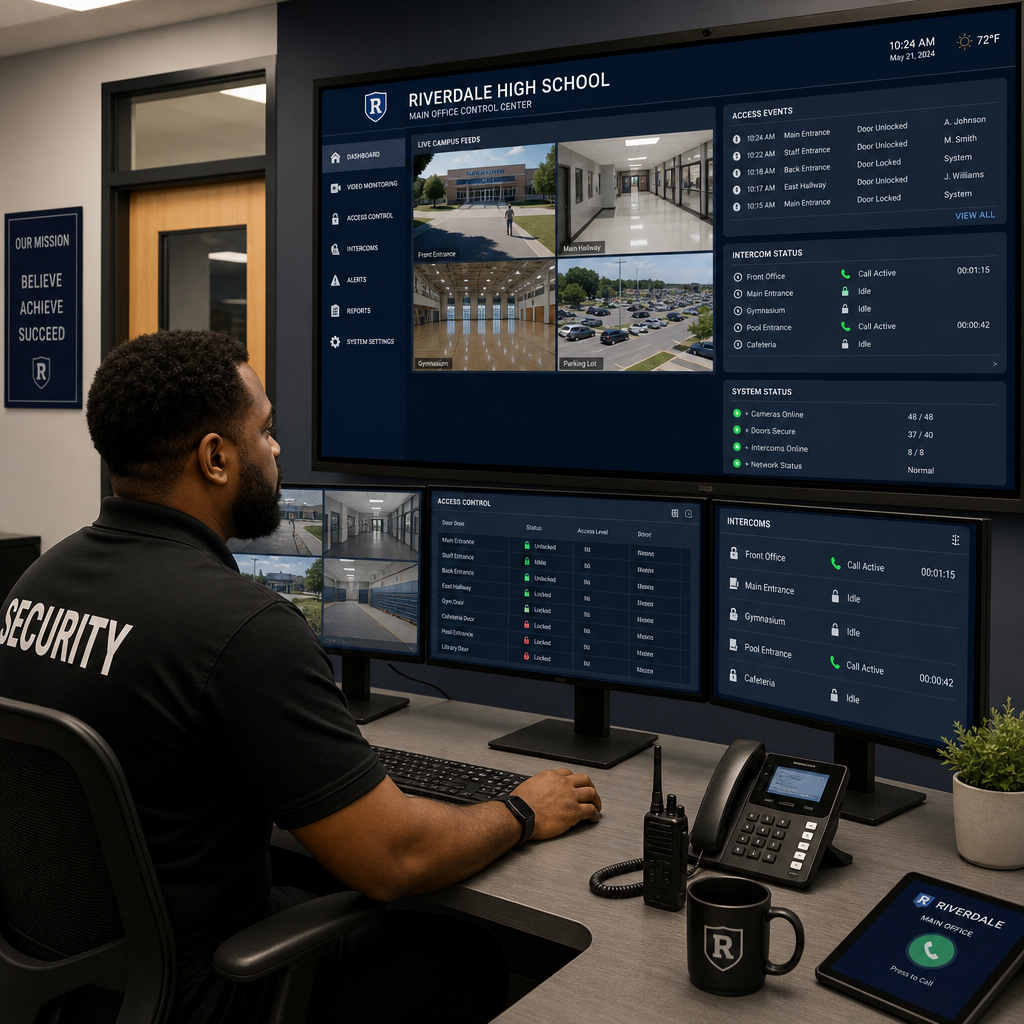
School administrators face a brutal reality: the average response time to an unauthorized entry incident on a campus without controlled access is over four minutes, according to data compiled by the National Center for Education Statistics. That gap is where danger lives. School intercom systems have evolved far beyond the crackling PA boxes of the 1990s. Modern wireless intercom and door entry for schools systems give administrators real-time visibility, two-way audio, and remote access control from a single dashboard. This guide walks you through every step of building a safer campus using wireless intercom technology, from needs assessment to full deployment.
Table of Contents
- Quick Takeaways
- Why Wireless Intercom Matters for Campus Security
- Step 1: Assessing Your Campus Security Gaps
- Step 2: Choosing the Right School Intercom System
- Step 3: Door Entry for Schools, Controlling Who Gets In
- Step 4: Integrating CCTV and Access Control with Your Intercom
- Comparison of Wireless Intercom Deployment Approaches
- Step 5: Staff Training and Daily Operation
- Common Mistakes Schools Make with Intercom Installations
- Frequently Asked Questions
- References
Quick Takeaways
| Key Insight | Explanation |
|---|---|
| Wireless systems eliminate costly trenching | Running conduit and cabling through existing school buildings can cost $15,000 to $40,000 in labor alone. Wireless intercom systems bypass this entirely. |
| Two-way video at the entry point is non-negotiable | Audio-only intercoms allow impersonation. Video intercoms let staff visually verify identity before granting access, closing a major vulnerability. |
| Door entry for schools must include visitor logging | A system that logs every entry and exit creates an auditable record that is critical for incident investigations and compliance reporting. |
| Biometric and facial recognition locks add a second verification layer | For high-security zones like server rooms or administrative offices, biometric locks paired with intercom reduce tailgating risks significantly. |
| Campus security requires zone-based access, not blanket entry | Different parts of a school, the gymnasium, the administrative wing, science labs, need differentiated access levels for staff, students, and visitors. |
| Integration with CCTV multiplies effectiveness | An intercom system connected to a CCTV feed lets staff see the full context of an entry request, not just the person at the door panel. |
| System scalability matters more than initial cost | A cheap system that cannot expand to cover new buildings or integrate with access control will cost far more to replace in three years than a scalable system costs today. |
Why Wireless Intercom Matters for Campus Security
Campus security is not a single problem. It is a cluster of interconnected vulnerabilities, each requiring a targeted solution. The most dangerous gap in most school security plans is the front door. Roughly 94 percent of school principals surveyed in a National Center for Education Statistics report stated that they controlled access to their building during school hours, yet fewer than half had video-capable intercom systems at entry points.
A wireless intercom system addresses the most common campus breach scenario: an unknown visitor walking through an unlocked or unmonitored entrance. By placing a two-way video intercom unit at every controlled entry, the school creates a mandatory checkpoint that cannot be casually bypassed. Staff can see, hear, and speak to every visitor before the door opens.
The wireless component matters enormously for existing school buildings. Most campuses built before 2005 were not wired for modern IP-based intercom infrastructure. Retrofitting them with traditional hardwired systems requires running new conduit, punching through walls, and disrupting the school day. Wireless systems, by contrast, are installed in hours, not weeks.
“Physical security of school buildings is the first line of defense, and controlled entry with verified identification is the most effective single intervention a school can deploy.” — National School Safety Center
Step 1: Assessing Your Campus Security Gaps
Before purchasing any equipment, walk every entry and exit point on the campus during school hours. This sounds obvious but is routinely skipped. In practice, most schools discover two to four unmapped entry points during this exercise, including side doors propped open by staff, gymnasium emergency exits that staff use as shortcuts, and basement loading dock access that has no intercom or camera coverage at all.
Mapping Entry Points and Risk Levels
Create a simple spreadsheet that lists every door, gate, and passageway. Assign each one a risk level: high traffic and high risk, like the main entrance; low traffic but high risk, like server rooms; or low traffic and low risk, like interior hallway doors. This map becomes your intercom deployment plan.
High-risk entry points require full video intercom and access control integration. Low-risk interior doors may only need a simple audio intercom or a smart lock. Treating every door identically wastes budget and creates alert fatigue among staff who manage too many notifications.
Identifying Staffing Constraints
A system is only as good as the person responding to it. If the front office has one receptionist managing calls, grading, and visitor intake simultaneously, a video intercom that demands an immediate response on a dedicated monitor will be ignored during busy periods. Choose a system that routes intercom calls to mobile devices, allowing any authorized staff member to respond from anywhere on campus.
Pro tip: During your security gap assessment, test your current system by having a colleague attempt to enter through five different entry points without a badge or key. Document every successful unauthorized entry. This data justifies the budget request to your school board far more effectively than any vendor brochure.
Step 2: Choosing the Right School Intercom System
The market is full of systems marketed specifically to schools. Most of them fall into three categories: traditional wired IP intercom systems, cloud-based wireless intercom platforms, and hybrid systems that combine a wired backbone with wireless endpoint stations. For school environments, the right choice depends on building age, IT infrastructure, and budget cycle.
Wired IP Intercom Systems
Wired IP systems, like those available through UnikCCTV’s door entry product line, offer the highest reliability and are immune to radio frequency interference. They are the right choice for new construction or buildings currently undergoing renovation where conduit can be run as part of a larger project. The tradeoff is installation cost and time.
Wireless Intercom Systems
Wireless intercom systems use either Wi-Fi or DECT (Digital Enhanced Cordless Telecommunications) frequencies to connect door stations to indoor monitors and mobile apps. They are ideal for retrofitting existing buildings. Installation typically requires only mounting hardware, a power source (often Power over Ethernet or battery), and a network connection. Schools that cannot shut down for extended installation periods almost always benefit more from wireless systems.
UnikCCTV’s wireless intercom range includes systems with dual-band Wi-Fi support, which reduces interference from the high-density device environments found in modern school buildings where dozens of student laptops and tablets compete for bandwidth on the same network.
Features That Are Non-Negotiable for Schools
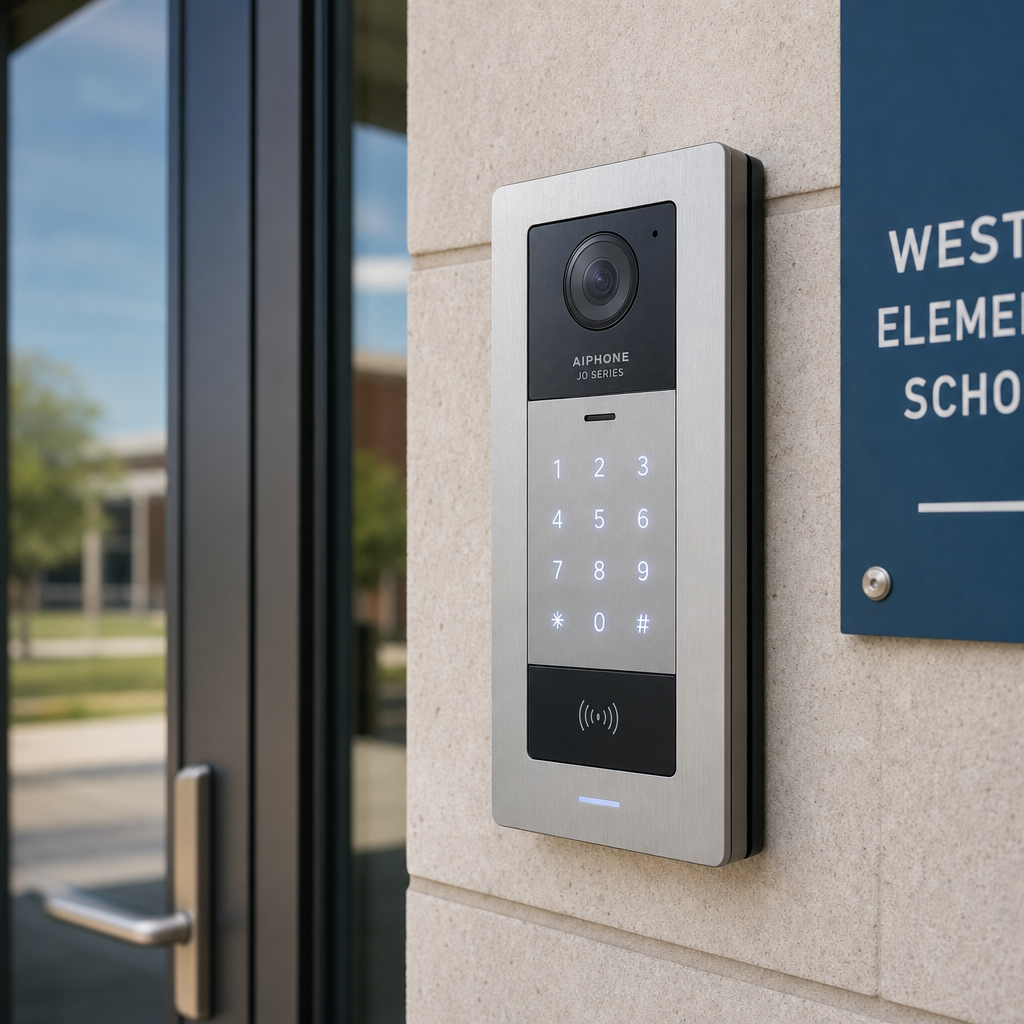
Do not purchase any school intercom system that lacks these four features: two-way HD video, remote unlock capability, visitor call logging with timestamps, and mobile app integration. Systems without visitor logging create a legal liability problem in addition to a security one. If an incident occurs, administrators need to produce an access record.
Pro tip: Request a demo unit before signing any purchase order. Set it up in your actual front office environment, at the actual mounting location, and have three different staff members attempt to use it during a busy school morning. Feature lists look identical across vendors; real-world usability varies enormously.
Step 3: Door Entry for Schools, Controlling Who Gets In
Door entry for schools is distinct from general commercial access control because the visitor population is unusually mixed. On any given school day, a school processes parents, delivery drivers, contractors, substitute teachers, district staff, media representatives, and local government officials alongside its regular student and faculty population. A single-tier access system cannot handle this complexity safely.
Tiered Access Control Architecture
Design your door entry system around three tiers. Tier one covers permanent credentialed staff, who use biometric readers or key fobs to enter without intercom interaction. Tier two covers regular frequent visitors, like contracted cleaning crews or bus drivers, who use a PIN code or a secondary credential. Tier three covers unknown or infrequent visitors, who must use the intercom, be visually verified, and be issued a temporary visitor badge logged against their entry record.
UnikCCTV’s biometric access systems, including fingerprint readers and facial recognition lock units, are well-suited for tier one and tier two deployments. The facial recognition units are particularly effective at school main entrances because they allow hands-free entry for staff carrying equipment or materials, which eliminates the habit of propping doors open.
Visitor Management Integration
The intercom station at the front door should connect to a visitor management workflow, not just a door release. When a staff member grants entry via the intercom, the system should automatically log the visitor’s image, time of entry, and the staff member who authorized access. Systems that treat entry authorization and visitor logging as separate manual steps are, in practice, never used correctly because staff skip the logging step when busy.
Step 4: Integrating CCTV and Access Control with Your Intercom
A wireless intercom standing alone is a useful tool. A wireless intercom integrated with CCTV surveillance and access control is a security system. The distinction matters enormously in a school environment where a single staff member may be responsible for monitoring an entire campus perimeter.
How CCTV and Intercom Work Together
When an intercom call comes in from the front entrance, the integrated system automatically pulls the CCTV feed from the camera covering the entrance approach and displays it alongside the intercom video on the staff monitor. The staff member sees not just the person at the door but also anyone loitering outside, any vehicles parked at the curb, and the full context of the arrival. This prevents a common social engineering tactic where a second unauthorized person follows closely behind a verified visitor.
UnikCCTV supplies both intercom systems and CCTV surveillance equipment from compatible product families, which simplifies the integration challenge significantly compared to mixing equipment from multiple vendors. Cross-vendor integrations work in theory but require ongoing IT maintenance to keep firmware versions aligned.
Access Control for Interior Zones
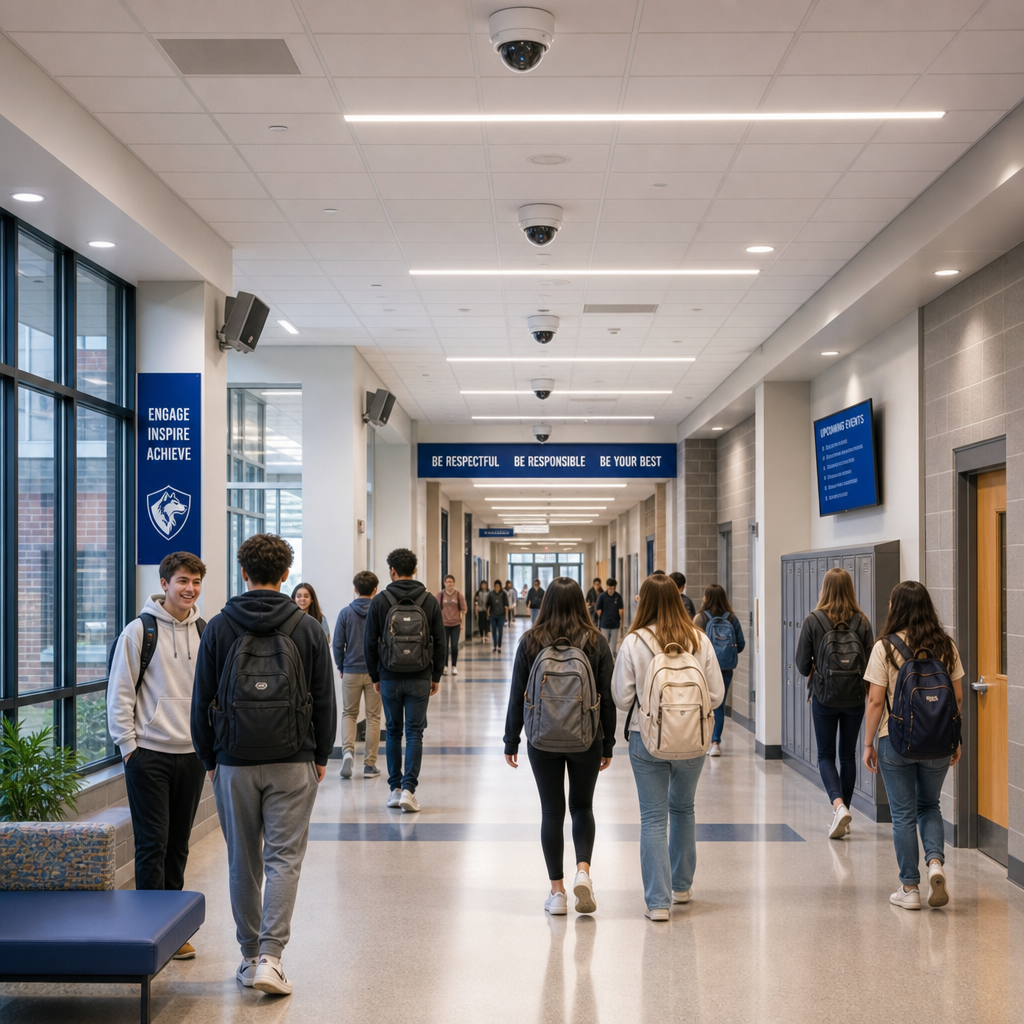
Campus security does not end at the front door. Administrative offices, IT server rooms, counseling suites, and science labs containing hazardous materials all require interior access control. Smart locks and PIN-based or biometric readers on interior doors prevent students from accessing areas they should not enter, and they create an audit trail if a theft or incident occurs.
Gate access controls matter as much as interior doors for campuses with outdoor athletic facilities, parking lots, or multiple building clusters. A wireless intercom at a perimeter gate uses the same mobile app and dashboard as the main building system, giving administrators a unified view of campus access from a single screen.
Comparison of Wireless Intercom Deployment Approaches
| Deployment Approach | Best Fit Scenario | Key Tradeoff |
|---|---|---|
| Cloud-Based Wireless Intercom (e.g., app-connected Wi-Fi units) | Retrofit of existing school buildings with active Wi-Fi infrastructure. Multiple buildings on one campus managed from one app. | Depends on internet connectivity. A network outage disrupts remote unlock capability. Requires strong Wi-Fi coverage at all door locations. |
| Hardwired IP Intercom with PoE | New construction or full renovation projects. Highest reliability environments where downtime is unacceptable. | High installation cost and time. Requires structured cabling work. Not practical for most mid-renovation school campuses. |
| Hybrid System (wired backbone, wireless endpoint stations) | Large campuses with multiple buildings where some structures have existing cabling and others do not. Balances reliability with flexibility. | More complex to configure and maintain than pure wireless. Requires IT staff familiar with both networking and physical access control hardware. |
Step 5: Staff Training and Daily Operation
The most expensive intercom system in the world fails if staff do not know how to use it correctly under pressure. A common mistake is treating system training as a one-time event during the installation week. In practice, staff turnover at schools averages 15 to 20 percent annually according to the Learning Policy Institute, meaning a significant portion of your team will encounter the intercom system for the first time every year without formal training.
Creating a Simple Standard Operating Procedure
Write a one-page procedure that covers five scenarios: recognizing a known staff member, verifying an unknown visitor, handling a denied entry situation, managing an emergency lockdown using the intercom system, and responding to a system connectivity failure. Post this procedure at every intercom monitoring station. Staff who panic in a security situation will follow a printed checklist even when they forget their training.
Lockdown Integration
Campus security protocols must specify how the intercom system behaves during a lockdown. The correct configuration locks all exterior doors remotely from a central station or mobile device, disables external door release from the intercom panel, and allows internal communication between classrooms through the intercom network. Test this configuration at least twice per school year with full staff participation, not just the security coordinator.
Pro tip: Assign intercom response responsibility to a primary and a backup staff member for every shift. Systems that rely on a single point of human response create a failure mode during lunch breaks, planning periods, or times when the primary staff member is handling a separate situation. Redundant human coverage is as important as redundant hardware.
Common Mistakes Schools Make with Intercom Installations
After seeing numerous school security installations across different campus types, several failure patterns appear repeatedly. Understanding them before purchasing saves significant money and, more importantly, prevents the false sense of security that comes from installing a system incorrectly.
The first mistake is placing intercom stations only at the main entrance and ignoring secondary entry points. Experienced school security professionals know that determined unauthorized visitors consistently test secondary doors. A single intercom at the front door creates security theater, not actual access control.
The second mistake is selecting a system based on price per unit without calculating total system cost, including installation, network infrastructure upgrades, ongoing software licensing, and staff training. A unit that costs 30 percent less than a competitor often requires 60 percent more infrastructure investment to function properly.
The third mistake is failing to test the system at night or during off-hours. Many wireless intercom systems perform adequately during the school day but experience connectivity drops when the building’s HVAC system shuts down (reducing interference) or, conversely, when neighboring networks increase traffic in the evening. Test the system across multiple time windows before accepting the installation.
A fourth mistake that property managers overseeing multiple school buildings consistently make is purchasing different intercom systems for different buildings to save money on each individual purchase. Managing five different systems across five buildings multiplies training burden, maintenance complexity, and the risk of incompatibility when attempting to build a campus-wide security view. Standardizing on a single vendor, like UnikCCTV’s intercom and access control product line, creates long-term operational efficiency that outweighs any per-unit cost difference.
Frequently Asked Questions
What is the difference between a school intercom system and a standard commercial intercom?
School intercom systems are designed to handle mixed visitor populations, integrate with visitor management workflows, and support lockdown protocols that a standard commercial intercom does not include. They also typically require more durable hardware because they face higher daily usage volume and more varied environmental conditions than a typical office building entry.
How much does a wireless intercom system for a school typically cost?
A basic single-entry wireless video intercom system for a small school starts around $500 to $1,500 for hardware. A multi-entry campus deployment covering four to eight doors, integrated with access control and CCTV, typically ranges from $8,000 to $35,000 depending on the number of entry points, the level of integration required, and whether installation labor is included. These figures reflect market rates as of 2024 and do not account for network infrastructure upgrades that older buildings may require.
Can a wireless intercom system work during a power outage?
Yes, if the system includes a battery backup or uninterruptible power supply (UPS). Most quality wireless intercom units support PoE (Power over Ethernet), which can be connected to a UPS-backed network switch to maintain operation during outages. This configuration is strongly recommended for all school installations and should be specified explicitly in any purchase order or installation contract.
How does door entry for schools integrate with existing visitor management software?
Many modern wireless intercom platforms offer API integrations with visitor management platforms. The intercom captures visitor video at the point of entry, and the visitor management software logs the visit with a timestamp and staff authorization record. If your current intercom system does not offer this integration, UnikCCTV’s compatible access control and door entry units can often be connected to visitor management workflows through their onboard API or third-party integration middleware.
How many intercom stations does a typical school campus need?
At minimum, every exterior entry point requires an intercom station. The practical rule is one intercom station per controlled entry point plus one additional station for any high-security interior zone such as an administrative office suite, nurse’s office, or server room. A typical elementary school requires four to eight stations. A large high school with multiple buildings and perimeter gates may require fifteen to thirty stations across the full campus.
Are biometric systems appropriate for student populations?
Biometric systems, including fingerprint readers and facial recognition locks, are appropriate for staff and authorized adult visitors but should be evaluated carefully before deploying them for student access due to data privacy regulations that vary by state. In many jurisdictions, collecting biometric data from minors requires explicit parental consent and specific data handling protocols. Consult your district’s legal counsel before deploying biometric door entry for student-facing access points.
Have you recently upgraded your school’s intercom or access control system? Share what worked, what didn’t, and what you wish you had known before the installation, because your experience helps other administrators make better decisions.
References
- National Center for Education Statistics: school safety and crime data including campus access control statistics
- Statista: security technology market data and school safety spending trends in the United States
- Forbes: analysis of smart building technology and access control investment in educational facilities
- Learning Policy Institute: teacher and staff turnover rates and their operational implications for school administration
- CISA (Cybersecurity and Infrastructure Security Agency): K-12 school security guide and physical access control best practices



 No products in the cart.