
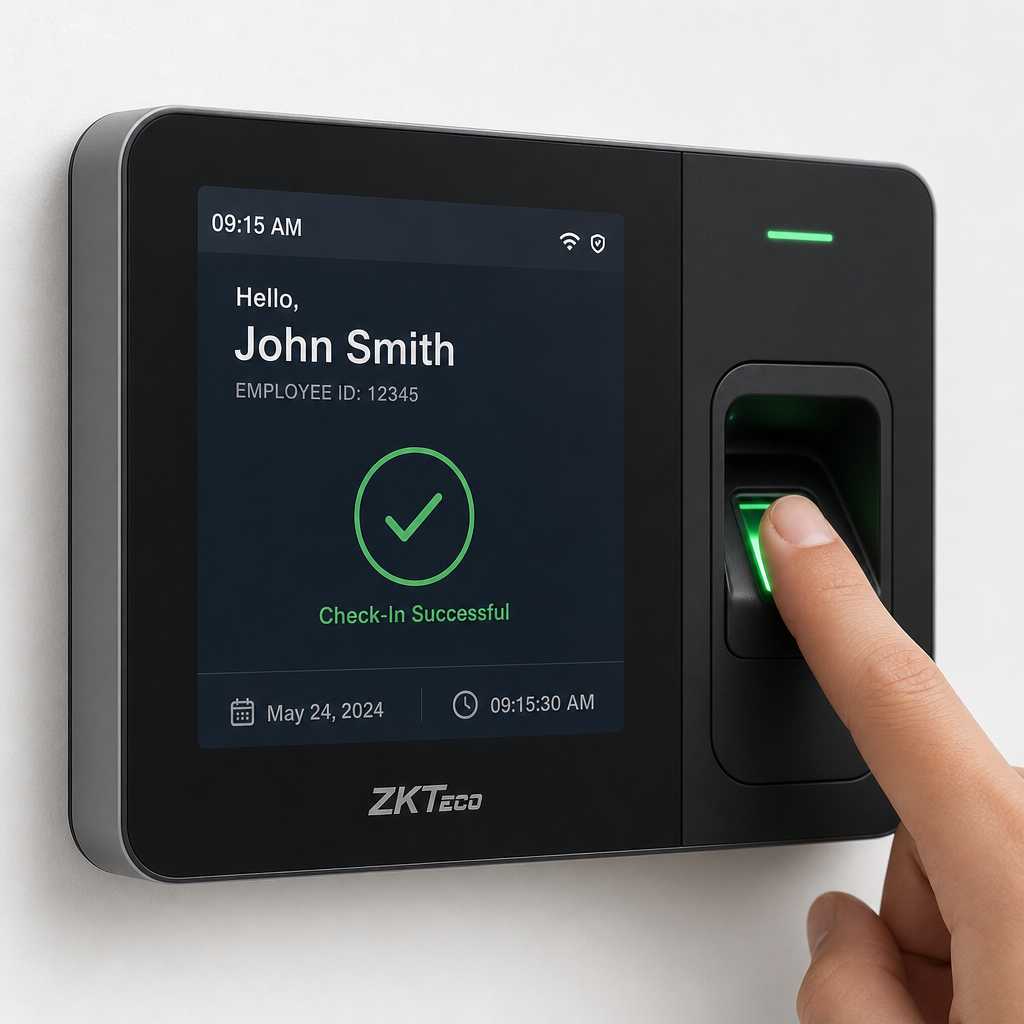
Small businesses lose an average of 4.5 hours per employee per week to time theft and buddy punching, according to the American Payroll Association. That adds up fast when you are running a team of ten or twenty people. A time attendance clock is not a luxury for growing businesses. It is the difference between a payroll that reflects reality and one that slowly drains your margins. This guide breaks down every feature you actually need, what to skip, and how to set one up without turning it into a week-long IT project.
Table of Contents
- Quick Takeaways
- Why Manual Timekeeping Fails Small Businesses
- Key Features to Look for in a Time Attendance Clock
- Biometric Time Clock for Small Business: Real Benefits
- Comparison of Time Clock Types
- Setup Tips That Actually Work
- Integrating Time Attendance with Access Control Systems
- Frequently Asked Questions
- References
Quick Takeaways
| Key Insight | Explanation |
|---|---|
| Buddy punching is a measurable problem | 74% of businesses are affected by buddy punching, costing U.S. employers billions annually. Biometric clocks eliminate it entirely. |
| Fingerprint is the most practical biometric for small teams | Fingerprint readers are faster, cheaper, and easier to maintain than iris or facial recognition for teams under 50 people. |
| Cloud sync matters more than local storage | Cloud-connected clocks let managers pull reports remotely and eliminate data loss from device failure. |
| Setup takes under two hours if planned correctly | Most modern employee time clocks require only a power source, network connection, and employee enrollment session to go live. |
| Integration with payroll saves the most time | Direct export to payroll software like QuickBooks or ADP removes manual data entry and dramatically cuts payroll errors. |
| Access control and time tracking can share one device | Combining door access with time attendance on one unit reduces hardware costs and simplifies employee management. |
| Placement affects accuracy more than most buyers realize | Mounting the clock at the single entry point employees must pass removes the option to clock in from a desk or break room. |
Why Manual Timekeeping Fails Small Businesses
Paper timesheets and honor-system punch cards work fine when you have three employees and you can see all of them from your desk. The moment your team grows past five or six people, or you add a second shift, manual tracking becomes a liability. Errors compound, disputes take up manager time, and you have no audit trail when a discrepancy shows up at payroll.
In practice, the biggest cost is not outright fraud. It is rounding errors and honest mistakes. Employees who clock in two minutes early every day over a year create real payroll bloat. A reliable employee time clock captures exact timestamps and removes the human discretion that creates inconsistency.
A common mistake is buying a time clock and then leaving the old paper process running in parallel as a backup. That defeats the purpose. Commit to the system, train the team, and retire the paper on day one.


Key Features to Look for in a Time Attendance Clock
Not every feature on a spec sheet is worth paying for. Here is what actually moves the needle for small business operations.
Biometric Verification
Fingerprint or facial recognition authentication removes buddy punching from the equation completely. This is non-negotiable if you have shift workers or employees who are not always in your line of sight. Devices without biometric verification are just expensive versions of the honor system.
Real-Time Reporting Dashboard
A good time attendance clock should give you a live view of who is on-site right now, who clocked in late, and who has not shown up. This is especially useful for property managers and facility operators who oversee multiple entry points or buildings. Waiting until the end of the week to review attendance is not a system. It is a record of problems you already missed.
Payroll Software Integration
Look for clocks that export data in formats compatible with QuickBooks, ADP, Gusto, or whatever payroll platform you use. Some units offer direct API connections. Others export CSV files. Either works, but the fewer manual steps between clock and paycheck, the fewer errors you will deal with.
Offline Functionality
Your internet connection will go down at some point. A clock that cannot function without a live connection will leave your employees unable to clock in and your records with gaps. Choose a device that stores punches locally and syncs when connectivity is restored.
Pro tip: Before purchasing any time attendance clock, ask the vendor specifically how the device handles a network outage. If they cannot give you a clear answer, that is a red flag about both the product and the support you will receive after the sale.
Biometric Time Clock for Small Business: Real Benefits
The phrase biometric time clock for small business gets treated as a premium category, but the price gap between basic punch clocks and biometric units has narrowed significantly. Units with fingerprint readers are now available at price points that make sense for businesses with as few as five employees.
“Biometric authentication eliminates the single biggest vulnerability in workforce management: the assumption that the person clocking in is actually the person whose name is on the timesheet.” – Society for Human Resource Management (SHRM) workforce management guidance
Elimination of Time Theft
The American Payroll Association estimates that buddy punching costs U.S. employers over $373 million per year. A fingerprint or facial recognition clock makes it physically impossible for one employee to clock in for another. The return on investment for most small businesses is measurable within the first payroll cycle.
Faster Clock-In Process
A fingerprint scan takes under a second. A facial recognition scan is comparable. Compare that to employees fumbling with ID badges, PINs they have forgotten, or paper cards that get lost. Biometric clocks actually speed up the entry process at shift changes, which matters for businesses where everyone arrives at the same time.
Audit-Ready Records
If you ever face a wage dispute or a Department of Labor audit, biometric time records are significantly harder to challenge than paper logs. The timestamp is tied to a verified identity. That alone justifies the investment for any business operating in a regulated environment.

Comparison of Time Clock Types
Different clock types suit different business environments. Here is a direct comparison of the three most common options for small businesses.
| Clock Type | Best For | Key Limitation |
|---|---|---|
| PIN-Based Time Clock | Very small teams (2-5 people) with low fraud risk, minimal budget | PINs can be shared, offering no real protection against buddy punching |
| Fingerprint Biometric Clock | Small to mid-size businesses (5-100 employees) with shift workers or multiple departments | Occasional false rejections in high-moisture or industrial environments where hands are frequently wet or dirty |
| Facial Recognition Time Clock | Businesses requiring touchless operation, clean environments, or high employee turnover | Higher upfront cost, can be affected by dramatic changes in appearance like masks or glasses |
In practice, fingerprint biometric clocks offer the best balance of cost, reliability, and fraud prevention for most small businesses. Facial recognition is worth the premium if you run a healthcare facility, food service operation, or any environment where touchless interaction is a genuine hygiene requirement.
Setup Tips That Actually Work
The technology in a time attendance clock is only as useful as the rollout process. A poor setup creates confusion, resistance from employees, and inaccurate data from day one.
Choose the Right Mounting Location First
Mount the clock at the single point of entry that every employee must pass through. Not near the break room. Not at the manager’s desk. At the door. This removes any ambiguity about when and where employees clock in and reinforces the habit automatically through physical necessity.
Enroll Every Employee Before Go-Live
Schedule a 30-minute enrollment session before the system goes live. Have every employee register their fingerprint or face in the system. Do not skip this step or assume employees will self-enroll on their first day using the new system. Incomplete enrollment leads to employees using workarounds, which defeats the entire purpose.
Set Your Rounding Rules in Advance
Most time attendance clocks allow you to configure rounding rules, for example, rounding punches to the nearest 5 or 15 minutes. Decide this before launch and document it clearly. If employees discover mid-stream that the rules changed, you will face complaints and payroll disputes that erode trust in the system.
Pro tip: Run a parallel test for one full payroll period before decommissioning your old system. Compare the totals side by side. This surfaces any configuration errors before they affect anyone’s paycheck and gives you confidence in the data before you fully commit.
Train Managers on the Reporting Interface
The best time attendance clock in the world provides zero benefit if the manager checking reports does not know how to pull an exception report or flag a missed punch. Spend 20 minutes walking every manager through the dashboard before launch day. That investment pays back immediately in the first week of operation.
Integrating Time Attendance with Access Control Systems
One of the most practical upgrades a small business can make is combining time attendance tracking with door access control on a single device. Rather than maintaining two separate systems, a combined unit handles employee entry permissions and time logging simultaneously.
UnikCCTV offers time attendance clocks that work alongside smart locks, biometric access systems, and door entry controls. This matters for property managers and facility operators who are already managing gate access or building entry. Adding time tracking to an existing access control setup is significantly cheaper and simpler than installing a completely separate system.
The data consistency benefit is also worth noting. When the same device that logs entry also records clock-in time, you eliminate the scenario where an employee badged through the door but somehow forgot to clock in on a separate terminal. The systems agree by definition because they are the same system.
For businesses already using UnikCCTV’s intercom systems, wireless access controls, or CCTV infrastructure, integrating a time attendance clock into that ecosystem is a natural extension. The cabling, network infrastructure, and mounting points are often already in place. This makes the incremental cost of adding time tracking minimal compared to a standalone deployment.
The data consistently shows that businesses using integrated access and time systems report fewer administrative hours spent on attendance disputes. When the door log and the time log match, there is simply nothing to argue about.
Frequently Asked Questions
What is the difference between a time attendance clock and a regular employee time clock?
The terms are often used interchangeably, but a time attendance clock typically refers to a more sophisticated device that tracks not just clock-in and clock-out times but also absence patterns, late arrivals, overtime, and shift compliance. A basic employee time clock may simply record punches without generating structured reports. For small businesses, investing in a full time attendance system rather than a basic punch clock is worth the modest price difference.
Is a biometric time clock legal to use for employees?
Yes, but the legality depends on your state or country. Several U.S. states including Illinois, Texas, Washington, and New York have biometric privacy laws that require employee consent before collecting fingerprint or facial data, and some mandate specific data retention and deletion policies. Always consult your local employment law requirements before deploying a biometric system. Most reputable vendors provide guidance on compliance, and the legal requirements are manageable with proper documentation.
How many employees do I need before a time attendance clock makes financial sense?
The break-even point for most small businesses is around five employees. At that team size, the time saved on manual timesheet processing, the reduction in payroll errors, and the elimination of buddy punching will typically recover the cost of the device within the first two to three payroll cycles. Businesses with shift workers or hourly employees reach break-even even faster because the financial exposure from time theft is higher.
Can a time attendance clock work without an internet connection?
Quality time attendance clocks store punch data locally and sync to the cloud when connectivity is restored. Lower-end devices may require a constant connection and will fail to record during outages. When evaluating any unit, confirm specifically how many punches it can store offline and what happens to that data once the connection is reestablished. For any business in a location with inconsistent connectivity, offline functionality is a non-negotiable requirement, not an optional feature.
What payroll systems do most time attendance clocks integrate with?
Most modern time attendance clocks support integration with QuickBooks, ADP, Gusto, Paychex, and Sage through direct API connections or structured file exports. Before purchasing a device, verify compatibility with your specific payroll software version. Some integrations require additional middleware or a paid connector. The best approach is to ask for a live demonstration of the payroll export process before committing to a purchase, not after.
How do I handle an employee whose fingerprint does not register correctly?
Some employees, particularly those who work with their hands in construction, food service, or manufacturing, have worn fingerprint ridges that biometric readers struggle to capture accurately. Most biometric time clocks allow you to enroll multiple fingers for each employee, which solves the problem in most cases. If a specific employee genuinely cannot use the fingerprint reader reliably, assign them a unique PIN as a secondary authentication method. This is a well-documented fallback in enterprise HR systems and is entirely normal.
Have you set up a time attendance clock at your business? Share what worked, what did not, and what you wish you had known before you started. Your experience helps other business owners make a better decision.
References
- Statista: workforce management and time tracking industry data and statistics
- Forbes: business technology and small business payroll management insights
- U.S. Department of Labor: wage and hour compliance requirements for employee timekeeping
- Society for Human Resource Management: employee time tracking best practices and compliance guidance
- Federal Trade Commission: biometric data privacy guidance for employers and small businesses



 No products in the cart.