
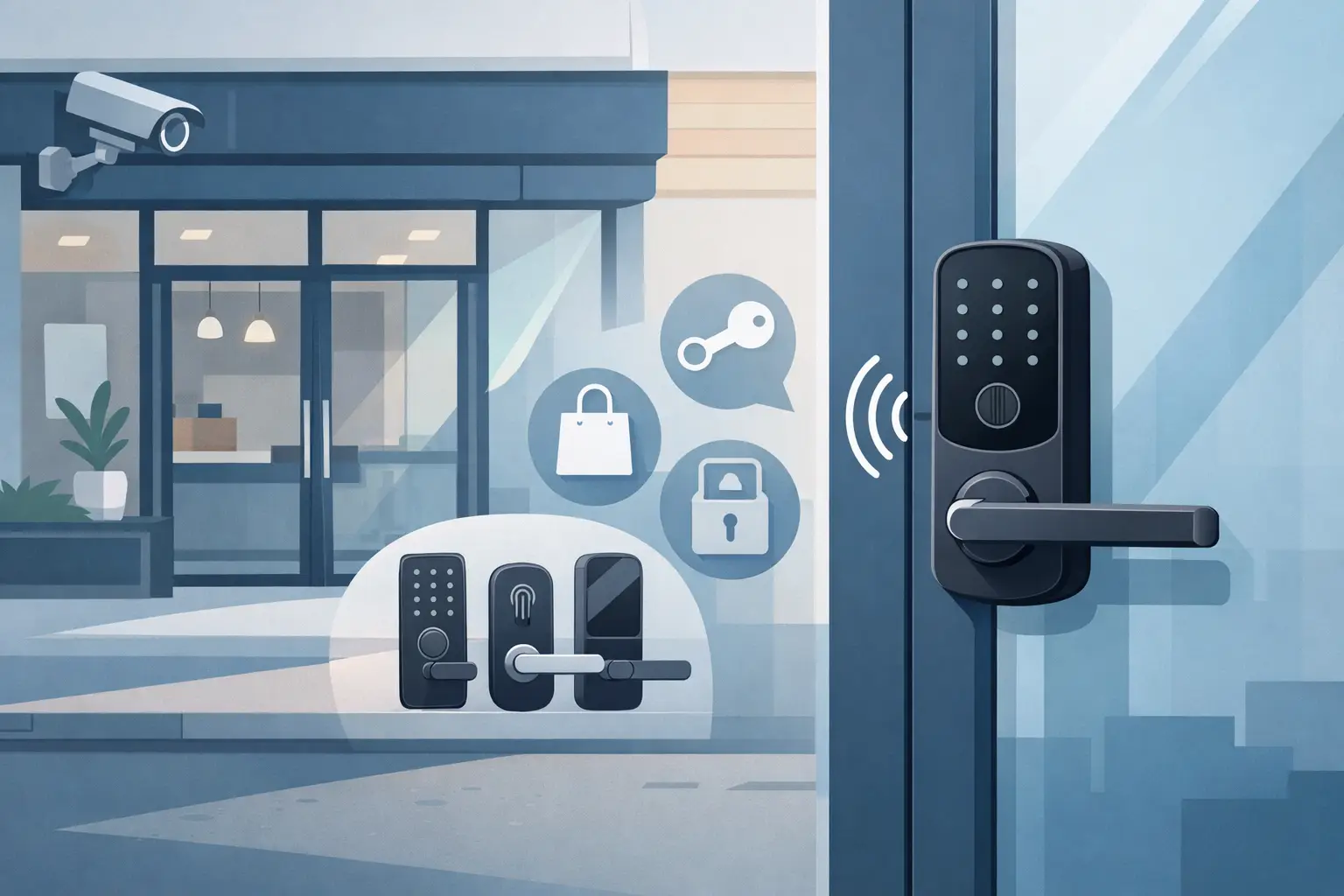
A storefront door gets used hard. Staff arrive early, deliveries come through the front, managers need controlled access after hours, and customers expect the door to work every time. That is why choosing the right smart lock for storefront door security is less about gadget features and more about traffic patterns, door construction, credential control, and how the lock fits into the rest of the entry system.
For a retail shop, office frontage, clinic, or street-facing commercial suite, the wrong lock usually fails in predictable ways. It may not hold up to repeated cycles, it may create problems with aluminum narrow-stile doors, or it may offer app features that look good on a product page but do not match how the business actually opens and closes each day. A better approach is to start with the opening itself, then work outward to access control, power, and management.
What a smart lock for storefront door use really needs
A storefront opening is different from a residential front door. Many commercial entrances use aluminum frame glass doors, narrow stiles, mortise hardware, panic devices, electric strikes, maglocks, or a combination of mechanical and electronic components. That matters because not every smart lock fits this type of door, and not every electronic lock is appropriate for a customer-facing entrance.
In most commercial settings, a smart lock should do three jobs well. It should secure the door consistently, let authorized people in without key-sharing problems, and support day-to-day operations without slowing staff down. If one of those pieces is weak, the system becomes a maintenance issue instead of an improvement.
The first question is whether you need a standalone smart lock or a broader access-control setup. For a small tenant space with a single employee entrance, a standalone keypad or credential-based lock may be enough. For a busier storefront with multiple staff levels, scheduled access times, audit trails, remote release, or integration with intercoms and cameras, a connected access-control system often makes more sense than a simple smart deadbolt.
Start with the door, not the app
Many buying mistakes happen because the software gets more attention than the hardware. On a storefront, the physical door and frame decide what is realistic.
Door type and frame construction
A wood or hollow metal commercial door gives you more lock options than a narrow-stile aluminum glass door. Storefront aluminum doors often require specialized hardware, especially when stile width is limited. A lock that installs easily on a residential slab may be a poor fit here.
If the door already has a mortise lock, replacing it with something unrelated can create unnecessary labor and finish issues. In many cases, it is more practical to work with the existing prep and choose compatible electrified hardware, a smart mortise solution, or an access-control device that works alongside existing mechanical hardware.
Traffic volume and duty cycle
A storefront entrance may cycle dozens or hundreds of times a day. High-use openings need commercial-grade hardware built for repeated operation. Battery-powered convenience locks can work in light-duty spaces, but they are not automatically the right choice for a busy front entrance.
This is where grade, build quality, and intended use matter. A lock that performs well on a low-traffic office interior door may wear out quickly on a retail entry. If the door is your primary public entrance, durability should weigh more heavily than extra app features.
Life safety and code considerations
If the opening is part of a means of egress, the hardware has to allow safe exit. That can affect whether you use an electrified lockset, electric strike, maglock with proper release devices, or panic hardware with electronic control. Local code requirements and occupancy type matter here, so the right answer depends on the building and use case.
Credentials and control methods
The best smart lock for storefront door access usually supports the way staff actually enter the building. Keys are simple, but they create management problems. Shared keys are hard to track, rekeying is expensive, and turnover makes control harder over time.
Keypads solve some of that by removing physical key duplication, but shared PINs can still spread too easily. For some businesses, that is acceptable. For others, individual user codes, cards, fobs, or mobile credentials provide better accountability.
PIN codes, cards, fobs, or mobile access
A small store with a short staff roster may do fine with managed user codes that can be added or removed quickly. If turnover is frequent, credentials tied to specific users are easier to control than a single shared code. Cards and fobs remain common because they are familiar, inexpensive, and easy to issue.
Mobile credentials can be useful, especially for managers or multi-site operators, but they should be treated as one option rather than the default. Some teams prefer phones. Others want something that works independently of battery charge, user app setup, or device compatibility.
Audit trail and scheduling
One clear advantage of smart access hardware is visibility. Knowing who entered and when can help with opening procedures, after-hours access, and incident review. Scheduled access is also useful for storefronts that open and close on a routine timetable or need contractor access only during limited hours.
That said, not every location needs a cloud dashboard. If the site has one door, one manager, and a stable team, advanced remote administration may be unnecessary. The right level of management depends on how many users, locations, and changes you expect to handle.
Integration matters more than extra features
A storefront entrance rarely works alone. It may be tied to a buzzer, an intercom, a camera, an alarm input, a request-to-exit device, or a remote release station. That is why the most useful smart lock decisions are often integration decisions.
If staff need to buzz in deliveries from a counter, you may need a strike or magnetic lock controlled through access hardware and door communication equipment rather than a self-contained smart lockset. If the goal is remote visual verification, pairing door control with surveillance and intercom equipment creates a more complete entry solution.
This is especially important for mixed-use properties, clinics, small office buildings, and storefronts with back-office staff. In those environments, a door opening event is not just a lock event. It is part of a managed entry workflow.
Power, connectivity, and failure planning
Electronic access hardware is only as dependable as its power and communication setup. For storefront applications, this should be part of the selection process from the start.
Battery-operated smart locks are attractive because they can reduce wiring, but battery service has to be realistic for the site. If the door is used heavily, battery maintenance becomes part of operations. Hardwired systems usually require more planning and installation work, but they often provide better long-term stability for commercial use.
Connectivity also deserves a practical look. Wi-Fi may be fine in some applications, but signal reliability at the entrance is not guaranteed, especially through commercial framing and glazing. Some systems use gateways, some use local controllers, and some are designed to function normally even if remote connectivity drops. That last point matters. A storefront should not become unusable because the network is having a bad day.
Fail safe versus fail secure behavior also needs attention. Depending on the hardware and life safety requirements, the door may stay locked or release when power is lost. That choice has operational and code implications, and it should never be treated as a minor detail.
Common buying mistakes
One mistake is choosing a residential-style smart lock for a commercial storefront just because it supports phone control. These products may be easy to buy, but they often fall short on door compatibility, duty cycle, credential management, and serviceability.
Another is ignoring the existing hardware prep. A replacement that forces major door modification can increase labor costs and leave a cleaner-looking but less practical result. It is usually better to match the opening properly than to force a device that was not intended for that door type.
A third mistake is focusing on remote features while overlooking everyday use. If employees struggle with credentials, if the door does not relock correctly, or if opening procedures become more complicated, the smart lock creates friction instead of improving security.
How to choose with fewer surprises
For most buyers, the process works best when you define the opening, the users, and the workflow before comparing models. Identify the door type, existing lock or strike setup, expected traffic, credential preference, and whether the entrance needs to tie into cameras, intercoms, or a broader access-control system.
Then look at environmental and operational details. Is this a single-entry tenant space or a multi-door business? Will staff need remote changes? Does the location need code-compliant egress hardware? Is the front door expected to stay latched during customer hours or release under certain conditions? Those answers narrow the field quickly.
This is also where working with a distributor that understands commercial hardware can save time. A supplier such as UnikCCTV can help match the door opening to the correct category of lock, strike, credential reader, or access device instead of pushing a one-size-fits-all option.
The right smart lock for storefront door use is the one that fits the opening, supports the people using it, and holds up under commercial conditions. If you choose with the door, the traffic, and the full entry system in mind, you will end up with hardware that does its job quietly every day, which is exactly what a storefront needs.
 No products in the cart.