
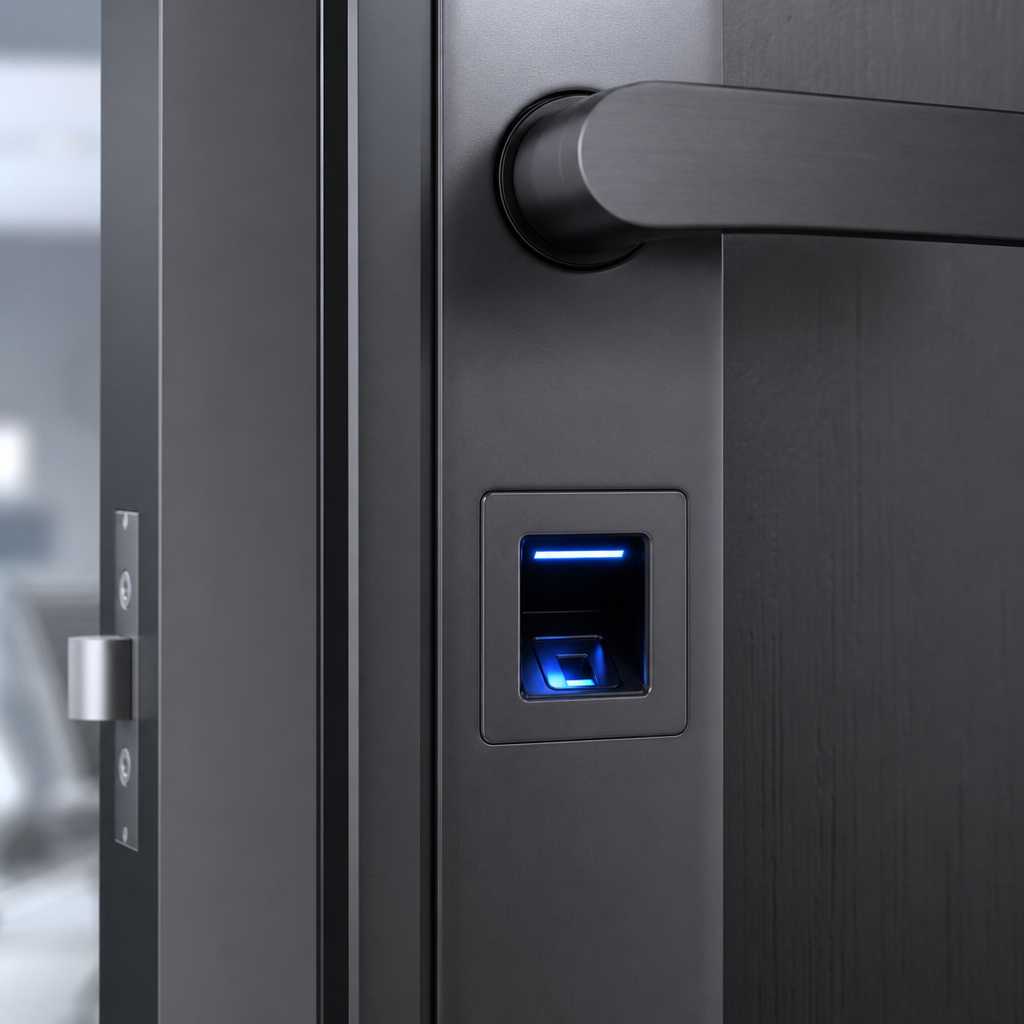
Most people still hand out physical keys they never get back. A terminated employee, a former tenant, a forgotten spare under the doormat – these are real security gaps that happen every day. A facial recognition door lock eliminates all of that. No key to copy, no code to share, no card to clone. But the real question is not whether the technology is impressive. It is whether the accuracy, cost, and installation complexity make it practical for your specific property. This article gives you a direct, no-fluff answer based on how these systems actually perform in residential and commercial deployments.
Table of Contents
- Quick Takeaways
- What Is a Facial Recognition Door Lock?
- How 3D Face Recognition Lock Technology Works
- Key Benefits for Homes and Businesses
- Honest Limitations You Should Know Before Buying
- Comparison: Facial Recognition vs. Other Smart Lock Options
- Best Use Cases: Who Actually Gets Value From These Systems?
- Installation, Integration, and What to Expect on Day One
- Frequently Asked Questions
- References
Quick Takeaways
| Key Insight | Explanation |
|---|---|
| 3D face recognition is more secure than 2D | 3D infrared mapping resists spoofing with photos or printed faces, making it the standard worth investing in for any serious access control deployment. |
| No key management means no credential leakage | Biometric data cannot be handed to an unauthorized person the way a key or PIN can. This alone makes facial recognition locks worth considering for multi-tenant buildings. |
| Recognition speed matters operationally | High-traffic entry points such as office lobbies or apartment common areas need sub-one-second recognition. Most quality units now achieve 0.3 to 0.5 second identification. |
| Weather and lighting affect outdoor performance | Direct sunlight, heavy rain, or extreme cold can degrade sensor accuracy on lower-end units. Choosing a model with an IP65 or higher rating is non-negotiable for exterior gates. |
| Integration with intercoms and CCTV multiplies value | A facial recognition lock paired with a video intercom and CCTV system creates a layered security record. Standalone locks miss this audit trail entirely. |
| Cost per door is higher than a PIN lock but lower than managed access cards | Over a three-year period, eliminating card replacement, re-keying, and lockout service calls typically makes biometric locks cost-competitive with card-based systems. |
| Enrollment quality determines daily reliability | Poorly lit or rushed enrollment scans are the primary cause of false rejections. Proper onboarding with multiple angles takes under two minutes and prevents most field complaints. |
What Is a Facial Recognition Door Lock?
A facial recognition door lock is an access control device that uses a built-in camera and biometric processing to identify a person’s face and grant or deny entry without any physical credential. The lock captures facial geometry, compares it against a stored database, and triggers an electronic latch or deadbolt within fractions of a second.
Most modern units from suppliers like those at UnikCCTV combine the recognition sensor with a keypad, RFID card reader, or mobile app as a backup method. This hybrid design matters because it gives property managers a fallback when a user’s face cannot be verified due to injury, medical changes, or a power anomaly.
These are not novelty gadgets. Property managers overseeing 50-unit apartment buildings, warehouse operators controlling shift-based access, and homeowners wanting to stop handing out keys are all legitimate buyers for this technology right now.


How 3D Face Recognition Lock Technology Works
The difference between a basic camera-based lock and a true 3D face recognition lock is the depth sensor. Basic 2D systems capture a flat image. A 3D system projects thousands of infrared dots onto the face, maps the contour and depth of facial features, and builds a point-cloud model that is nearly impossible to spoof with a photograph or a mask.
Infrared vs. Visible Light Sensors
Infrared sensors operate independently of ambient lighting. They work in complete darkness, handle direct glare, and are far less affected by sunglasses or hats than visible-light cameras. For outdoor gate access or underground parking, infrared is the only sensible choice.
Visible-light sensors are cheaper and adequate for well-lit interior environments like office receptions or hotel lobbies. In practice, most commercial-grade locks sold today use near-infrared (NIR) as the primary sensor with a visible-light camera as a secondary layer for logging and audit purposes.
Local Processing vs. Cloud Matching
High-quality units process facial matching onboard using a dedicated AI chip. This means recognition works even during an internet outage and keeps biometric data off external servers. Cloud-dependent systems can introduce latency and create data sovereignty questions that matter more every year as privacy regulations tighten.
Pro tip: Always confirm whether a facial recognition lock stores biometric templates locally on the device or transmits them to a remote server. Local storage is the safer and more privacy-compliant option for most commercial properties.
Key Benefits for Homes and Businesses
The strongest argument for a facial recognition door lock is not convenience. It is auditability. Every entry event is logged with a timestamp and, in most systems, a captured image. When something goes wrong at a property – a theft, an unauthorized access event, a safety incident – that log is immediately useful to property managers and law enforcement.
Eliminating Credential Sharing
PINs get shared. Cards get lent. Keys get copied. Faces cannot be transferred. This is especially valuable in shared workspaces, gyms, storage facilities, and multi-family buildings where residents informally share access with guests or contractors.
The data consistently shows that credential sharing is one of the top causes of unauthorized access in commercial properties. A biometric system structurally prevents this without requiring policy enforcement or monitoring.
Time Attendance Integration
For businesses, pairing a smart lock technology system with time attendance software converts a door lock into a payroll input device. Employees who clock in by facial recognition cannot buddy-punch for an absent colleague. This alone can justify the hardware cost within months for businesses with hourly workforces.
Remote Management for Multi-Site Operators
Property managers overseeing multiple buildings can add or revoke facial profiles remotely through a connected management platform. Firing an employee on Tuesday means their access is gone by Tuesday afternoon, without sending someone to retrieve a key or reprogram a lock cylinder.
“Biometric access control systems reduce unauthorized entry incidents by removing the human error factor from credential management. The technology does not forget to revoke access.” – Security Industry Association, Access Control Technology Report
Honest Limitations You Should Know Before Buying
Any vendor who tells you facial recognition is perfect is selling, not advising. There are real tradeoffs you need to evaluate before committing to this technology for your property.
False Rejection Rate and Who It Affects
A common mistake is ignoring the false rejection rate (FRR) in product specs. A lock that rejects a legitimate user once in every hundred attempts sounds minor until that user is your busiest employee walking into a warehouse at 6am with their hands full. Look for systems with an FRR below 0.1% at your required security threshold.
People with certain medical conditions, significant facial changes after surgery, or heavy facial hair growth between enrollment and daily use may experience higher rejection rates. Hybrid systems with a PIN or card fallback handle this gracefully.
Initial Cost Is Higher Than Alternatives
A quality facial recognition door lock for a commercial application typically costs between $300 and $900 per door, compared to $80 to $200 for a mid-range PIN or card reader. For a 10-door office, that is a meaningful capital difference. The calculation shifts when you factor in zero card issuance, zero re-keying, and minimal lockout support calls over three to five years.
Privacy Regulations Vary by Location
Some jurisdictions require written consent before collecting biometric data from employees or tenants. Illinois’ Biometric Information Privacy Act (BIPA) is the most cited example in the United States. Before deploying facial recognition in a commercial environment, verify your local legal requirements. This is not optional compliance theater – BIPA violations have resulted in multimillion-dollar class action settlements.
Pro tip: Ask your supplier whether their system provides an anonymized event log option. Some platforms can log access events by employee ID number without retaining a facial image, which simplifies compliance documentation considerably.

Comparison: Facial Recognition vs. Other Smart Lock Options
Choosing the right access control technology depends on your traffic volume, budget, and how much you need to invest in audit capabilities. The table below compares the three most common smart lock approaches for homes and small-to-mid commercial properties.
| Lock Type | Best Suited For | Key Tradeoff |
|---|---|---|
| Facial Recognition Door Lock (3D Infrared) | Commercial offices, apartment buildings, warehouses, gyms, gated communities | Higher upfront cost per door. Delivers the strongest audit trail and eliminates all physical credentials. |
| PIN Keypad Smart Lock | Single-family homes, small offices, low-traffic storage units | Very low cost and easy to install. PINs are frequently shared or observed, creating a security vulnerability in higher-traffic environments. |
| RFID Card or Fob Access | Mid-size offices, hotels, co-working spaces | Established infrastructure and familiar to users. Cards are lost, shared, or cloned. Ongoing card management and replacement costs add up over time. |
Best Use Cases: Who Actually Gets Value From These Systems?
Not every property needs facial recognition. A detached single-family home with one adult resident is not the ideal deployment. But there are clear categories of property where the technology pays for itself quickly.
Apartment Buildings and Multi-Family Properties
Property managers dealing with tenant turnover every six to twelve months spend significant time and money on re-keying, card reprints, and access audits. A facial recognition system eliminates re-keying entirely. When a tenant moves out, their profile is deleted. The next tenant is enrolled. No locksmith, no card order, no waiting period.
Pairing a facial recognition lock at the main building entrance with a video intercom system gives visitors a way to request access while maintaining a logged record of all entries. This combination is one of the highest-value configurations available to property managers right now.
Warehouses and Manufacturing Facilities
Workers in these environments often wear gloves, making fingerprint readers impractical. Facial recognition handles this without any modification to workflow. Combined with time attendance software, it also handles shift management without a separate clocking terminal.
Offices with Sensitive Areas
Server rooms, executive floors, R&D labs, and pharmaceutical storage areas benefit from a facial recognition layer because access to these zones needs to be precisely logged and tightly controlled. The audit log from a facial recognition door lock is admissible as access evidence if an incident requires investigation.
Residential Gates and Driveways
Homeowners with gated driveways or courtyard entrances can use facial recognition at the gate instead of remote controls or PIN pads that visitors can observe. A gate access control system with facial recognition means family members gain hands-free entry while guests still use an intercom call button.
Installation, Integration, and What to Expect on Day One
Most commercial-grade facial recognition locks use a standard wired connection to a door strike or magnetic lock, with power over Ethernet (PoE) or a dedicated 12V supply. For property managers familiar with installing card readers, the wiring process is almost identical.
Network Requirements
Units that support remote management need to reach a local network switch or your site’s Wi-Fi. Wired Ethernet is strongly preferred over Wi-Fi for access control devices because it is more reliable and avoids signal interference near metal door frames. If your building is not pre-wired for this, account for cabling work in your project budget.
User Enrollment Process
Enrollment typically takes 90 seconds per person. The user stands in front of the camera, rotates their head slightly through a few angles, and the system captures the 3D map. Better systems prompt the user through this process on-screen. The enrolled template is stored on the device, not transmitted externally on local-storage models.
For large properties, batch enrollment via a management platform is available. Administrators can import user lists, assign access levels, and push profiles to multiple doors simultaneously rather than enrolling each user at each physical device.
Integration with CCTV and Access Management Platforms
A standalone facial recognition lock is useful. A facial recognition lock integrated with a CCTV surveillance system is significantly more useful. When an access event triggers the lock, the same timestamp can pull footage from the nearest camera automatically. This creates a complete event record without manual correlation.
UnikCCTV supplies systems designed to work together as an ecosystem rather than isolated components. That integration matters at the point when something goes wrong on a property and you need evidence, not just a door log.
Frequently Asked Questions
Can a facial recognition door lock be fooled by a photograph?
A 2D facial recognition lock can potentially be spoofed by a high-quality printed photograph, which is why 2D-only systems are not recommended for security-critical applications. A 3D face recognition lock using infrared depth mapping cannot be fooled by a flat image because the sensor measures the physical contour of a face, not just its visual appearance. For any property where security is the primary goal, 3D infrared is the specification to require.
What happens if the power goes out?
Most quality units include a backup battery that maintains operation for several hours during a power outage. Some models also include a mechanical key override cylinder for emergency situations. When selecting a lock for a critical entry point, confirm both the battery backup duration and whether a mechanical failsafe is included. Buildings should also consider fail-safe versus fail-secure behavior, meaning whether the door unlocks or stays locked during a power failure, and choose based on fire code requirements and occupant safety.
How many faces can a facial recognition lock store?
Storage capacity varies by model. Entry-level residential units typically store 50 to 200 face profiles. Mid-range commercial units store 500 to 2,000. Enterprise-grade systems with networked storage can handle tens of thousands of users across multiple doors. Property managers overseeing large buildings should verify user capacity against their actual tenant or employee count before purchasing.
Is a facial recognition door lock legal to use for employees?
In most jurisdictions, yes, but with conditions. Employer use of biometric data from employees is regulated in several US states including Illinois, Texas, and Washington, and is subject to GDPR rules in the European Union. Generally, written consent and a published data retention policy are required. The legal framework is evolving quickly, so consulting a local employment attorney before deploying biometric access control for employees is a practical step, not an excessive one.
How does a facial recognition lock perform in outdoor conditions?
Performance in outdoor conditions depends heavily on the specific hardware’s ingress protection (IP) rating and the quality of its infrared sensor. A unit rated IP65 or above resists dust and water jets, making it suitable for covered outdoor installations. Direct sunlight at certain angles can interfere with some infrared sensors, so units designed for outdoor use include filters or dynamic exposure adjustments. Always verify the operating temperature range matches your climate, particularly if your property experiences temperatures below freezing in winter.
Can one facial recognition system control multiple doors across a building?
Yes. Multi-door management is one of the practical advantages of networked facial recognition access control. A central management platform lets administrators enroll users once and assign them access to specific doors or zones without re-enrolling at each device. Access schedules, temporary permissions for contractors, and instant revocation all happen from a single dashboard. This is the configuration most property managers and facility operators should be targeting for buildings with more than three access points.
Have you installed a facial recognition door lock at your property, or are you weighing it against another access control option? Share your experience or questions below so we can keep this discussion grounded in real-world use.
References
- National Institute of Standards and Technology: facial recognition technology standards and accuracy benchmarks
- Statista: global biometric access control market size and growth data
- Forbes: business security technology investment trends and biometric adoption rates
- Federal Trade Commission: consumer guidance on biometric data collection and privacy compliance
- McKinsey and Company: smart building technology ROI analysis and facility operations research

 No products in the cart.