

A missed delivery at a single-family home is an inconvenience. A missed visitor call at a multifamily property, school office, or warehouse entrance can turn into a security gap, a tenant complaint, or a workflow problem. That is why an intercom system with camera is no longer a niche upgrade. In many applications, it is the practical standard for managing entry, confirming identity, and reducing unnecessary door openings.
The right system does more than add video to a door station. It has to fit the building, the traffic level, the lock hardware, and the way the site is actually managed day to day. For some buyers, that means a straightforward front-door station and indoor monitor. For others, it means multi-tenant calling, gate communication, elevator control, or integration with electric strikes, magnetic locks, card readers, and existing surveillance equipment.
What an intercom system with camera actually solves
At a basic level, these systems let occupants see and speak with visitors before granting access. In practice, the value is broader. Video adds verification where audio-only communication leaves room for error. That matters at apartment entrances, delivery doors, employee entrances, side gates, school vestibules, and offices with restricted access.
A camera-equipped intercom also helps when the person answering the call is not at the same door every time. A receptionist may be handling multiple entry points. A property manager may need visibility at a main entrance while working from another office. A resident may want to identify a visitor without stepping to the door. In these cases, the system supports both security and efficiency.
There is also a record-keeping advantage when video intercom equipment is paired with recording or event logging. Not every site needs that, but for commercial and managed properties, the ability to review calls or verify entry events can be useful for incident follow-up and operational accountability.
Key parts of the system
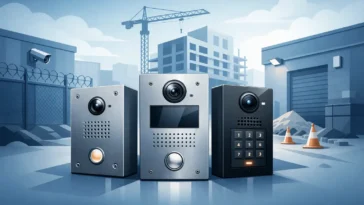
Most professional systems are built around a few core components. The outdoor station includes the camera, call button or keypad, microphone, speaker, and often a weather-rated housing. Indoor stations may be monitors, master stations, handset units, or app-connected endpoints depending on the platform.
The door release side is just as important. An intercom is only part of the entry chain. The lock may be an electric strike, magnetic lock, electrified mortise lock, or gate operator input. Power supplies, request-to-exit devices, relays, and access-control interfaces often determine whether the system performs reliably after installation.
On larger properties, there may also be directory modules, multi-tenant panels, concierge stations, or expansion hardware for multiple doors and buildings. This is where buyers often benefit from working backward from the site plan instead of starting with a single attractive door station.
How to choose the right intercom system with camera
The first question is not brand or screen size. It is application. A single-family front entry has very different needs than a six-unit building, a school vestibule, or a truck gate at an industrial property. The more clearly the use case is defined, the easier it is to narrow the right equipment.
Start with the entry points
Count the doors or gates that need communication and the doors that need release control. Those are not always the same. A site may need video and audio at one main entrance but release capability at two additional controlled doors. Some systems scale cleanly across multiple stations. Others are better suited for one or two doors only.
You should also consider distance. Long cable runs, detached buildings, and gate installations can affect whether a system is best handled with 2-wire, CAT cable, IP-based architecture, or a hybrid approach. A system that looks simple on paper can become difficult if the site layout is not part of the decision.
Decide who needs to answer calls
In some buildings, one monitor at a front desk is enough. In others, multiple apartments, offices, or stations must receive calls. That changes the design significantly. Multi-tenant systems need addressing logic, tenant directories, and a practical way to manage user turnover. Commercial sites may need call routing to a receptionist during business hours and another station after hours.
If mobile answering is part of the plan, it should be evaluated carefully. App-based convenience can be useful, but it should not replace a stable core system if the site depends on reliable daily operation. For many commercial and managed properties, hardwired stations remain the better fit because they are predictable and less dependent on consumer device behavior.
Match the system to the door hardware
This is one of the most common trouble points in the field. The intercom may be compatible with the site, but the release hardware may not be properly matched to the door condition, frame, fire rating, or access requirements. A camera intercom should be selected with the locking method in mind from the start.
For example, a narrow stile aluminum storefront door may favor one release approach while a perimeter gate or hollow metal door may call for another. If the site already has access control, the intercom may need dry contacts, timed relay outputs, or the ability to work alongside keypads, card readers, and exit devices.
Wired, IP, or apartment-style systems
There is no single best platform for every project. Traditional wired systems still make sense where simplicity and stability matter more than network flexibility. They are often a strong choice for smaller residential or light commercial entries where the goal is dependable communication and door release with minimal programming.
IP systems offer more flexibility for larger commercial sites, enterprise environments, and properties that want centralized management or broader integration. They can support multiple stations, remote management, and expansion more easily, but they also require stronger planning around network infrastructure, device licensing, cybersecurity, and long-term support.
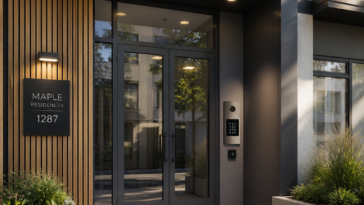
Apartment-style systems sit in their own category. These may include directory panels, tenant stations, and building entry functions designed for multifamily use. The right fit depends on the number of units, whether video is needed at each unit, and how the property handles deliveries, visitor access, and tenant changes.
Installation factors that affect performance
A camera at the door is only useful if visitors can be seen clearly. Mounting height, lighting, backlight conditions, and weather exposure all affect image quality. A door station placed directly against bright afternoon sun or under poor nighttime lighting may perform poorly even if the camera itself is rated well.
Audio matters too. Wind noise at gates, glass reflections at vestibules, and ambient industrial noise can make communication difficult. In busy settings, the practical quality of the microphone and speaker matters more than a long feature list.
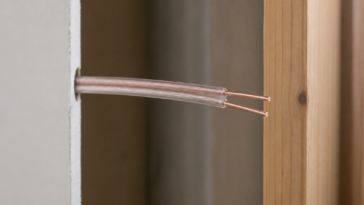
Power and cabling should also be treated as design elements, not afterthoughts. Voltage drop, shared power issues, and poor wire selection can create intermittent problems that look like product failure but are really installation issues. Professional-grade equipment performs best when the supporting infrastructure is planned correctly.
When integration makes sense
Some sites need a standalone intercom. Others benefit from tying the intercom into broader access control or surveillance infrastructure. A school may want visitor communication at the vestibule plus camera coverage from the security system. An office may want door release events coordinated with credential access. A multifamily property may need entry communication plus electronic locking at common areas.
Integration can improve control, but it also adds complexity. If the goal is straightforward visitor screening at one entrance, a dedicated system may be the cleaner choice. If the site has multiple managed access points and existing security infrastructure, a more integrated design may be worth the added planning.
Common buying mistakes
One mistake is buying for features instead of deployment conditions. Touchscreens, app functions, and high-resolution specs look good in a product comparison, but they do not solve a poor fit for the building or lock setup.
Another is underestimating scale. A property that plans to add doors, subdivide space, or expand occupancy should think ahead. Replacing an undersized system later usually costs more than selecting an expandable platform at the beginning.
The last mistake is treating the intercom as a standalone device. In real installations, it is part of an entry system. The camera, call station, monitor, lock, power supply, exit hardware, and cabling all have to work together. That is why serious buyers often look for product depth and technical guidance, not just a part number.
For installers, property managers, and facility teams, the best choice is usually the one that matches the site without forcing unnecessary complexity. If you are evaluating an intercom system with camera, start with the door, the users, and the release hardware first. The right equipment tends to become obvious once the application is defined clearly – and that leads to a system that works the way the property needs it to work.
 No products in the cart.